Dot Matrix display
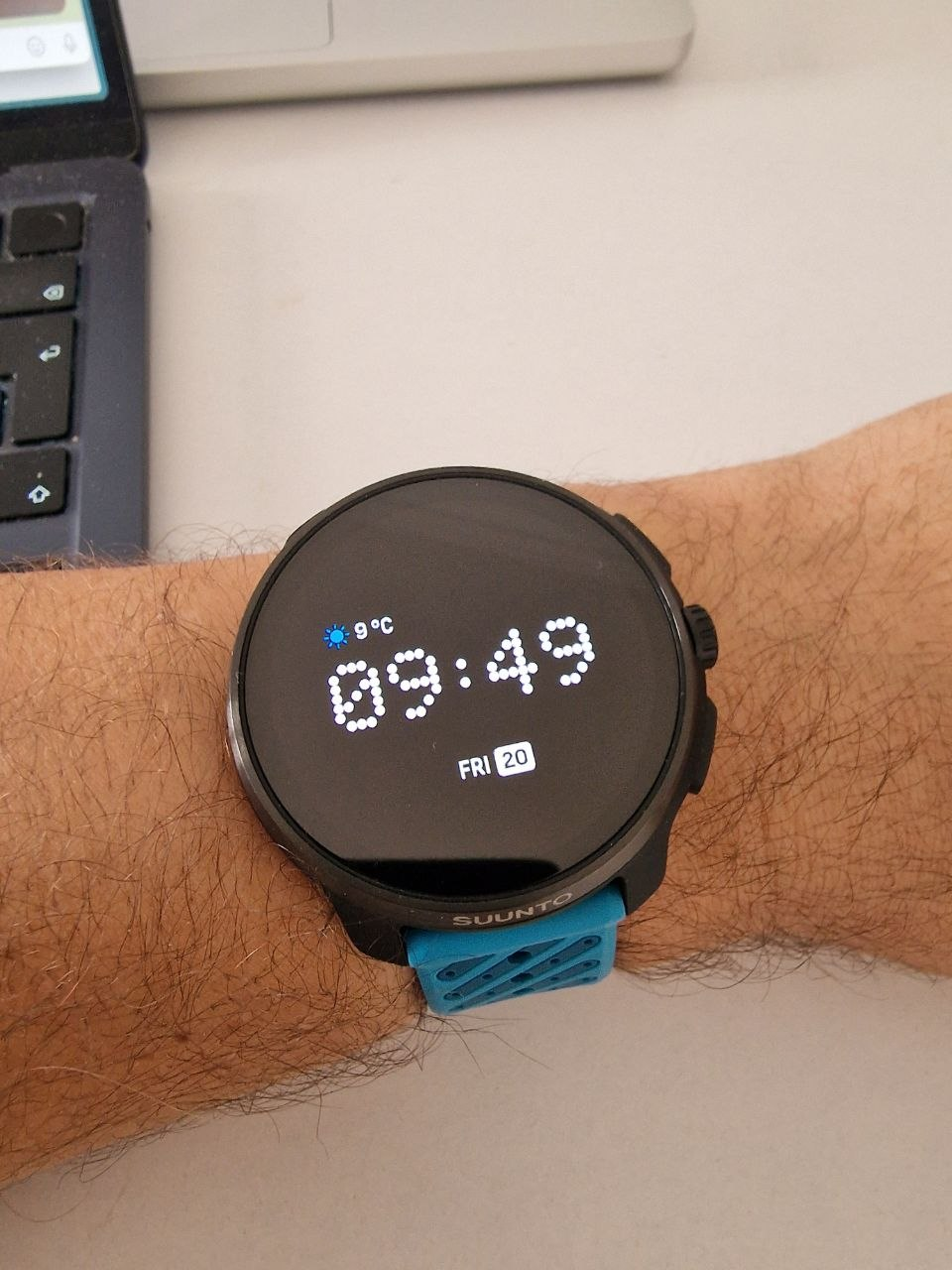
-
@Nikolai-Simonov How have you done? A sync with my phone deletes it

-
@Thibault-B. yes, this is also written somewhere, that if the app is not officially in the store, it gets deleted after every sync.
-
@OutdoorMan I know that for apps, but Nikolai was saying that watch faces were not deleted by sync.
-
@Thibault-B. said in Dot Matrix display:
I know that for apps, but Nikolai was saying that watch faces were not deleted by sync
I haven’t seen him saying that anywhere.
But it is an inconvenient constraint. Ideally there would be a setting or flag for the S+ apps and personal watchfaces, that would make them persistent through syncs, thus would not require publishing into Suunto app store. -
@Squirrel Sorry, I thought that’s what he meant by “yes it live from sync to sync”.
-
@Thibault-B. Amazing! It’s beautiful.
What is the battery drain? And can you also make a beautiful AOD?Would love to see that upper ring to be toggled between sunset/sunrise and weather!
On the down room for complications. I always like to have 3 or 4.
EDIT: Maybe I’ll have to try this myself. I graduated as an engineer (but never became one). I couldn’t get started with the Suunto College clips. Does someone have a way for a flying start? (I’d like to try this when my training will be less in May)
-
@Thibault-B.
And others.
I am not developer, but remembered that in old android app versions, there was an option not to sync S+app
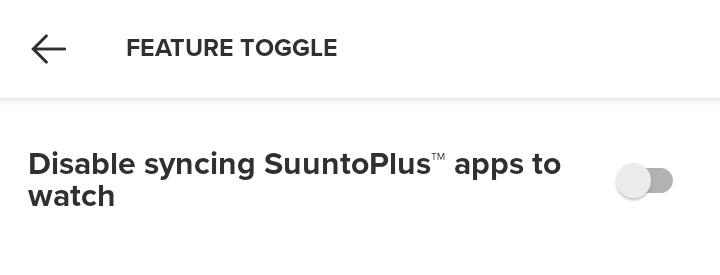
Maybe time and place to ask why it was removed
-
@Horizontal_2 Thank you.
-
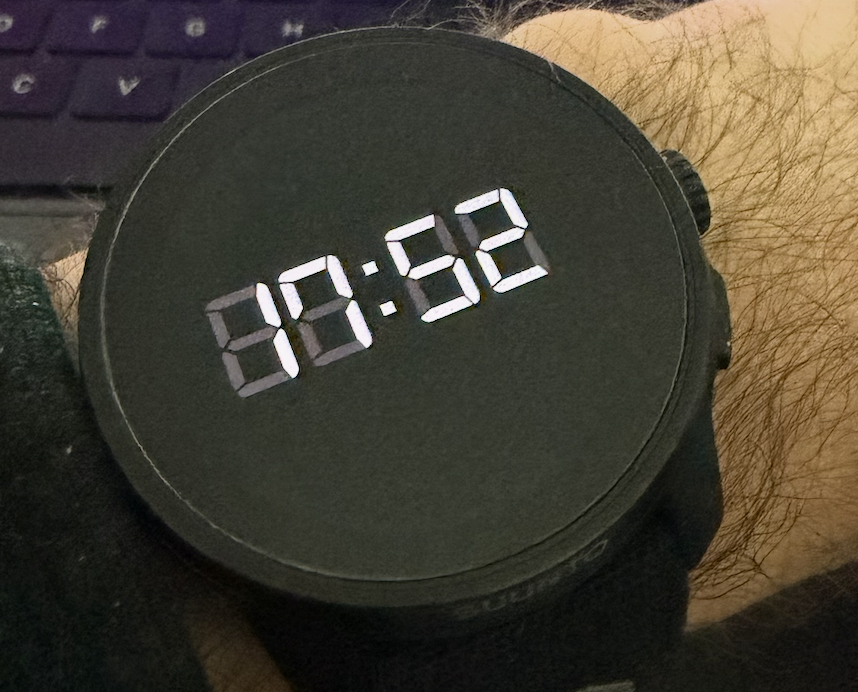
Here’s a photo of the AOD display: it’s the same layout as the main watch face, just dimmed. Keep in mind that my phone captures a lot of ambient light, so it appears brighter in the picture than it actually is.
-
Battery drain: I’ll keep an eye on it. Right now it’s dropping quickly, but I’ve spent most of the day developing SuuntoPlus apps and watch faces and constantly testing on my watch, so that’s probably a big part of it.
-
Upper ring: It uses the standard Suunto complication layout. You can choose between Sleep, Resources, Steps, Calories, Training Time, Moon Phases, Rain, Battery Level, or Blood Oxygen. Of course you could create your own complications and be even more creative compared to reusing what Suunto provides (benefit of using Suunto’s is that it can be changed in the settings).
-
Complications: You’re right that more could be added. This version is intentionally focused on simplicity and open space. I also felt that horizontal complications looked cleaner. I could experiment with smaller ones placed side by side.
-
-
@Thibault-B. said in Dot Matrix display:
horizontal
Amazing! Well done.
If low battery drain matters to you: you might change the number into outlined characters. I think it’s one of the reasons the vector causes battery drain. But maybe it’s preset.
But I’m not judging. I’m hyped one can make their own watch face.
-
@Horizontal_2
I don’t mind a small hit if I have something more readable. I was not fully satisfied with Suunto use of outlined characters in some watch faces. Although I totally get the idea to save battery. But thanks for the suggestion and tip! -
a lot of you guys asked for sources, sorry guys was busy by my main S+ project livetracking.
heres repo with this watch face please feel free to try it out
-
@Nikolai-Simonov Thanks for the repo, but it shows 404 error. I am registered.
The page you are trying to reach either does not exist, has been removed or you are not authorized to view it.
-
@Squirrel Oh! please re-check
-
@Nikolai-Simonov Works, thanks again.
-
Is it currently also possible to modify existing watch faces? I love the new anniversary face but the data displayed on it is not of use for me, would love to show stuff like my tsb, hrv, and resources on it.
-
@Nikolai-Simonov said in Dot Matrix display:
i build it with suunto’s vs code extension. currently there isn’t a menu item like a “create watchface”, but you can create it manually.
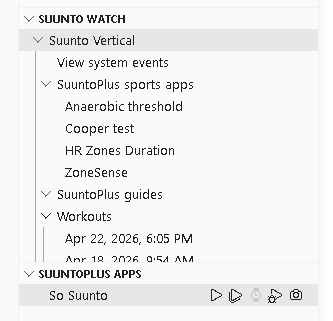
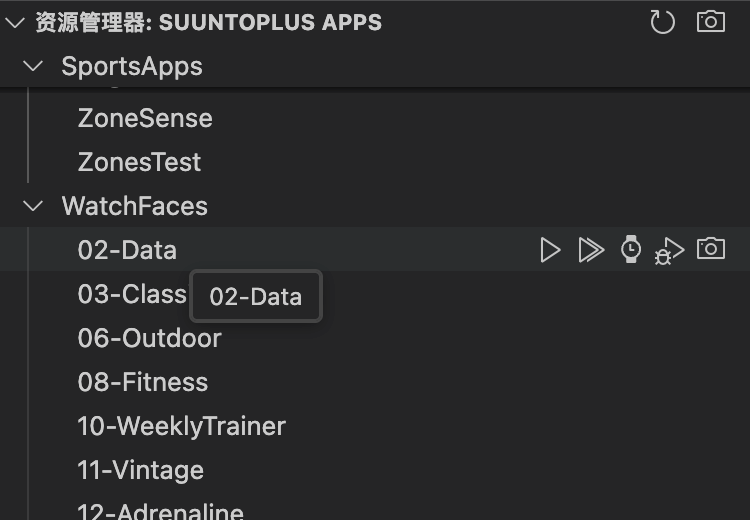
Could you please paste here code for both files main.js and manifest.json? I have installed all the environment to create watchface but lot of data I understand, and lot of it don’t. I would use your code as base for my project of 7 fields “activity like” watchface.
I also do not know why my watch resources are poor vs Suunto example
-
@pacuro sure, i’ve share the code few post above
https://forum.suunto.com/post/187910 -
@Nikolai-Simonov sorry, I missed that one. I have checked your code and it is extensive like for simple watchface. I thought it is easier to code such a things. I am struggling with google ai with my watchface. Can I send you my code for some help?





Hello! It looks like you're interested in this conversation, but you don't have an account yet.
Getting fed up of having to scroll through the same posts each visit? When you register for an account, you'll always come back to exactly where you were before, and choose to be notified of new replies (either via email, or push notification). You'll also be able to save bookmarks and upvote posts to show your appreciation to other community members.
With your input, this post could be even better 💗
Register Login