Offline Maps and Routing in Suunto App
-
@The_77 thanks for report, will fix that
-
Will the iOS app also be able to tap on a activity line in my heatmap and open this activity?
-
No app update available for iOS that I see and also Beta program seems to be removed?
Vertical Ti Solar
Vertical 2
Race 2
iPhone 17 Pro -
@bobbyfw03 Not with this release and I do not know if that is planned.
-
@Brad_Olwin oh, that’s a bummer. I was really excited as I saw it works on android…
-
Patient you must be…

-
I was able to install the offline map even tough I have a Suunto Run with no maps. Good job Suunto!
Forerunner 110 > 310XT > Fenix 2 > Suunto Ambit3 Sport > Ambit3 Peak > Fenix 3 HR > Amazfit Pace > Vivoactive 3 > Fenix 5 > Forerunner 245 > Venu Sq > Suunto Spartan Sport HR Baro > Fenix 6 Pro > Forerunner 165 > Suunto Run
-
-
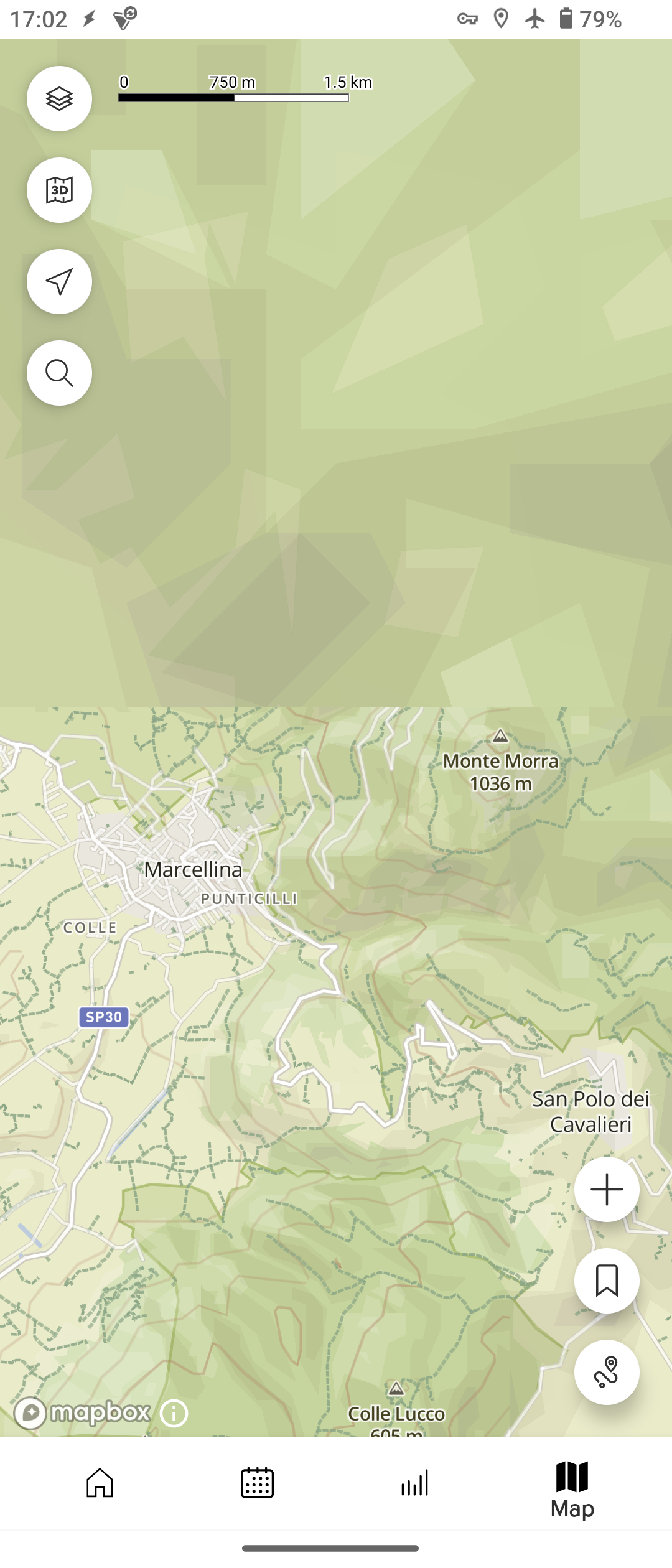
I had problems in downloading the map of the region where I stay (Lazio, Italy) it seems to me the part of that map that is already cached (around my city, Rome) conflicts with the downloading of the map of the whole region. At first is looks that the map has been downloaded, but as soon as I put the smartphone in airplane mode and clear the SA cache, the map disappears even if it is listed among the downloaded maps (both watch and mobile icons). To solve the problem I had to delete the (ghost) downloaded app and download it again.
-
the offline routing doesn’t work for me, I just get a strait line between point A and B …
-
-
@Stefano-M64
For the point 1)
I had the same issue putting airplane mode after downloading the map. To solve this issue I significantly zoom out and zoom in. -
@Wilson75 said in Offline Maps and Routing in Suunto App:
@Stefano-M64
For the point 1)
To solve this issue I significantly zoom out and zoom in.that didn’t worked for me
-
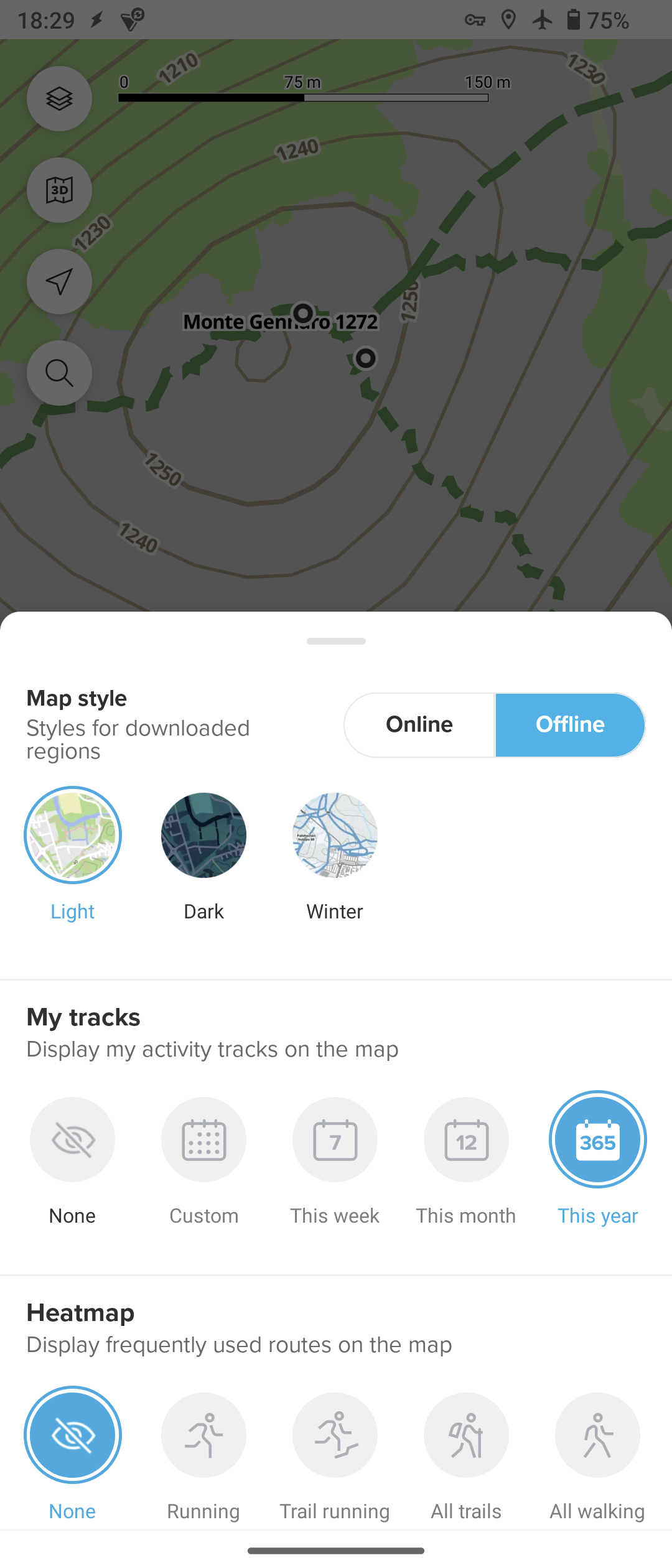
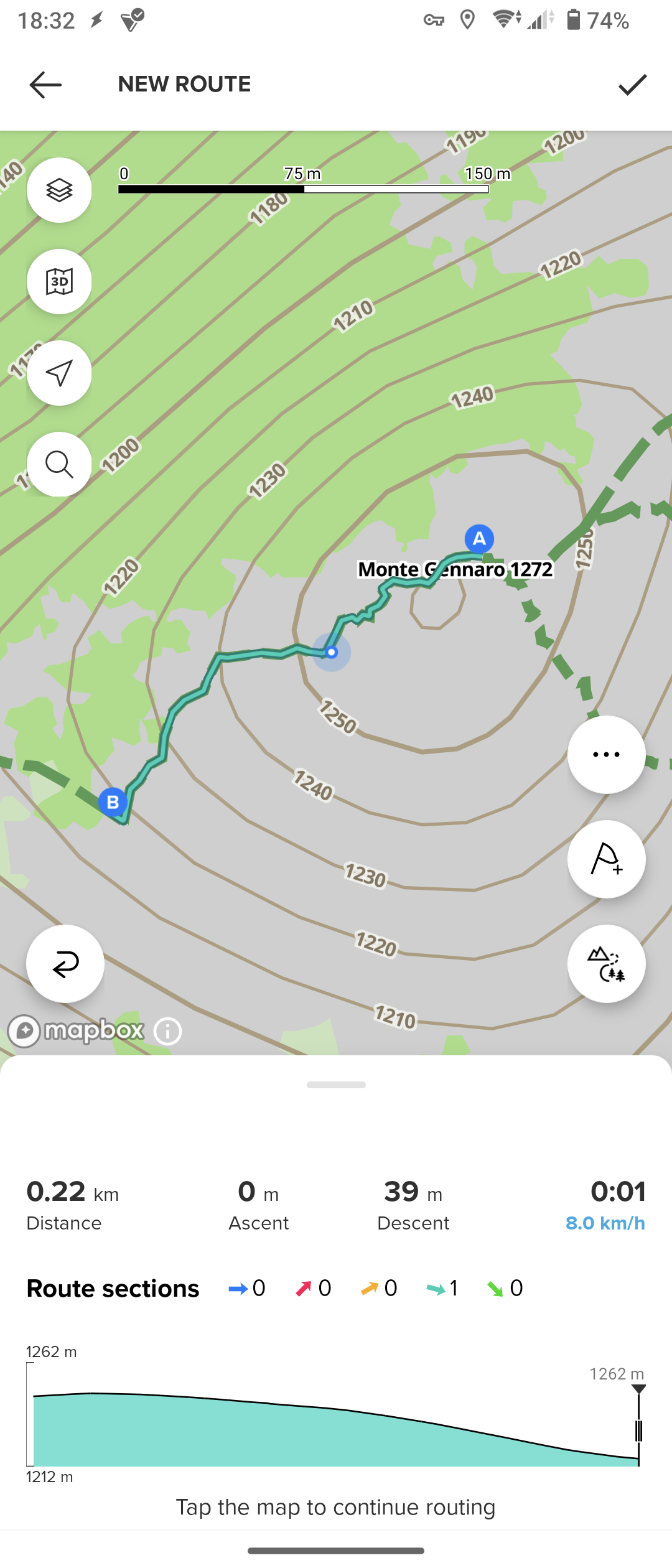
OK! I found the culprit, in order to have the offline routing the user must switch to one of the three offline map styles
-
it would be way better if in case of missing data connection the offline routing is automatically selected
-
@Stefano-M64 we decided that it’s better to have explicit control for various reasons. A few of them:
- Online and offline data are different, it’s not good to mix neither the style nor navigation with different type of data.
- If connection available or not is tricky to detect. Connection can be intermittent, or available but super slow. It’s more reliable to control it explicitly. In my personal experience it’s super frustrating when app switches online/offline unpredictably.
- Even while having a data connection I might want to use offline map and routing. For example if I’m abroad in expensive roaming network, while I downloaded offline maps in advance
- Offline and online routing engines are different. We tried to align them feature-wise, but they can produce different results. You may prefer one or another.
Opinions expressed are solely my own and do not express the views or opinions of my employer
-
@pavel.samokha This is great! Now we need the low limit for the number of routes on the watch to be lifted so that we can always start navigation on the watch from the app.
This is especially important considering that routes tend to somehow reappear on the watch after they have been removed on the app. Perhaps that is a result of syncing multiple watches.
Suunto: Ambit, Ambit 3 Peak, 9 Baro, Race S, Race Ti, Vertical 2 Ti
Garmin: Forerunner 210, Forerunner 610, Fenix 6X, Fenix 7X Ti -
@pavel.samokha I’ve downloaded some offline maps and looked at them. The rendering seems to closely resemble what we see on the watch.
My main critique of all 3 map themes that are available offline is the same critique that I had about the offline watch maps - trails in forested areas are rendered using low contrast color combinations - dark green on light green for light maps, light green on dark green for dark maps, and very light almost invisible grey on white for winter maps. I understand that winter maps are intended for winter sports, so perhaps hiding trails was intentional, but consider backcountry skiing on snowshoeing where activities often follow summer trails.
I’m comparison, online winter maps offer the best contrast and legibility of all map styles!
-
@sky-runner styles are indeed based on watch ones and suboptimal. We’ll need to improve them, feedback is welcome
Opinions expressed are solely my own and do not express the views or opinions of my employer
-
@sky-runner said in Offline Maps and Routing in Suunto App:
@pavel.samokha This is great! Now we need the low limit for the number of routes on the watch to be lifted so that we can always start navigation on the watch from the app.
This is especially important considering that routes tend to somehow reappear on the watch after they have been removed on the app. Perhaps that is a result of syncing multiple watches.
I also don’t understand the limit, but for me it is not really an issue. You can always switch off and on the routes on the watch.
-
@pavel.samokha said in Offline Maps and Routing in Suunto App:
@Stefano-M64 we decided that it’s better to have explicit control for various reasons. A few of them:
I understand, nevertheless I believe that at least a warning would be useful: “no data connection available, please switch to offline map/routing”. The fact that to use the offline routing the offline map must be selected isn’t clearly stated, I guess that many users could be confused by that.
In any case, this feature is really great, a must have for outdoor adventures, many thanks!
Suunto Vector . Vector HR . Core . Race & Race S
-
@Egika Before that, you have to upload/remove them to the watch, and this is a big problem sometimes when using two watches/applications.
-
@Stefano-M64 said in Offline Maps and Routing in Suunto App:
I understand, nevertheless I believe that at least a warning would be useful: “no data connection available, please switch to offline map/routing”. The fact that to use the offline routing the offline map must be selected isn’t clearly stated, I guess that many users could be confused by that.
Thanks. Yeah, I agree that it can be confusing at first and we may need to suggest switching to offline mode










Hello! It looks like you're interested in this conversation, but you don't have an account yet.
Getting fed up of having to scroll through the same posts each visit? When you register for an account, you'll always come back to exactly where you were before, and choose to be notified of new replies (either via email, or push notification). You'll also be able to save bookmarks and upvote posts to show your appreciation to other community members.
With your input, this post could be even better 💗
Register Login