Watch Faces as part of new OpenSuuntoPlus
-
@dtsdts You did not miss anything! At launch we only provide the ability to create sports apps, not watch faces. Watch face creation – including an intuitive visual editor – is in development, but is not quite ready yet. You will know when it is widely available – we don’t intend to hide it

-
@SuuntoPartnerTeam said in Watch Faces as part of new OpenSuuntoPlus:
Watch face creation – including an intuitive visual editor – is in development
Great news!
-
@SuuntoPartnerTeam This is amazing news!
-
@SuuntoPartnerTeam Wonderful, thanks for clarifying that. I look forward to when that is ready!
-
@SuuntoPartnerTeam Will this be available for a non-Suunto Plus Partner to create? Will I be able to make a watch face myself or we this go through a similar process as open sport app development where I’d have to be a partner to create a watch face?
-
@Tony-Garcia Partnership is only a requirement for when you wish to upload to the store. You do not need to be a partner to use our development environment or to deploy things onto your own watch. However, whenever you synchronize with the Suunto iOS/Android app, all software not installed from the official store will get wiped!
-
@SuuntoPartnerTeam So will there be a curated list of user submitted watch faces from the app store?
Perhaps a competition for three new user made watch faces?
-
Will you also add the ability to create custom widgets/apps?
-
This the full Release Notes from SuuntoPlus Ext
1.37.0 - 12 September 2025
- Added a visual drag-and-drop watchface generation system
Release Notes
1.42.0 - 6 March 2026
- Updated some of the documentation
1.41.0 - 10 January 2026
- Added partial documentation and fixed inaccurate expressions
- Updated example applications (Graph, DynamicIcons)
- Trimmed leading and trailing whitespace from application names when creating apps
- Fixed workout-related issues in the simulator
- Added long press and long press cancel events for buttons
- Added validation to make getUserInterface a required function
1.40.0 - 7 November 2025
- Updated and completed the development documentation
- Created application-type descriptions with click-to-jump links to the docs
- Disabled several immature features
- Optimized the application rendering pipeline
- Improved application image detection
- Added support for Ocean Lite connectivity
1.39.0 - 7 November 2025
- Add support for Ocean Lite (Ylivieska)
- Add support for V4(feat_zappwf_v4) watch face
- Rename the command “SuuntoPlus: 打开SuuntoPlus编辑器” to “SuuntoPlus: Open SuuntoPlus Visual Editor (Beta)”
- Rename the command “SuuntoPlus: 使用SuuntoPlus编辑器打开” to “SuuntoPlus: Open With SuuntoPlus Visual Editor(Beta)”
1.38.0 - 12 September 2025
- Fix visual can’t load example
1.37.0 - 12 September 2025
- Added a visual drag-and-drop watchface generation system
- Added support for new dial syntax
- Adjusted command names and improved the documentation
- Optimized the missing prompt for the nema tool
1.36.0 - 26 June 2025
- Added the function to force skip application verification for Build
- Implemented the initial rendering function for complications
- Optimized the dial rendering logic and page layout to display more detailed information and support collapsing applications
- Optimized the application detection structure, supporting detection of single-application projects, adjusted the maximum number of detected apps to 1000, and set recursion to 100 levels
- Updated to the latest WUI syntax, supported the feat_zappwf_v4 version, and deprecated the zapp_wf_viewmode Token
- Supported previewing built-in watch images with Ctrl + mouse click
- Changed the dial push to push and automatically switch
- Fixed the issue where main.js could not get the input value
- Fixed other bugs
1.35.0 - 7 May 2025
- Fixed the issue of the outdated pngng-s9 library when building the application on Mac
- Simplified the way images are used, with simple adjustments to the application syntax, as follows:
-
- Removed the displays information under manifest for images; the Editor will automatically parse and generate it, eliminating the need for developers to fill it in
-
- Type information is no longer required in image names; it needs to be declared under image in manifest. If not declared, the Editor will prompt every time the project is opened
-
- When using images in HTML, there is no need to add the
{zapp_folder}/prefix; they can be used directly
- When using images in HTML, there is no need to add the
- Parsing
<import>and<img>tags, supporting highlight prompts, validation checks, and quick navigation - Disabled the use of document and windows under Apps
- Added more comprehensive validation checks for manifest.json
- Fixed the issue of untimely updates to main.js
- Add support for the new watch model Vertical 2
- Fixed some other bugs
1.34.0 - 28 March 2025
- Add a quick project creation page
- Optimize the watchface project template
- Support visual configuration for the manifest.json file
- Add status bar buttons for quick project creation and opening the Simulator
- Add the functionality to batch render application reports and export them
- Add support for the new watch model Race 2 (Wismar)
1.33.0 - 16 February 2025
- Preload application data sources, supporting data source modifications in stopped and paused states
- Refactor the underlying framework of the Editor to improve performance and flexibility
- Optimize screenshot logic to enhance accuracy and success rate
- Add a component position hint feature
- Introduce the nextgen-ignore.json file, which allows explicitly ignoring specified CSS class styles, and add a new green theme
- Add some automated configurations that allow setting whether to automatically start the application, switch the Debugger, switch the Logger, and switch the developer window functions
- Add quick buttons to open the developer tools, development documentation, and Editor configuration settings page
- Add validation for capabilityRequirements. When capabilityRequirements is 1, a maximum of 4 complications are supported; when it is 2, a maximum of 8 complications are supported
- Fix several watch face parsing issues, and fix the bug of caching non-existent applications that users try to open
- Add a new APP type filter option
1.32.0 - 7 October 2024
- Responsive layout for the Editor Simulator panel
- Disabled preview for watchface app
- Added a template for creating SuuntoPlus WatchFace applications
- Optimize compiling multiple languages to the watch
- Cache the user’s last selected application and watch configuration
- Fixed the issue of directory confusion when creating application workspace directories
- Add
open suuntoplus simulatoritem to the right-click menu
1.31.0 - 4 September 2024
- Add the watch face page switching function
- Add the functionality to switch watch faces
- Add the quick view feature for the complications file
- Optimize the dropdown menu items for the watch model
- Optimized the error prompt
- Optimize the sorting of applications in the SUUNTOPLUS APPS section
- Update developer documentation
1.30.1 - 14 August 2024
- Fix the abnormal version number of the Editor
1.30.0 - 13 August 2024
- Optimize code structure and fix known issues
- Optimize the implementation logic for tags and attributes such as eval, object, svg, and range
- Add validation for image names, quantity, and format, and fix image display issues
- Support manual modification of input data values for enum, boolean, and timestamp types
- Add functionalities and UI effects for cloud watch faces, along with managing watch faces
- Add the ability to build for all languages button and check all SuuntoPlus apps functionality
1.29.0 - 23 April 2024
- Add SuuntoPlus Sport app Reference documentation, it can be opened in VS Code
with “SuuntoPlus: Open Documentation” command - Add and update SuuntoPlus example apps
- SuuntoPlus simulator fixes
1.28.0 - 21 December 2023
- Add localization support for ext*.js files
- Add missing resources to simulator (e.g. Navigation/State)
- Simulator bug fixes
- Add examples to VS Code extension (previously they were links in developer doc). Add
“SuuntoPlus: Open Examples” VS Code command that opens examples in a new VS Code window. - Add “Set Watch Language” command to “Suunto watch” view’s context menu
1.27.0 - 3 November 2023
- Add sp-b-cjk CSS class, it uses a font with all supported characters
- Verify used character set in HTML
- Add SGEE update command to “Suunto watch” view context menu
- SuuntoPlus simulator fixes
- Add Suunto Race name
1.26.0 - 12 September 2023
- Add HTML include element that includes another HTML file in SuuntoPlus build
- Add Visual Studio debug runtime for UiXmlConv.exe, fixes building SuuntoPlus
apps when you don’t have Visual Studio installed
1.25.0 - 7 September 2023
- Enable BLE in macOS only if at least a partial serial number is specified in
SuuntoPlus extension settings - HTML preview and simulator fixes
- Add Repetitions, Volume, OneDecimal, TwoDecimal and ThreeDecimal formatters
- Add watch selection to context menu in Suunto Watch view
1.24.0 - 18 August 2023
- Improve HTML canvas support
- Improve localization support
- Add language selection to HTML preview and simulator
- Add “Build and Add to Watch for Language…” command to context menu in
SuuntoPlus apps view
- Add IS_NG1 and IS_NG3 template tokens that can be used in main.js or HTML.
They are replaced with 0 or 1 depending on display ID. - Check Handlebars templates (manifest, main.js, HTML) and log a warning if
there is an unknown token - Simulator: Add support for onLongPressStart, onLongPress and
onLongPressCancel event handlers in pushButton element - Try to generate unique application ID for apps and cache ID values by
application directory - Add zone gauge support, i.e.
<import src="#zone-g" />
1.23.0 - 29 June 2023
- Add DISPLAY_ID token to main.js, it’s replaced with display ID when app is built
1.22.0 - 26 June 2023
- Simulator: Improve HTML svg element support
- Simulator: Add support for HTML graph element
- Add command to create app source package
- Add command to build app in all languages
- Add localization support for manifest (app name, description etc.)
1.21.0 - 22 May 2023
- Fix CSS for light theme in latest watch firmware
- Fix optimizing images by display (image.displays property in manifest)
- Include png files in source package
- Improve SuuntoPlus simulator
- Bug fixes
1.20.0 - 5 May 2023
- Add support for multiple SuuntoPlus Apps in VS Code workspace
- Add “SuuntoPlus Apps” panel to VS Code Explorer view
- Include workout files in simulator (running, cycling, openwater swimming,
pool swimming and cross country skiing) - Add “up”, “next”, “up left” and “down left” buttons to simulator
- Implement invisible lap in simulator, i.e. lap without popup
- Read temperature, cadence and power from FIT file in simulator
- Add image.displays manifest option to optimize images in SuuntoPlus App package
- Bug fixes and improved error checks
1.19.0 - 6 April 2023
- Add support for watch display type ‘q’
- Improve activity window (lap etc.) resources in simulator
- Bug fixes
1.18.0 - 31 March 2023
- Add onEvent callback function
- Add “SuuntoPlus: Create Source Package” command
1.17.0 - 24 March 2023
- macOS: Fix showing icons in HTML preview and simulator
- Fix simulator data views when time speed is increased
- HTML fixes in preview and simulator
- Get temperature and power from workout file in simulator
1.16.0 - 17 March 2023
- Fix parsing JSON workout files exported from Suunto app
- Sport app settings fixes
- Check that “out” values are numbers
- Add limited HTML canvas support
- Improve watch resources in simulator
- Calculate ascent, descent, ascent time and descent time from altitude data
- Calculate pressure trend from pressure data
- Call onAccelerometer function in simulator
- Bug fixes
1.15.0 - 13 February 2023
- Add option to use workout file in simulator as source for watch resource data
- Add option to generate screenshot in original size or 2401 x 2401 pixels
- Improve error checking for images in HTML
1.14.0 - 30 January 2023
- Add HTML preview and simulator screenshot buttons, remove
“SuuntoPlus: HTML Screenshot” command - Add “SuuntoPlus: Open Log Files” command
- Fix HTML preview issues
- Fix HTML view handling in simulator, fixes for example overriding lap popup
with “z-popup” view
1.13.0 - 13 January 2023
- Add SuuntoPlus App settings support to editor and simulator
- Fix loading watch system events when they contain invalid UTF-8
- Improve SuuntoPlus simulator
- Show getSummaryOutputs after stopping simulator
- Move outputs and JavaScript variables to separate panels
- Add pause / continue exercise button
- Add CSS classes: sp-vertical-center (same as existing sp-vc), sp-scale-display, sp-text-bottom
- Improve HTML and CSS validation
1.12.0 - 20 December 2022
- Add localization support for main.js
- Improve SuuntoPlus App simulator
- Fix non-ASCII characters in app name
- Bug fixes
1.11.1 - 9 December 2022
- Add watch Bluetooth connection support in macOS
- Improve SuuntoPlus App simulator
- Add lap button
- Add activity selection
- Add watch images
- Warn about unknown CSS classes when editing HTML files
- Bug fixes
1.10.0 - 28 November 2022
- Improve SuuntoPlus App simulator
- Improve HTML layout in watches
- Add support for watch display type ‘o’
1.9.0 - 11 November 2022
- Improve HTML layout in UI2 watches
- Add “Enable Debug Logging” setting
1.8.0 - 4 November 2022
- Add display independent HTML support. This allows using one HTML template for
all watch displays (s, m, n and l). Display specific HTML templates are still
also supported. - Improve SuuntoPlus App simulator
- Improve HTML validation
1.7.0 - 29 September 2022
- Improve SuuntoPlus App simulator
- Allow changing watch input resource values
- Add settings for unit system (metric / imperial) and time format (12h / 24h)
- Add option to change time speed
- Add more simulated watch resources
- Improve HTML preview
1.6.0 - 9 September 2022
- Add SuuntoPlus App simulator that runs application in VS Code
- Add outputFormat auto completion to HTML editor
- Add new SuuntoPlus App type “device”
- JavaScript minifier fixes
- Improve JavaScript and HTML error checks
- Remove unnecessary JavaScript warnings
1.5.0 - 23 August 2022
- Improve HTML preview
- Add command to save HTML preview screenshot
- Add compile time localization support
- Add support for optimizing application size for different watches and display types
- Show workout summary when workout is clicked in watch tree
- Remove unnecessary warnings about watch resources and JavaScript code
1.4.1 - 16 August 2022
- Fix JavaScript syntax error when toString function is used
1.4.0 - 12 July 2022
- Improve JavaScript error checks
- Improve HTML preview
- Use correct fonts
- Add support for value formatters and units
- Add HTML example links to README
- Improve HTML examples to use CSS classes
- Show an error to user if SuuntoLink is running
- Add refresh button to watch view
- Add command for adding SuuntoPlus App binary (.fea file) to a connected watch
1.3.0 - 15 June 2022
- Windows: Add support for connecting to Suunto watch with BLE (requires 64-bit
Windows 10 or later) - Add SuuntoPlus HTML preview
- Add support for watch display type ‘n’
1.2.0 - 1 June 2022
- Windows: Add missing Visual Studio runtime dll files
- Improve error checking and warnings when building Suunto Plus Sport App
1.1.0 - 25 May 2022
- List SuuntoPlus Sport Apps in connected Suunto watch, allow deleting Apps
from watch - Improve error checking and warnings when building Suunto Plus Sport App
- Improve SuuntoPlus JavaScript editor
1.0.0 - 11 May 2022
Initial release
-
@SuuntoPartnerTeam said in Watch Faces as part of new OpenSuuntoPlus:
However, whenever you synchronize with the Suunto iOS/Android app, all software not installed from the official store will get wiped!
And how can you make apps persistent without being a Suunto partner?
-
@suuntopartnerteam - checking on progress with the watch face development option, sounds exciting !
-
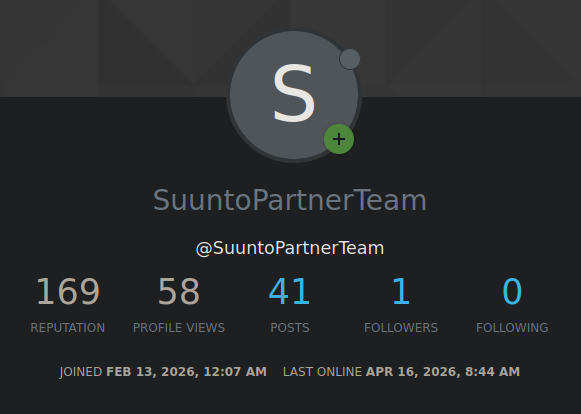
@Woodster progress might have stalled…
-
mark to read it and get news about OpenSuuntoPlus





Hello! It looks like you're interested in this conversation, but you don't have an account yet.
Getting fed up of having to scroll through the same posts each visit? When you register for an account, you'll always come back to exactly where you were before, and choose to be notified of new replies (either via email, or push notification). You'll also be able to save bookmarks and upvote posts to show your appreciation to other community members.
With your input, this post could be even better 💗
Register Login