[Discussion] Share your projects
-
I Just got my device this last week and was happy to find they just released the Development Environment to make apps.
I ended up selling my Garmin after they release a rucking activity but only for the newest devices.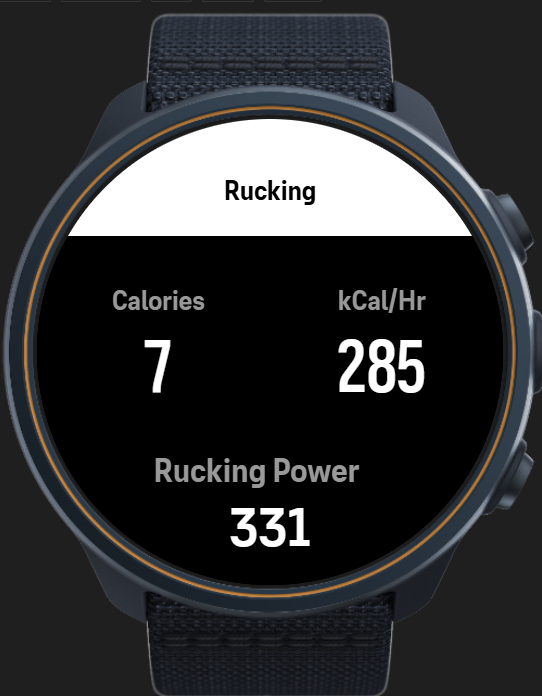
So now i can build one here. (Right now just Pandolf Calculation) But playing with adding the ability to adjust weight on the phone optionally as well (instead of just as a settings though the phone app)
-
@Thibault-B. Well… I’m still waiting for Suunto to open up an account for me.
-
@Łukasz-Szmigiel I’m also waiting for your app.


-
It’s live, babe!
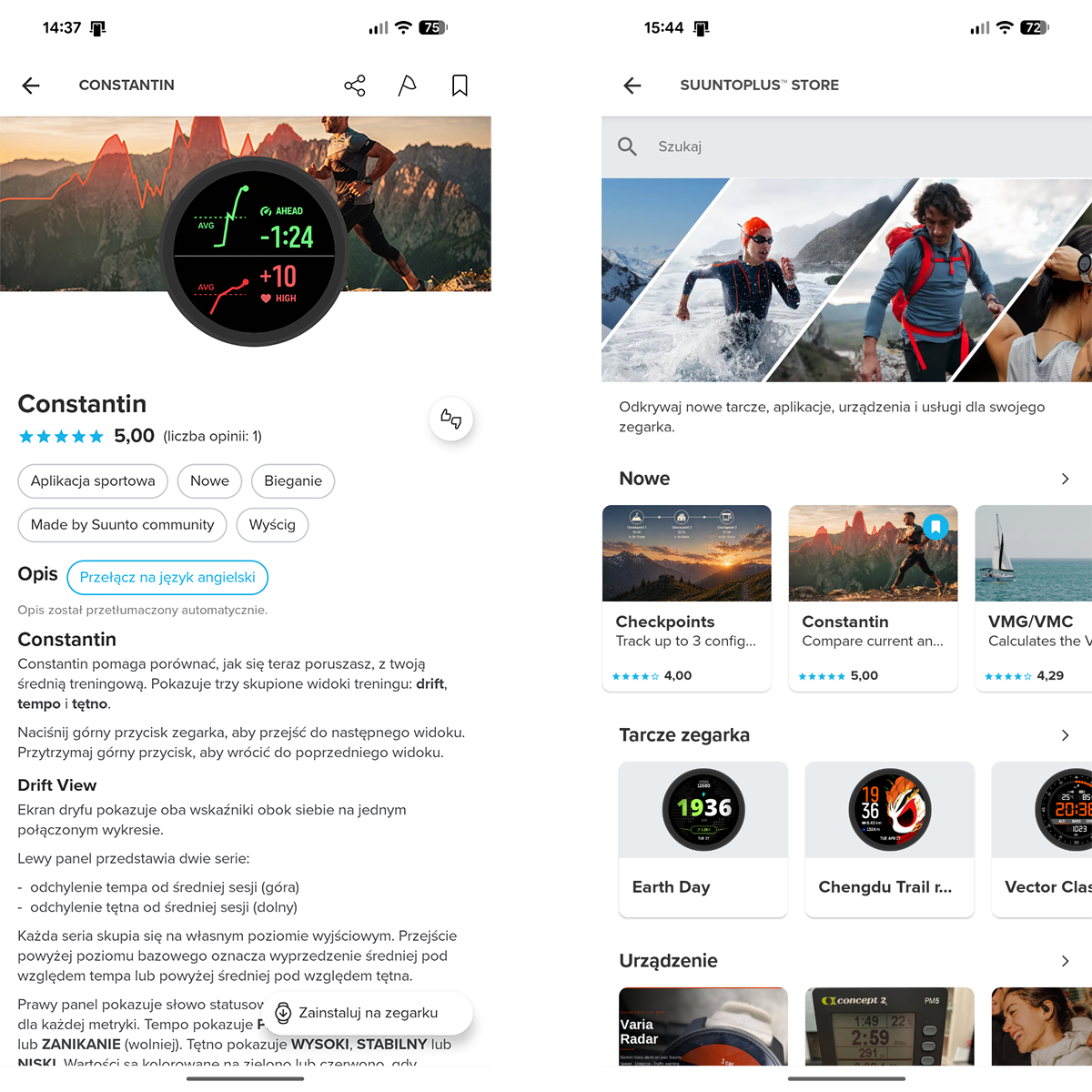
I’m now proudly waiting for all “dude, it sucks / doesn’t work” comments

-
I have something a little different. I built an android app which can deploy your suuntoplus apps from your phone! Basically you don’t need to worry about sync anymore. You just have your custom watch apps inside some directory on your phone and then send them over whenever you need to. No more need for for a pc / vscode

Works on my Race and I don’t see why it wouldn’t on others. Teste with fea files (remember to select the right built package for your watch). Suunto may at some point change the protocol, but probably not anytime soon. Hope this helps anyone

<removed old link>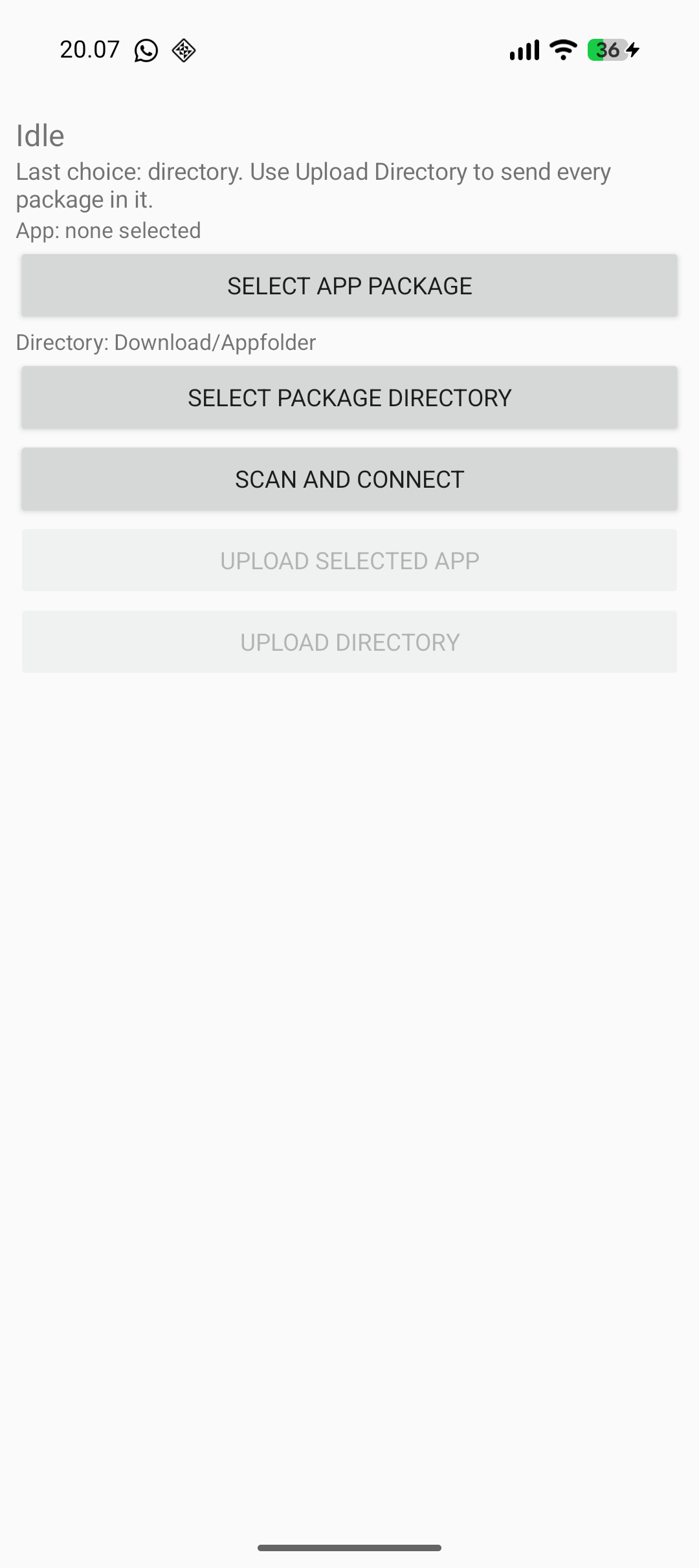
Edit. if the app does not connect, make sure you aren’t connected to something else like VS Code for example. The app has few permissions and no internet connection btw

Edit 2. Here’s the repo if you wish to build it yourself. At the top you can see “tree”, which shows the root of the repository where you can find the pre-built binary.
-
@SyncBypass this is pretty cool. Care to share some details on the protocol used to push the s+ app via bt?
-
@Łukasz-Szmigiel the repo now contains some kind of an explanation. As I don’t understand anything about anything, I simply handed the captured communication to an LLM and had it vibe the app.
-
@SyncBypass cool, I’ll take a look in the repo. Thanks, that’s really clever work you did. It’s amazing what can be done with llms now.
-
@skyfi yes, i would be happy to have some collaborator, that may introduce new ideas. https://github.com/aabbeell/suuntopo
reach me out there, as i dont read this very frequently -
@guderaber your app seems pretty complex on the processing side. Did you test it on the watch alongside other S+ apps? Does it crash other apps?
-
@SyncBypass Great stuff! Your project actually got me thinking about different ways to interface with the device, and I’ve been experimenting with a web-based approach. The idea was to see if I could use the browser to access the watch directly for quick tasks without any setup.
As a small experiment, I’ve managed to get a basic filesystem viewer working to explore the internal folders: https://wfhub.net/flasher
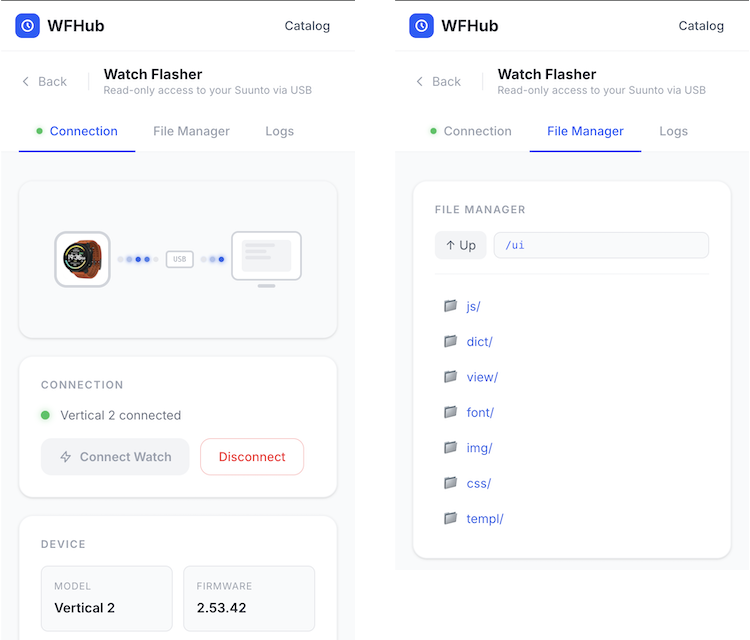
My long-term goal is to see if it’s possible to build a simple generator for custom watch faces that could be uploaded right from the browser. It’s still very much a “work in progress” and a bit of a research project for me at the moment.
I’m curious to see where your project goes, and I’m still trying to figure out if there’s enough community interest in these kinds of DIY tools to keep pushing further. Anyway, thanks for sharing your progress!
-
@AYamshanov how do you interface with the Vertical 2 via USB?
-
@AYamshanov this is great. Nice work! Same for @syncbypass. I’m not convinced Suunto will approve of this work, but having control over my own hardware is really interesting.
-
@Łukasz-Szmigiel The interface with the Suunto Vertical via USB is a multi-layered process where the SDSApplicationServer (a closed-source native binary) acts as a bridge. High-level clients, such as the VS Code extension, communicate with this server via WebSockets on port 9002 using a JSON-based REST API. The server then translates these JSON requests into an opaque, proprietary TLV binary protocol that is transmitted to the watch over USB HID.
Since the low-level protocol is undocumented, interfacing with the device requires a “blackbox” reverse-engineering approach. By mapping the open-source JavaScript logic from the VS Code extension and capturing the resulting USB traffic via Wireshark, one can correlate JSON inputs with binary outputs. While this is a complex task, leveraging AI significantly accelerates the process of identifying patterns in the hex dumps and automating the decoding of the protocol.
-
@Łukasz-Szmigiel I tested it on my race s and it worked although i had to make some adjustments to prevent crashing. But it definitely needs more testing and optimisation
-
@guderaber yeah I’ve learned it’s the hardest part as Suunto doesn’t document the actual hardware limits and it can’t be tested reliably in the simulator.
-
@AYamshanov this is super interesting! Happy hacking!
-
@AYamshanov are you getting into Ghidra yet?
-
@Ze-Stuart Great question! It actually reminds me of how my deep dive into the Suunto ecosystem began. For me, these watches aren’t just sports gear; they are a technological puzzle - kind of like Sudoku, but with more hex code.
After OpenSuuntoPlus launched, I was desperate for app examples to help me write my own. I decided to dig into the firmware, hoping to find the “real” apps hidden inside. I found several files, including a filesystem snapshot, but it wasn’t just a simple sequence of bytes. Instead, it was a massive pile of small blocks scrambled in a seemingly random order.
To better understand the algorithm, I decided to learn what Ghidra was all about (having never used it before). I naively thought watch firmware would be small, simple, and easy to analyze. I was… overconfident, to say the least!
However, it was incredibly productive. I spent time forming hypotheses, checking memory chip specs, and diving into SDKs for embedded OS memory management. I even managed to “de-fragment” a working disk image from those scattered blocks, though I’m pretty sure a few bugs are still lurking in there.
Around that time, I realized the role SDSApplicationServer plays in the system. I shifted my focus to the JSON-based REST API it uses. I figured if the VS Code extension could manipulate watch data through it, I could too. Ultimately, using the server was a much faster way to get data off the watch, and it largely confirmed what I’d spent days piecing together from raw blocks.
So, back to your question: Now that I have a better grasp of the architecture, I’ve been exploring how to communicate with the watch directly via the browser. Remembering my experience with Ghidra - and noting that the firmware is tiny compared to the SDSApplicationServer binary (which is dozens of megabytes!) - I haven’t quite summoned the courage to go back to this approach!
Analyzing serial interface dumps feels more manageable; control commands are usually just dozens of bytes. The more you work with them, moving from simple to complex, the clearer it gets. There are still plenty of mysteries left, but that’s exactly why I enjoy this “Sudoku” - it keeps things interesting!
-
@AYamshanov ah this is great: we share a mindset and a hobby! Making sense of compiled firmware is is challenging, to say the least, I’m not shy at sending Claude with a headless Ghidra session when I’m short on time.




Hello! It looks like you're interested in this conversation, but you don't have an account yet.
Getting fed up of having to scroll through the same posts each visit? When you register for an account, you'll always come back to exactly where you were before, and choose to be notified of new replies (either via email, or push notification). You'll also be able to save bookmarks and upvote posts to show your appreciation to other community members.
With your input, this post could be even better 💗
Register Login