24/7 Optical Heart Rate Sensor not functioning during non-activity use
-
Yes, that’s a bug. I notice it sometimes too, especially when it drains 10% of the battery in 8 hours.
The Run 2 measures heart rate every 5 minutes.
A soft restart will help ensure the watch doesn’t measure your heart rate every second. -
@backyard After emailing support regarding the Run 2, this is the response I got which may or may not be applicable to the Run 2 because the support agent references “Race 2” but if it is indeed a typo, then the continuous heart rate at frequent intervals seems to be the correct function and not every 5-10min:
24/7 Daily Heart Rate Monitoring Settings
The Suunto Race 2 is designed to continuously monitor daily heart rate at frequent intervals (every few seconds), provided Daily HR is fully enabled. If the watch only reads your heart rate once every 10 minutes, it is likely running in a low-power background mode or sensor polling was toggled off.
Please follow these steps on your watch to verify and reset daily HR tracking:
- Check Daily Heart Rate Setting: Watch Settings
On your watch, go to Settings > Activity > Daily HR and make sure it is toggled ON. If it is already ON, toggle it OFF, wait 10 seconds, and toggle it back ON.
- Verify Do Not Disturb & Power Saving: Watch Settings
Ensure Do Not Disturb or any Battery Saver modes are turned off, as these modes restrict 24/7 sensor polling frequency to conserve battery.
- Perform a Soft Restart: Watch side
Press and hold the Upper button for 12 seconds until the watch reboots. This clears temp cache memory without losing your user data.
Validation stage
After verifying these settings, navigate to the Heart Rate widget on your watch face. You should see the green optical sensor LEDs actively flashing underneath the watch casing, providing continuous real-time heart rate updates on screen.
-
@strain Did you speak to a human support agent or an AI? In my experience, even human support agents aren’t familiar with the products and often provide incorrect information.
What you shared applies to the Race 2, exactly as stated.I own both watches—the Race 2 and the Run 2.
The Race 2 measures heart rate every second (or every few seconds), whereas the Run 2 measures it every 5 minutes.
This is because the Run 2 has a smaller battery. When a “bug” occurs and the Run 2 measures every second, battery consumption increases by about 10% over 8 hours. You can calculate how quickly the battery would run out.
I also owned the Run (first generation); it uses the same operating system, and it also measures heart rate every 5 minutes.
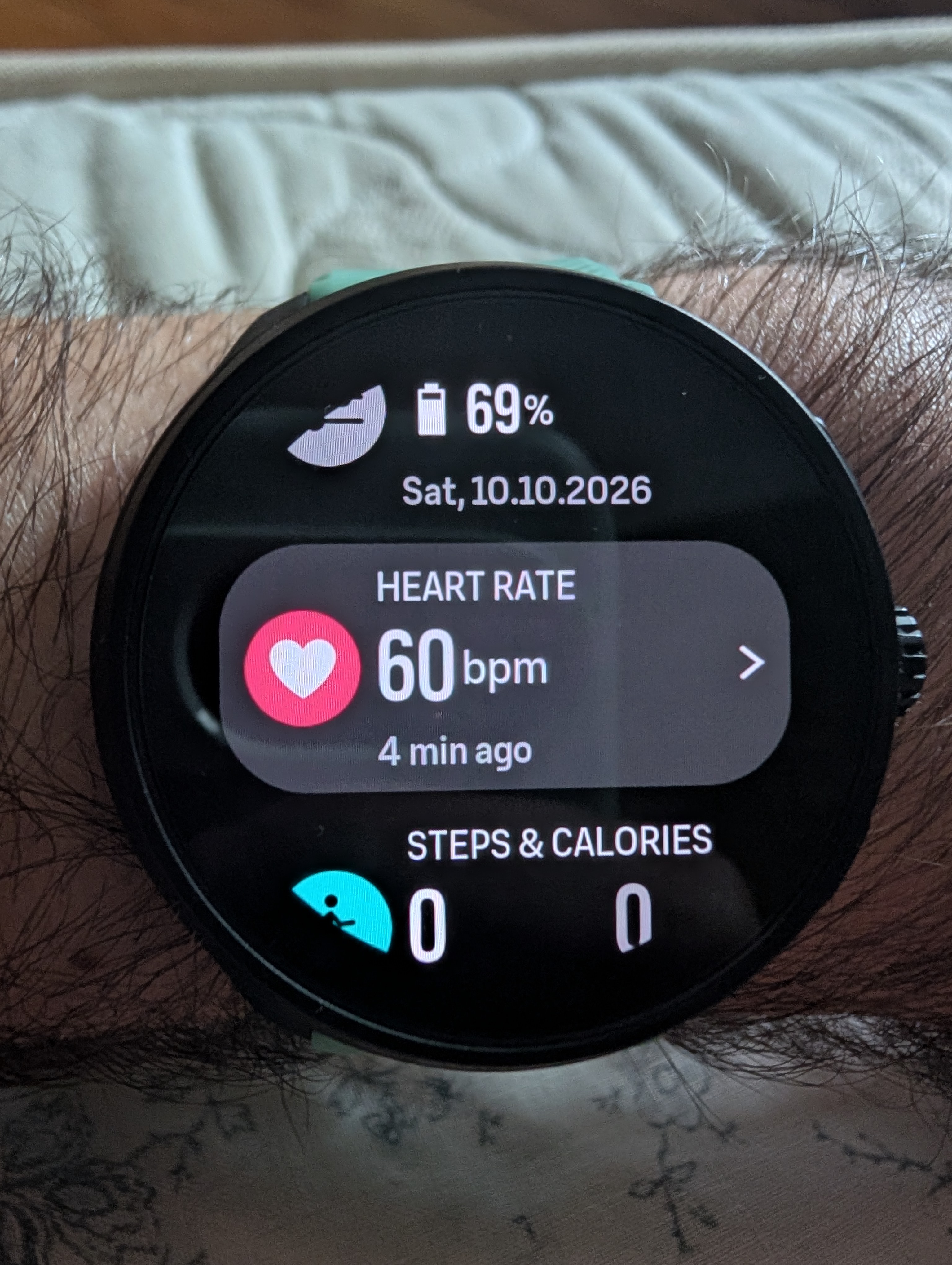
-
@backyard I was going back and forth with support via email. Whether or not it is actually someone replying to me or AI is really up in the air…
I have the race 2 as well and thought the functionality HR recording wise would be similar. Initially when I started using the Run 2, it would show the same thing as the picture you took (when the last HR measurement was taken).
Now for me, the HR sensor is on constantly and has these little bars underneath:
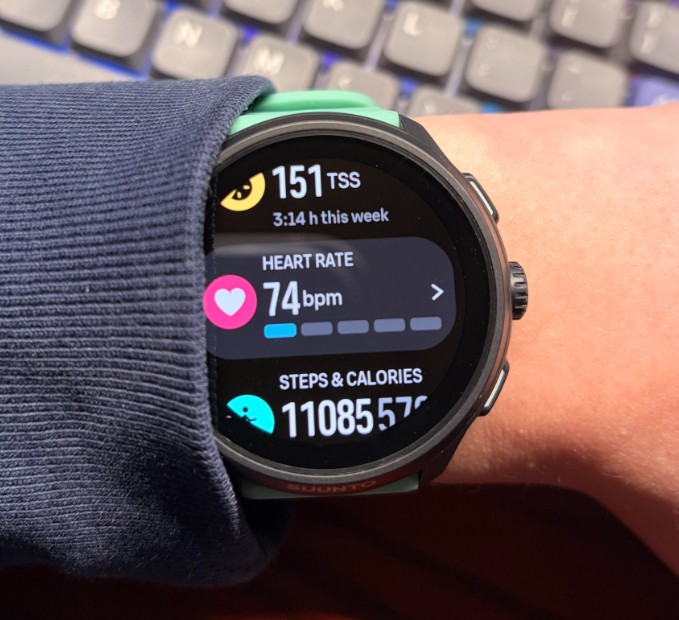
I’ll perform a soft reset and see if it fixes it being on constantly.
-
@strain How long does your battery last?
-
@backyard It is hard to say… I haven’t been keeping track but i would say around 4-5 days. I do usually run for about 40 min to an hour a day.
After the soft reset, the sensor has stopped recording every second during normal usage which seems to be the intended outcome.
-
@strain My Run 2 lasts about 10 days with three runs a week, each lasting around an hour. Yes, sometimes mine gets “stuck” too and measures heart rate every second. It’s fine after I perform a “soft reset.” It’s a bug.
-
-
@snow It usually happens to me right after I take it off the charger or after an activity.
-
Yes, sometimes mine gets “stuck” too and measures heart rate every second. It’s fine after I perform a “soft reset.” It’s a bug.
… and so I came across the same problem. I just noticed that the battery was draining faster than usual and, when I checked the sensor for a long while, I saw that it was always active. A soft reset, as suggested, temporarily solves the issue.

Hello! It looks like you're interested in this conversation, but you don't have an account yet.
Getting fed up of having to scroll through the same posts each visit? When you register for an account, you'll always come back to exactly where you were before, and choose to be notified of new replies (either via email, or push notification). You'll also be able to save bookmarks and upvote posts to show your appreciation to other community members.
With your input, this post could be even better 💗
Register Login