Suunto Routeplanner
-
@Egika said in Suunto Routeplanner:
@tuxbuster I think the reason is, that existing GPX files do not necessarily match to existing paths or roads. There is just no data basis on which any tool can decide where a turn is a turn.
Komoot kan add tbt notifications if you upload a gpx to their app (and sync it to suunto). The garmin connect can also do it. But you cannot sync that to suunto (nor does garmin a particular good job. You get tbt alerts that are just bends in the road)
-
@elbee said in Suunto Routeplanner:
@Egika said in Suunto Routeplanner:
@tuxbuster I think the reason is, that existing GPX files do not necessarily match to existing paths or roads. There is just no data basis on which any tool can decide where a turn is a turn.
Komoot kan add tbt notifications if you upload a gpx to their app (and sync it to suunto). The garmin connect can also do it. But you cannot sync that to suunto (nor does garmin a particular good job. You get tbt alerts that are just bends in the road)
Like said, it can be done but quality will most likely be bad, meaning you will get either too many or too few turn instructions.
-
@sky-runner said in Suunto Routeplanner:
@kemetter said in Suunto Routeplanner:
The turn-by-turn guidance is not a standard in GPX files
Not standard in GPX files but there is a Garmin standard for route FIT files. Perhaps Suunto could adopt that.
Basically, turn directions are stored as route waypoints with special waypoint codes.
Some route editors like PlotARoute are capable of inserting turn direction and saving the route as a FIT file, and that works correctly with Garmin watches.So does Garmin use FIT to store routes? But they don’t store their TbT into GPX files?
-
Like said, it can be done but quality will most likely be bad, meaning you will get either too many or too few turn instructions.
The komoot route? No, it’s not bad and quite usable. Have you actually tried it?
(There is no room in a gpx file for tbt alerts afaik. All other brands also use fit for this)
-
Overall, excellent work—I do GIS for my “day job,” and the map styling has to be some of the best I’ve ever seen, on ALL baselayers!
Only bugs I’ve found are units settings and login not being stored when returning later (might be a cookie issue on my end though), and when changing the units to imperial, the route library (when logged in) still shows overall route distances in km.
For a future tweak, It would be awesome to have elevation and sunrise/sunset time pop up as a label when clicking (or tapping) a position like in the Suunto App. And perhaps, for manual point-to-point routes, labels on the lines with bearing and distance? Just thoughts from my overly map-heavy brain though. Seriously, excellent work on this project!
-
@JebClydeNC said in Suunto Routeplanner:
Overall, excellent work—I do GIS for my “day job,” and the map styling has to be some of the best I’ve ever seen, on ALL baselayers!
Only bugs I’ve found are units settings and login not being stored when returning later (might be a cookie issue on my end though), and when changing the units to imperial, the route library (when logged in) still shows overall route distances in km.
For a future tweak, It would be awesome to have elevation and sunrise/sunset time pop up as a label when clicking (or tapping) a position like in the Suunto App. And perhaps, for manual point-to-point routes, labels on the lines with bearing and distance? Just thoughts from my overly map-heavy brain though. Seriously, excellent work on this project!
Thanks. The login is stored but clearing cache will remove it. Some browsers may by default clear cache between sessions. Regarding the imperial problem, I am not able to reproduce it. Make sure you reload the page in case you have had it open for long and try to find a way to reproduce it.
Nice feature ideas, need to think about them. Difficult to support these on both touch and desktop use though.
-
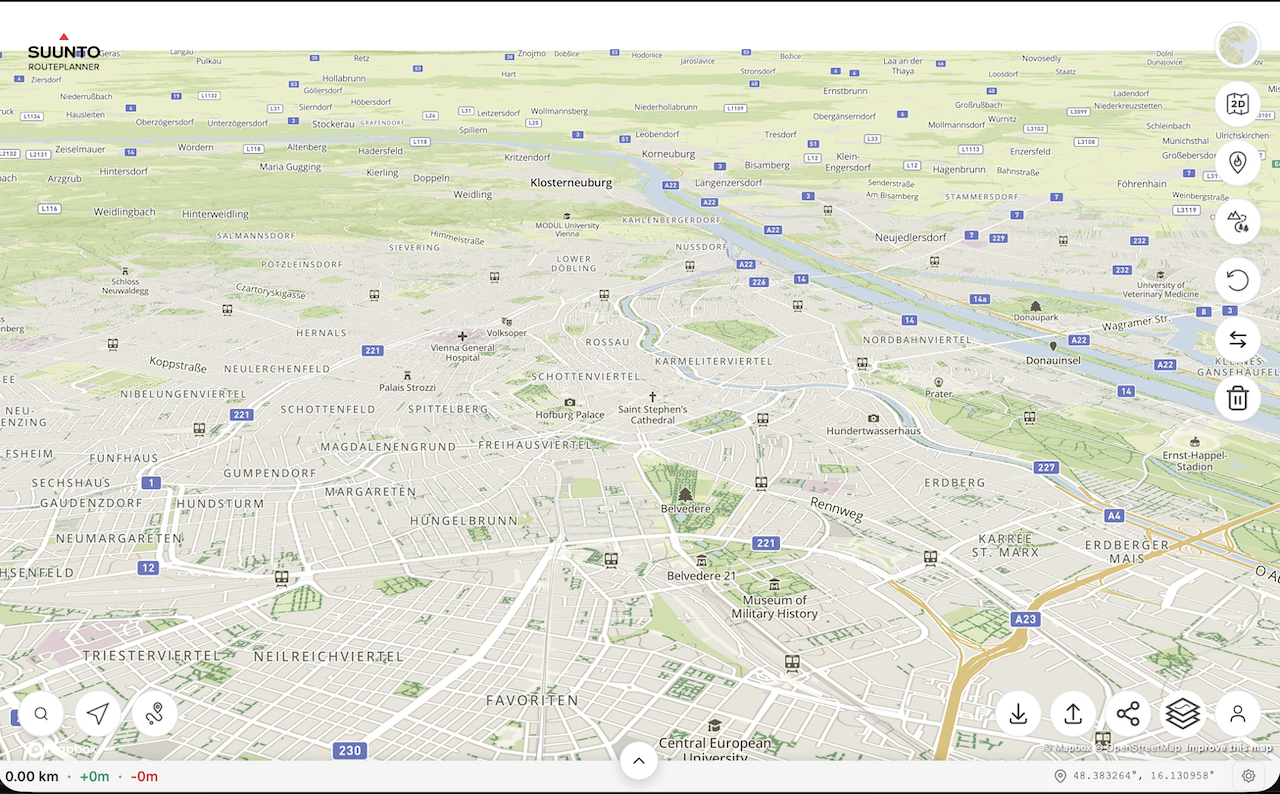
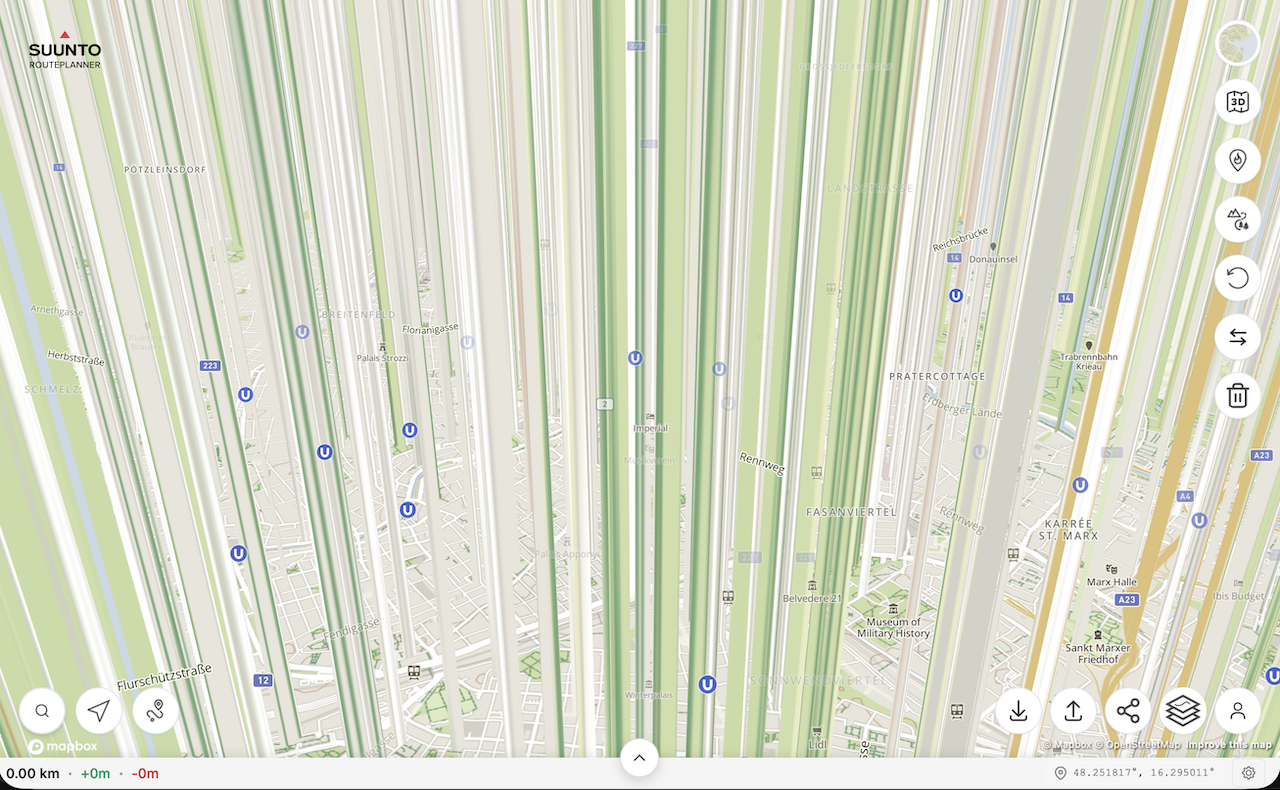
@kemetter on my Mac I have the same problem as @johann.fuehrer with the rendering of 3D model if I press the 3D button but not if I tilt the map with the mouse. On iOS devices it works normally.
First screenshot is the map tilted with the mouse, second screenshot is after pressing the 3D button without moving the map.
(MacOS 26.2 (25C56), Safari 26.2 (21623.1.14.11.9))
-
@Freezer what Mac did you try this on? Works on my M4 Mac mini…
-
@2b2bff, hi! I’m on MacBook Air M2 (Mac14,2).
-
said in Suunto Routeplanner:
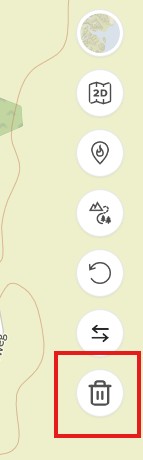
Reset Button: An option to clear the currently planned route and start fresh on an empty map.
@kemetter Thanks for the new button to clear the current route

-
@tuxbuster Oh, this is good, thanks Suunto. But I wait for slope/gradient % indication. Maybe some day…
-
@Freezer said in Suunto Routeplanner:
@kemetter on my Mac I have the same problem as @johann.fuehrer with the rendering of 3D model if I press the 3D button but not if I tilt the map with the mouse. On iOS devices it works normally.
First screenshot is the map tilted with the mouse, second screenshot is after pressing the 3D button without moving the map.
(MacOS 26.2 (25C56), Safari 26.2 (21623.1.14.11.9))
I think that’s the ‘Interstellar View’
-
Used a couple of times, would like to add that if I can log in with Suunto account, I also want to be able to me my heatmap on the site too when planning please at some point.
-
I am really glad to see this browser option from Suunto! Quick question about the Route Collection functionality. Is it possible to see all routes in a collection on the basemap at once? I am planning a multi-day trip and would like to see the option to have multiple routes visible at a time. In my case, I am trying to separate my routes by day.
-
I wanted to try the route planner and found a bug that makes planning impossible.
In the “Outdoor” map view, forest and dirt roads are displayed as regular roads. Only after zooming out to a certain level do they appear correctly as dashed green lines. However, at that zoom level not all paths are displayed anymore.
The dark map mode works exactly the opposite way. Even at the highest zoom level, forest and dirt roads are displayed correctly as dashed lines, but from the same zoom-out level they start to be drawn as regular roads.
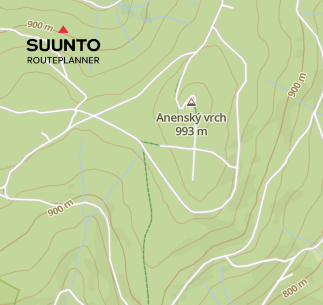
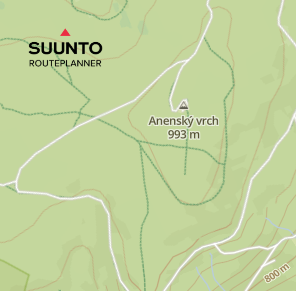
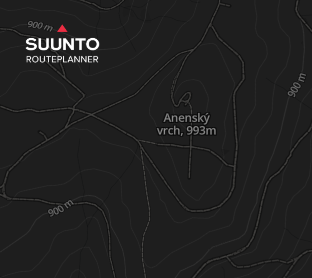
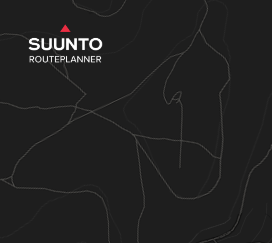
In Suunto Android app, the same forest and dirt roads are displayed correctly as full or dashed green lines.
-
Is this still being actively developed, is there official support?? I’ve not really noticed any changes since day 1 ??
I find that if I “Upload Route to Suunto”, and then bring that route back to work on it later, any saved Waypoints disappear (but are visible in the phone app).
This along with the routeplanner seemingly forgetting it created the original route and thinks its just a regular GPX, so if you “come back later”, then make changes and re-upload, then TBT is lost to the watch, unless you ‘re-mark’ routing points along the route and effectively redraw it.
Final issue with Waypoints is where I have routes which go over the same place twice, it becomes impossible to place them where I want…so if I have an out and back section, and halfway out I want a Waypoint to remind me to have a gel or something, I can’t reliably place it on the “out”, it might be on the back…
…one simple solution on this would be if the Waypoints also displayed, and were placeable, by clicking on the Altitude vs Distance chart that goes along the bottom.It would be nice to be able to grab a placed Waypoint on the Altitude graph and nudge/shift it left or right to the desired position.
-
@Nigel-Taylor-0 said in Suunto Routeplanner:
Final issue with Waypoints is where I have routes which go over the same place twice, it becomes impossible to place them where I want…so if I have an out and back section, and halfway out I want a Waypoint to remind me to have a gel or something, I can’t reliably place it on the “out”, it might be on the back…
This has always been a problem with Suunto, even with the app based route editor. But what is even worse, even if you manage to place waypoints correctly, for example one on the out part of the route and one on the back part, there is no guarantee that these waypoints won’t jump to another part of the route when synced to the watch, as long as the route is transferred via GPX. For example, you may end up with two waypoints on the out part and none on the back part. In GPX there is no concept of the distance on the route, so the waypoint has only the coordinates, and in my experience Suunto interprets that randomly.
Garmin avoids this issue by using a FIT format for routes where every waypoint has a distance along the route in addition to the coordinates. I propose that the web route planner also adopts the FIT format. Along other things, the FIT format can also include turn directions or timing information for pace guidance. Then it would be possible, for example, to import enhanced routes from sites like PlotARoute and UltraPacer that currently only Garmin watches can take advantage of.
-
@sky-runner you don’t need FIT to do that, despite all the posts above saying it…GPX will suffice, it’s exactly what I’ve been doing before returning to Suunto this year.
For previous few years I’ve been using plotaroute, adding my own waypoints (technically they’re routepoints) to mark turns/aid stations/whatever, exporting as GPX and successfully using those files on Apple using the Workoutdoors app, or on Garmin (with the oddity that I had to dump the files into the watch file system via a browser, sharing them via Garmin Connecf would strip my waypoints/routepoints).
It became my much preferred method of watch nav, Garmins automated TBD is just stupid, with tons of spurious alerts, and Apple Workoutdoors app simply didn’t have it, until recently.
Creating manual turn points / cue points, embedding them in a GPX, is the way that I want to work most of the time…I want to study the route and ensure I understand it, adding alerts when I expect to need them. The automated TBD is just a nice to have really.
I think the limitation you’re referring to is for POIs, which technically sit on the map, rather than on the route, so have no concept of being “at X distance along the route”, they’re just “oh, you’re near this”.
-
@Nigel-Taylor-0 Yes, importing waypoints via GPX does work as long as it is a simple route. But now imagine a situation when a route goes through that waypoint twice. Should that waypoint get triggered when you go through it the first time or the second time, or both? In the Suunto case it would be randomly either the first time or the second time. In the Garmin case, it used to be the bug at least in Fenix 7 - the waypoint wouldn’t trigger at all if it didn’t have a distance assigned to it. I have personally reported it on the Garmin forum and if I remember correctly they have fixed it a few years later.
And if you think that the case I described above is not typical, in every single trail running race that I’ve done in the last few years (at least a dozen), some of the aid stations were visited twice. So I had to really jump through the hoop to make this work correctly with Suunto. With Garmin, as long as I created waypoints in Garmin Connect or Strava, or in PlotARoute with FIT export, this worked correctly.
-
As per my own search and understanding, the issue is not purely related to the file format (fit or gpx) but more related to the fact that Suunto routes seems not to manage coordinates along with distance or timestamps (any of them would suffice) (as @sky-runner is explaining) (gpx could do this as well as @nigel-taylor-0 is saying also).
Fit or gpx, it is more how routes and Waypoints are handled in Suunto routing current mecanisms. Currently, if I did understand well, WP are some kind POI on the route (track) but without “when will they appear on the route” data.
But I can be corrected, it is not recent since I have looked into this.SSU (retired), SV1, SV2
Wife : S9PP
SA: Always the latest beta :)
Android + Galaxy S205G






Hello! It looks like you're interested in this conversation, but you don't have an account yet.
Getting fed up of having to scroll through the same posts each visit? When you register for an account, you'll always come back to exactly where you were before, and choose to be notified of new replies (either via email, or push notification). You'll also be able to save bookmarks and upvote posts to show your appreciation to other community members.
With your input, this post could be even better 💗
Register Login