[Discussion] Share your projects
-
@surfboomerang The simulator doesn’t yet have a working implementation of settings and while the store technically supports visibility-limited beta testing^, that option doesn’t seem to be generally available. However, once your submission is accepted, any updates should become available rapidly, which means you can quickly fix things.
^ I have sent an email about the state of beta testing to someone closer to these matters. We’ll see if they have anything to add
-
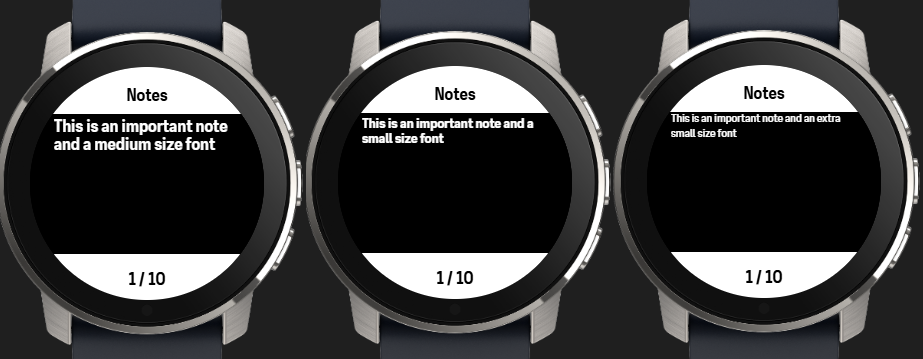
@suuntopartnerteam Worked around it by declaring 10 different strings and add the ones that are not null into an array when initializeing the app.
Also added an option for font size:
Is the link below correct for individuals if I want to apply for the partner program?
@dimitrios-kanellopoulos, @suuntopartnerteam To upload the developed SuuntoPlus app the instructions state that you have to apply for the Suunto Partner Program.
If I apply via this link: https://survey.alchemer.eu/s3/90553908/PARTNER-Become-a-Suunto-Partner it seems that it’s still aimed for companies rather than individuals. Is this the correct way to apply?
Suunto Vertical Titanium Solar
OnePlus Nord 4 -
@surfboomerang It would be nice if Suunto could apply font size options globally to system messages etc - small black text on a white background is really hard to read, let alone when you’re running!
-
@surfboomerang The link should work for everyone. It does seem to contain some outdated questions from the pre-open era!
As for the earlier
Is it possible to test the Suunto App behavior as well before the app is published?
I got confirmation that hiding apps in the store for this kind of testing isn’t possible. On the editor side, the development team is aware of this need, but no ETA.
-
@SuuntoPartnerTeam Thanks for asking!
And for the Partner Program, I will use the link above… -
Hi everyone!
I’m excited to join the community and share my first project here.
First of all, I want to say a huge thank you to the Suunto team for making OpenSuuntoPlus available. It’s a brilliant move that inspired me to try my hand at developing for watches. Although I’m not a professional programmer, I felt motivated to build something I personally missed during my sailing vacation last year.
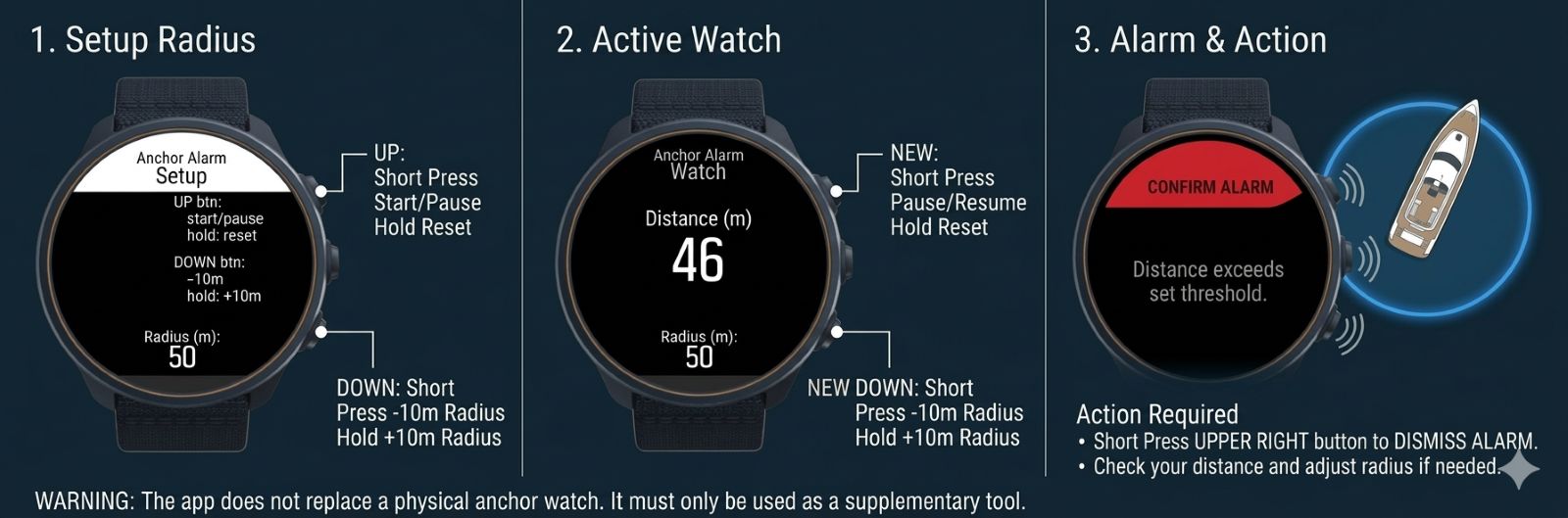
I’ve created an Anchor Alarm app. The logic is simple but essential for any skipper:
- You mark the spot where the anchor was dropped.
- You set a safety radius (the “swing circle”).
- If the boat moves outside this circle - meaning the anchor might be dragging - the app alerts the captain so they can take immediate action.
I have tested the app on my Suunto Vertical 2, and it also looks solid on other models in the emulator. If anyone is interested in how it works or wants to check the logic, the source code is fully available…
…on GitHub: ayamshanov/AnchorAlarm-for-Suunto (according to the forum rules, I do not have enough points yet to post direct links)I would love to hear your feedback or suggestions!
–
Best regards,
Alexander -
Hello everyone,
I am still user of S9B and as most of swimmers I am missing any swimming drills function, which was in old good Ambit series. I think it should be very easy Suunto app. If you will during pool swimming switch to this app screen, pressing lap button will add pool length to your total swimming distance. Is here anybody, who should help with this, please? -
Hey!
First of all really thankful for this initiative, i had a project in my mind for years and two months ago applied for suunto api development, so i was really suprised and thankful that you’ve released the edit.
So my project:
I’m outdoor climber, and the type of guy that is too lazy to watch the climbing route topo image (visual map, either photo or drawn of the climbing route, with rock and climbing features) on the phone (and sometimes i do not want, as im afraid to drop it) and with the current generation of watches with nice , hi-res amoled screens ot would be game-changer feature on the watches if i could sync these topo’s with my watch and see it during climb, navigate on it like on the maps (or if altitude info is encoded on the topo, then maybe auto scrolling based on sensor data.)
So with the editor i spent a weekend and good amount of claude code tokens on developing this, and it start to get in shape (for now only ran it on simulation).
So currently i have 2 version:
- the more realistic: using drawn topo (basically drawn line + topo features as predetermined shapes. The topo can be represented as a json with feature + coordinate info and the watch draws the topo based on that. I also made a website to be able to edit and export these climbing topos
- the less realistic but would be also nice: uploading a climbing wall image as png, this works as well but for now i bake in the png into the source code.
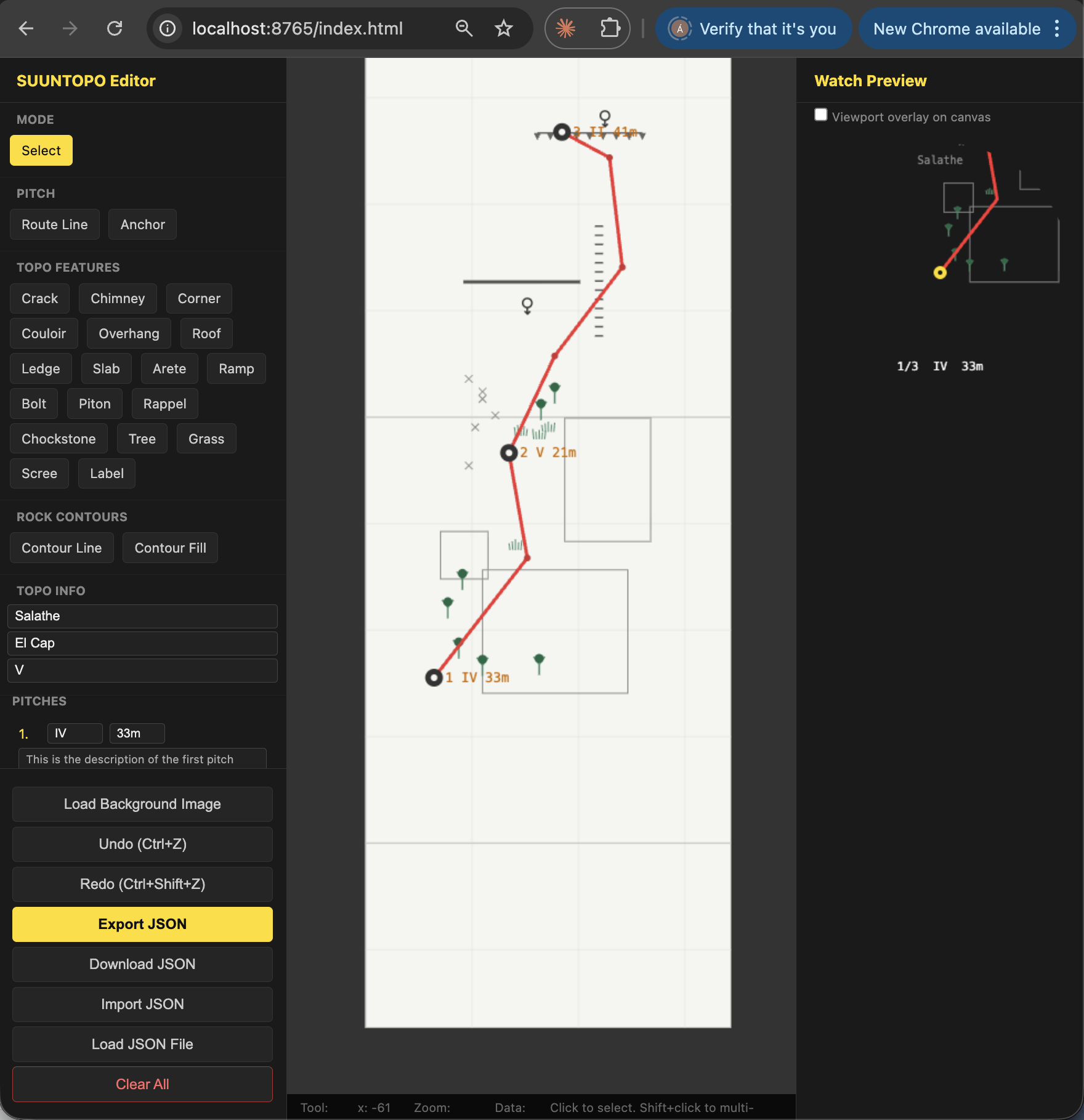
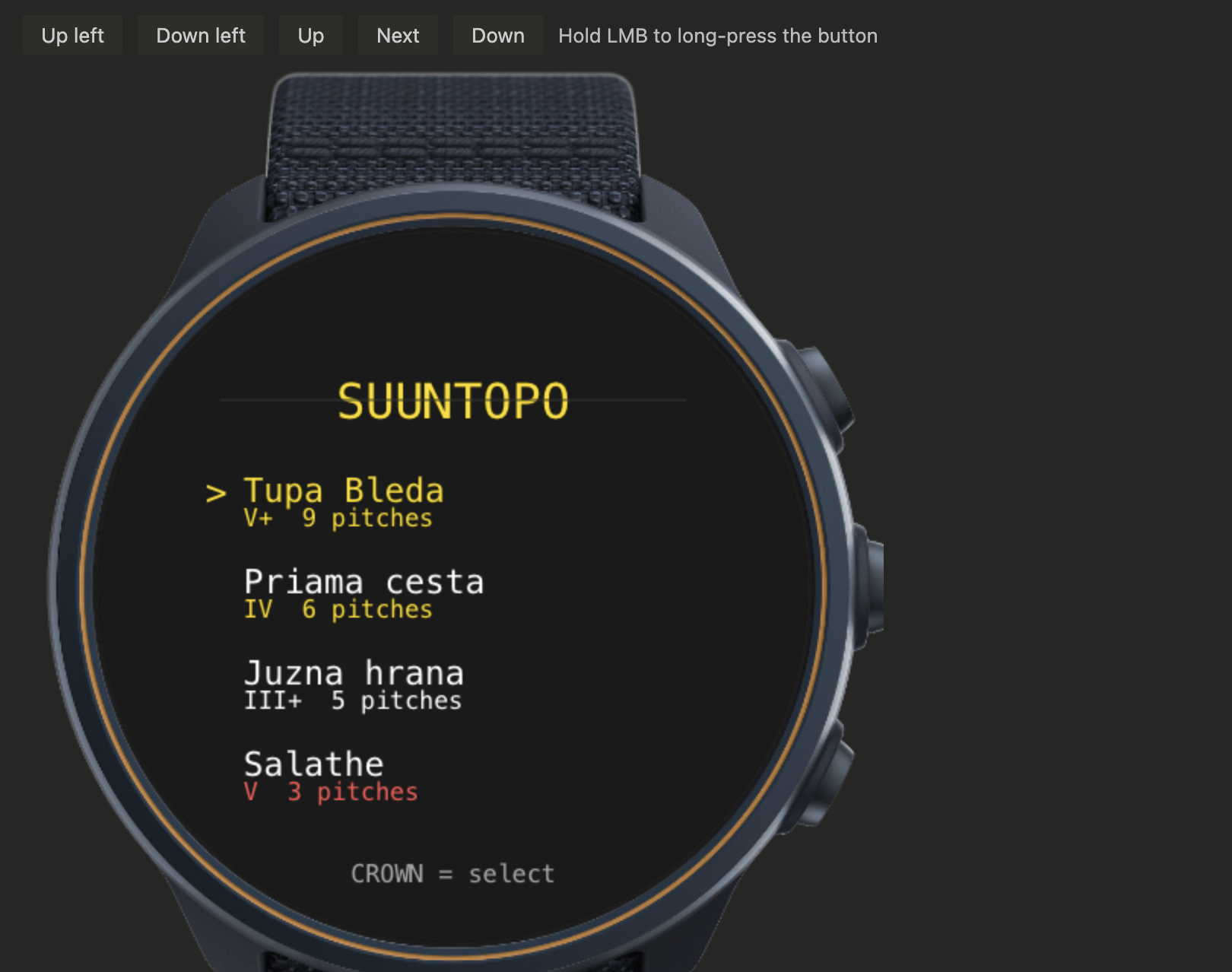
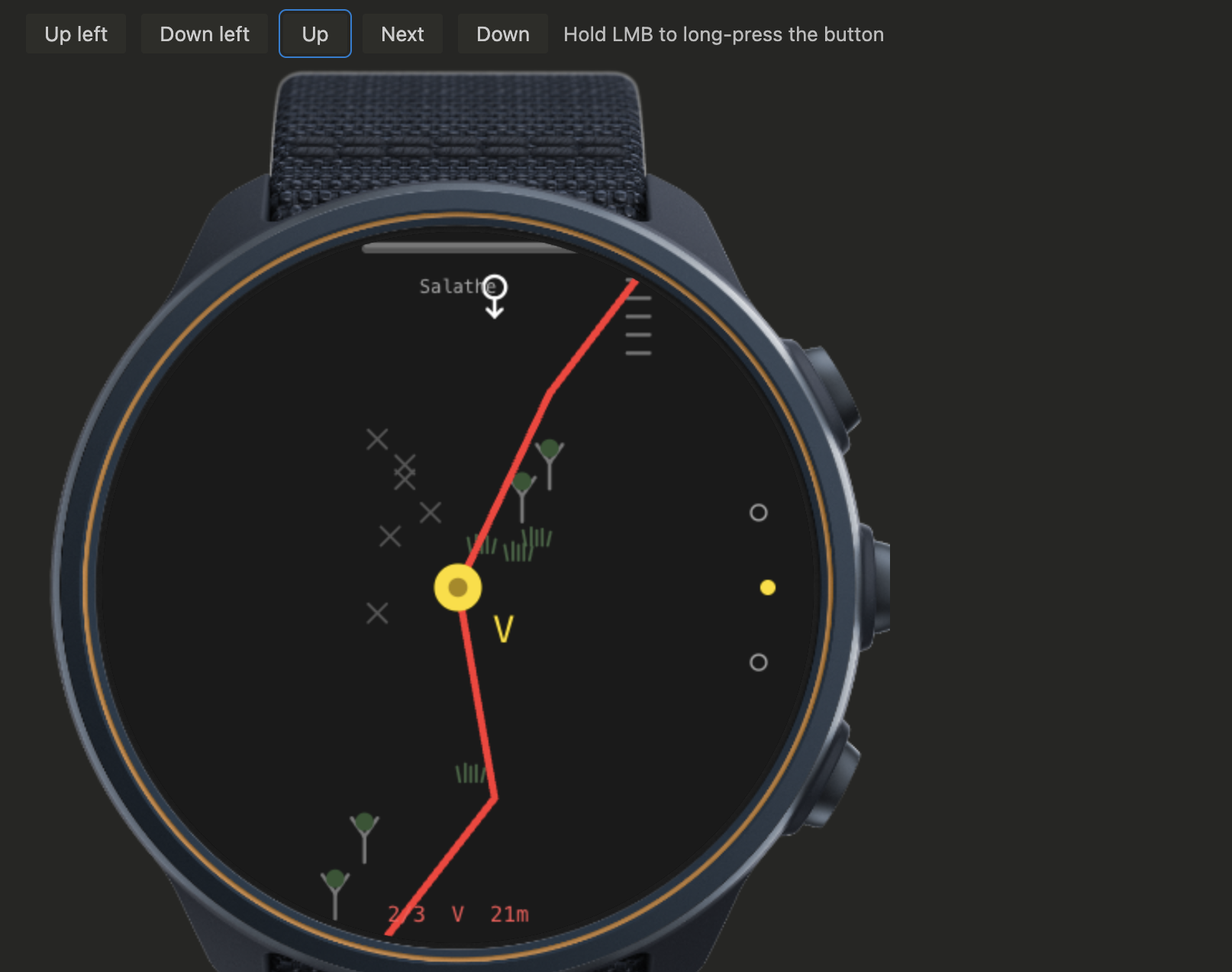
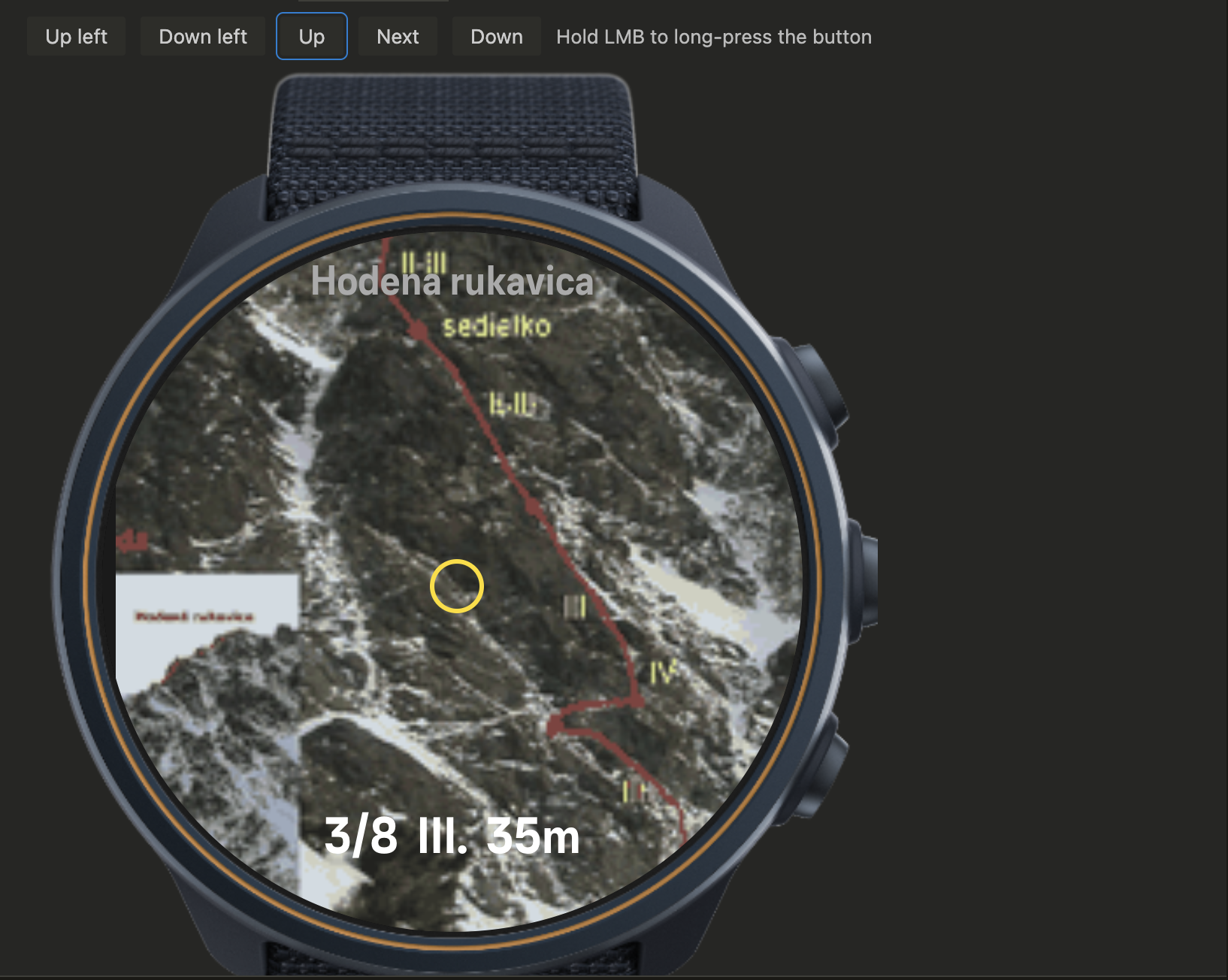
Im still working on the sync (most probably the topo can be exported as a json, and added on the app. Also never run on my watch, so might be surprises for me.
So do you have any recommendations, critique or ideas regarding this? I would be happy to hear it
-
@mcindr no need for this, next update will finally addressed it the proper way

-
@herlas Thanks for your answer. But this update will be sure not for my S9

-
Hi everyone,
I’d like to share a small project I’ve been building with some friends for SuuntoPlus: SportPet.
The idea is to turn training intensity into a simple virtual pet mechanic on the watch. During an activity, the app reads the current heart rate and HR zones, and the pet gains growth points based on the active zone. Higher intensity means a higher multiplier, so the pet evolves faster when you train harder.
Here you can see how the pet evolves from an egg into a living thing:
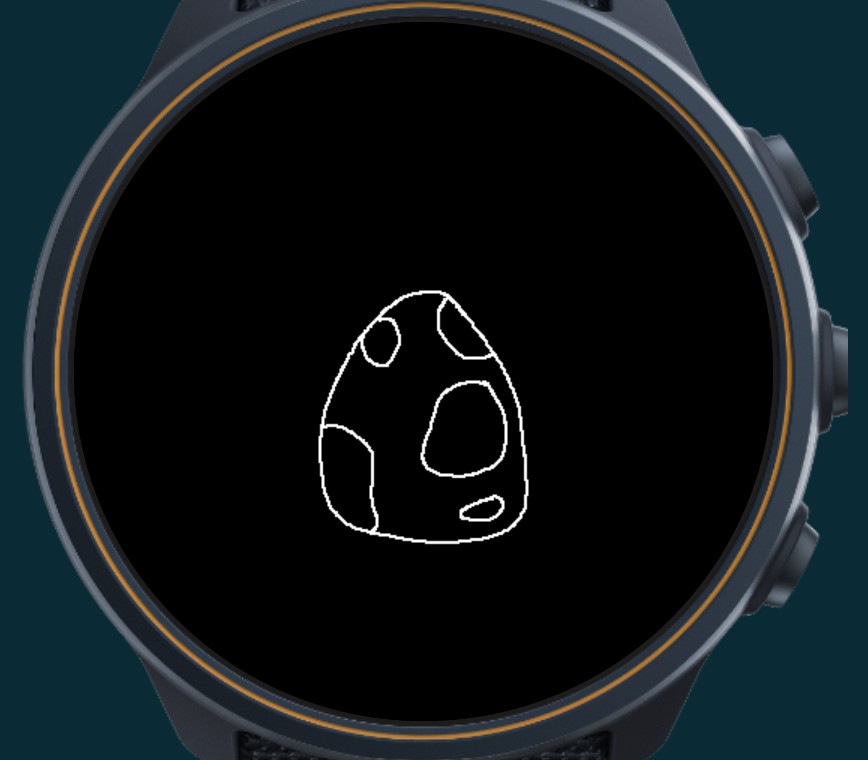
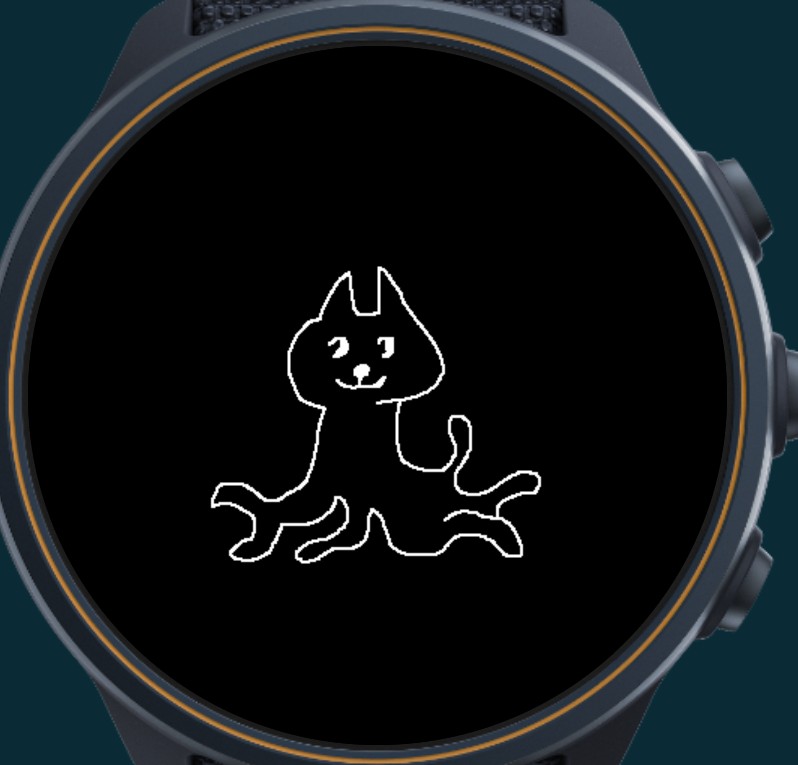
Right now the project has:
- a main pet view with animation
- an HR stats view showing current heart rate, active zone, and current multiplier
- a stats/debug view for tracking weekly progress and evolution state
The basic concept is already working, and we’ve been testing the logic and UI flow on the watch/editor side. The current focus is making the progression feel rewarding while still keeping the UI simple enough for quick glances during exercise.
The fun part for us has been exploring how a SuuntoPlus app can add a bit of personality and game-like motivation to training without getting in the way of the workout itself.
We’d be very happy to hear feedback:
Does the “tamagotchi” idea sound fun or useful?
What kind of pet/progression feedback would you want to see on the watch screen?
What kind of daily missions would you like to gain extra points? And would the target be minutes or kilometers?Thanks to the Suunto team for opening this up. It has been a really fun project to build.
-
@guderaber Great looking work by you and Claude

i spent a weekend and good amount of claude code tokens on developing this, and it start to get in shape (for now only ran it on simulation)
It should be noted that (1) your powerful PC will happily chug along while running a demanding application which might take down multiple watches (2) Claude may be writing code which the watch doesn’t understand.
That is to say, it is highly recommended to deploy sooner rather than later with these ambitious projects!
-
@guderaber I am working on something similar:
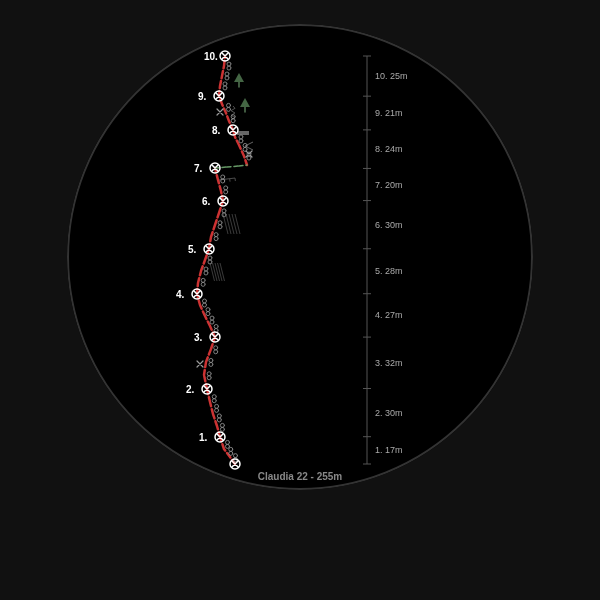
The scaling and scrolling is not yet working as intended and it is missing a “height in pitch” display as well as highlight of the current pitch but it is getting somewhere.
Have you figured out a way yet to copy topo data from a device to the watch without rebuilding the app?
-
Hey guys!
Looking at your screenshots, Your projects looks really ambitios, I want to give you a heads-up on a few technical constraints:
-
First off, remember that you don’t have nearly as much memory here as you do in a web browser (suuntoPlus simulator).
-
For topographic maps, we usually rely on specific symbols. I highly recommend looking into the spritemap technique for this.
-
There is no any sync api. If you want to upload information (like routes), your probably go into the Settings API, which allows you to pass a string. data from suunto app settings.
However, the string length is limited and you probably run out of memory if you try to put whole json in the settings, so you’ll need to design an efficient encoding protocol maybe try treating the string as a binary array… -
On Suunto watches, the Canvas API is heavily restricted.
- there’s about 50 draw calls.
- also not a full-fledged AP, e.g there is no
drawImagemethod.
which means you won’t be able to render images directly onto the canvas. worries not it could be bypass by layout layering technics, probably.
don’t want to say it’s impossible but it could be a challenging!
Suunto Race 2 Ti
Suunto Race
Suunto 9 BaroSuunto Aqua
Suunto Wings -
-
@Nikolai-Simonov said in [Discussion] Share your projects:
First off, remember that you don’t have nearly as much memory here as you do in a web browser (suuntoPlus simulator).
Check! Found that out the hard way

Project worked fine in the simulator but totally crashed my watch upon field testing. I was surprised that it not only crashed the app, but the watch as a whole. The watch totally hang.Is it known how much memory each watch type has?
-
@Nikolai-Simonov Thanks for the suggestions.
I have a first draft of a (hopefully) efficient encoding for the route data to get it onto the watch and not consume all the memory at once. Is the settings API the only way to get data into the watch? I saw something in the BLE methods that sounded like the watch could pair to a phone acting as BLE peripheral and offering data via characteristics.
there’s about 50 draw calls.
what exactly do you mean by that? Only 50 functions or only 50 calls before everything goes sideways?
-
@Unpaired8373 said in [Discussion] Share your projects:
I saw something in the BLE methods that sounded like the watch could pair to a phone acting as BLE peripheral and offering data via characteristics.
yes it as LiveTracking app exactly working, however i believe it’s much more drawbacks then wins. 1. you lost connection with the main suunto app, it’s really annoying for users. 2. the mtu so small payload ~20B to sync smth complex you need to orchestrate queue etc. and keep in mind memalloc on every step. 3. what if you lost packet int the middle?.. etc. I personally think encoding to string and copy - paste to setting is much more convenient way for this purpose.
@Unpaired8373 said in [Discussion] Share your projects:
what exactly do you mean by that? Only 50 functions or only 50 calls before everything goes sideways?
So, i faced up this behaviour in parkrun QR app, that canvas just became black after around 50th call on canvas it became black. to be honest it solving relativelly easy via 9patch tehnique
-
20B MTU is not much indeed.
@Nikolai-Simonov said in [Discussion] Share your projects:
So, i faced up this behaviour in parkrun QR app, that canvas just became black after around 50th call on canvas it became black. to be honest it solving relativelly easy via 9patch tehnique
I really have to get my 90s game dev skills up to speed
I’ve been in firmware development for a good time now but never with graphics output.Do you know if one can change HTML DOM from the javascript?
-
To answer my own question: apparently you cannot
-
I wasn’t happy about the lack of proper gym tracking experience so I built my own. Hopefully I get accepted to the partner program to submit the package soon.
Meet oSpotter
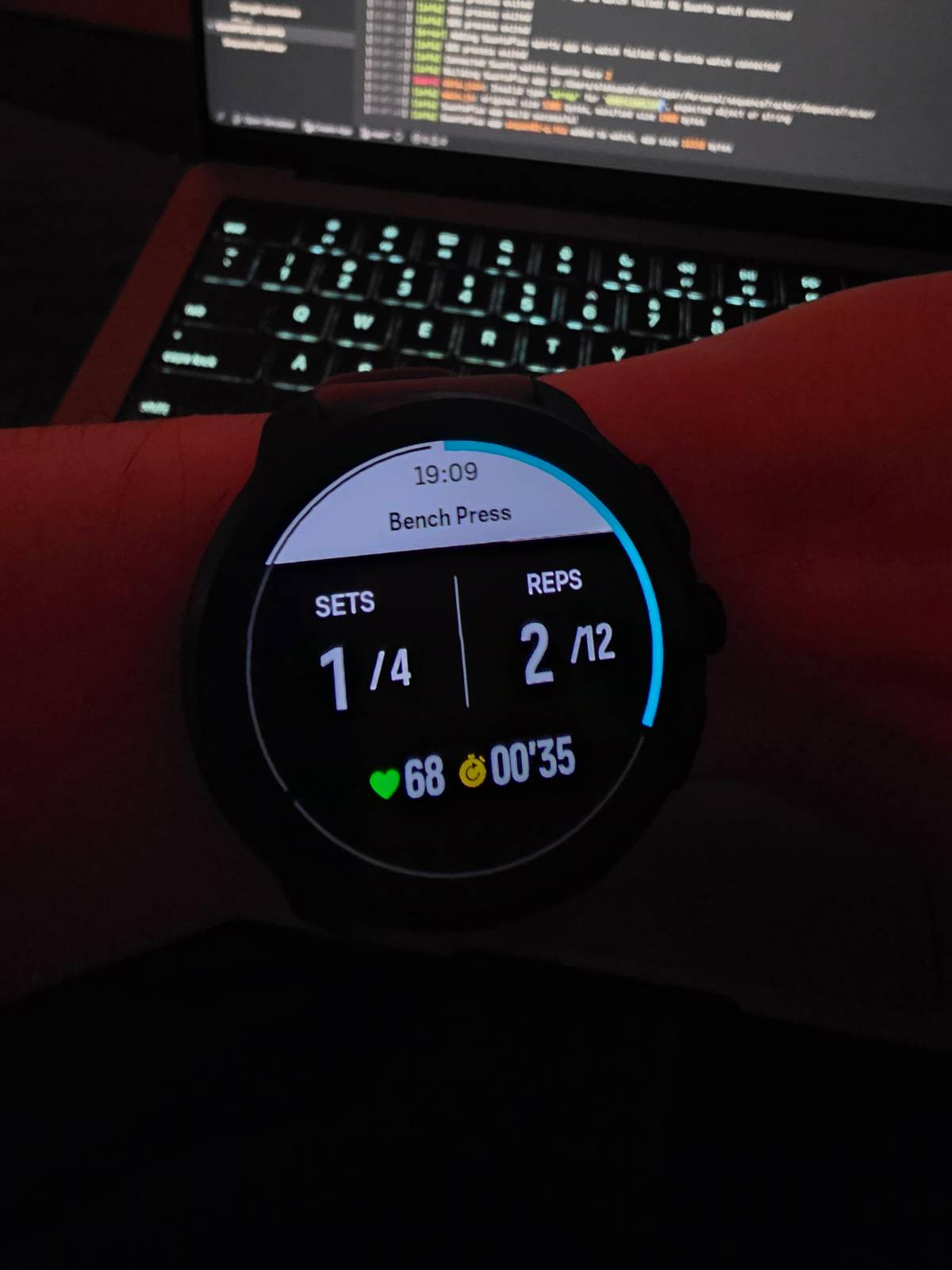
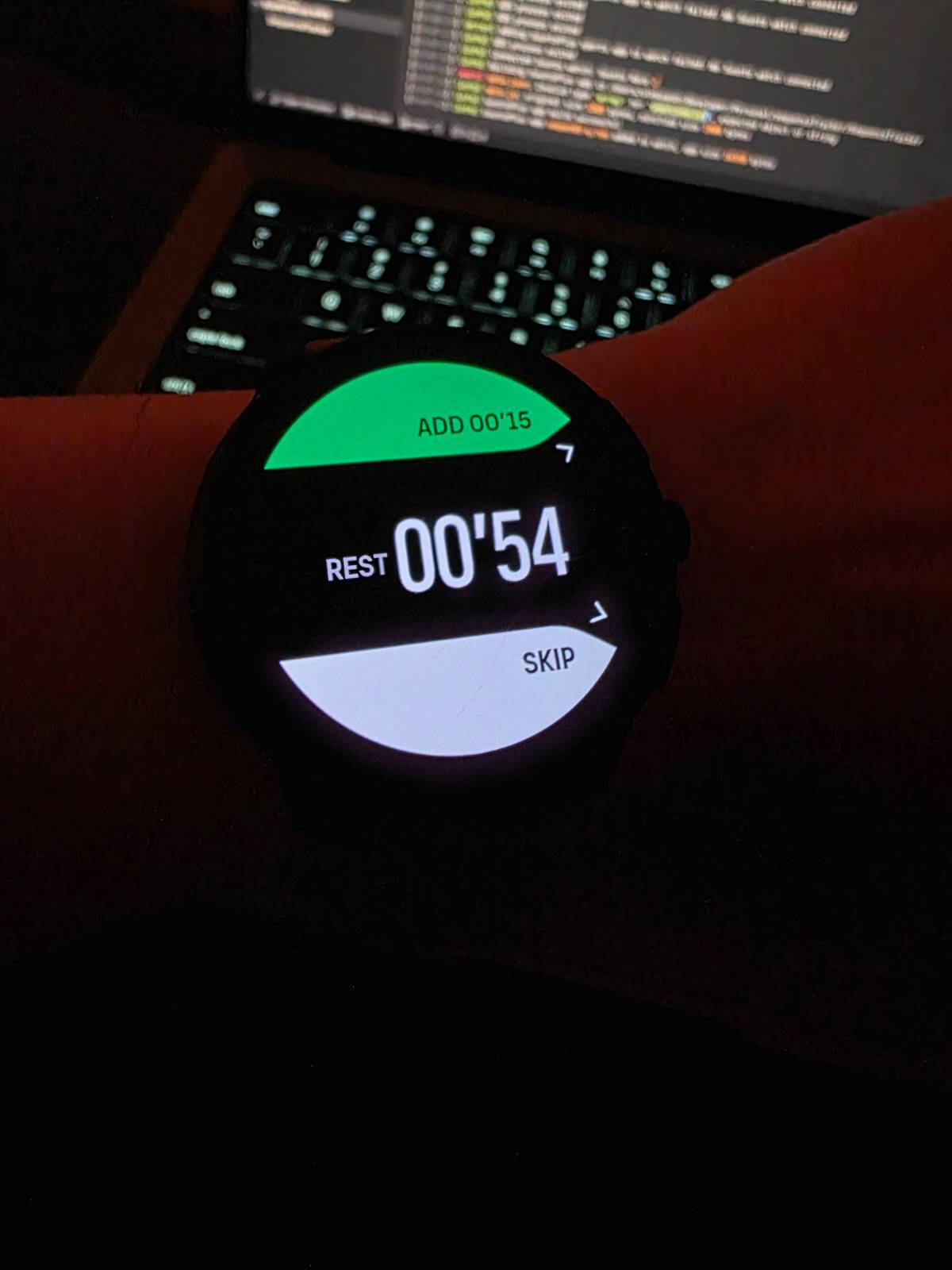
Watch: Suunto Race 2
SuuntoPlus:
oSpotter - Workout tracker
oCycler - Indoor cycle FTMS Link
oTicker - Checklist






Hello! It looks like you're interested in this conversation, but you don't have an account yet.
Getting fed up of having to scroll through the same posts each visit? When you register for an account, you'll always come back to exactly where you were before, and choose to be notified of new replies (either via email, or push notification). You'll also be able to save bookmarks and upvote posts to show your appreciation to other community members.
With your input, this post could be even better 💗
Register Login