Offline Maps and Routing in Suunto App
-
@sky-runner said in Offline Maps and Routing in Suunto App:
Poor rendering of offline maps at zoomed out levels - it is almost impossible to see the trail system as a whole to make an intelligent routing decision because trails are obscured by contour lines. I really don’t understand why trails get the lowest priority in terms of readability - both on the watch and now on the app offline maps.
Yes, will improve that
Opinions expressed are solely my own and do not express the views or opinions of my employer
-
@sky-runner I pointed out the example of ONLINE maps, where it’s clear that the presence of contour lines doesn’t make the map unreadable. I thought this was easy to understand.
So, instead of removing contour lines, inventing unnecessary switches, etc., simply change the display style of map elements slightly in OFFLINE maps. -
@pavel.samokha today in the morning 25!!! Maps updates for my watch. Complete Germany, Austria
 Download in Progress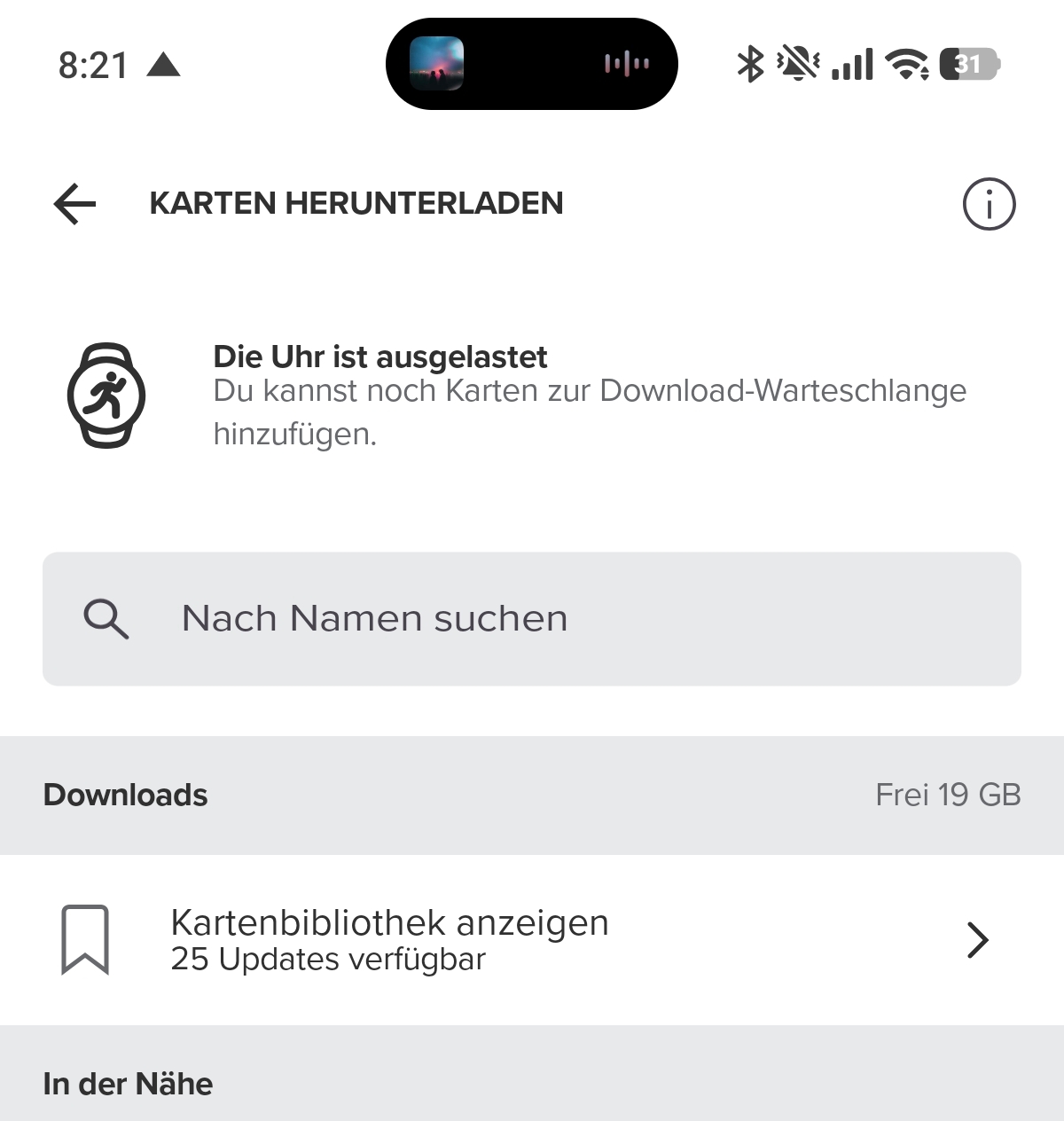
-
@pavel.samokha the decision is sound. However (iOS at least) it makes it impossible to use offline maps in a tablet, for instance, if the watch is paired to the phone (my case), as it is not possible to have it paired to both at the same time (if I am not mistaken). Although the typical case is planning with the app where you have the watch paired, sometimes is easier in the bigger iPad screen. Is there any possible workaround for that?
J
-
@Efejota watch needs to be paired, not connected. So I suspect you can pair to both devices, but connect only to one.
-
@Efejota I often do route planning in Suunto App running on MacBook laptop that isn’t paired to the watch. That works just fine. I create a route on laptop, then I just force the sync from Suunto App running on my Android phone, and that gets the route to the watch. I never have to copy the route from the laptop to the phone.
-
@sky-runner Yes, I do it the same. I just wanted to point out that Offline apparently requires that the watch has been paired (previously?) to the app, even if connected to your account.
I guess that offline makes sense in the paired device (phone, for instance) as, with no connection, it would be impossible for the route to be uploaded to the watch, because you would need internet connection to transfer information from the non-paired device to the server, from the server to the phone and to the watch. But I can imagine situations where someone plans routes in advance with no connection for them to be ready the moment you have it and using a tablet for convenience. Or simply to test the beta, as it was my case. But I agree that this is probably a rare case and would not deserve a lot of effort from developers, if necessary.
Thanks for your replies (@pavel.samokha too).
-
@Efejota said in Offline Maps and Routing in Suunto App:
Offline apparently requires that the watch has been paired (previously?)
I just tried this since I was wondering the same thing (I have two phones that I switch between, one running old SA software and one with the new offline map option). So it will work, but the key is to remove the pairing from the watch only (Settings > Connectivity > Paired devices > MobileApp > Forget). This will keep the watch associated with the device you are moving away from and thus keep the offline maps as available option. However, if you remove the watch from the app by using the “Manage connection” option, offline maps disappear. I assume this will work for a tablet running SA as well.
-
This post is deleted! -
Im having problems with downloading the offline maps to the phone. It works for my watch but the with my phone Im stuck with “Waiting to download…” msg. I have cleared cache and data on app (not reinstalled as of yet) and also tried two different Wifis so far. Anyone else not being able to download the offline maps to the phone (again it works for my watch)? Thanks
-
said in Offline Maps and Routing in Suunto App:
Im having problems with downloading the offline maps to the phone. It works for my watch but the with my phone Im stuck with “Waiting to download…” msg. I have cleared cache and data on app (not reinstalled as of yet) and also tried two different Wifis so far. Anyone else not being able to download the offline maps to the phone (again it works for my watch)? Thanks
I have now tried to reinstall the app but also a third Wifi (hot spot this time) with no success? Its wierd that the Suunto Watch can download the maps but the Mobile phone cannot isnt? It would be nice if they were availble online so one can download them to the pc and transfer them onto the phone when problems like this occur. Just a tip!
-
New Vertical 2 user here, I have offline maps on the watch and phone (iPhone) working well for navigation and route setting in both modes however in the ‘offline maps’ that are downloaded on the phone I cannot see any location name / towns name at all. I’ve zoomed in and out, tried different layers etc but still with no name details at all.
Latest firmware and app, UK maps downloaded….not sure what I’m doing wrong.
Thanks for any help or advice
-
@Lawrence-Fansa I think there is nothing wrong here.
Just the offline maps on the phone don’t contain any place or street names. -
@Egika Thank you for confirming that’s the case, I thought the off line maps did show at least some large town names, seems a little strange they don’t but at least I know it’s nothing wrong on my side. Appreciate the heads up.






Hello! It looks like you're interested in this conversation, but you don't have an account yet.
Getting fed up of having to scroll through the same posts each visit? When you register for an account, you'll always come back to exactly where you were before, and choose to be notified of new replies (either via email, or push notification). You'll also be able to save bookmarks and upvote posts to show your appreciation to other community members.
With your input, this post could be even better 💗
Register Login