Suunto app Forum Suunto Community Forum
    • Recent
    • Tags
    • Popular
    • Users
    • Groups
    • Register
    • Login

    Posting images...

    Scheduled Pinned Locked Moved Questions & Feedback
    forum
    23 Posts 10 Posters 6.2k Views 9 Watching
    Loading More Posts
    • Oldest to Newest
    • Newest to Oldest
    • Most Votes
    Reply
    • Reply as topic
    Log in to reply
    This topic has been deleted. Only users with topic management privileges can see it.
    • Dimitrios KanellopoulosD Offline
      Dimitrios Kanellopoulos Community Manager @jthomi
      last edited by

      @jthomi or a different composer altogether. will see

      Community Manager / Admin @Suunto
      Creator of quantified-self.io - sync Garmin and COROS activities to Suunto, import Suunto routes, deliver Suunto routes to Garmin courses, and analyze training data in one private dashboard.

      1 Reply Last reply Reply Quote 1
      • jarlinJ Offline
        jarlin
        last edited by

        Seems you can also upload videos (at least short). Nice! 😎

        1 Reply Last reply Reply Quote 1
        • Dimitrios KanellopoulosD Offline
          Dimitrios Kanellopoulos Community Manager
          last edited by

          I removed the bugs image link icon so we can rest in peace of users pressing the wrong one.

          For images use: 0_1516563929230_Screen Shot 2018-01-21 at 20.45.19.png (haha I just pressed it)

          and for files:0_1516563956917_Screen Shot 2018-01-21 at 20.45.49.png
          (I pressed it again🤓 )

          @jarlin If you need more upload types etc or bigger vids drop a comment or ask it’s ok.

          Community Manager / Admin @Suunto
          Creator of quantified-self.io - sync Garmin and COROS activities to Suunto, import Suunto routes, deliver Suunto routes to Garmin courses, and analyze training data in one private dashboard.

          1 Reply Last reply Reply Quote 2
          • Mff73M Online
            Mff73
            last edited by

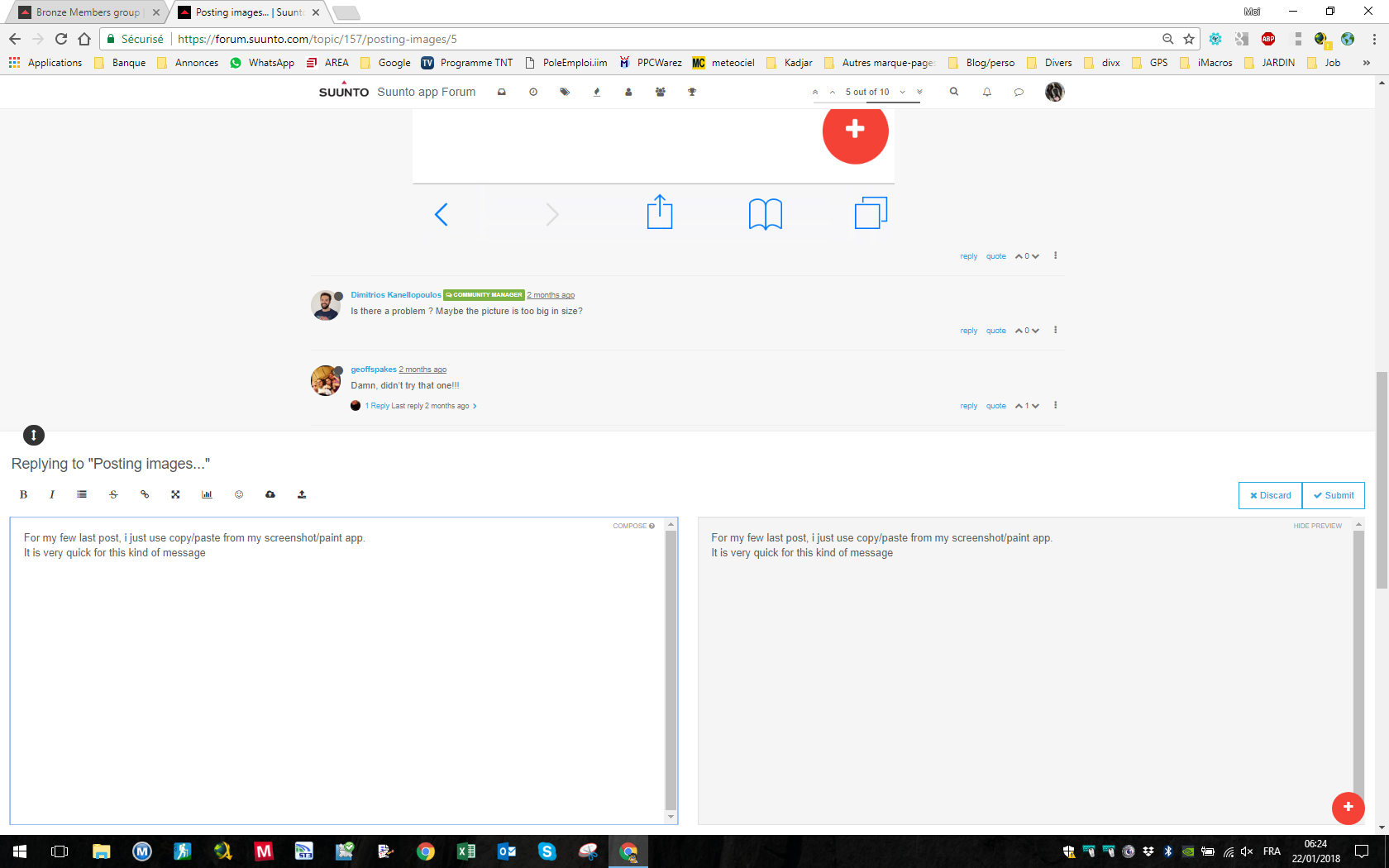
            For my few last post, i just use copy/paste from my screenshot/paint app.
            It is very quick for this kind of message if your picture is in clipboard 😉
            My screenshot in two clics 🙂
            0_1516598678473_be161437-f7ba-412c-94fb-768dc50b418b-image.png

            SSU (retired), SV1, SV2
            Wife : S9PP
            SA: Always the latest beta :)
            Android + Galaxy S205G

            geoffspakesG 1 Reply Last reply Reply Quote 2
            • geoffspakesG Offline
              geoffspakes Bronze Member @Mff73
              last edited by

              @mff73 Yup, works great from desktop but alas screenshots from the Suunto app are on my phone…works great for Movescount or others.

              1 Reply Last reply Reply Quote 1
              • G Offline
                Gunnar Bronze Member
                last edited by

                Hi, I try to add a screenshot to my post but I can’t manage it. I press the button that looks like an Image and I get this: ![alt text](image url)
                What to do now or what am I doing wrong?
                Thanks for any help.

                Gunnar

                SquirrelS 1 Reply Last reply Reply Quote 0
                • SquirrelS Offline
                  Squirrel Silver Members @Gunnar
                  last edited by

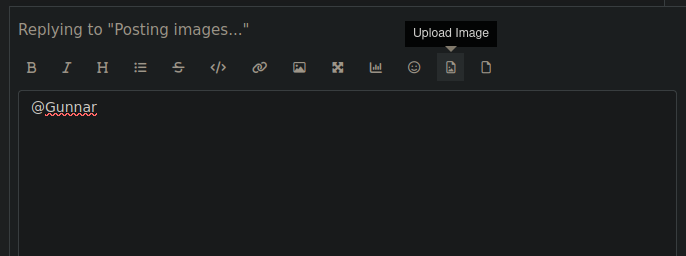
                  @Gunnar That’s an image link button. Try second button from right.
                  Screenshot from 2025-11-10 08-15-23.png

                  Race S

                  G 1 Reply Last reply Reply Quote 1
                  • G Offline
                    Gunnar Bronze Member @Squirrel
                    last edited by

                    @Squirrel I didn’t know that I can scroll this icons . Thanks 🙂

                    v.sacreV 1 Reply Last reply Reply Quote 0
                    • v.sacreV Offline
                      v.sacre Silver Members @Gunnar
                      last edited by

                      @Gunnar same here. Not really instinctive to scroll right on those buttons.

                      A3S | S9B | S9P | S9PP | SV1 Ti | SV2 Ti
                      Suunto Wing
                      Suunto App: Android Beta

                      1 Reply Last reply Reply Quote 0
                      • 2 Online
                        2b2bff Silver Members
                        last edited by

                        You can also just copy a screenshot and paste it in…

                        Race S

                        OutdoorManO 1 Reply Last reply Reply Quote 1
                        • OutdoorManO Offline
                          OutdoorMan Silver Members @2b2bff
                          last edited by

                          @2b2bff this is the way. I copy all photos and just paste it. Super easy.

                          G 1 Reply Last reply Reply Quote 0
                          • G Offline
                            Gunnar Bronze Member @OutdoorMan
                            last edited by

                            @OutdoorMan I am on Android and can’t find the option to copy a screenshot with onboard screenshot app. Any help for Android?

                            OutdoorManO 2 2 Replies Last reply Reply Quote 0
                            • OutdoorManO Offline
                              OutdoorMan Silver Members @Gunnar
                              last edited by

                              @Gunnar Sorry, I am using iOS. But quick google search says:

                              Screenshot 2025-11-13 at 08.46.35.png

                              G 1 Reply Last reply Reply Quote 0
                              • G Offline
                                Gunnar Bronze Member @OutdoorMan
                                last edited by

                                @OutdoorMan thank you for trying to help! 🙂 But your results do not allow copy & paste. But since I now learned that I can scroll the menu, the problem is solved. Although copy & paste would be a bit more convenient.

                                1 Reply Last reply Reply Quote 0
                                • 2 Online
                                  2b2bff Silver Members @Gunnar
                                  last edited by

                                  @Gunnar said in Posting images...:

                                  @OutdoorMan I am on Android and can’t find the option to copy a screenshot with onboard screenshot app. Any help for Android?

                                  Which Android?

                                  On Samsung you do a screenshot, it will show a thumbnail of it bottom left. You tap on this - or go into gallery and open it there - then on the upper right in the three dots menu you can copy it in the clipboard…

                                  Race S

                                  G 1 Reply Last reply Reply Quote 0
                                  • G Offline
                                    Gunnar Bronze Member @2b2bff
                                    last edited by

                                    @2b2bff Pixel 7, latest Android. I playedaaround a little bit, I found an option in SwiftKey to enable that.

                                    1 Reply Last reply Reply Quote 0

                                    Hello! It looks like you're interested in this conversation, but you don't have an account yet.

                                    Getting fed up of having to scroll through the same posts each visit? When you register for an account, you'll always come back to exactly where you were before, and choose to be notified of new replies (either via email, or push notification). You'll also be able to save bookmarks and upvote posts to show your appreciation to other community members.

                                    With your input, this post could be even better 💗

                                    Register Login
                                    • First post
                                      Last post

                                    Suunto Terms | Privacy Policy