S+ parkrun
-
Hello, is there (or is it planned) an app to store a Parkrun code on the watch? Possibly as some lo-res graphic file. With the current storage on SV/SR this should not be a limitation.
-
@kriskus Thanks for raising this. I was barcode scanning at Parkrun today and saw many Garmin users displaying their barcodes on their watches. Suunto really needs a similar app. From what I understand, the current Suunto software doesn’t support custom rendering (bitmap/vector) or a wallet/ID framework, which makes a barcode app unfeasible right now. Could @suunto-app-faq please comment on whether this might be possible in the future?
-
@kriskus any updates on this? Would be very convenient!
-
Hey guys! Just published it. It should compatible with any S+ powered watch, but to be honest I’ve not test it on legacy devices such as Suunto 5 or 9.
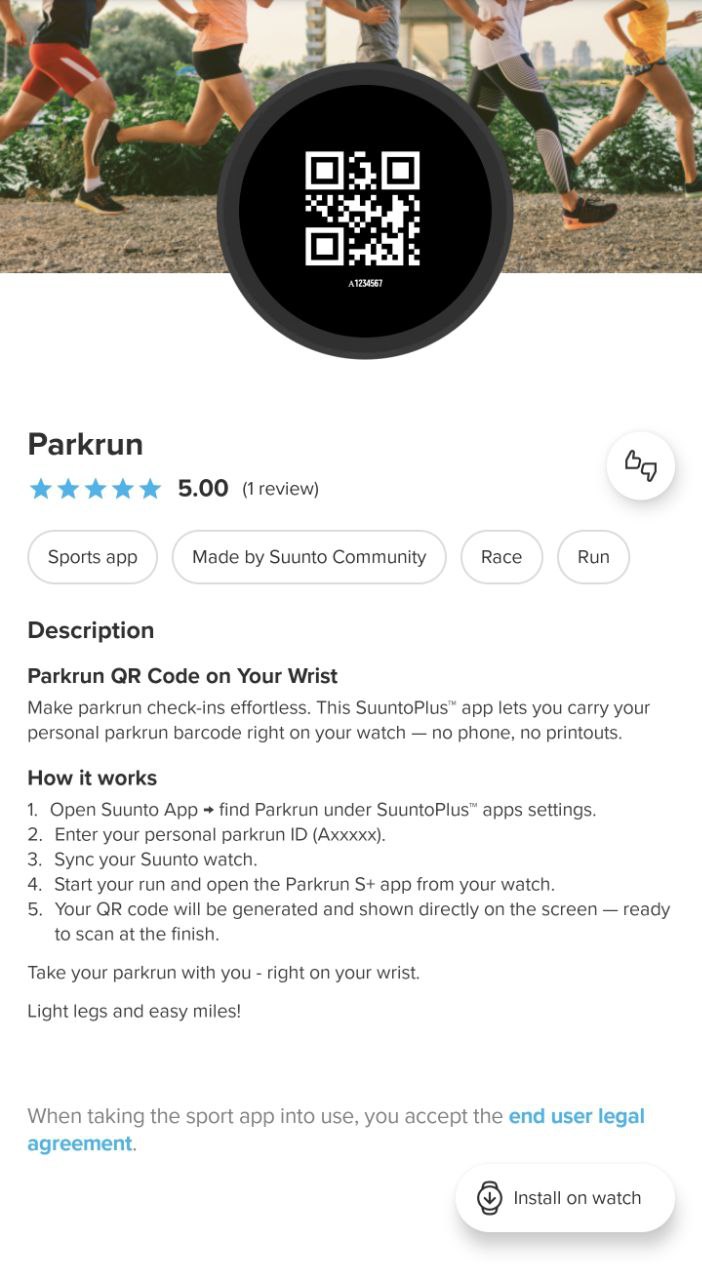
-
@Nikolai-Simonov Fantastic effort? Did anyone try this out today?
One thing though, the instructions are a bit vague -
What you need to do -
Open the Suunto app on iOS or Android
Go to the SuuntoPlus Store
Find Parkrun app and click the download icon in the bottom right of the screen (not sure if this is just iOS)
Then head to My SuuntoPlus sports apps
Find Parkrun again
Enter your Parkrun ID at the bottom of the page
Click Done
Head back to the main SuuntoPlus page
Sync your watchBut wait there’s more! Where is the app?
Oh yes we need scroll down before we press START after choosing the Run app. Makes sure you disable one of your apps if you already have two chosen because of Suunto’s stupid two app limit.Alternativelty, you can create a custom Sports Mode and customise it as above so it doesn’t interfere with your normal run settings.
Watch: Suunto Race S
-
Very nice. Thank you for your effort. Unfortunately the app does not work on my watch. I tried to activate the app on my Vertical 2 (2.48.16, iOS) and there is a notification „Too many Suunto plus guides active“.
It appears always even if Parkrun is the only app activated. -
@Steven-Hambleton said in S+ parkrun:
Makes sure you disable one of your apps if you already have two chosen because of Suunto’s stupid two app limit.
This app is the perfect example why not every app should count in that limit. Because this app does need no resources during the activity…
-
I have installed the app and set my parkrun number in the app. However, on my watch
I still see the default QR code[EDIT: the code is correct, but it looks different than in my 5k app] and A------ instead of my ID. Any hints? -
hi @kriskus which watch?
could you try to re-sync? -
@schreck It’s a bit odd. I tested this on Race 2, which should be similar in hardware/software to Vertical 2.
If anyone with a Vertical 2 (or another model) experiences the same issue, please let me know.
I’ll try to figure out what could happened.
Suunto Race 2 Ti
Suunto Race
Suunto 9 BaroSuunto Aqua
Suunto Wings -
Just tested it.
And it works well as described here.
I can enable the parkrun S+ app and another one at the same time.
A test scan with my phone showed the number.
All good here on Vertical 2
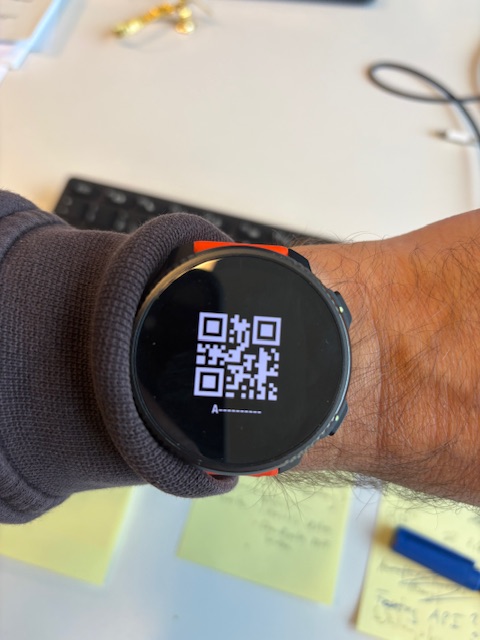
-
I just rechecked. Ineed, the QR code works OK (it’s different than in my 5k app, but they both resolve to the correct UserID), although as in the picture above - the number isn’t displayed, just A------
-
@kriskus right. The number needs a fix. Though as I understand it is not needed for the purpose of this S+
-
@Egika Right, the QR code is enough. I was misled by the fact that my parkrun code in the 5k app looks different, but that’s probably how QR works - two different QR codes can mean the same number.
@Nikolai-Simonov - thanks a lot! You just made my life a little bit better
-
@Egika - and BTW if you’re concerned about privacy, you can edit your post. The QR code links to your real name
-
Thanks a lot for the feedback! I’ll take a look at why the text field couldn’t update.
Regarding the difference between the 5k QR and the S+ QR that’s totally fine!
QR codes can encode the same data and still look different due to factors like ECC level, matrix size, padding, and the chosen QR mode (numeric, byte, etc.).
I believe the 5k version uses slightly different settings.For the watch, where resources are limited, I’m using a hardly reduced version of the algorithm that includes only the essential features.
Suunto Race 2 Ti
Suunto Race
Suunto 9 BaroSuunto Aqua
Suunto Wings -
@Nikolai-Simonov, I am facing the same issue, I can enable other S+ app but with Parkrun app, I see the same error message. Suunto Vertical
-
@Nikolai-Simonov Thanks! Every day something new (even if I’m from IT myself
 )
) -
@kriskus said in S+ parkrun:
@Egika - and BTW if you’re concerned about privacy, you can edit your post. The QR code links to your real name
no worries. My real name is so generic, that it is almost anonymous
-
@Egika said in S+ parkrun:
@kriskus said in S+ parkrun:
@Egika - and BTW if you’re concerned about privacy, you can edit your post. The QR code links to your real name
no worries. My real name is so generic, that it is almost anonymous
Haha, indeed it is…