Suunto app Forum Suunto Community Forum
    • Recent
    • Tags
    • Popular
    • Users
    • Groups
    • Register
    • Login

    Display 7 fields not showing time

    Scheduled Pinned Locked Moved Suunto Vertical 2
    10 Posts 8 Posters 198 Views 9 Watching
    Loading More Posts
    • Oldest to Newest
    • Newest to Oldest
    • Most Votes
    Reply
    • Reply as topic
    Log in to reply
    This topic has been deleted. Only users with topic management privileges can see it.
    • Gliko FashionistaG Offline
      Gliko Fashionista
      last edited by

      Suunto vertical 2
      Display 7 fields not show time on the top screen. This is normal?

      OutdoorManO Tami999T 2 Replies Last reply Reply Quote 0
      • OutdoorManO Offline
        OutdoorMan Bronze Member @Gliko Fashionista
        last edited by OutdoorMan

        @Gliko-Fashionista can you check if you have in the very top row a field which is displaying two lines of text? If yes, try to change it something which has just one line and see if time is shown. For example:
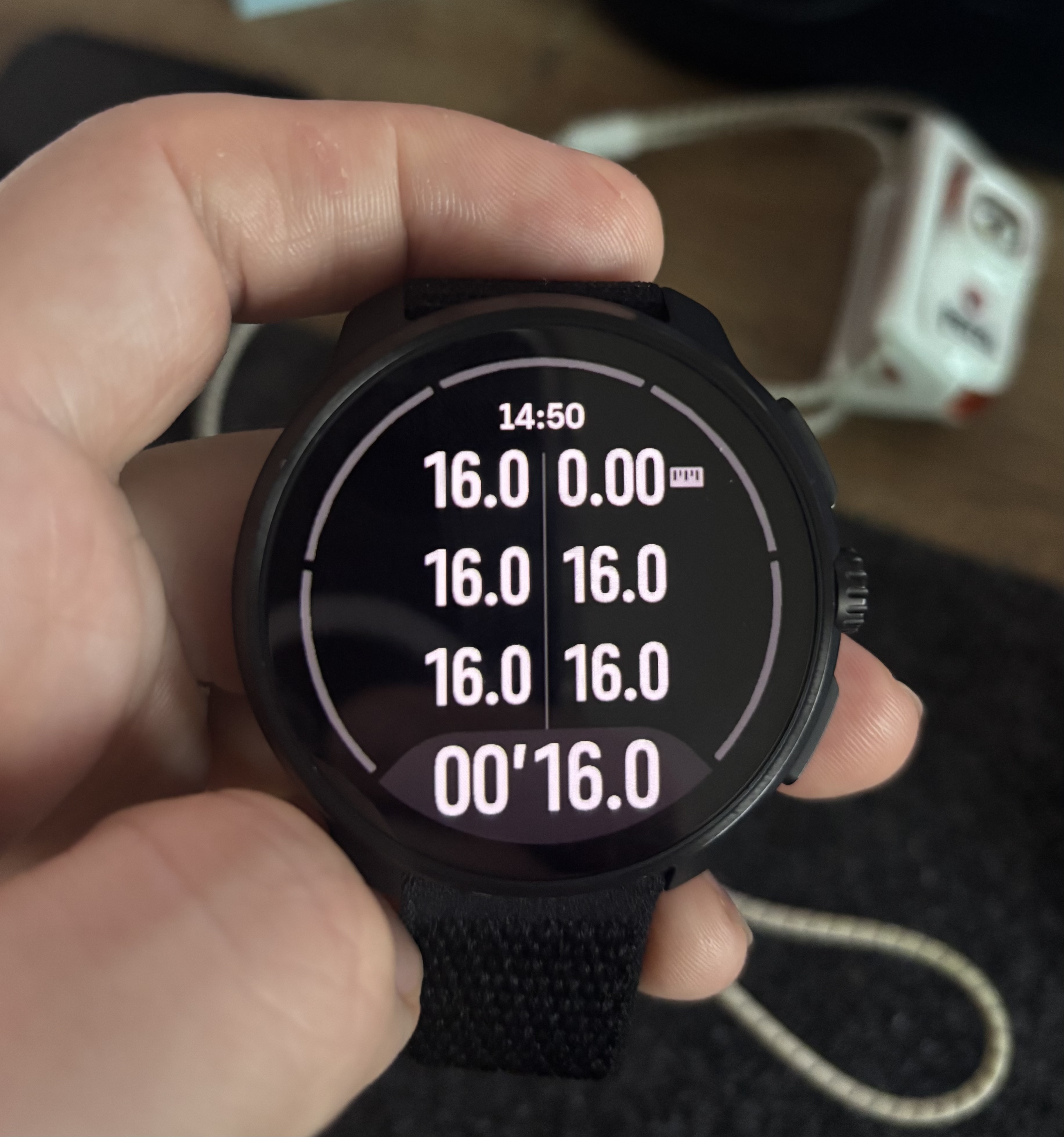
        26d75462-c82c-46f5-b77b-25efd383b5db-IMG_8616.jpeg

        Manuel ExtremeM 1 Reply Last reply Reply Quote 0
        • Manuel ExtremeM Offline
          Manuel Extreme
          last edited by

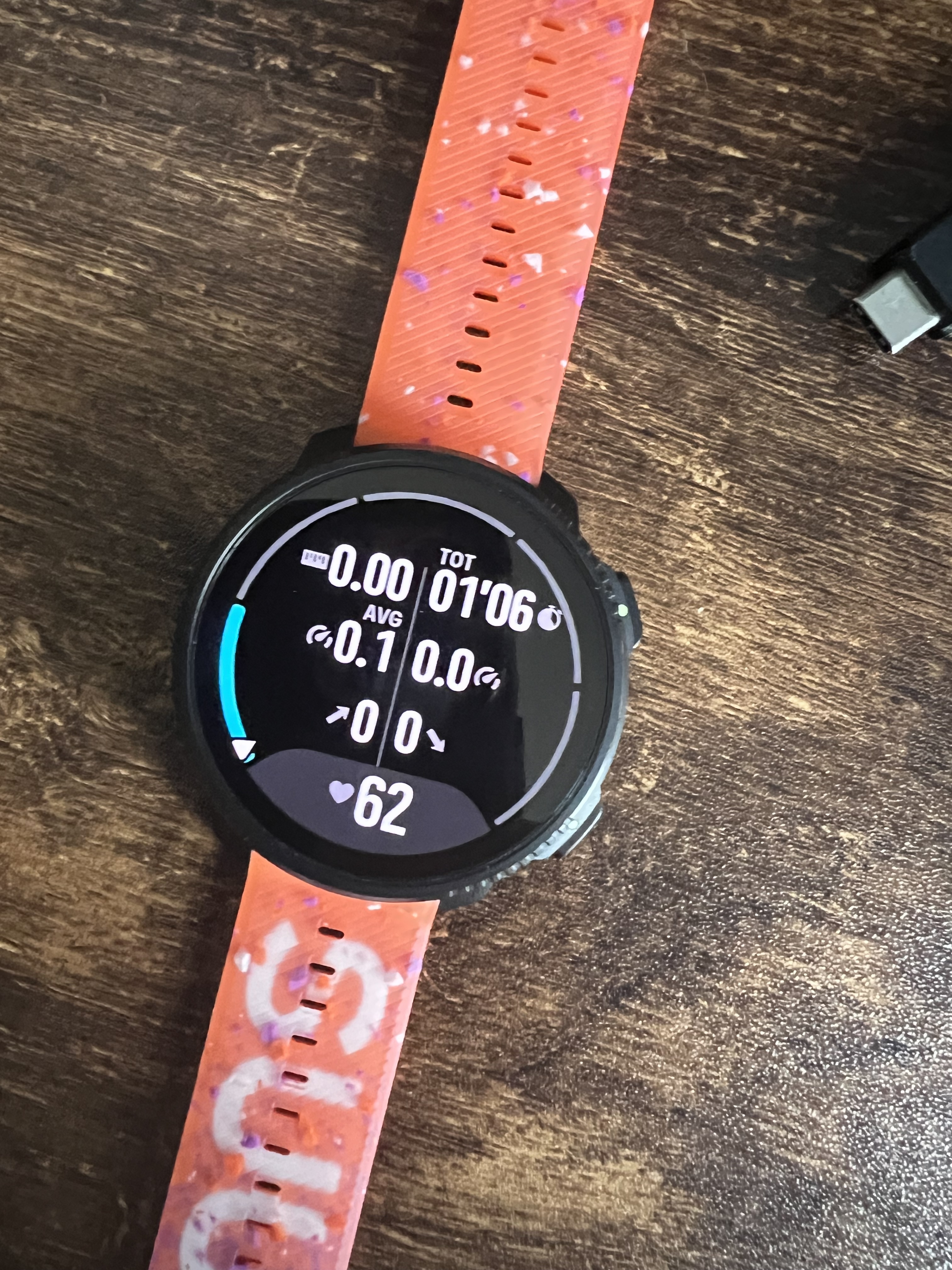
          In mine too:

          IMG_5788.jpg

          M OutdoorManO 2 Replies Last reply Reply Quote 0
          • M Offline
            maszop Bronze Member @Manuel Extreme
            last edited by

            @Manuel-Extreme You can see that you have text displayed on the top line. Change it to a value without such text above the numbers, and the time will be displayed. This has already been discussed many times.

            1 Reply Last reply Reply Quote 0
            • OutdoorManO Offline
              OutdoorMan Bronze Member @Manuel Extreme
              last edited by

              @Manuel-Extreme the text “TOT” is causing time to disappear. Switch it with speed (middle right) for example and it will be displayed again.

              1 Reply Last reply Reply Quote 0
              • Manuel ExtremeM Offline
                Manuel Extreme @OutdoorMan
                last edited by

                @OutdoorMan I tried using a single field on one row and the clock reappears.
                But for readability (and visual memory) I prefer to keep the fields arranged as I’ve set them.

                1 Reply Last reply Reply Quote 0
                • Tami999T Offline
                  Tami999 Silver Members @Gliko Fashionista
                  last edited by Tami999

                  @Gliko-Fashionista said in Display 7 fields not showing time:

                  Suunto vertical 2
                  Display 7 fields not show time on the top screen. This is normal?

                  It happens if I’m not wrong if Your top fields have “average”. Average speed, average hr etc. move it lower. I know I had same problem and we figured it out here. Kinda bug or something. … change position and should work.

                  I think that when “average” is on top, “AVG” letters have problem with time and that’s why it disappear. Because they would be in same position on screen. Maybe some more “widgets” causes problem with time.

                  Proof that it works for me
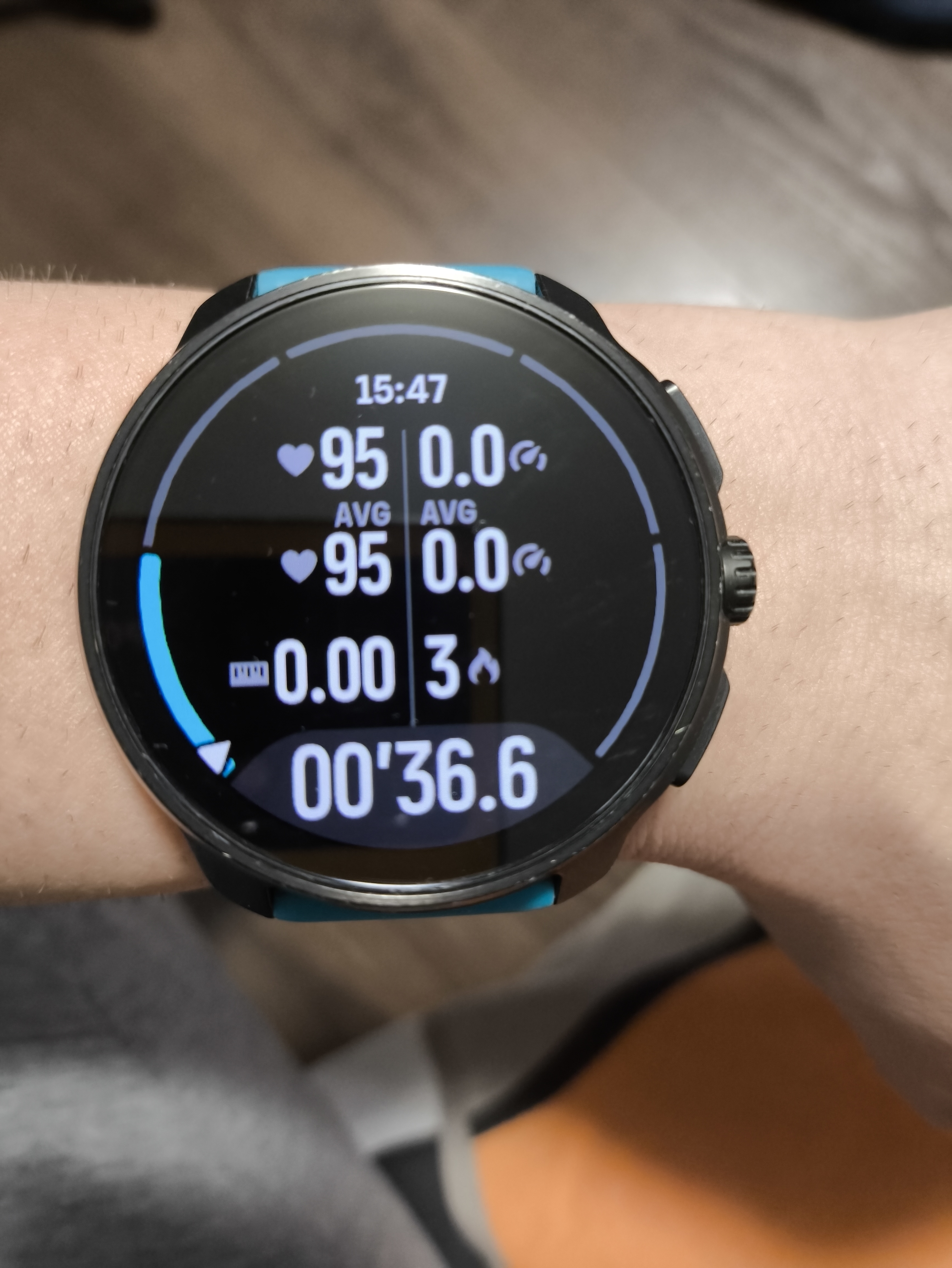
                  1000000974.jpg

                  1 Reply Last reply Reply Quote 0
                  • U Offline
                    UjcoCZ
                    last edited by

                    Perhaps it’s not a mistake, but just limited space, and a description of the metric is preferred… a logical decision, in my opinion. Better than reducing the size of all fonts.

                    Vertical 2 Ti

                    1 Reply Last reply Reply Quote 3
                    • Bigb0zzB Offline
                      Bigb0zz
                      last edited by

                      Thanks all! The problem really came down to the text in the top fields.

                      To the developers: It would be better to actually fix the issue rather than just making it disappear.

                      H 1 Reply Last reply Reply Quote 0
                      • H Online
                        halajos Bronze Member @Bigb0zz
                        last edited by

                        @Bigb0zz it’s not an issue to fix, but a design decision. The time would only fit if the font size of the data fields was made smaller. You may rearrange your data fields to avoid fields in the top row, which interfere with the time display.


                        1 Reply Last reply Reply Quote 3
                        • First post
                          Last post

                        Suunto Terms | Privacy Policy