Ground contact time / Vertical Oszillation Missing
-
Dear Forum,
I’m seeking your assistance with an issue I’m encountering regarding the running dynamics on my Suunto SV2. With updating my device to the Q3 software version, Suunto Update 2.48.16, I noticed that there will be the new running dynamics for ground contact time and vertical oscillation metrics and I would love to use them…
But when I analyze my runs, I can’t find any information about these metrics in the workout analysis section. There are no charts or details provided in the „Technique“ part. I’ve tried adding the new metrics to my screens, but this doesn’t seem to resolve the issue (and that should’t be needed; I prefer to have fewer screens during my runs and analyze the data afterward).
I’m at a loss as to what steps I can take to obtain these metrics. Could anyone please provide me with some guidance on how to fix this problem?
-
@bobbyfw03 When I run with the default running profile, I get those metrics automatically in the summary on the watch after the run.
You don’t have this?
Are wearing your watch on the wrist?
It should work right away -
@Egika I don’t use the default (Basis) profile but I have a customized sport profile with my own data fields for outdoor running. But IMO that shouldn’t affect the metrics to be safed?!
I don’t use the summarized data on the watch. After I saved my run I go to the app to see everything I want to analyze. Du you have it in your app, too? -
@bobbyfw03 don’t know. Maybe you try it with the default profile for checking?
-
@Egika Do you have it in your app, too?
-
@bobbyfw03 yes
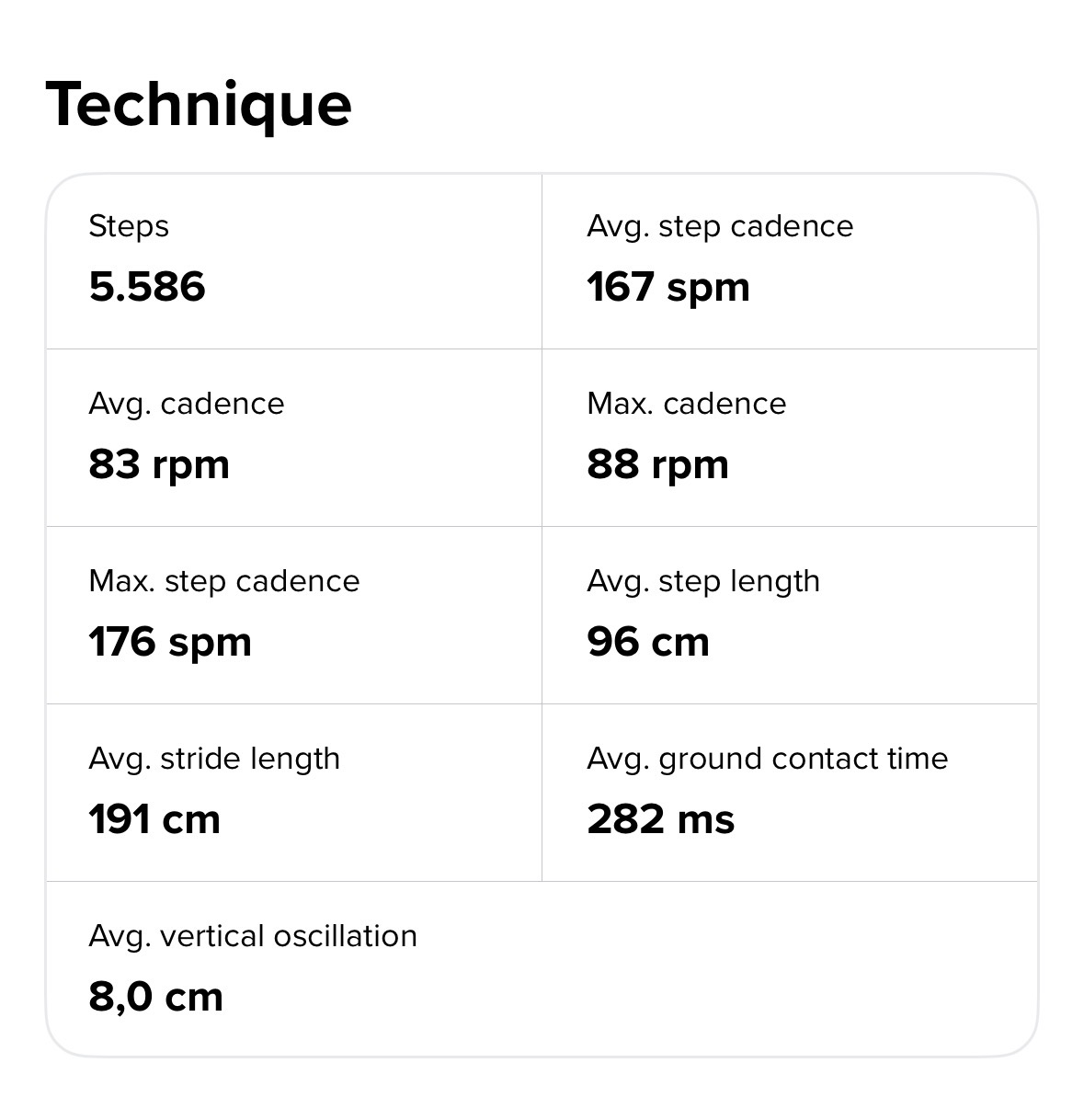
-
@Egika Tried it for about 90m. Doesn’t change anything. No metrics for the default profile…
-
@Egika Thanks for your support. Since I’m relatively new to Suunto, I did my first hard reset and now it works. Im not that amused to setup my watch and all the custom sport profiles again but now I can use the metrics. Thanks again!
-
@bobbyfw03 did you try a soft reset?
-
@Gunnar Tried, but didn’t work. Hard reset helped me out.
-
Hmmm annoying. Worked for one test run; yesterday’s run didn’t record any of these metrics again. So the issues persists…

-
I have same behavior.
I never had those metrics with current software version and last one as well…
I really don’t want to hard reset. -
@v.sacre So it looks like it could be a general problem and nothing specific to me… Do you use FootPODs? For me it works after hard reset and yesterday I was on my treadmill and connect to my NPE RUNN for Pace and Distance. Since then the metrics disappear again. So my guess is 1) A FootPOD was the problem and it persists for non FootPOD activites afterwards, too or 2) It was a lucky punch to record these metrics one time and the hard reset wasn’t really solving the issue…
-
@bobbyfw03 I use Stryd. But even when Stryd wasn’t connected, I didn’t get any metric.
And even after recent update (where all sensors were disconnected), I don’t get neither the metrics…
-
@v.sacre Same for me. I thought maybe the first connection of a footpod would cause the problem that the metrics will not recorded in future sessions- with or without a pod. Would be strange and annoying but could be possible in both of our cases…
-
I’ve done further investigation and can confirm that the issue is because of footpod connection. I’ve done several tests with my sv2 und the race2 of my wife. What I’ve done:
1.Hard reset
2. run in basic mode and standard mode > vertical Oszillation and ground contact time are visible
3. connect a footpod (in this case npe Runn)
4. treadmill activity > no metrics recorded
5. disconnect footpod (general disabling for outdoor and treadmill runs)
6. start basic and customized outdoor/treadmill runs > no metrics are recorded
7. soft reset / new app pairing
8. issue persists
9. started with 1. again without footpod > works fine. After that: same procedure from 2.-8.So for my testing it’s definitely about the footpod which seem to entirely block the metrics.

