Map Rendering and Trail Visibility after Software Update 2.43.8/.12
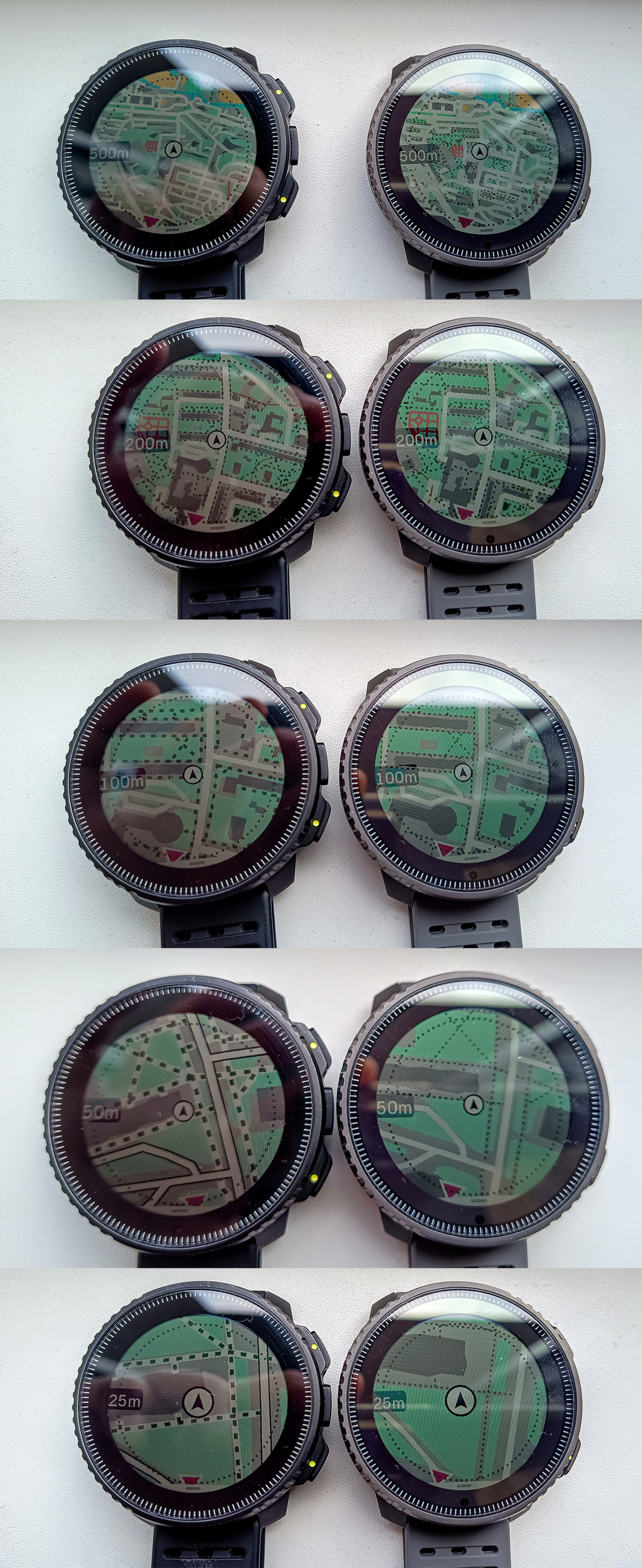
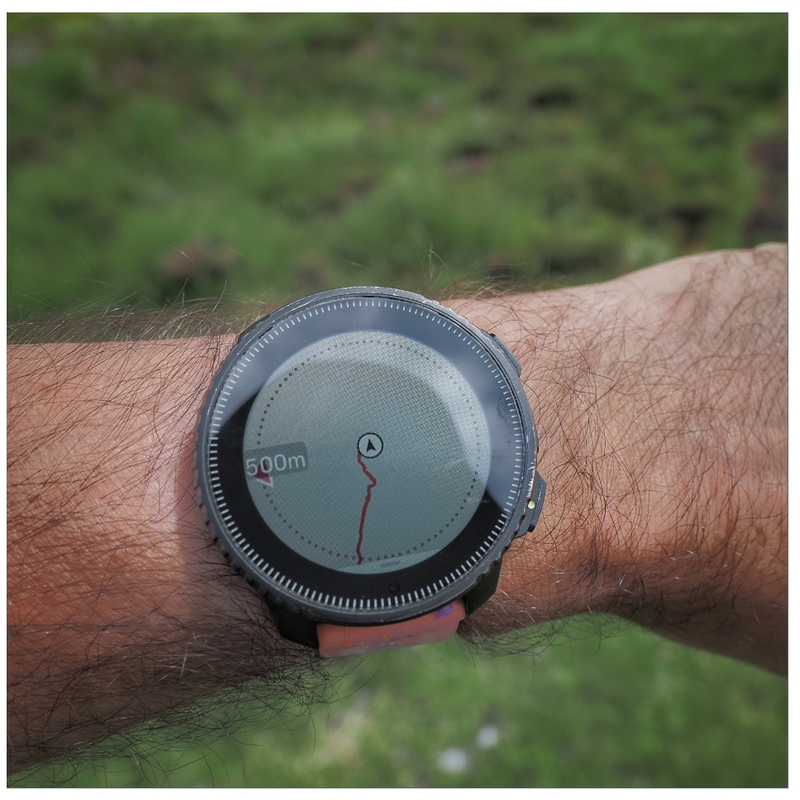
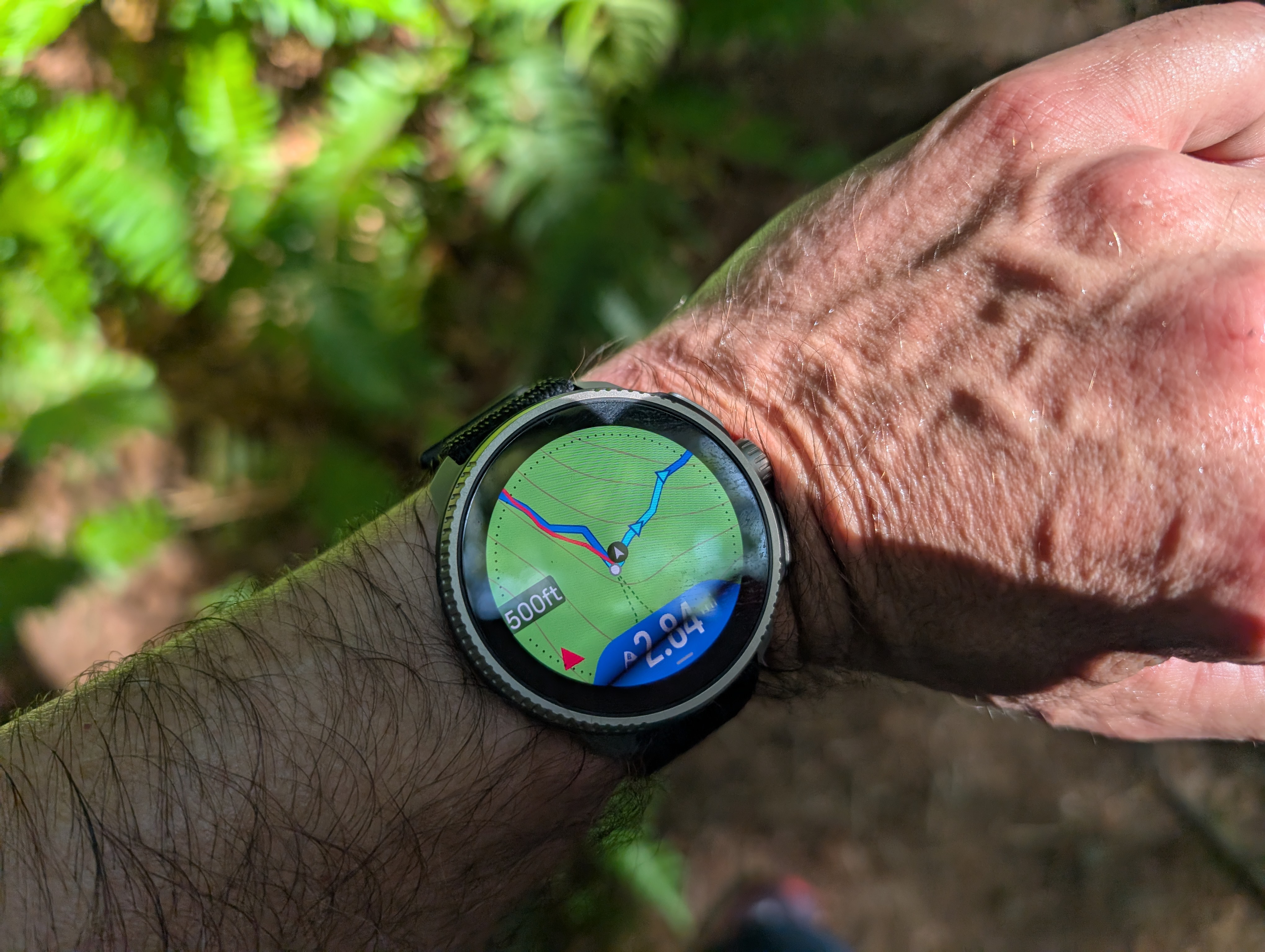
-
@duffman19 said in Map Rendering and Trail Visibility after Software Update 2.43.8/.12:
I agree that it would be nice to have a better distinction between foot trails and sidewalks. The issue, however, is that OpenStreetMap data is behind all of this. And OSM is basically Wikipedia for maps, but with far less oversight. And there are many different ways to tag a simple path (path, footpath, sidewalk, cycle path, bridle path…) and then hundreds of different sub-tags for each of those designations (surface, access, direction of travel, structures, incline, smoothness, stroller access, and on and on and on…).
Nevertheless, Suunto does actually know the difference between trails and other paths. Here is a screenshot of Suunto App in winter mode when zoomed out - as you can see it still shows trails but no longer shows sidewalks:
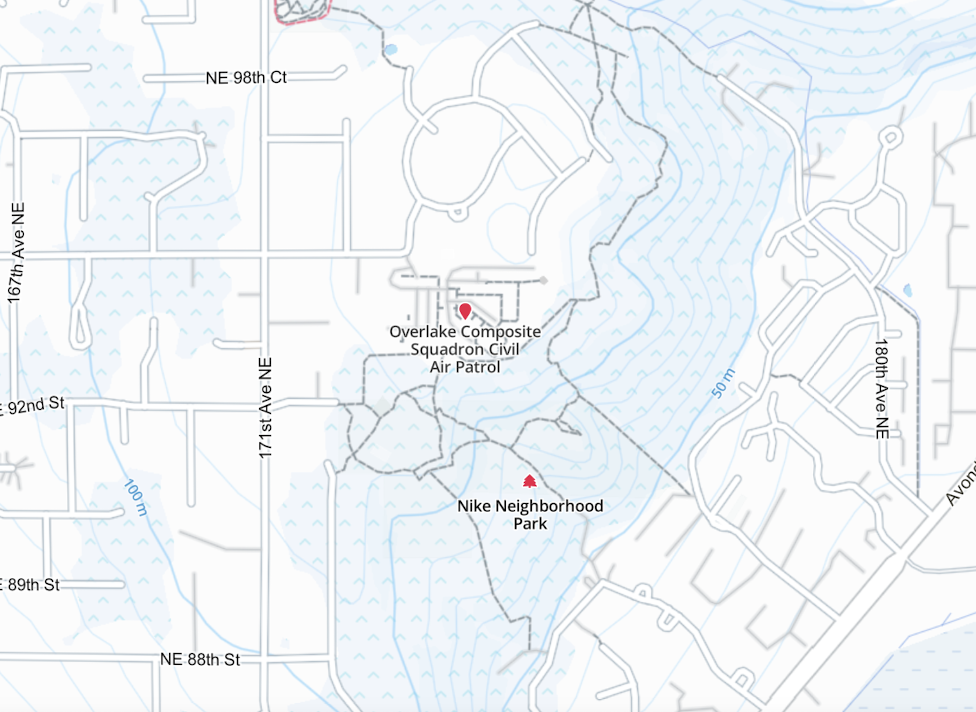
This actually looks very clean and useful. I wish a similar rendering was available on a watch. -
I thought this would be a great illustration of how limited Suunto maps are after the update.
This is a random picture of Garmin Fenix from internet showing some trail network with Map level of details set to medium.The green circle shows how far we would be able to see trails if this was a Suunto watch. The radius of the circle is roughly 500 ft = 0.09 mi
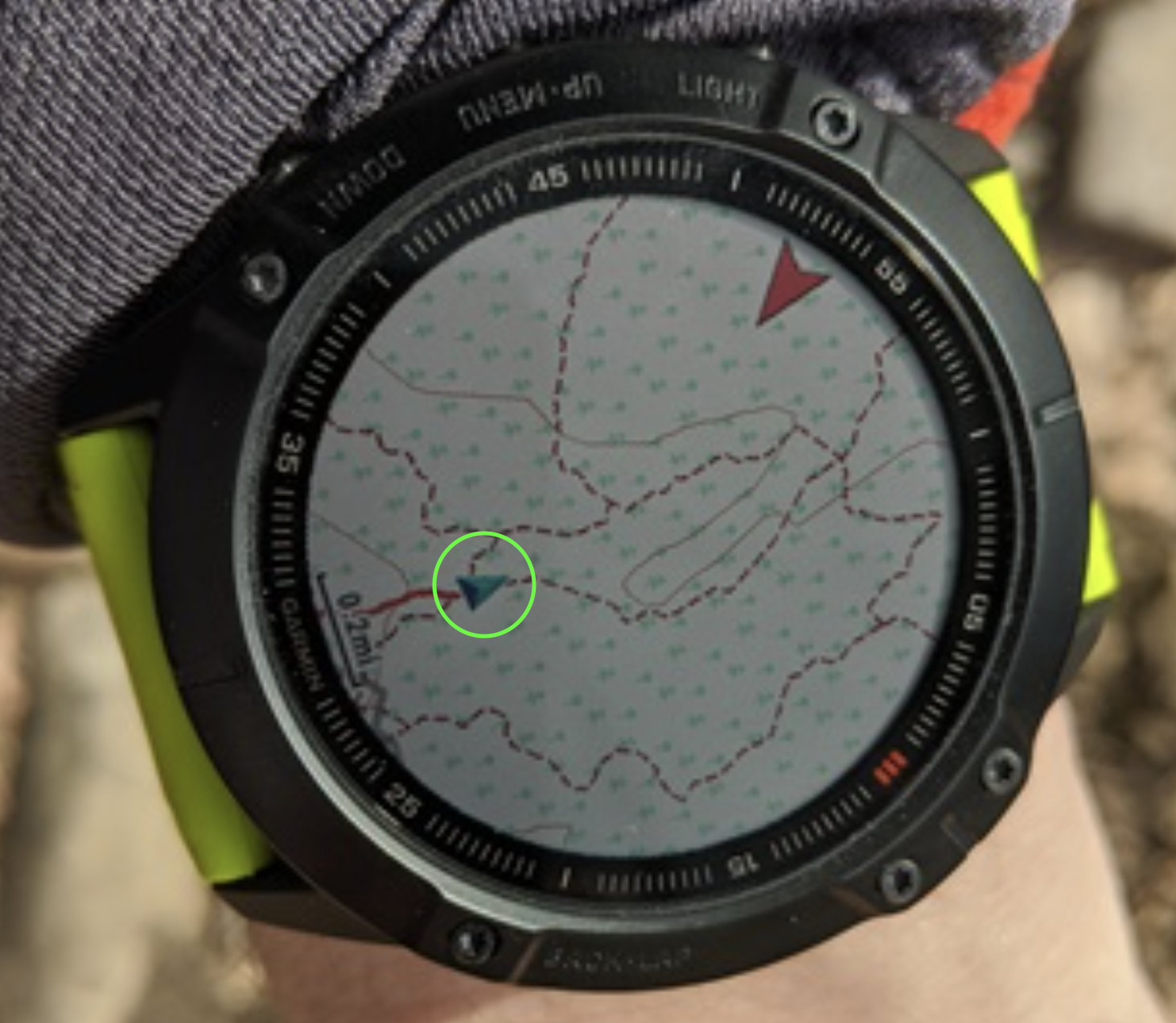
Keep in mind that Fenix can show trails even further when the map level of details is switched to High. As much as I dislike many things about Garmin, I might have to switch back if this issue isn’t fixed soon.
-
@sky-runner I think your calculations are false, the radius of the map shown is around 0,6 miles…
-
@soisan Yes, the radius of the map on this Garmin watch is about 0.5-0.6 miles. In fact, it is more when looking forward because the current position pointer is off center. But the radius of the small green circle that I overlayed on the picture is about 500 ft, and that is the maximum radius of the map on a Suunto watch where trails are still rendered. If you zoom out more, trails are gone. This was meant to show how useless Suunto map is for navigation on trails in comparison to Garmin. Without having a preplanned route, it is nearly useless.
-
@sky-runner Well, it seems there are differences between the maps of various countries. Where I live, trails are visible up to a radius of 500m (0,3 miles).
-
@soisan Are you sure those are trails and not dirt roads? Dirt roads are visible at one level beyond trails. In the USA, when the watch is configured in imperial units, trails are visible up to 500 ft (150m) and dirt roads up to 0.2mi (320m).
But I think even 500m is insufficient. Up until a few months ago I could still see trails at 0.5mi zoom level (800m). And I thought even that was insufficient.
-
I had the chance to experience this issue recently. Was running in the woods, fog all around, and pulled the maps to double check the trails. Zoom over 200 meters and trails dissapear, useless really, I had to pull out the phone maps.
I hope it gets fixed. -
 S sky-runner referenced this topic on
-
This problem will be addressed in the future updates.
Opinions expressed are solely my own and do not express the views or opinions of my employer
-
@pavel.samokha Does this mean we’ll also have map updates for regions that have been waiting for nearly two years?

-
@duffman19 unrelated issues
-
@pavel.samokha said in Map Rendering and Trail Visibility after Software Update 2.43.8/.12:
This problem will be addressed in the future updates.
Glad to hear this!
I’ll order Vertical 2 the day the update is released! -
@pavel.samokha said in Map Rendering and Trail Visibility after Software Update 2.43.8/.12:
This problem will be addressed in the future updates.
This is phenomenal news
-
This post is deleted! -
-
@baaaa trails were brought back to 500m zoom level with 2026 Q1 FW release
Though unfortunately it was not made available for Vertical 1
-
@pavel.samokha and the same goes for Race 1, since it didn’t receive the map-related part of the FW update (or am I wrong?)
-
@SergioB I haven’t tested but I think you should be wrong. Race 1 didn’t receive new map features like titles, but the fix for trails at 500m should be applicable for Race 1 as well.
But again, I haven’t tested and can’t say for sure
-
@pavel.samokha I have to apologize, you are right and I was wrong! I have played a bit with my Race 1 and I can confirm trails are visible at 500m zoom level

Haven’t noticed before, even if I occasionally do some trekking, because after the last update I use a lot the auto zoom feature in navigation, so I stay all the time at 1 or 2 km zoom level, and the the watch auto-zoom near turns
I should have checked before writing, apologies again!
-
I still think it needs to be better.
When map is configured to high level of details, Garmin maps allow trails to still be visible at 1.2-2 km from the current point without panning the map. In part, that is achieved by offsetting the current point towards the bottom on the map screen, so that you can “see” further in front of you on the map. At the same time, usually there isn’t much point at looking behind you on the map.
On Suunto, trails disappear after 500 m when the watch is configured in metric units. It is even worse when the watch is configured in imperial units, in which case trails disappear after the 0.2mi level (320 meters).
Suunto: Ambit, Ambit 3 Peak, 9 Baro, Race S, Race Ti, Vertical 2 Ti
Garmin: Forerunner 210, Forerunner 610, Fenix 6X, Fenix 7X Ti -
The problem with how trails and roads are displayed is simply disastrous - even in the route planner, compare the map at nearly the same scale and see how drastically it changes!
-
https://routeplanner.suunto.com/?lat=49.851338&lng=22.607213&zoom=13.1&style=outdoor
-
https://routeplanner.suunto.com/?lat=49.851338&lng=22.607213&zoom=12.95&style=outdoor
These aren’t watches, but maps on a computer - what’s the point of hiding so many roads?
-



Hello! It looks like you're interested in this conversation, but you don't have an account yet.
Getting fed up of having to scroll through the same posts each visit? When you register for an account, you'll always come back to exactly where you were before, and choose to be notified of new replies (either via email, or push notification). You'll also be able to save bookmarks and upvote posts to show your appreciation to other community members.
With your input, this post could be even better 💗
Register Login