Live location S+ app
-
@Nikolai-Simonov said in Live location S+ app:
@larrybbaker @egika @tuxbuster
I’ve prepared a blind fix. unable to test it all, but, if you have time let me know if it works now.
to test this build you need to enter to another tester group - https://testflight.apple.com/join/ZGZeRASB
there’s also updated android build to verify if everything still works
https://artifact.fra1.cdn.digitaloceanspaces.com/live-t/apk/btle/live-t.apkThe Testflight link is leading me to (84).
Which works well and as designed for me.
Thx! -
@Tieutieu said in Live location S+ app:
Was trying last version : when live app is open on my iPhone I have a small vibration every sec. It disappears if app is in background. But entering the app and vibration is back. Any idea ?
yep, I guess, it could be, unsynced ui and btle state. the ui can produce small haptic feedback during scanning for watch. is watch able to connect in the latest version? I’ll fix it in a few days when come back to iPhone to check.
The Testflight link is leading me to (84).
i kept only latest (90) build in this group https://testflight.apple.com/join/ZGZeRASB
could you recheck
Suunto Race 2 Ti
Suunto Race
Suunto 9 BaroSuunto Aqua
Suunto Wings -
Used stable version this morning with no issues. Just updated to (90) and will test on tomorrow morning run.
-
@Nikolai-Simonov installed (90).
Does not do anything when trying to connect. Just small haptic events on the phone (1Hz).
No connection to watch possible. Does not even show “searching” or similar at all.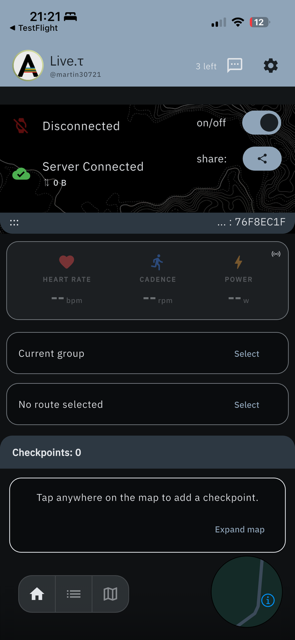
-
The app won’t open after the latest beta update. I’ve submitted a crash report.
videohistory:
Suunto Vertical 2 titanium Black
suunto vertical solar titanium
suunto 9 baro
suunto ambit 3
suunto ambit 2
Suunto Heart Rate Belt
Suunto Smart Heart Rate Beltsuunto App: apple iphone 14 pro
-
@Egika same here this morning. No connection

-
Currently went back to 1.0.16.(82) and working well.
-
@safari same here
-
@peegee
Yes, this isn’t working either.
I haven’t been able to use it in tests for 2 days.
I’m keeping it inactive for now. -
(91) is working again

t6, S6, Elementum Terra, Ambit 3 Sapphire, Spartan Ultra Copper, Traverse Alpha, S7 Graphite LE, S9B Ambassador, S9P Titanium, S9PP Titanium, Vertical All Black, Race Titanium Charcoal, Race S Titanium Courtney, Run Lime, Race 2, Vertical 2 Titanium
-
-
@Egika Great to hear!
@safari it’s int the experimental builds TF groupI’ll keep eye on this version a few days and if everything well… publish in general builds group.
-
@Nikolai-Simonov
No, it’s not working, it’s just crashing, I’m getting a warning. -
I can use it after the last update.
I also noticed some improvements
Thanks!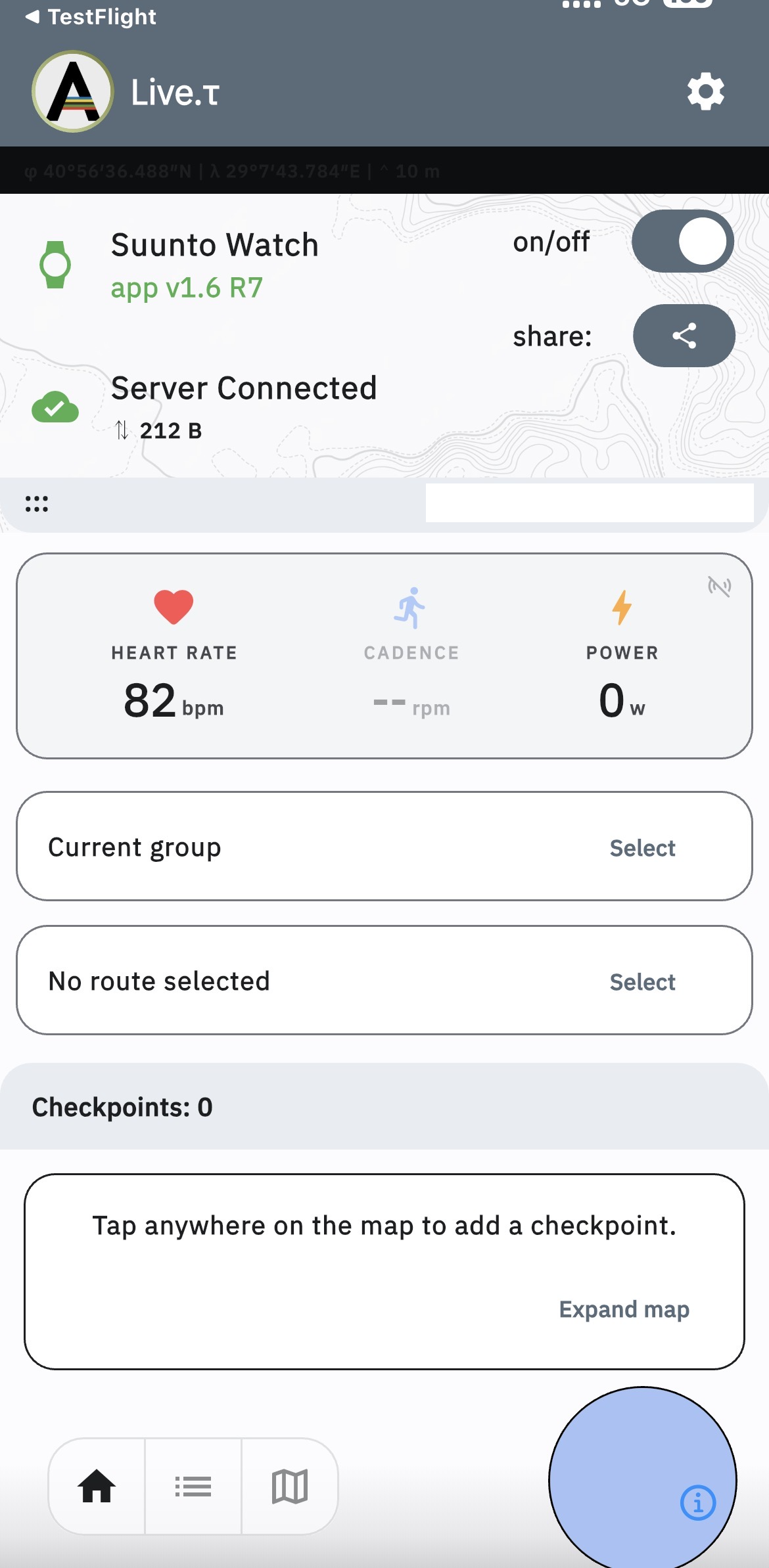
-
1.0.16(93) appears to be working for me now. Thanks! I’ll test it on a run tomorrow probably.
-
@safari @larrybbaker Great!
so… let’s move forward to the next release:
finalize group sessions
Push To Talk
sensor forwardingSuunto Race 2 Ti
Suunto Race
Suunto 9 BaroSuunto Aqua
Suunto Wings -
@Nikolai-Simonov I should be getting a run in tomorrow. Today didn’t work out

-
@Nikolai-Simonov
I have intense jungle training this weekend; I’ll be testing both Vertical 2 and the update. -
@Nikolai-Simonov said in Live location S+ app:
On Android, it’s bit more flexible, if the app is installed outside of Google Play (via direct APK or APKPure), it can send SMS messages directly from the device, without going through our cloud, this option simply isn’t available on iOS due to system restrictions.
Thank you for this useful app, I tried it for the first time yesterday.
However, I couldn’t get SMS sending to work with the direct APK version.
Whether I defined direct SMS or cloud SMS, I got a message saying something like: “No SMS number defined for SOS.” That may not be the exact wording, as I don’t have the message right in front of me.
I tried it with french phone number, with international format (+33) or national format. -
@Anthony-Guillemette Thanx for using it! and reporting a bug.
Could you tell what app version? it will helps me localize an issue.





Hello! It looks like you're interested in this conversation, but you don't have an account yet.
Getting fed up of having to scroll through the same posts each visit? When you register for an account, you'll always come back to exactly where you were before, and choose to be notified of new replies (either via email, or push notification). You'll also be able to save bookmarks and upvote posts to show your appreciation to other community members.
With your input, this post could be even better 💗
Register Login