Suunto app Forum Suunto Community Forum
    • Recent
    • Tags
    • Popular
    • Users
    • Groups
    • Register
    • Login

    Hiking Sport Mode Screen

    Scheduled Pinned Locked Moved Suunto Vertical 2
    15 Posts 7 Posters 325 Views 5 Watching
    Loading More Posts
    • Oldest to Newest
    • Newest to Oldest
    • Most Votes
    Reply
    • Reply as topic
    Log in to reply
    This topic has been deleted. Only users with topic management privileges can see it.
    • EgikaE Offline
      Egika Platinum Member @cpinky
      last edited by Egika

      @cpinky for hiking, my heart rate is of no interest to me at all.
      So my data screen for hiking has:

      • distance
      • elapsed time
      • sunset time (or sometimes I use the Sun S+ feature)
      • distance to next waypoint of end of route
      • ETA (next waypoint or end of route)
      • average speed

      t6, S6, Elementum Terra, Ambit 3 Sapphire, Spartan Ultra Copper, Traverse Alpha, S7 Graphite LE, S9B Ambassador, S9P Titanium, S9PP Titanium, Vertical All Black, Race Titanium Charcoal, Race S Titanium Courtney, Run Lime, Race 2, Vertical 2 Titanium

      M 1 Reply Last reply Reply Quote 1
      • snow*S Offline
        snow* @cpinky
        last edited by snow*

        @cpinky distance, elapsed time, ETA, Climb S+, map

        1 Reply Last reply Reply Quote 1
        • Stefano M64S Offline
          Stefano M64 Silver Members
          last edited by

          I find very useful to have the vertical speed, I started using that parameter with my old Suunto Vector, it helps me to keep the right pace on long climbs. Once you learn what’s your good reference value (for example 8 / 9 m/min, that is 480 / 540 m/h) you can manage your effort along the route depending on its length and elevation gain. With the last update you can also select that parameter as one of the 5 data field that can be shown directly on the map tooth.
          Here is my hiking customization (completed with S+ Climb):
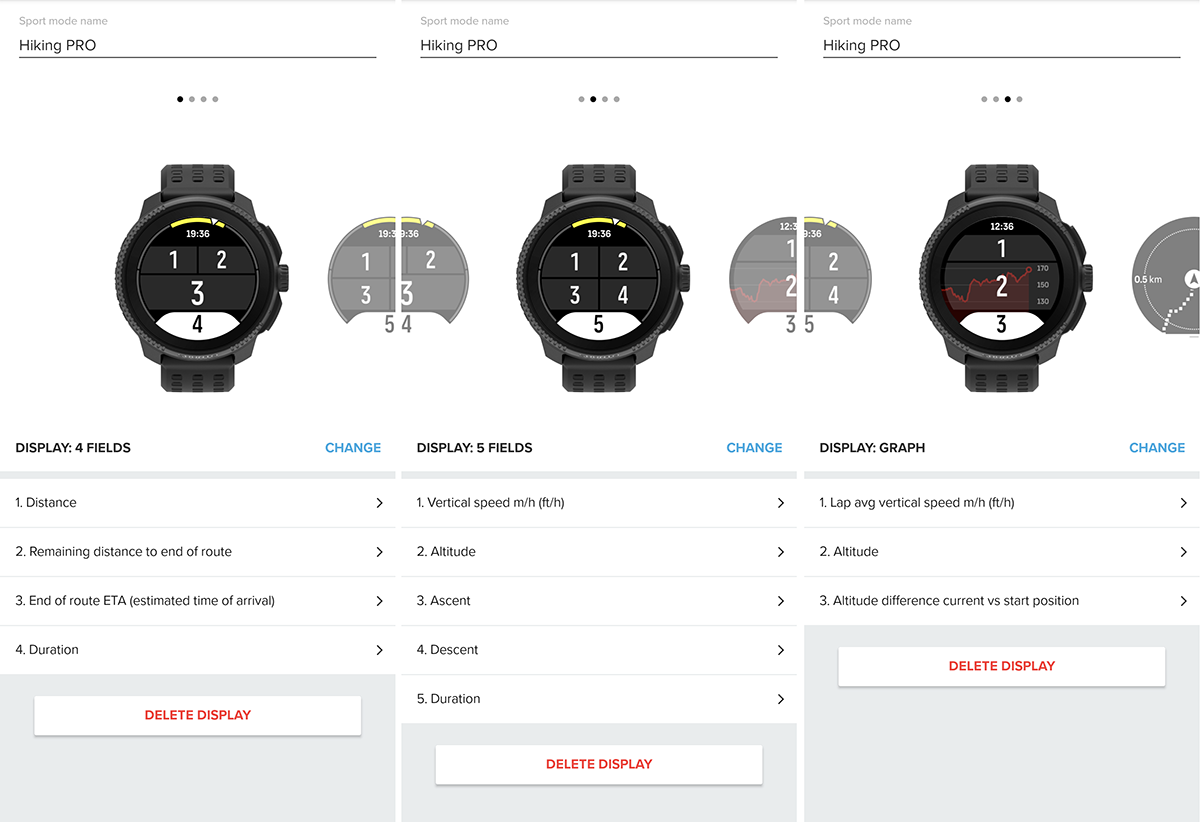
          Hiking PRO.png

          Suunto Vector . Vector HR . Core . Race & Race S

          cpinkyC 1 Reply Last reply Reply Quote 3
          • M Offline
            maszop Bronze Member @Egika
            last edited by

            @Egika For me, HR is very helpful. I hike fast, and on climbs, I know if the effort is too much or not.

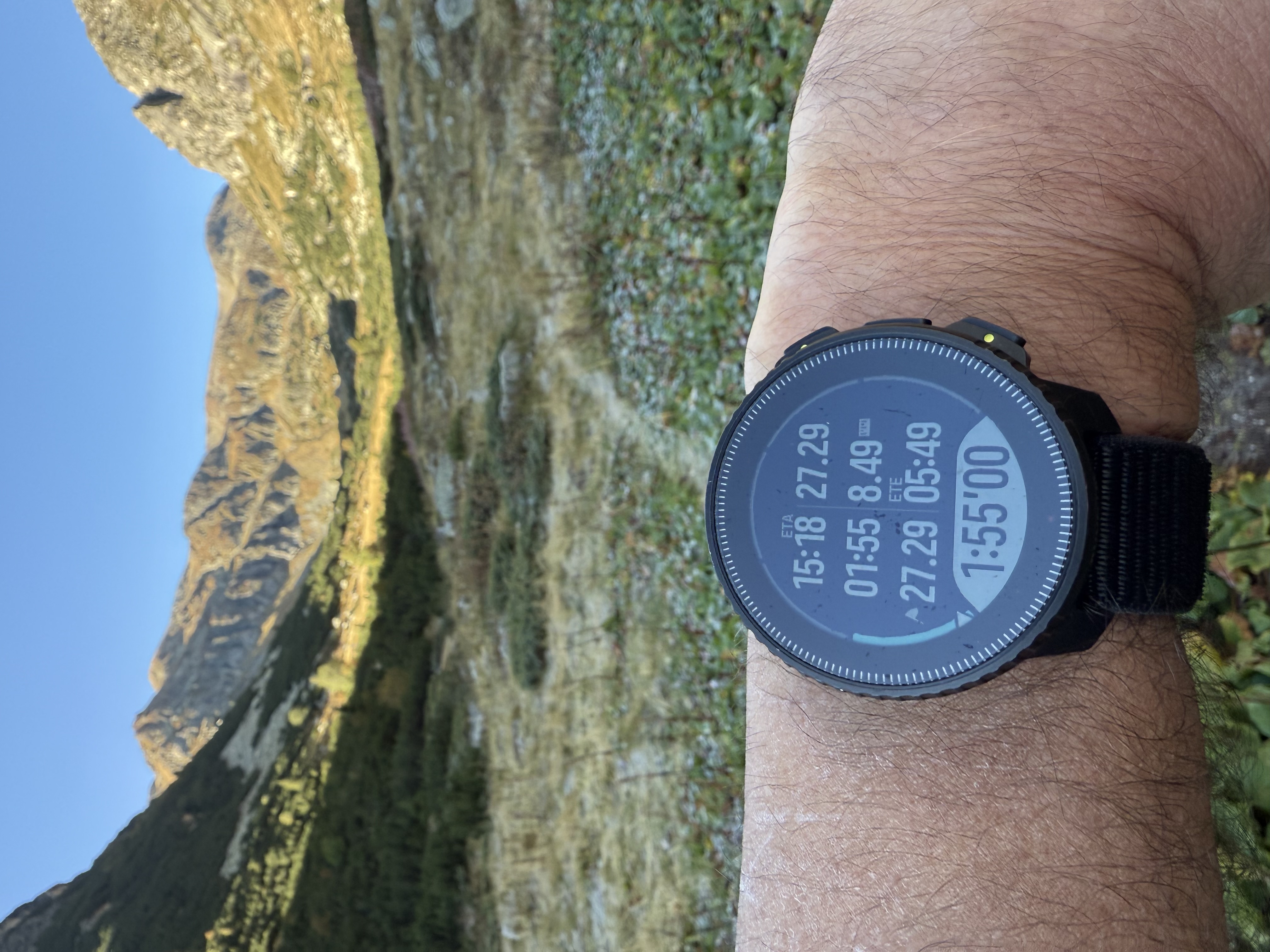
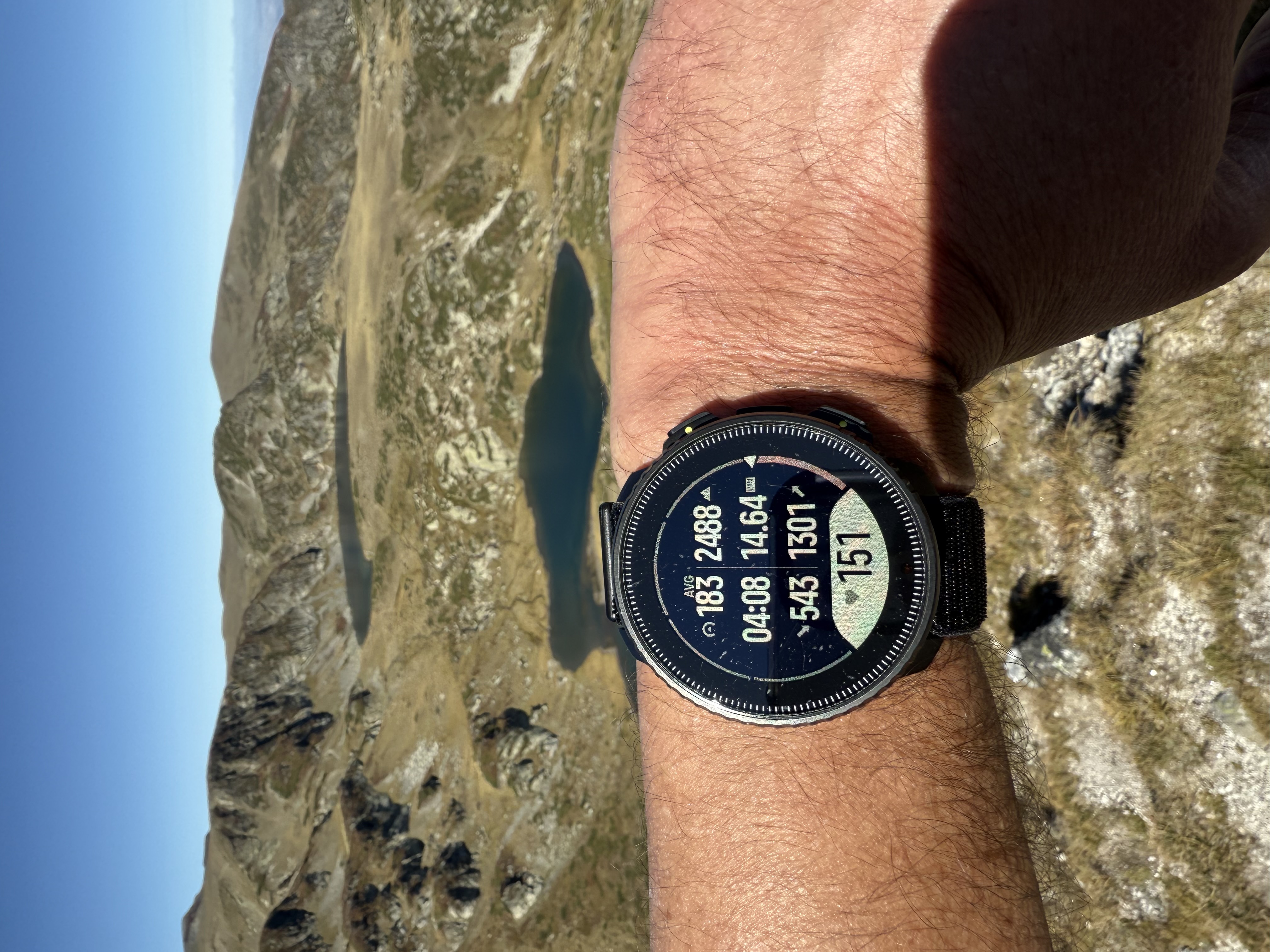
            Distance, Altitude, Average Speed/Vertical Speed, HR, Ascent, Duration, ETA, Sunset, + Map and all the ascent stats.

            1 Reply Last reply Reply Quote 2
            • cpinkyC Offline
              cpinky @larrybbaker
              last edited by

              Thanks! What is the Sun S+ feature? Do you using sunset time to determine how much time left you have to hike or whats the purpose? I feel like I generally know the sunset time enough / don’t think about it. Not arguing, just trying to understand if I’m missing something lol

              EgikaE M 2 Replies Last reply Reply Quote 0
              • cpinkyC Offline
                cpinky @Stefano M64
                last edited by

                @Stefano-M64 This is great! Thanks for sharing the images too!

                1 Reply Last reply Reply Quote 0
                • EgikaE Offline
                  Egika Platinum Member @cpinky
                  last edited by

                  @cpinky S+ you can check out in the app.
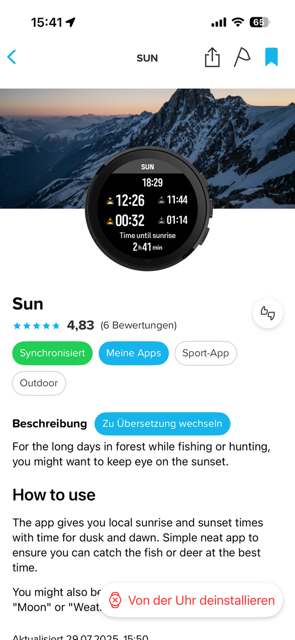
                  IMG_4569.png

                  t6, S6, Elementum Terra, Ambit 3 Sapphire, Spartan Ultra Copper, Traverse Alpha, S7 Graphite LE, S9B Ambassador, S9P Titanium, S9PP Titanium, Vertical All Black, Race Titanium Charcoal, Race S Titanium Courtney, Run Lime, Race 2, Vertical 2 Titanium

                  1 Reply Last reply Reply Quote 1
                  • M Offline
                    maszop Bronze Member @cpinky
                    last edited by maszop

                    @cpinky You don’t need SuuntoPlus to check sunset. Just set it up normally in custom hiking profile – it won’t take up one of your 2 or 3 app slots during an activity.

                    Combined with ETA, average speed, and the terrain profile, it’s fairly easy to estimate whether you’ll make it before sunset.

                    cpinkyC 1 Reply Last reply Reply Quote 2
                    • cpinkyC Offline
                      cpinky @maszop
                      last edited by

                      @maszop I do like the idea of the app since that can be enabled/disabled mid hike as opposed to always taking up a data field

                      EgikaE M 2 Replies Last reply Reply Quote 2
                      • HighlandsH Offline
                        Highlands @cpinky
                        last edited by Highlands

                        @cpinky IMG_8282.jpeg

                        That’s my first custom screen, I have two more.
                        In the first field I have vertical speed m/h, not the average one. And in the 7-th field I always have the HR. Previous day during fw update my V1 factory reset and I had to set it up quickly for the next day custom hiking mode (I never use stock sport modes), so field 1 on first screen and field 7 on second custom screen are set wrongly.

                        SV2&SV1

                        1 Reply Last reply Reply Quote 0
                        • HighlandsH Offline
                          Highlands
                          last edited by

                          IMG_8232.jpeg
                          Second one

                          SV2&SV1

                          1 Reply Last reply Reply Quote 0
                          • EgikaE Offline
                            Egika Platinum Member @cpinky
                            last edited by

                            @cpinky said in Hiking Sport Mode Screen:

                            @maszop I do like the idea of the app since that can be enabled/disabled mid hike as opposed to always taking up a data field

                            this is what I do, when I forgot to have that data field 🙂

                            t6, S6, Elementum Terra, Ambit 3 Sapphire, Spartan Ultra Copper, Traverse Alpha, S7 Graphite LE, S9B Ambassador, S9P Titanium, S9PP Titanium, Vertical All Black, Race Titanium Charcoal, Race S Titanium Courtney, Run Lime, Race 2, Vertical 2 Titanium

                            1 Reply Last reply Reply Quote 0
                            • M Offline
                              maszop Bronze Member @cpinky
                              last edited by

                              @cpinky said in Hiking Sport Mode Screen:

                              @maszop I do like the idea of the app since that can be enabled/disabled mid hike as opposed to always taking up a data field

                              That’s a good solution too. I don’t like messing around with settings during an activity. Time is money 😁

                              1 Reply Last reply Reply Quote 0
                              • First post
                                Last post

                              Suunto Terms | Privacy Policy