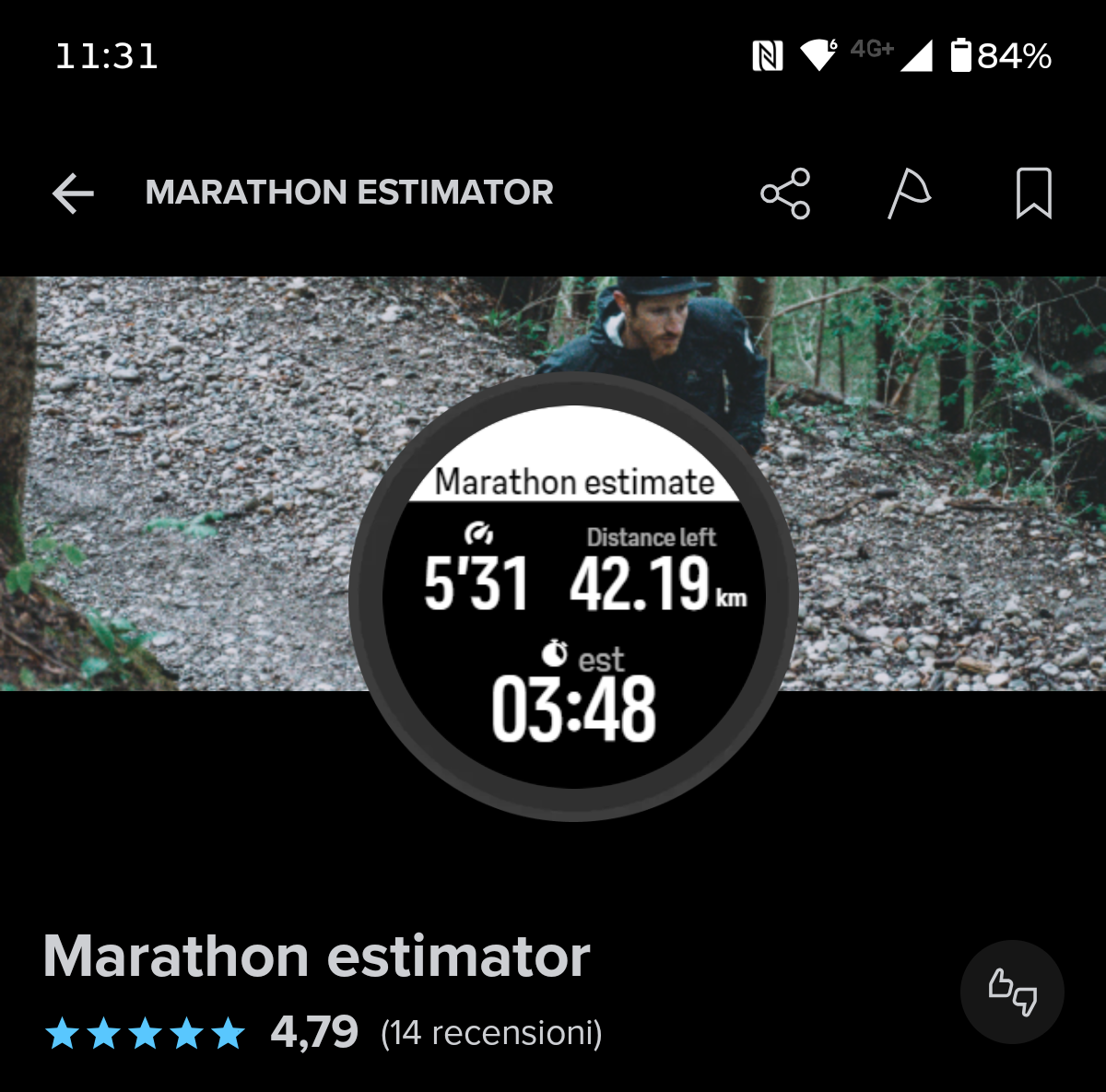
Marathon Mode
-
@GratefulDeadpan there are Suunto plus apps for this purpose, even if they are not exactly the same: com.sports-tracker.suunto://campaign/suuntoplusstore/sportsapp/zzmaes01 (I’m not sure the link works)
-
@Lorenzo-Pintore I can create my own sports activity, there’s no need to use the other side of the Suunto plus.
-
@MarTej_cz are you sure? Most if the things it is possible to add on screen, it will look a bit different. Only thing I am in doubt it “Estimate time” not sure which custom field that would be.
-
@MarTej_cz thanks, I know I can set up my own sport profiles. But setting up like this unique Marathon Mode is not a reality on the Run. Can you create a sports profile like this on V2?
-
@aiv4r I fear this is another unique thing for the Run, which is a shame because I really want the V2 but at the same time—this saves me money
 Is this perhaps something that can be replicated by the settings before starting the activity? By setting a distance or following a specific route, can you see your est finish time then?
 -
@Lorenzo-Pintore thanks! By the look of things I’ll happily stay with my Run then

-
@GratefulDeadpan tbf I would think that marathon mode is quite useless, you can add target distance to V2, but in real life, running marathon you always run a bit further than what the distance says, so all the numbers are also skewed a bit.
-
@aiv4r I beg to differ, I used it just the other weekend and it helped me run a new half marathon pb
 That and the Ghost Runner, used them both to get an understanding how I was performing. The only thing I was really missing was the bigger screen.
But yes you are totally right, I had about another ~70 meters left of the race when my watch congratulated med on finishing the half.
-
@GratefulDeadpan hehe congrats on that. I mean of course if it helps you, it means is it best tool for you
-
@aiv4r ty

-
Create and use a route, then add an ETE field to the data screen. Serves basically the same purpose
-
@stromdiddily Suunto Run doesn’t have the ETE or ETA. A big miss for me that go for the trails often and I was used to this feature on Garmin.
-
@stromdiddily thanks! So it is kind of feasible on the V2 then, just without the fancy progress bar I’m assuming.
@Nelson-Diogo if your trail runs are within 5, 10, 21 or 42 km you could theoretically use the Marathon Mode, obviously a pretty big IF.
Not sure how nice it plays with climb guidance though either. In fact I realise I don’t even know how climb guidance is implemented on the Run though. Need to read up on that as I’m planning on heading for the trails now that autumn is around the corner.
Not an issue I realised after reading up on it an testing. It just shows up if you have navigation on
-
@GratefulDeadpan said:
@stromdiddily thanks! So it is kind of feasible on the V2 then, just without the fancy progress bar I’m assuming.For the (albeit less fancy) progress bar you just set a target distance in the exercise menu (although I prefer to use the Race Pacer S+ app).
-
@isazi Oh okay, so Marathon mode is basically a preset custom sport mode consisting of standard sport settings from the flagships (or old OS if that phrasing is preferred) by the sound of it?
Edit: tested it out and it is possible to add the distance progress as well, as you mentioned less fancy.

But I assume this is the way it looks on V2 as well then. But with the V2 you have the ability to add a ETA. Is that ETA bound to route end point or can it be set to target distance as well?



Hello! It looks like you're interested in this conversation, but you don't have an account yet.
Getting fed up of having to scroll through the same posts each visit? When you register for an account, you'll always come back to exactly where you were before, and choose to be notified of new replies (either via email, or push notification). You'll also be able to save bookmarks and upvote posts to show your appreciation to other community members.
With your input, this post could be even better 💗
Register Login