Sommet - your android/linux app for Ambit, Traverse and Kailash
-
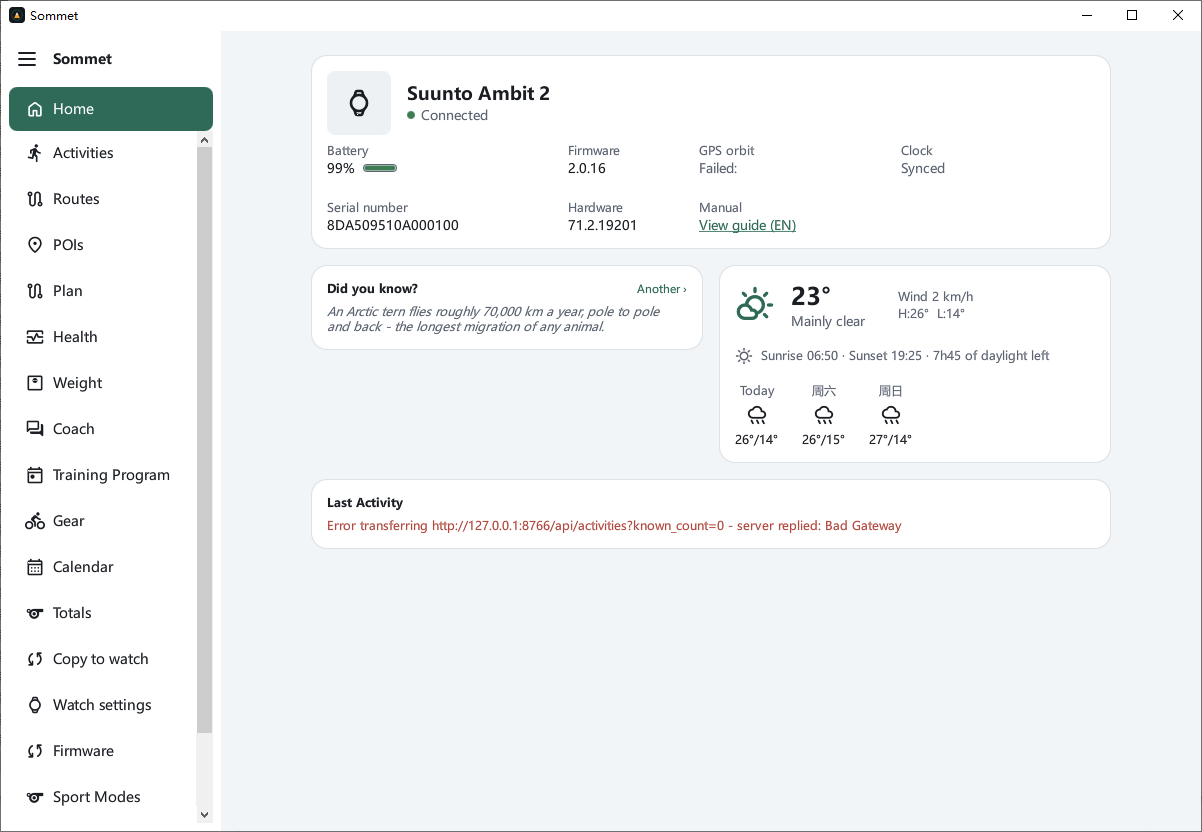
The previous version of USB could not connect to Ambit2, but this time it can connect normally.
-
@zt_zzzzz thank you for the feedback. the previous version only based on libambit and maybe something was wrong. the newer versions had a true watch to check, everything is now hardware tested on ambit 2. can you tell me which operative system are you running that gives you that error?
It seems windows, I still haven’t debug it there.
I also see gps orbit failed, and some characters in other language than english, is your operative system in that other language? -
@zt_zzzzz thank you for the feedback. the previous version only based on libambit and maybe something was wrong. the newer versions had a true watch to check, everything is now hardware tested on ambit 2. can you tell me which operative system are you running that gives you that error?
It seems windows, I still haven’t debug it there.
I also see gps orbit failed, and some characters in other language than english, is your operative system in that other language?Windows 10 Chinese version
The problem now is that when Ambit2 is plugged into the USB port of the computer, the system will keep popping up hardware (Windows have a sound prompt.Sommet display connected-checking…->connected-checking…).
(When the Suuntolink is not turned on, the computer also has the same pop-up and hardware insertion sound prompts, but after turning on the Suuntolink, it will no longer pop up.)
Then it connected again, and then it popped up again. I tested it on different computers in the office and got the same result. I plan to go home in the afternoon and change a data cable and try it again with another Ambit2 and my home computer.
Chinese->English.Machine translation result, just make do with it.
-
@zt_zzzzz I still didn’t had the time to test on windows, but theorically fix the translation issues and the fact of server not running and gps status no updating . you can test new release and if not fix I will plunge during weekend on windows.
-
@zt_zzzzz tested on windows 10, with ambit 2, working for me, fixed the language, the constant “disconnection”,gps update.
All seems to be working. Check the latest release, it includes all the fixes. -
This is really great, I’ll try it with my Ambit 2, thanks for the job!
-
A André Faria referenced this topic on
-
Thanks for the job!
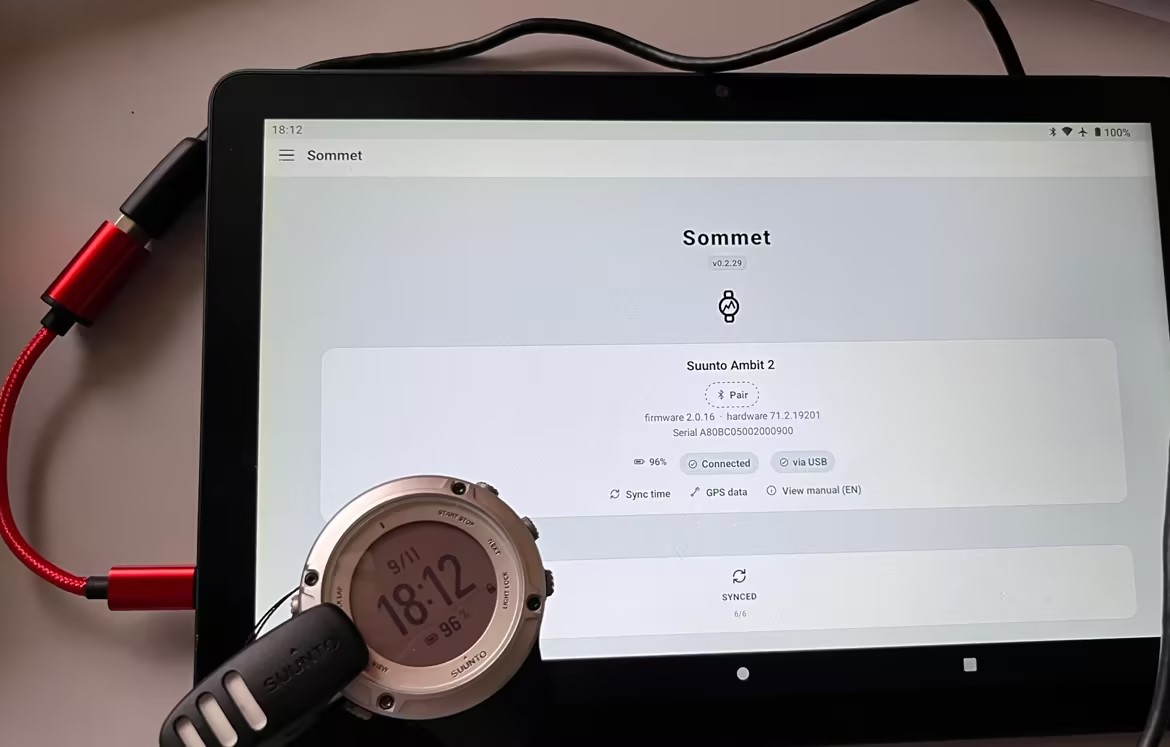
USB-OTGsuccessfully connected to the Android Pad.What is the cause of the problem that indoor sports (such as indoor power cycling) cannot be exported as FIT because there is no GPS data? It would be perfect if we could export FIT.
-
@zt_zzzzz thanks for testing. I even didn’t think about it. I am checking it with claude to implement it and come back to you.
Correct if I am wrong, indoor activities mean:
HR
Power
Cadence
Temperature
Distance (if home trainer?)
Any other you can think of? -
@zt_zzzzz thanks for testing. I even didn’t think about it. I am checking it with claude to implement it and come back to you.
Correct if I am wrong, indoor activities mean:
HR
Power
Cadence
Temperature
Distance (if home trainer?)
Any other you can think of?I usually just record the data:
HR
Power
Cadence
Then upload to Intervals.icuBecause only Ambit2/Ambit supports ANT+,Otherwise, after the Bluetooth is connected to the trainer, it will not be able to connect to other Bluetooth watches.This is also the reason why I still use Ambit2.
-
@zt_zzzzz thanks for testing. I even didn’t think about it. I am checking it with claude to implement it and come back to you.
Correct if I am wrong, indoor activities mean:
HR
Power
Cadence
Temperature
Distance (if home trainer?)
Any other you can think of?I usually just record the data:
HR
Power
Cadence
Then upload to Intervals.icuBecause only Ambit2/Ambit supports ANT+,Otherwise, after the Bluetooth is connected to the trainer, it will not be able to connect to other Bluetooth watches.This is also the reason why I still use Ambit2.
It is now building 0.2.37 that should fix that. Unfortunately now I have much less time and budget to allocate to this project, so slower dev and less testing, but it seems to work on my android tablet with an fake indoor activity. Let me know.
-
I have a Suunto Ambit3. How can I help? (I don’t speak English, so I’m using a translator here
 )
I’ll install the APK and test it.
-
@Rafael-Costa-de-Araujo hello Raphael just use it and let me know if the features you are using work or something is wrong.
-
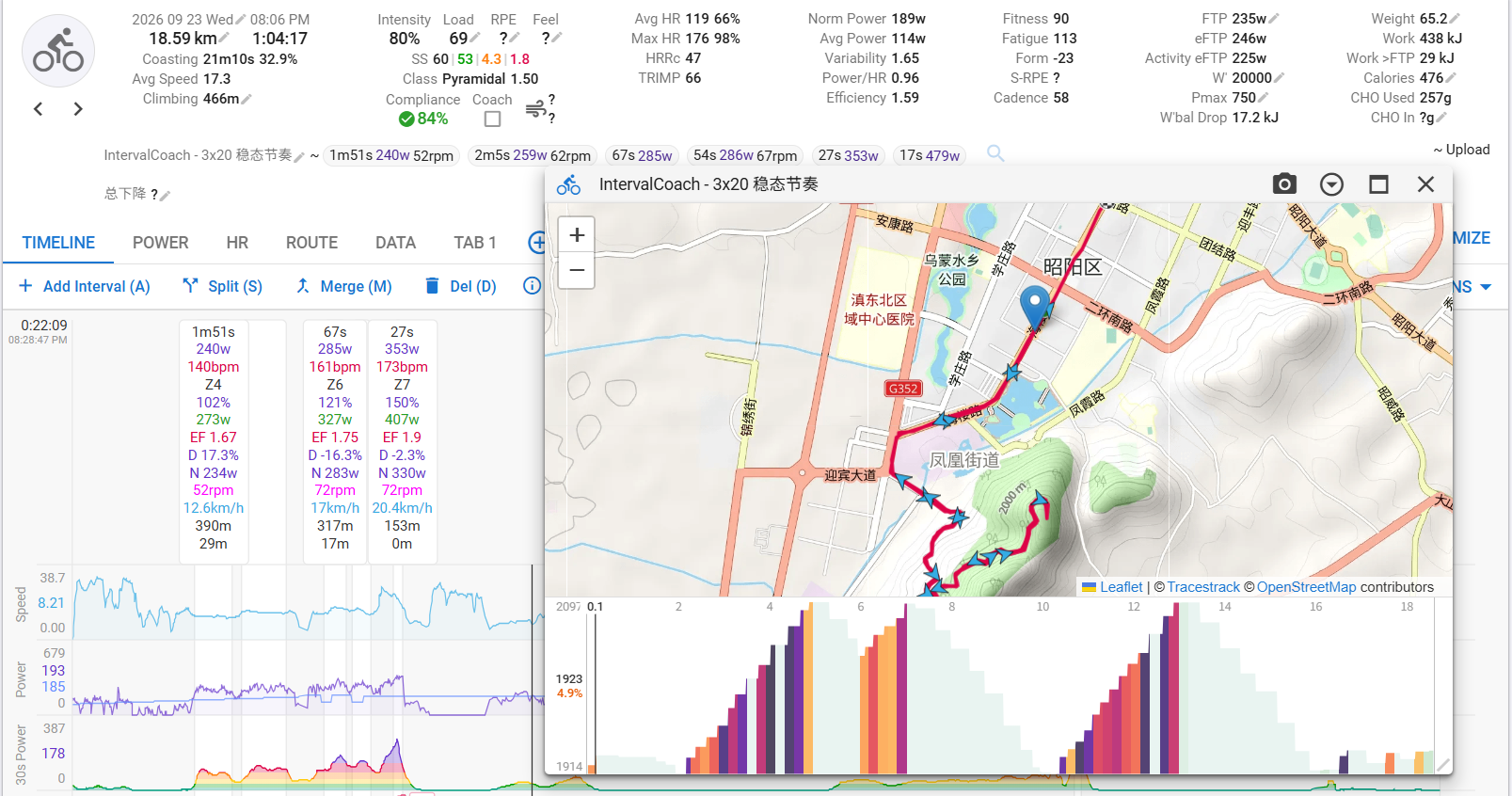
I recorded an outdoor ride and an indoor ride today using the Suunto Ambit2. The test results are as follows:
For the outdoor ride, data synced from Sommet to Intervals.icu correctly, as shown in the figure below.
The watch settings for indoor‑riding mode are shown below.
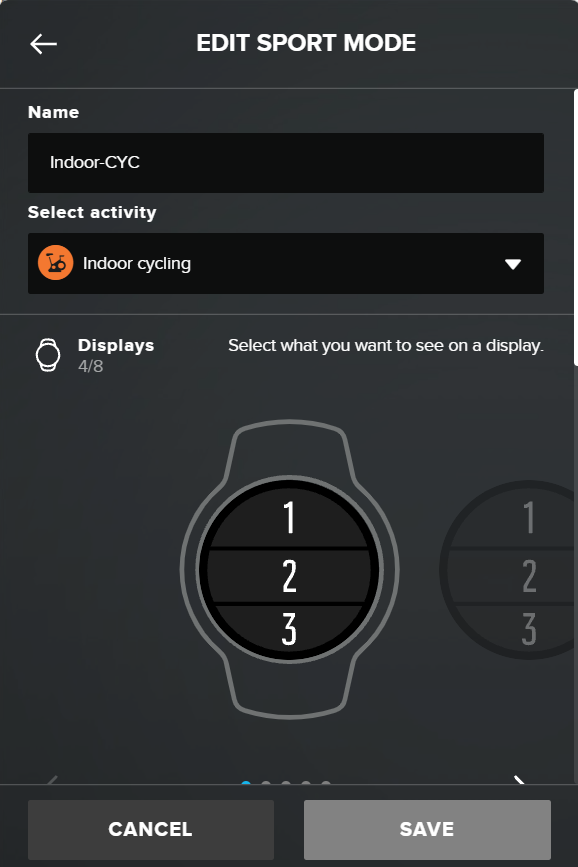
When synced to Intervals.icu, the activity is labelled as strength training.
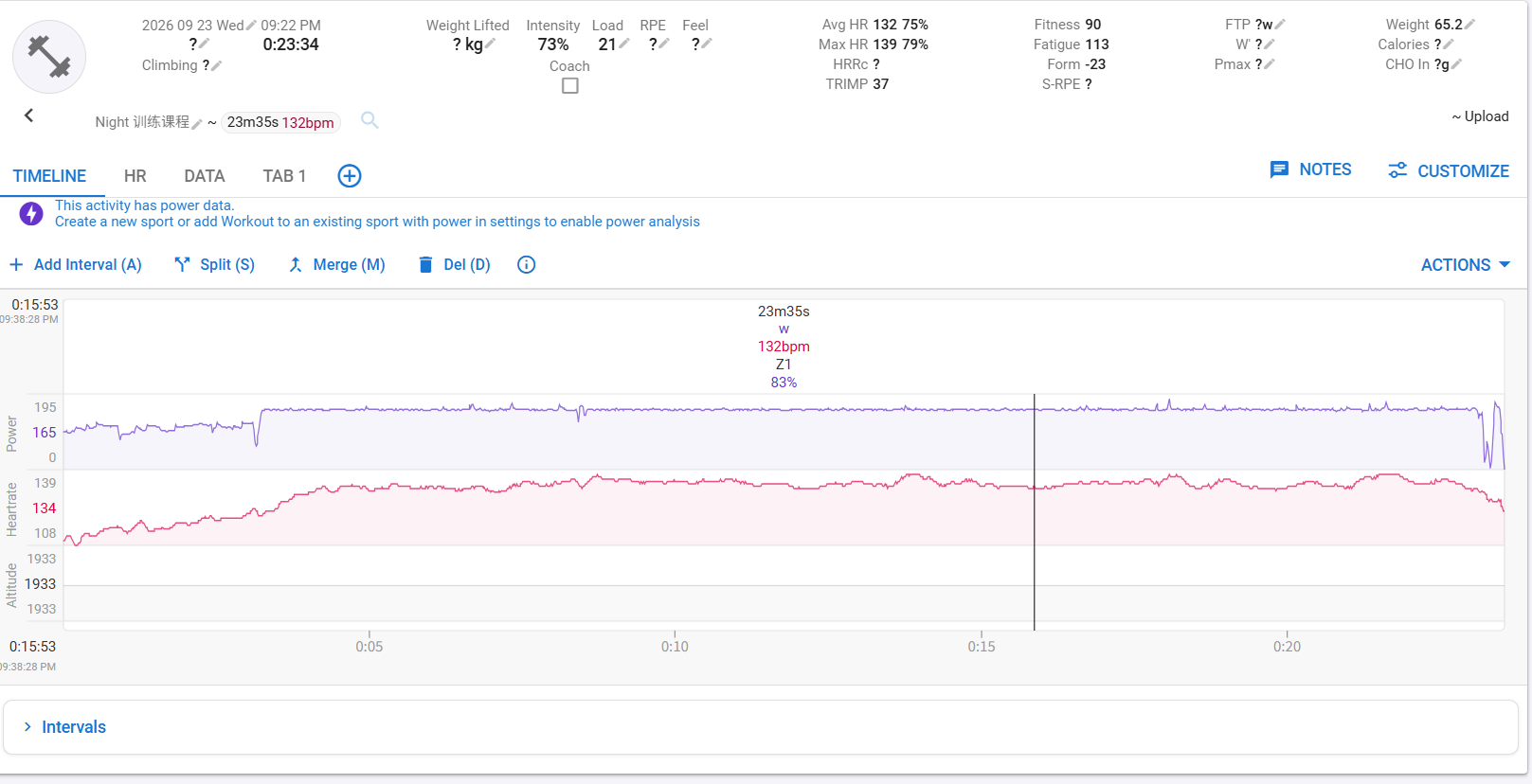
I need to manually change the mode to virtual ride.
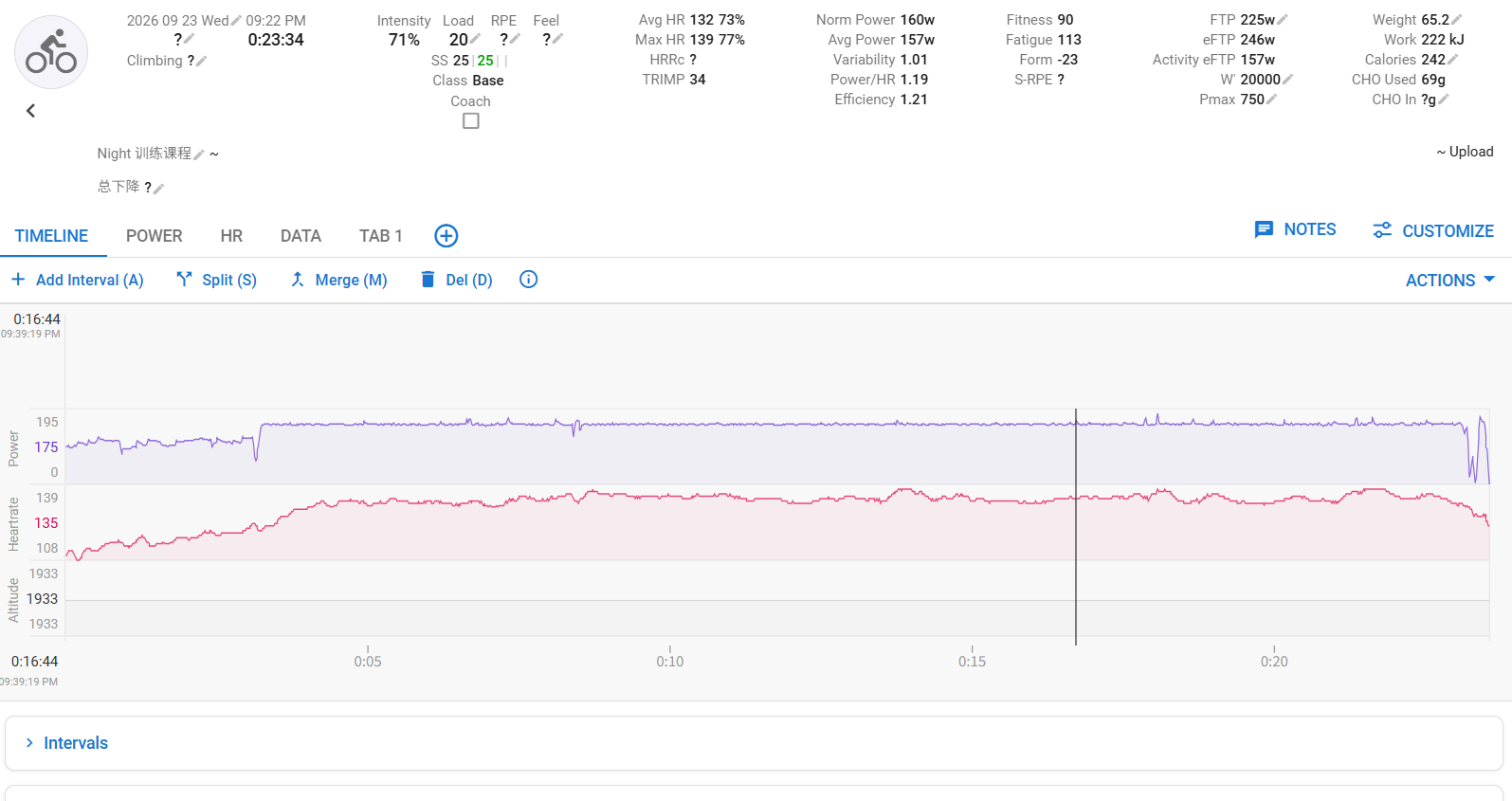
-
@zt_zzzzz thanks for the feedback.
Why it happened:The indoor-riding move’s FIT declared sport = generic, and intervals.icu files a generic, no-distance move as strength training. It came out generic because:
- A watch move’s activity_name is empty, so the sport rides only in the activity-id byte.
- My earlier byte→sport map was copied from mobile’s GpxParser.SPORT_TYPE_MAP — which turns out to be an older, off-by-one, incomplete table (it says 19=Alpine when Suunto’s real id is 20, and it has no indoor cycling at all). So id 17
(Indoor cycling) fell through to generic → strength.
Also fixed for strava.
Pushed a v2.3.8 release with that, should be on github within some minutes. Hope you haven’t lost data.
For info I don’t have anymore an ambit 2 to test. So I rely on users feedback. -
-
Excellent, both indoor virtual cycling and outdoor cycling can be normally exported to Intervals.icu.
(Ambit2 Andriod12)
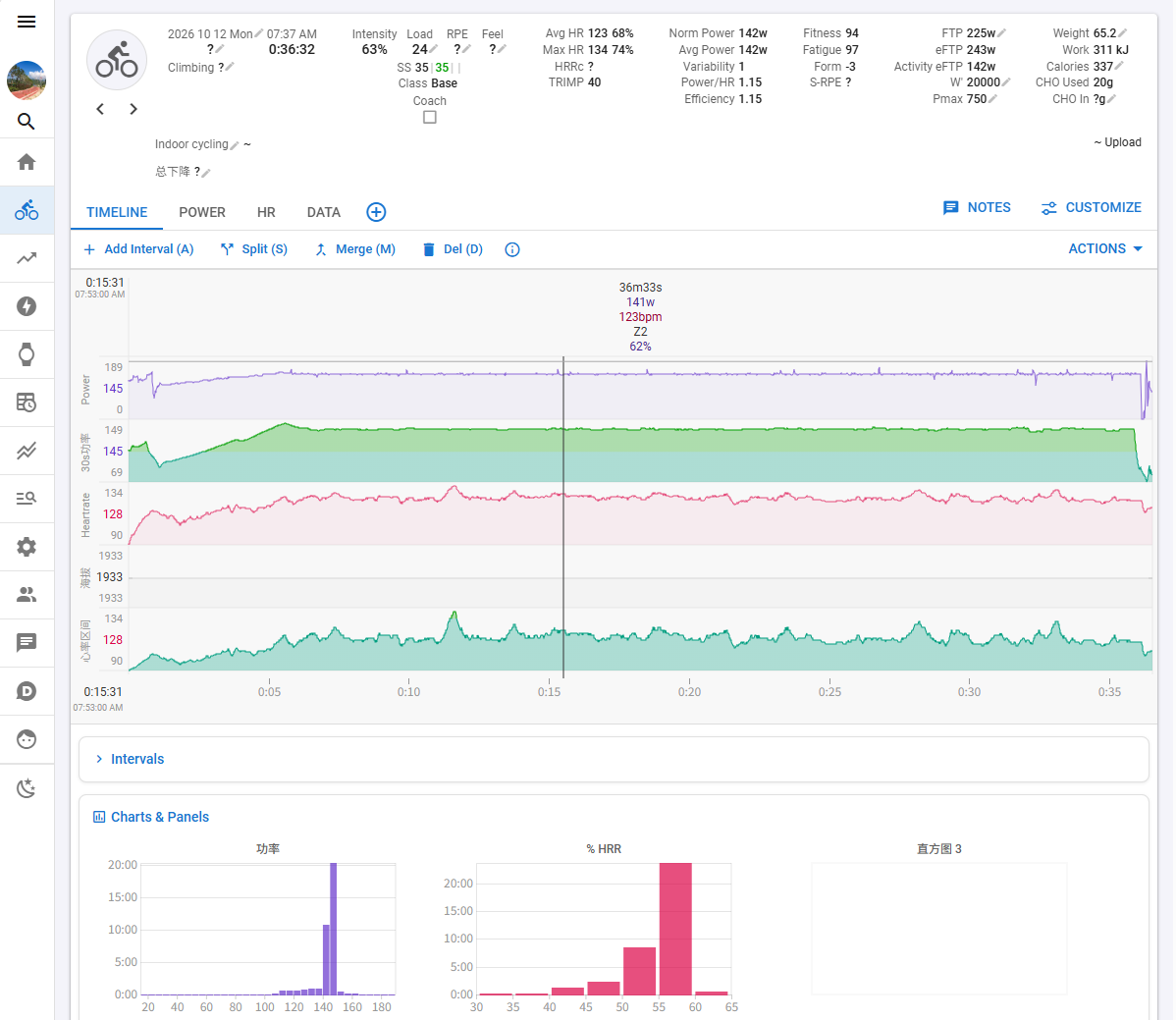
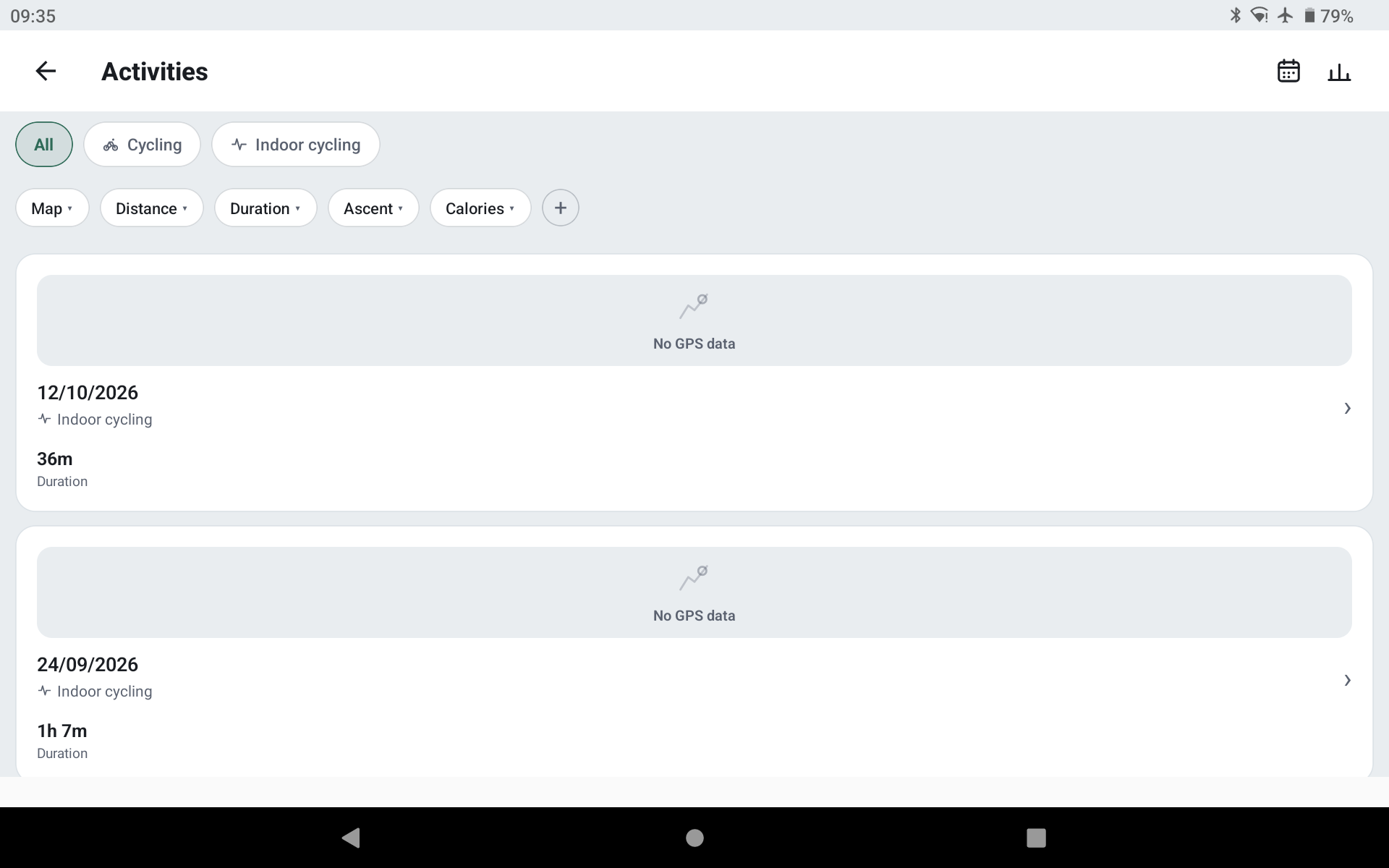
Thank you very much for your hard work.
-
Thanks for a great app, I downloaded it to be able to get GPX files off my old Suunto Ambit 3 Peak. However I ran into some problems when installing on Debian 13. I had to modify some files before building (after advice from ChatGPT, I know nothing about programming.
When building the original, I got the following output when running:
ur@gammaltbos:~/Hämtningar/ambit-app$ ./run-desktop.sh
starting backend…
AmbitApp backend bridge running at http://127.0.0.1:8766/ (Ctrl+C to stop)
QQmlApplicationEngine failed to load component
qrc:/qt/qml/AmbitApp/qml/Main.qml:237:9: Type NavRail unavailable
qrc:/qt/qml/AmbitApp/qml/components/NavRail.qml:71:5: Type NavItem unavailable
qrc:/qt/qml/AmbitApp/qml/components/NavItem.qml:63:9: Type Icon unavailable
qrc:/qt/qml/AmbitApp/qml/components/Icon.qml: Type ActivityMetrics unavailable
qrc:/qt/qml/AmbitApp/qml/ActivityMetrics.qml: Type ActivityViewModel unavailable
qrc:/qt/qml/AmbitApp/qml/viewmodels/ActivityViewModel.qml: Type BikeDevices unavailable
qrc:/qt/qml/AmbitApp/qml/BikeDevices.qml: Type DeviceCapabilities unavailable
qrc:/qt/qml/AmbitApp/qml/DeviceCapabilities.qml: Type HomeViewModel unavailable
qrc:/qt/qml/AmbitApp/qml/viewmodels/HomeViewModel.qml: Type PlanStore unavailable
qrc:/qt/qml/AmbitApp/qml/PlanStore.qml: Type RouteViewModel unavailable
qrc:/qt/qml/AmbitApp/qml/viewmodels/RouteViewModel.qml: Type TrainingPlanSync unavailable
qrc:/qt/qml/AmbitApp/qml/TrainingPlanSync.qml:26:38: Cannot assign object of type “Core.Settings” to property of type “QQmlSettings*” as the former is neither the same as the latter nor a sub-class of it.Following ChatGPT advice, I edited the files desktop/qml/TrainingPlanSync.qml and desktop/qml/viewmodels/HomeViewModel.qml
And changed “Import QtCore” to “import Qt.labs.settings”
Also in the file desktop/qml/BikeDevices.qml I changed “Import QtCore” to:
import QtCore as Core
import Qt.labs.settingsThis made the program run after compiling although I’m sure there must be a better way. The program works in exporting GPX (only thing I tested) but crashes every now and then when I push the button to save GPX files, with the following output:
ur@gammaltbos:~/Hämtningar/ambit-app$ ./run-desktop.sh
starting backend…
AmbitApp backend bridge running at http://127.0.0.1:8766/ (Ctrl+C to stop)
qrc:/qt/qml/AmbitApp/qml/Theme.qml:33:36: QML Settings: The Settings type from Qt.labs.settings is deprecated and will be removed in a future release. Please use the one from QtCore instead.
qrc:/qt/qml/AmbitApp/qml/viewmodels/HomeViewModel.qml:102:41: QML Settings: The Settings type from Qt.labs.settings is deprecated and will be removed in a future release. Please use the one from QtCore instead.
qrc:/qt/qml/AmbitApp/qml/MapService.qml:43:39: QML Settings: The Settings type from Qt.labs.settings is deprecated and will be removed in a future release. Please use the one from QtCore instead.
qrc:/qt/qml/AmbitApp/qml/BikeDevices.qml:23:33: QML Settings: The Settings type from Qt.labs.settings is deprecated and will be removed in a future release. Please use the one from QtCore instead.
qrc:/qt/qml/AmbitApp/qml/BikeDevices.qml:35:40: QML Settings: The Settings type from Qt.labs.settings is deprecated and will be removed in a future release. Please use the one from QtCore instead.
qrc:/qt/qml/AmbitApp/qml/BikeDevices.qml:36:40: QML Settings: The Settings type from Qt.labs.settings is deprecated and will be removed in a future release. Please use the one from QtCore instead.
qrc:/qt/qml/AmbitApp/qml/BikeDevices.qml:37:39: QML Settings: The Settings type from Qt.labs.settings is deprecated and will be removed in a future release. Please use the one from QtCore instead.
[pin] autopin: product=27 serial=F7BE1A5113001600
[pin] select: product=27 serial=F7BE1A5113001600
[PERF] dbLoadAll #1: 44 rows, summary 173 ms, +44 eager tracks 22 ms, +hrv 7 ms
[pin] heal (bus: []): product=None serial=None
qrc:/qt/qml/AmbitApp/qml/TrainingPlanSync.qml:26:33: QML Settings: The Settings type from Qt.labs.settings is deprecated and will be removed in a future release. Please use the one from QtCore instead.
qml: [plan-sync] watch connected: autoSync true demo false serial F7BE1A5113001600 entries 0 syncedFor
[pin] autopin: product=27 serial=F7BE1A5113001600
QQmlVMEMetaObject: Internal error - attempted to evaluate a function in an invalid context
qrc:/qt/qml/AmbitApp/qml/components/MapView.qml:304: TypeError: Property ‘_spanPxAt’ of object MapView_QMLTYPE_94(0x556cfe98c0a0) is not a function (exception occurred during delayed function evaluation)
QQmlVMEMetaObject: Internal error - attempted to evaluate a function in an invalid context
qrc:/qt/qml/AmbitApp/qml/components/MapView.qml:304: TypeError: Property ‘_spanPxAt’ of object MapView_QMLTYPE_94(0x556cfe9c8350) is not a function (exception occurred during delayed function evaluation)
QQmlVMEMetaObject: Internal error - attempted to evaluate a function in an invalid context
qrc:/qt/qml/AmbitApp/qml/components/MapView.qml:304: TypeError: Property ‘_spanPxAt’ of object MapView_QMLTYPE_94(0x556cfea04750) is not a function (exception occurred during delayed function evaluation)
**
Gtk:ERROR:…/…/…/gtk/gtkpathbar.c:1342:set_button_image_get_info_cb: assertion failed: (cancellable == data->button_data->cancellable)
Bail out! Gtk:ERROR:…/…/…/gtk/gtkpathbar.c:1342:set_button_image_get_info_cb: assertion failed: (cancellable == data->button_data->cancellable)
./run-desktop.sh: rad 48: 37320 Avbruten (SIGABRT) ./desktop/build/SommetOther than that very happy with a great program. Suggested improvements would be an optoin to export all the GPX tracks in the watch at one, and also make the exporter remember the last used folder. And of course an AppImage instead of having to compile

-
@mickeh sorry for the long delay . Life happening.
I was also testing on an old machine which then come to the conclusion of delivering an app image (I didn’t even knew about it).
Check the latest release. If the bug persists let me know.
When I have a time I will check your issue and your suggestions

Hello! It looks like you're interested in this conversation, but you don't have an account yet.
Getting fed up of having to scroll through the same posts each visit? When you register for an account, you'll always come back to exactly where you were before, and choose to be notified of new replies (either via email, or push notification). You'll also be able to save bookmarks and upvote posts to show your appreciation to other community members.
With your input, this post could be even better 💗
Register Login