Search icon missing in browsers
-
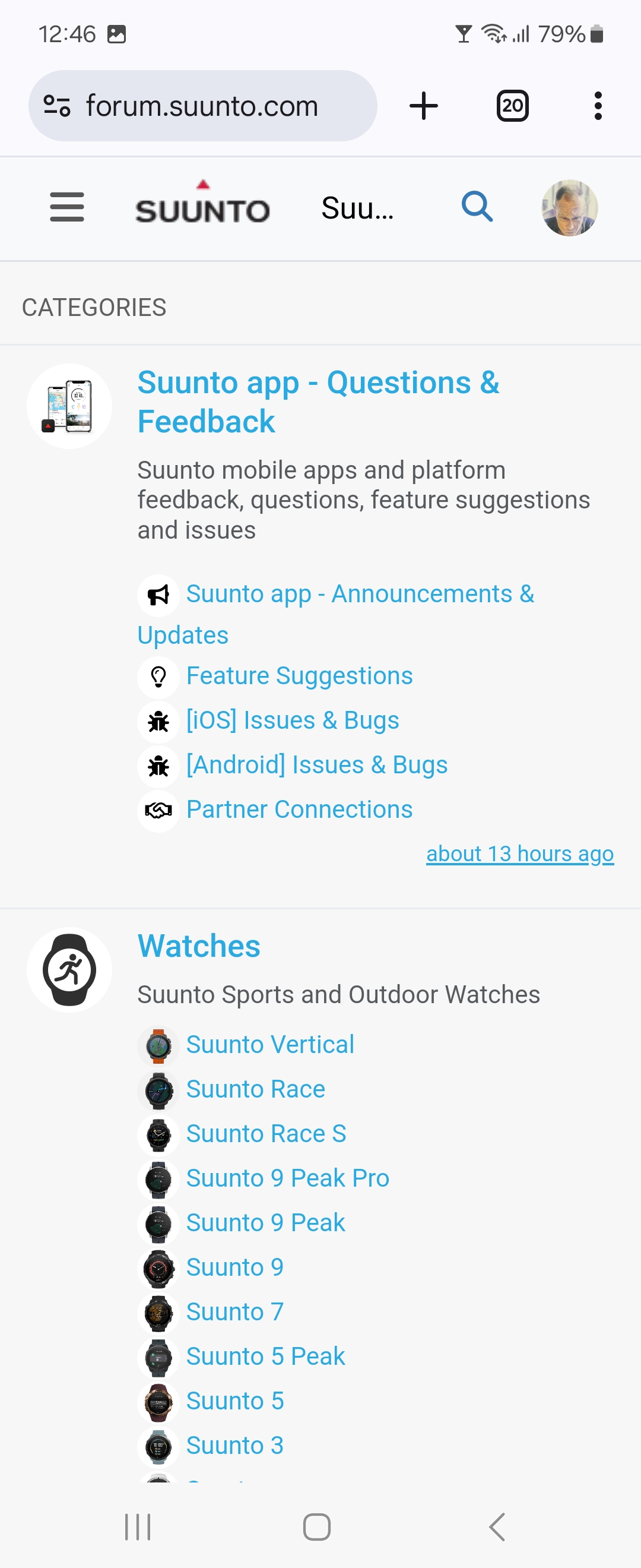
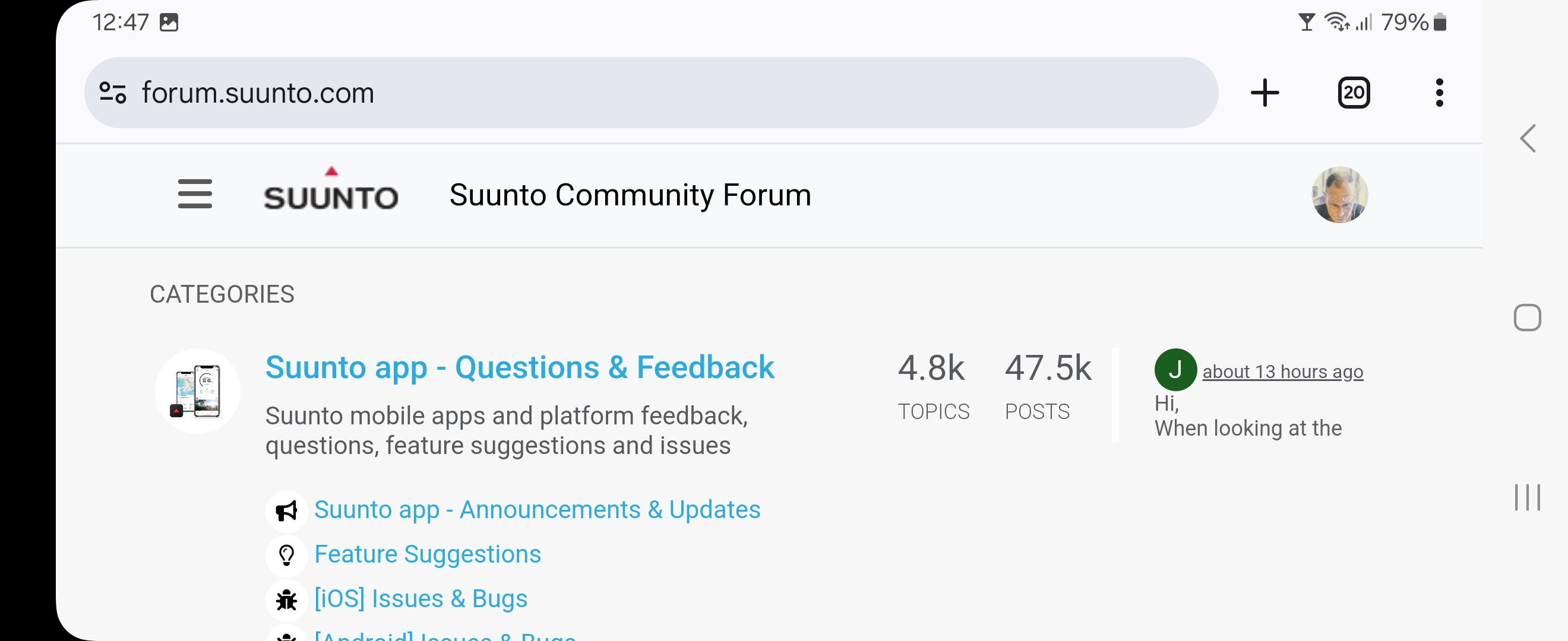
On my phone (Android 14; Samsung Flip 6) the default Web browser is Chrome (131.0.6778.200). In portrait mode the search icon (the looking glass) is present in this forum. In landscape mode it goes missing - and that icon is the only way to search. In the ‘hamburger’ menu (three stacked lines) there is no search icon or text for such an option.
The alternate “Samsung Internet” browser (v27.0.0.79) behaves exactly the same way. Possibly it uses the Chrome engine underneath.
Sideloaded Chrome browser on my ‘Google’ TV from TCL (Android based), I see no search icon. Using TVBro (v2.0.1) there is no icon whether I deploy the WebView or the GeckoView engine. Only the default TCL browser BrowseHere shows the icon.
Firing up a computer with an old version of Mozilla Firefox i can make the search icon come and go based on how wide I adjust the browser window to be…
[Not logged in view]:
Wide; options/icons present: Recent, Tags, Popular, Users, Groups – Search, Register, Login
A bit less wide and all icons/options are removed from the top and populate the ‘hamburger’ menu, without the search icon!
Here are screenshots of logged in phone portrait and landscape view:
-
Same on my Google Pixel 7. Tried with Chrome browser and also DuckDuck Go browser. It has to do with the website and not restricted to the web browser.
-
 I inkognito referenced this topic on


Hello! It looks like you're interested in this conversation, but you don't have an account yet.
Getting fed up of having to scroll through the same posts each visit? When you register for an account, you'll always come back to exactly where you were before, and choose to be notified of new replies (either via email, or push notification). You'll also be able to save bookmarks and upvote posts to show your appreciation to other community members.
With your input, this post could be even better 💗
Register Login