Software update 2.50.26 - Weather data also downloaded over WiFi
-
According to the info in Suunto website (https://www.suunto.com/Support/Software-updates/Release-notes/suunto-vertical-software-updates/) last software update alowws weather data to be downloaded also over WiFi.
Does anyone know what does it mean? Until now to transfer weather data you needed to connect the watch to Bluetooth using Suunto app. How that changes with the update?
Thank you in advance
-
I think you are mixing two different features, the automatic watch firmware update via Wi-Fi and the direct weather data update via Wi-Fi (that is bypassing the SA)
-
@dacosta78 said in Software update 2.50.26 - Weather data also downloaded over WiFi:
Until now to transfer weather data you needed to connect the watch to Bluetooth using Suunto app.
Until previous FW, yes, with the update, if your watch is setup (through SA) to an accessible WiFi network, it will update weather from WiFi instead of SA Bluetooth sync (at least first update of the day)
-
@Mff73 said in Software update 2.50.26 - Weather data also downloaded over WiFi:
@dacosta78 said in Software update 2.50.26 - Weather data also downloaded over WiFi:
Until now to transfer weather data you needed to connect the watch to Bluetooth using Suunto app.
Until previous FW, yes, with the update, if your watch is setup (through SA) to an accessible WiFi network, it will update weather from WiFi instead of SA Bluetooth sync (at least first update of the day)
Yes, but if you don’t connect watch to App weather is nos showed according to current time.
-
-
connect watch to app, sync/configure all, including WiFi network for the watch. Watch has the current time.
-
assume you don’t have the phone connected to the watch overnight, or any other reason, watch will sync the weather data from WiFi. Watch time didn’t change.
What is the pb?

-
-
@Mff73 said in Software update 2.50.26 - Weather data also downloaded over WiFi:
-
connect watch to app, sync/configure all, including WiFi network for the watch. Watch has the current time.
-
assume you don’t have the phone connected to the watch overnight, or any other reason, watch will sync the weather data from WiFi. Watch time didn’t change.
What is the pb?
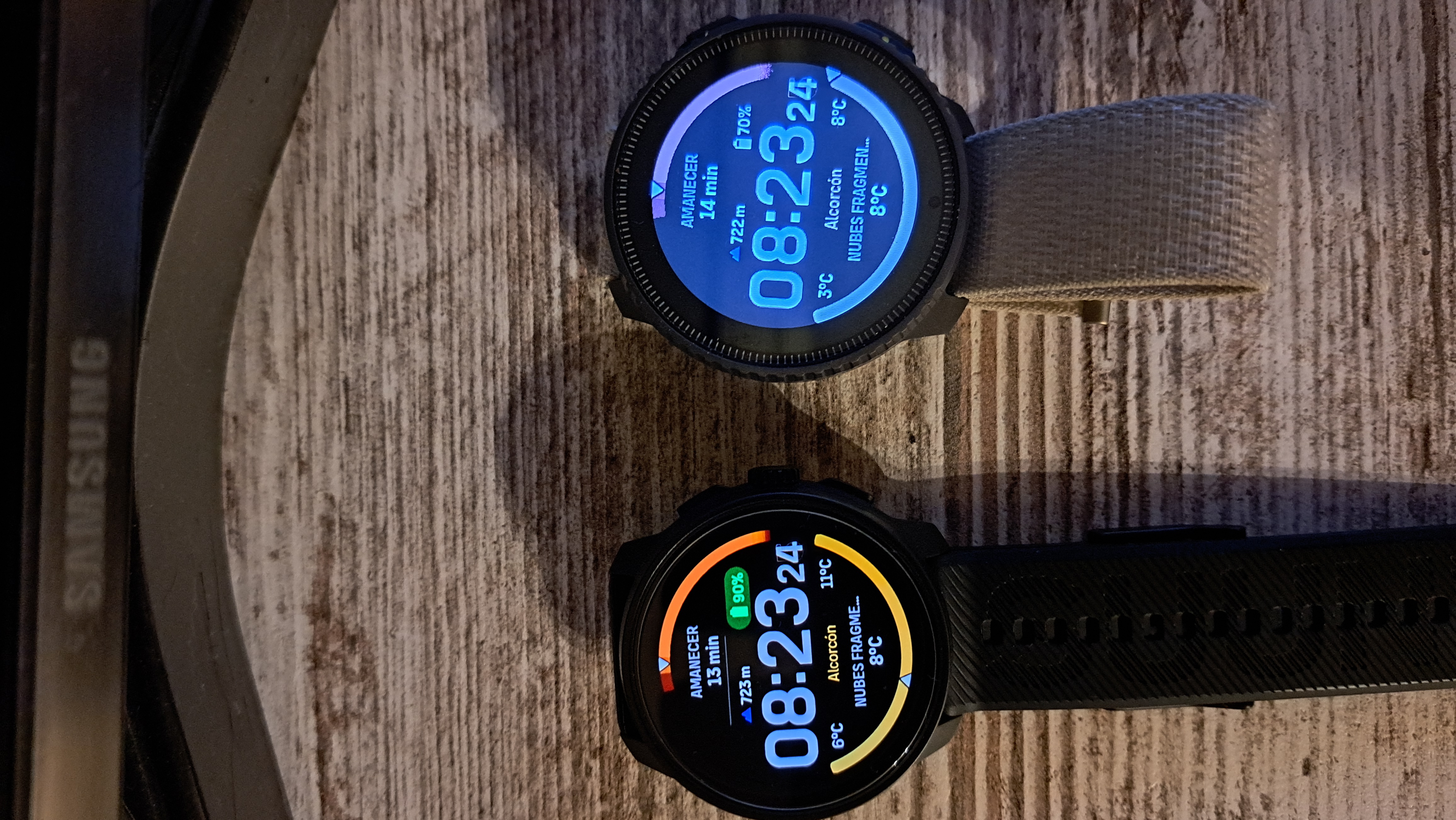
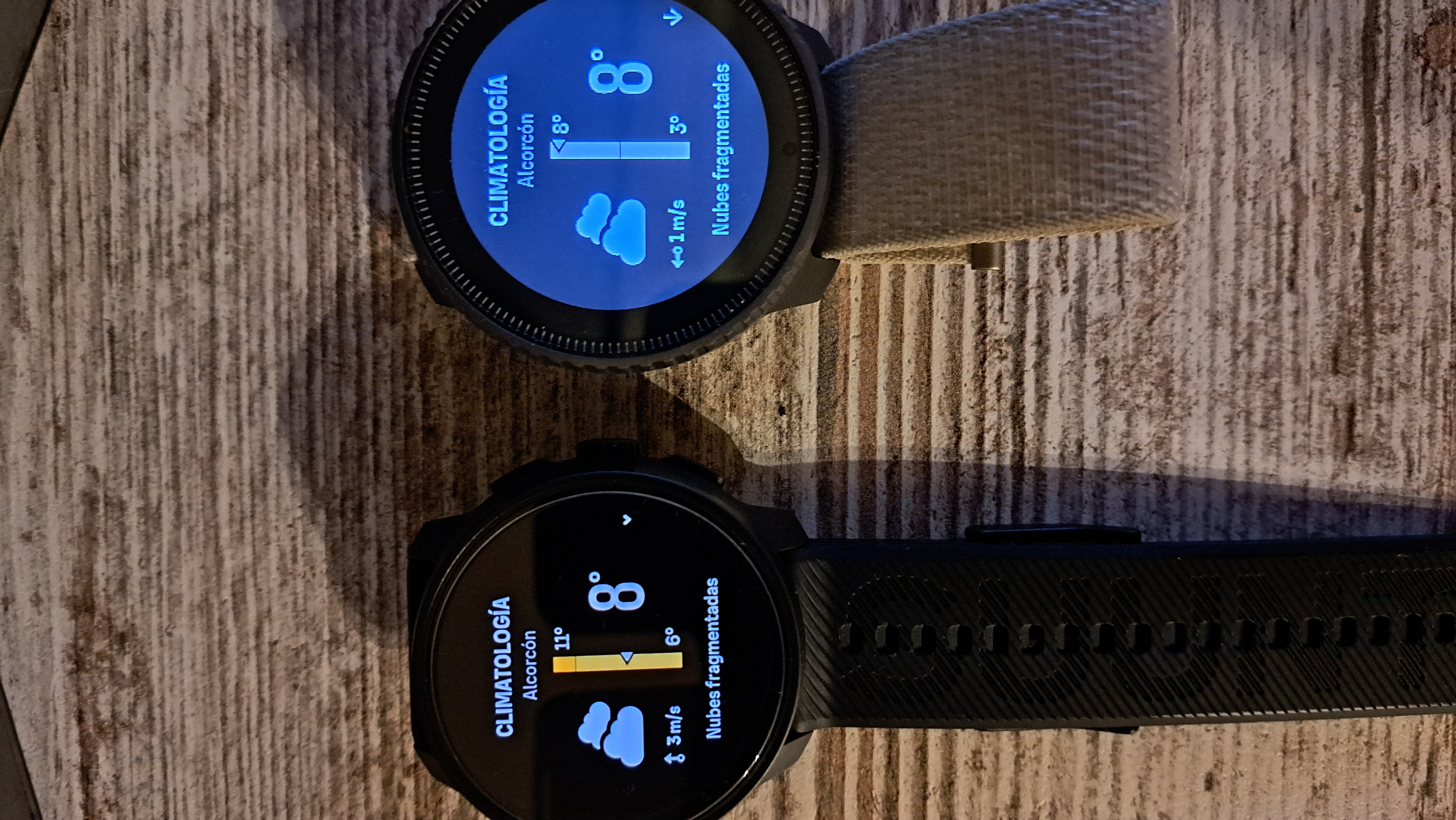
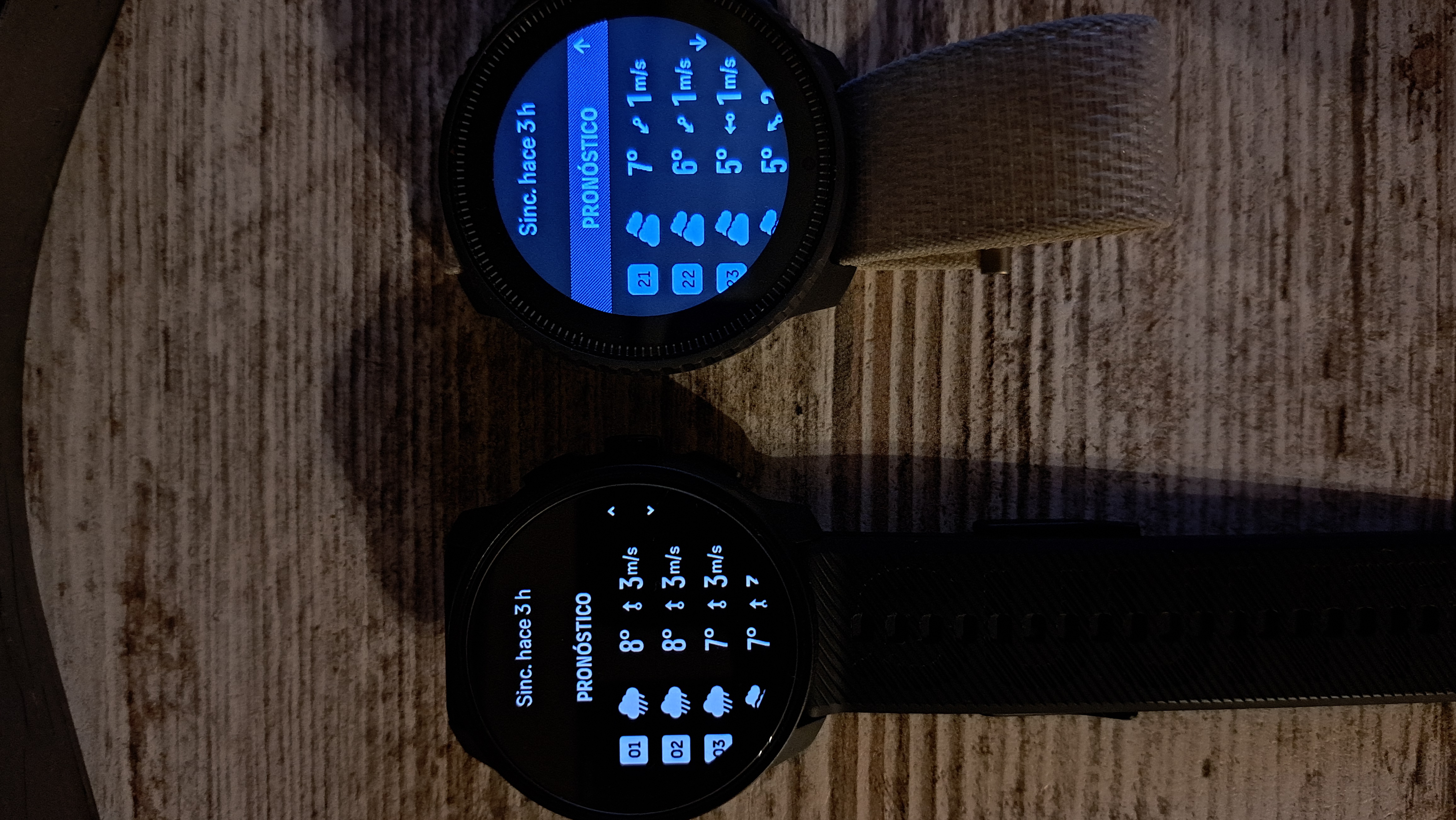
Watches weren’t connected to App (I used Race 2 during the night).
Weather info appears as synced but watches are not showing the info for current time. Maybe they display the info for the last time they were connect to App. -
-
@jjpaz If you sync one with the app and then switch to the second and sync it as well, theoretically data should be the same. Did you try that? If one is connected and the other isn’t then the difference would make sense.
-
@OutdoorMan Yes, it works. That’s the traditional working mechanism. But the new feature is “Automatic weather data download via Wi-Fi during the night”.
If watches download data but don’t show the info according the current time and it’s mandatory to keep the phone connection to show the info, what’s the purpose of the WiFi download during night?“Hey! I’ve downloaded data but don’t show you until you sync with your phone (and download again)”
-
@jjpaz yeah, I expected that it needs to be connected/synced also with the phone in order to display data, so imho works as designed. But I might be wrong.