Ability to sync dive to SSI app
-
@el.Fakir Gôôd luck.
-
Based on another user’s suggestion, I made a Suunto .FIT to QR code open-sourced browser app.
App: https://shaevitz.github.io/suunto-to-ssi-qr/
GitHub: https://github.com/shaevitz/suunto-to-ssi-qrBasic workflow
- Export the dive from the Suunto app as a .FIT file.
- Open the browser tool: https://shaevitz.github.io/suunto-to-ssi-qr/
- Choose the .FIT file.
- The tool generates an SSI-compatible QR code.
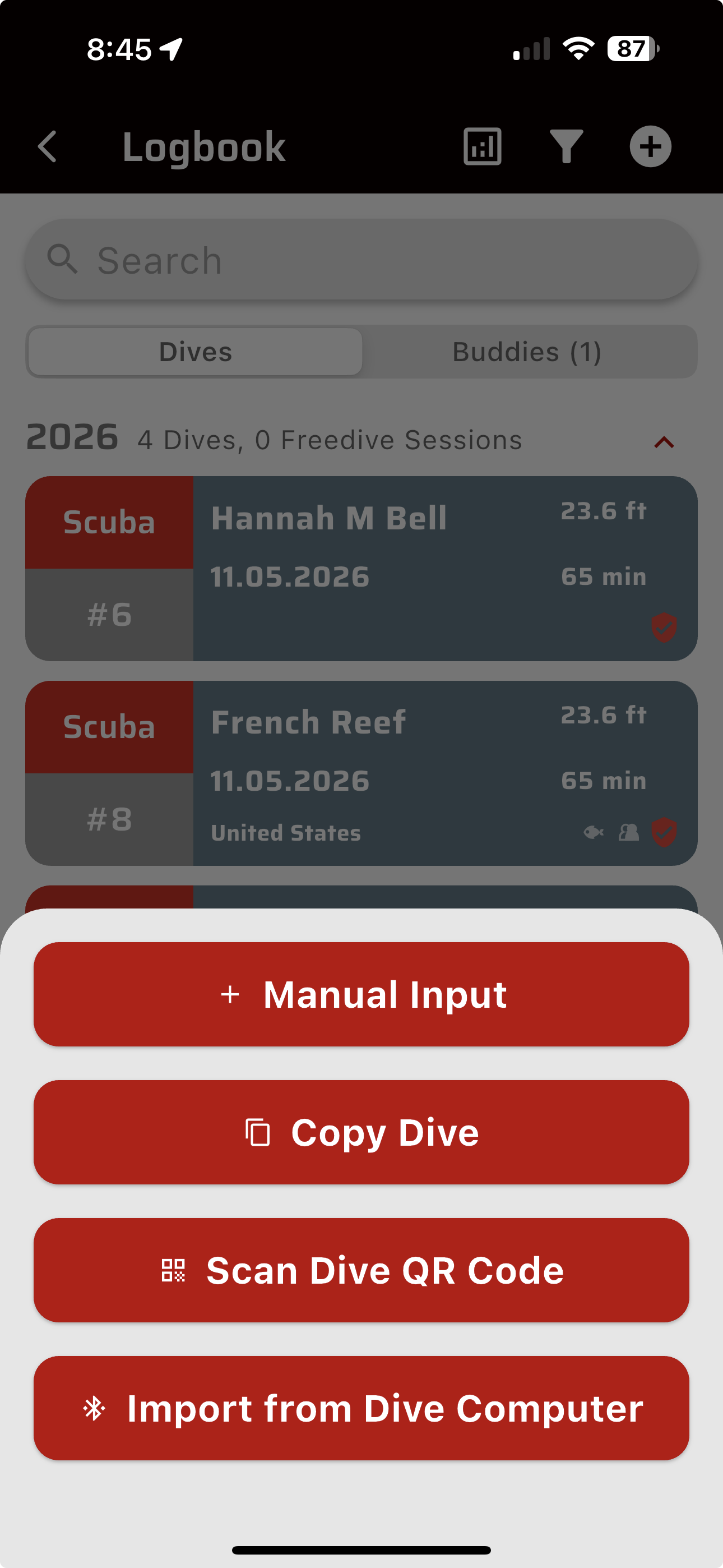
- Open the SSI app and use its QR import/scanner to scan the QR code.
Notes / caveats
- The browser version does not upload your dive file to any servers. It parses the FIT file locally in the browser.
- You cannot use a single phone to do the whole process if SSI requires the live camera to import the QR code. You need to show the generated QR on another device/screen, print it, or otherwise get the QR in front of the phone camera. I did not find a “scan QR from photo” option in SSI.
- The QR format appears to store a compact dive-log summary, not the full dive profile. The tool currently includes date/time, duration, max depth, and water temperature where present.
- I have only tested this with my Suunto Nautic S exports, so other Suunto devices may or may not work without tweaks.
- It is MIT licensed, so feel free to use, fork, or improve it.
-
@jshaevitz works fine
-
what does the SSI QR do ? A little confused
-
@Dimitrios-Kanellopoulos if you use the SSI app as your dive log, one import option for adding a dive is by scanning a QR code. This app converts your Nautical S recorded dive to the qr so you can add the dive to SSI without typing in the details.
-
@jshaevitz nice project.
Suunto has partner API. If you integrate with it, you can let users authorize with their suunto account and download FIT files directly from the cloud. This way it would be no need for manual download/upload. -
@jshaevitz You want to help me add it to QS (quantified-self.io) ?
-
Hi all, new here, and upfront: I’m the developer of what follows. I’m posting it because it answers the question in this thread.
If you’re on iOS, DiveDrop imports your dives into MySSI from the export your computer already produces: FIT from a Suunto or a Garmin, UDDF from Shearwater, Subsurface and the like, or the zipped export from Oceanic+. It compares them against what’s already in your MySSI logbook and only sends the missing ones, with the full depth profile attached.
I built it because my Oceanic+ doesn’t play nice with SSI, or SSI doesn’t play nice with anyone else, depending on how you look at it. Suunto support I tested on FIT files people had shared on public forums, and those went through cleanly. If you try it on your own logs and something looks off, tell me and I’ll fix it.
Two things to know: it’s iOS only for now, and dives added this way land in MySSI as unconfirmed, the same as a manual entry. A dive centre can still verify them.
The first three dives are free, after that it’s a one-off purchase. If anyone wants to test it seriously, I have a promo code that unlocks it for free.
-
unfortunately it doesn’t work with suunto log dive…
Hey that someone is me
 Thanks for linking.
By the way, we’ve worked to also make a Suunto version.
https://takken.io/tools/suunto-to-ssi-dive-log-helper
Both Garmin and Suunto tools are completely free for everyone forever, open source and do not store your dive data.
-
@pavel.samokha sure. The suunto variant was created a couple of months ago as well: https://takken.io/tools/suunto-to-ssi-dive-log-helper



Hello! It looks like you're interested in this conversation, but you don't have an account yet.
Getting fed up of having to scroll through the same posts each visit? When you register for an account, you'll always come back to exactly where you were before, and choose to be notified of new replies (either via email, or push notification). You'll also be able to save bookmarks and upvote posts to show your appreciation to other community members.
With your input, this post could be even better 💗
Register Login