Navigation bugs
-
Inspired by the sky-runner’s post I ran a navigation test on my local trail (Vertical 1, FW: 2.50.28).
I planned the route with six Waypoints (WP). And there are four “Out-and-Back” (OaB) sections.
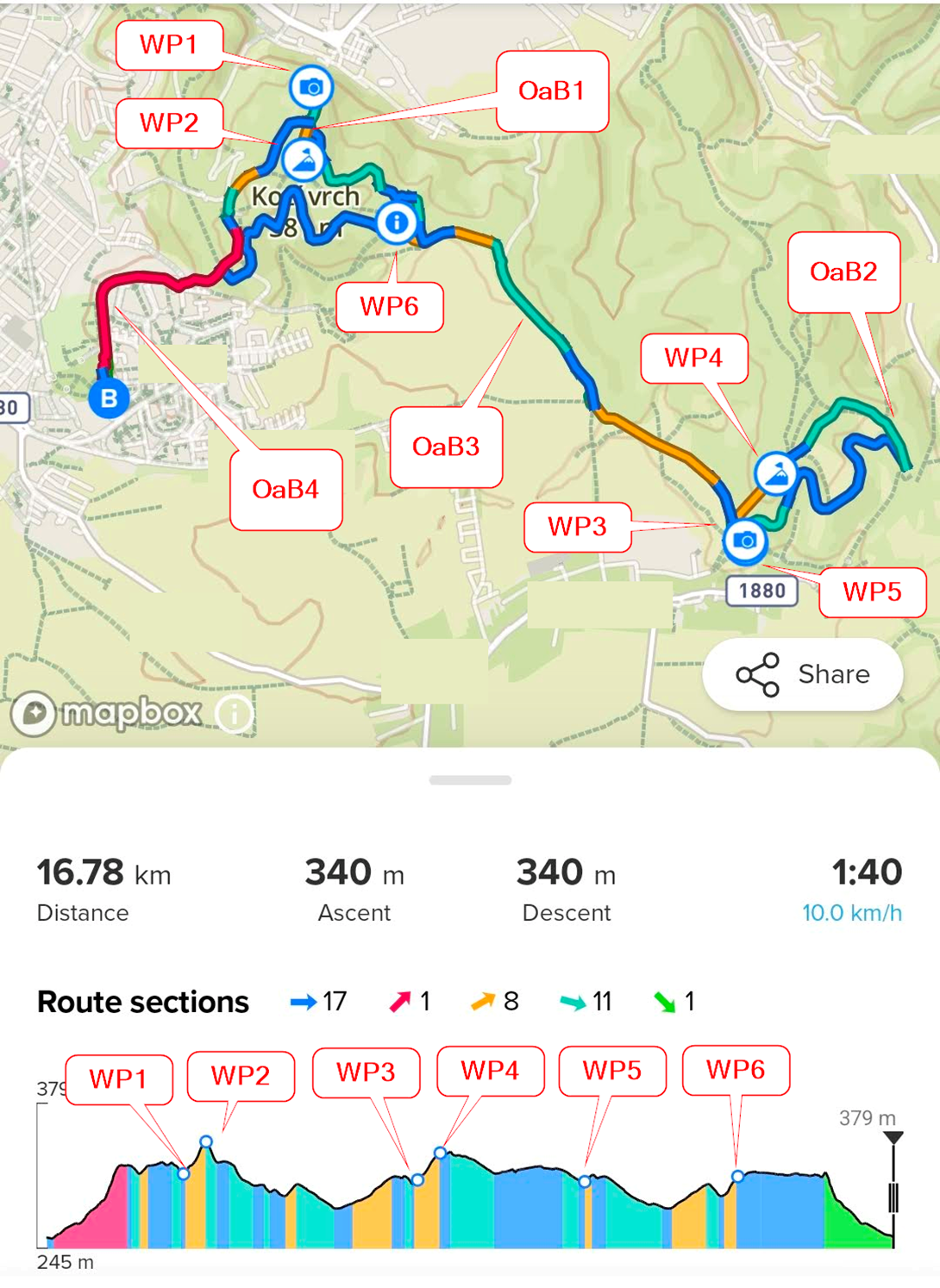
The Navigation has 3 features: Showing the Direction, Distance to the next Waypoint, and the Climb Guidance.
-
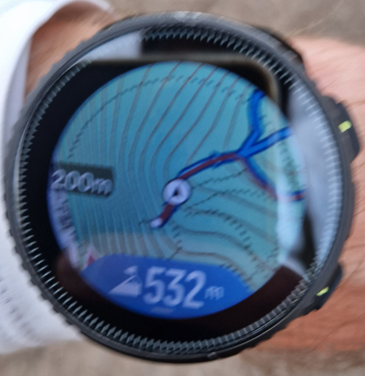
Showing the Direction: Worked well during the whole run, and it was always pointed to the right direction, as You can see in the photos.
-
Distance to the next Waypoint: This was inaccurate on all OaB sections.
-
- OaB1: It showed the correct next WP (WP2), but the distance was calculated using the turnaround at WP1 (which I had already passed) rather than the remaining direct distance.
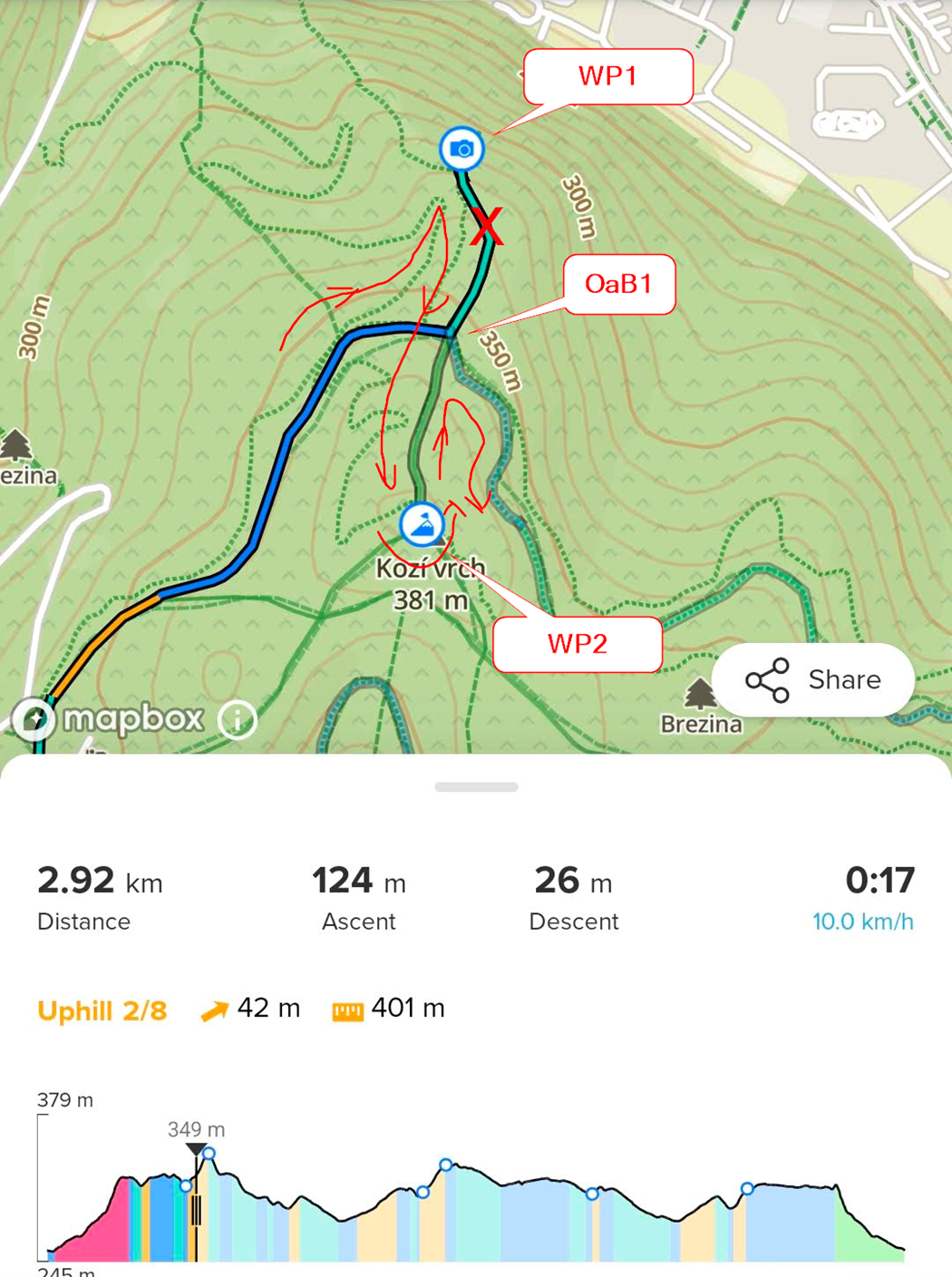
- OaB1: It showed the correct next WP (WP2), but the distance was calculated using the turnaround at WP1 (which I had already passed) rather than the remaining direct distance.
-
- OaB2: Although the direction was correct, as I was approaching the sharp turn the watch suddenly began showing the distance to the previous WP (WP4) . The distance continued to increase until I actually made the turn, at which point it corrected itself to WP5. In this case, it wasn’t even a full OaB—just a very sharp turn.
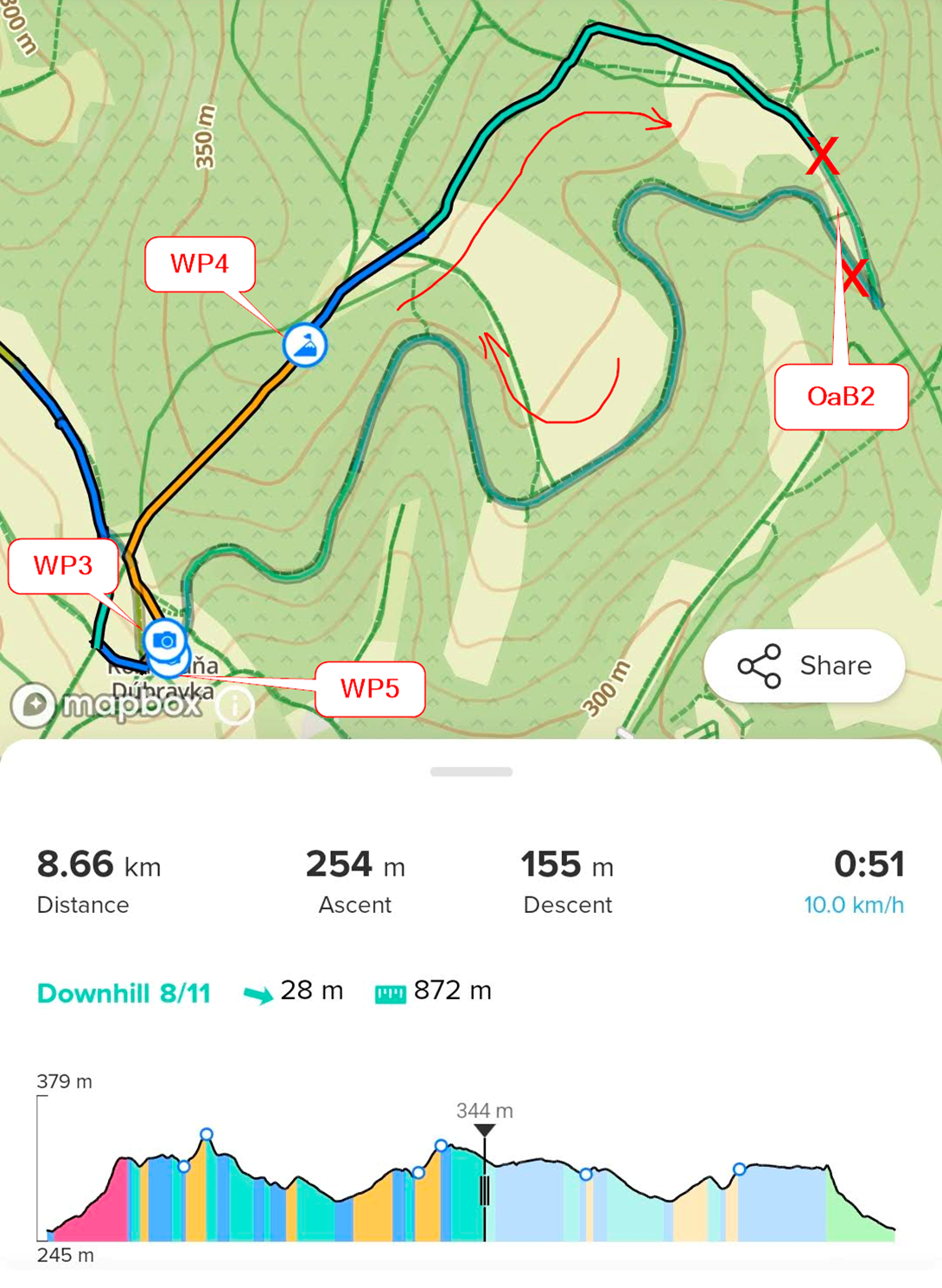
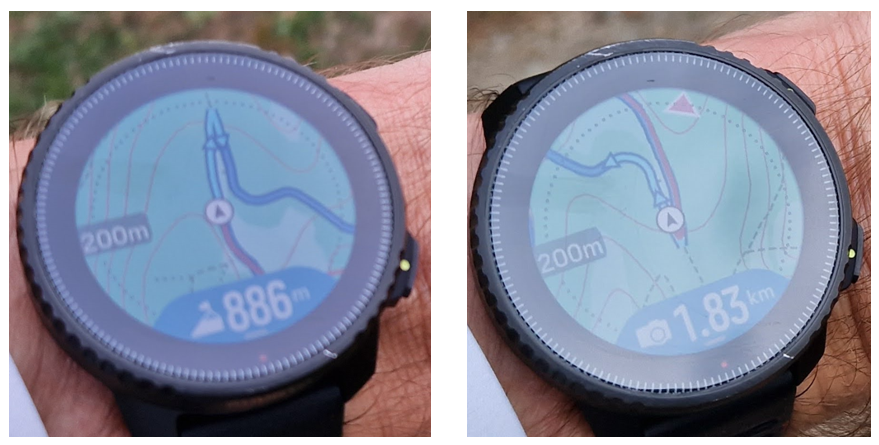
- OaB2: Although the direction was correct, as I was approaching the sharp turn the watch suddenly began showing the distance to the previous WP (WP4) . The distance continued to increase until I actually made the turn, at which point it corrected itself to WP5. In this case, it wasn’t even a full OaB—just a very sharp turn.
-
- OaB3: Again, while the direction was right, the watch showed the distance and icon for WP2, even though WP6 was only 200m ahead of me. It only switched to WP6 when I was 25m away.
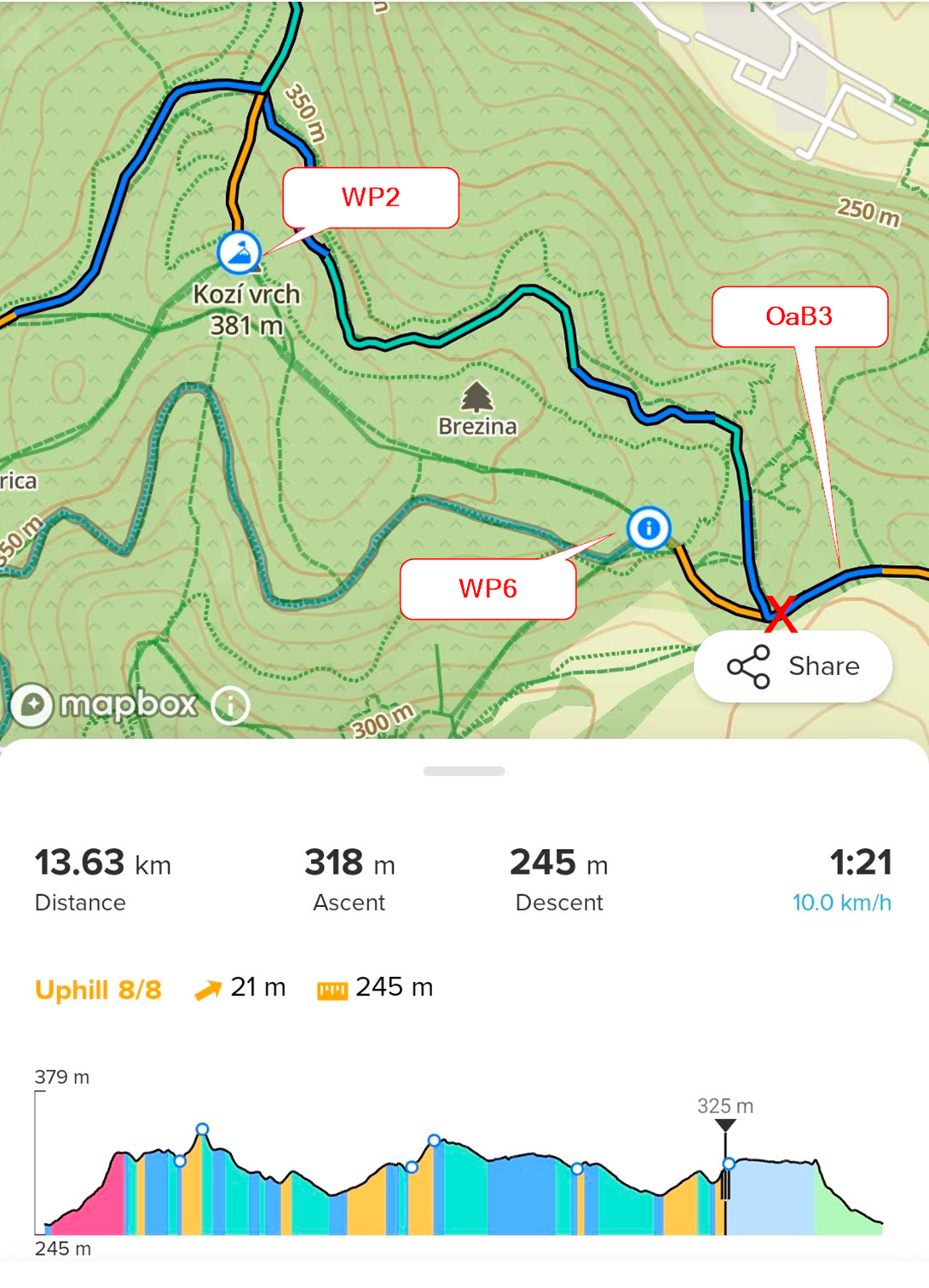
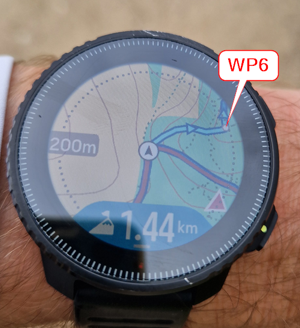
- OaB3: Again, while the direction was right, the watch showed the distance and icon for WP2, even though WP6 was only 200m ahead of me. It only switched to WP6 when I was 25m away.
-
- OaB4: On the way back, the watch displayed “A,” meaning it had “auto-reversed” to the start instead of the “B” finish line.
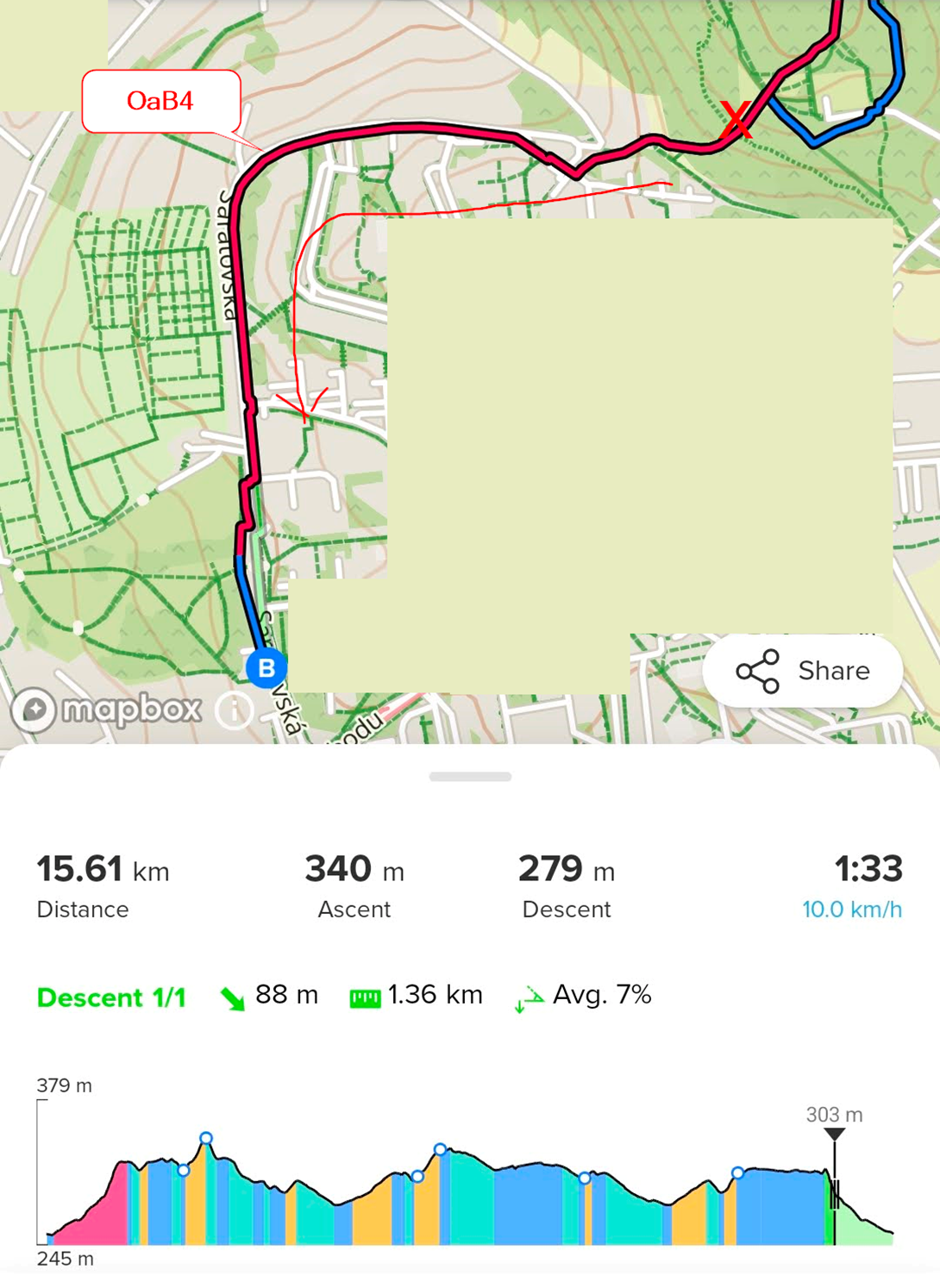
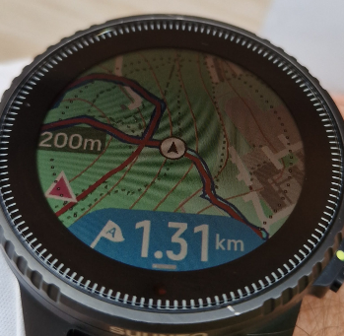
- OaB4: On the way back, the watch displayed “A,” meaning it had “auto-reversed” to the start instead of the “B” finish line.
-
Climb Guidance (WP zoom): This failed on OaB sections too. It consistently showed the previous section, making it look like I was moving backward on the elevation profile.
-
- OaB1: Running uphill from WP1 to WP2. Upon reaching the WP1 turnaround, the CG initially showed the correct upcoming profile (WP1 - WP2), but after 50m, it reverted to the previous profile (A - WP1). It seems the “auto-reverse” feature is interfering here.
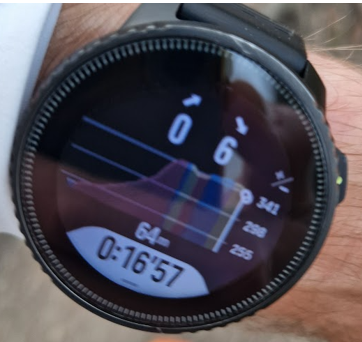
- OaB1: Running uphill from WP1 to WP2. Upon reaching the WP1 turnaround, the CG initially showed the correct upcoming profile (WP1 - WP2), but after 50m, it reverted to the previous profile (A - WP1). It seems the “auto-reverse” feature is interfering here.
-
- OaB4: Running downhill to finish. I even got the notification for steep downhill section. But the watch showed the A - WP1 profile.
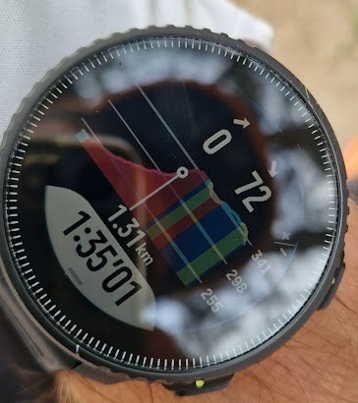
- OaB4: Running downhill to finish. I even got the notification for steep downhill section. But the watch showed the A - WP1 profile.
(Today I tried the Navigation on other trail, and the CG “auto-reverse” happened every time I’ve been on OaB section)
(Side Note: I wore Coros Pace 3 with the new “Pace Strategy” and “Hill Alerts” on the other hand, and it handled all WPs and OsBs w/o any issue…)
-
-
Today I ran the same route, but this time I deleted all the Waypoints from the route to test the Climb Guidance (Section Zoom).
-
Showing the Direction: Well, I was wrong. The arrows always show your current heading. If I turn back or take a wrong turn, the arrows eventually change direction to show the way I am currently moving. There isn’t a single warning indicating that I made a wrong turn or that I’m running back toward the start.
Example:
The plan was to run section R1, complete the full loop, and run back via R2. However, instead of turning left toward R2, I turned right onto T2 - as if I were starting a second loop - and then headed back on T3.
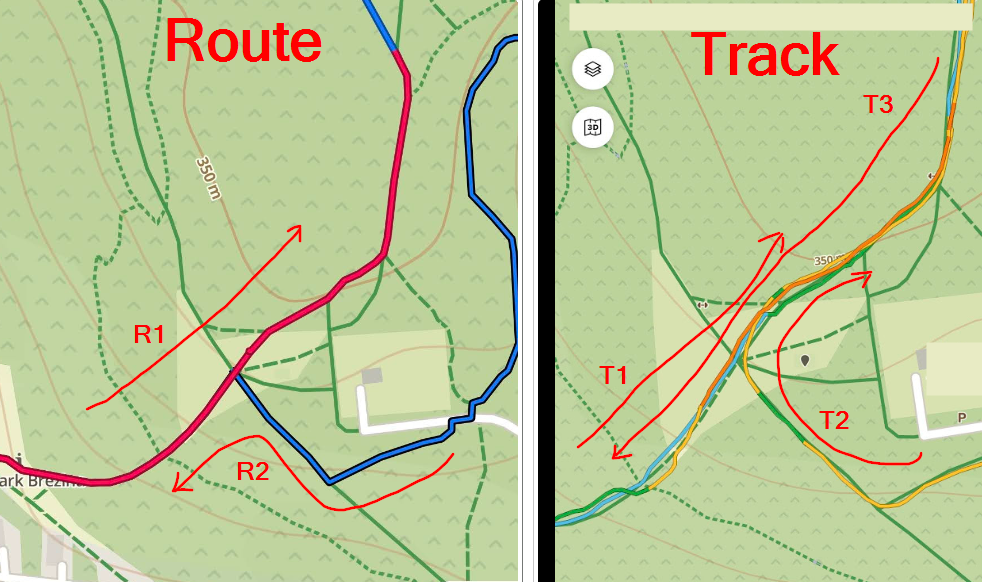
Before the T2 turn, everything was working fine. The watch showed the correct direction (to point “B” via R2) and the correct distance to the finish. I even received a notification about the final descent to “B.”
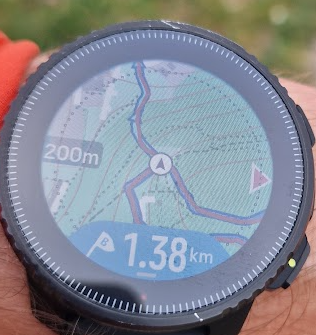
After about 150m, the watch began showing the direction as if I were running toward R1. It displayed the distance to “A,” but it didn’t show the distance from the start to my current position; instead, it showed the distance for the whole loop, as if I were heading to finish “B.”
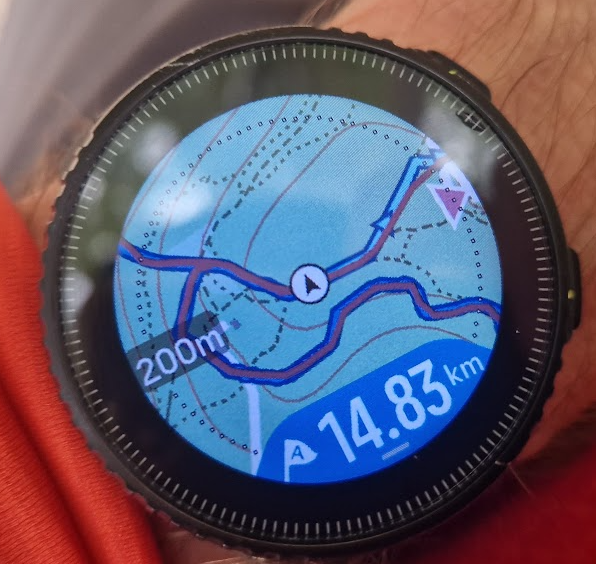
After 400m, the display updated to show the distance between “A” and my current position. If I didn’t know the route, I would have thought that continuing in the displayed direction would lead me to starting point “A” in 1.94km. I would have been wrong; I was actually running in the opposite direction, toward “B.”…
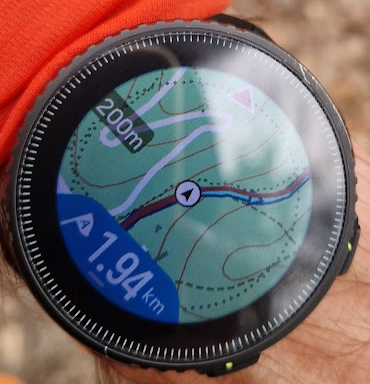
I continued running the “second loop” and I came to the “infamous” OaB1 section. On the first loop, I ran as planned (R4 > R5 > R6). On the second loop, I ran R7 to see what would happen.
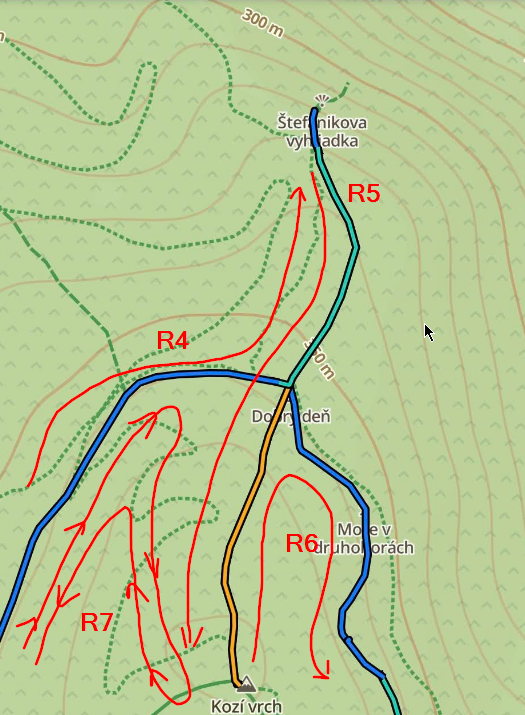
On the R6/R7 downhill, the watch finally switched back to showing point “B.”
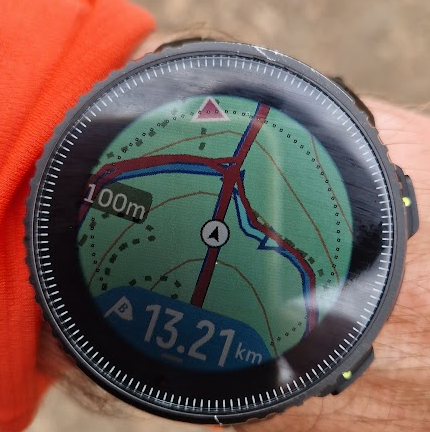
Then, instead of turning right (R6), I turned left in the wrong direction. Again, after about 100m, the watch updated the arrows and showed the distance back to start point “A.”
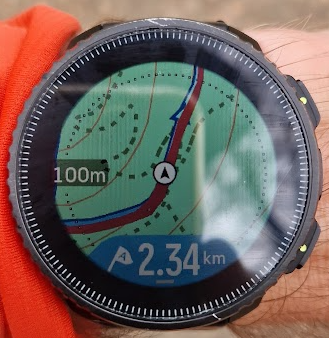
After that, I returned to the crossing via T3. A few meters before the crossing, the watch showed the distance and arrows toward “A” (or “B”). This was correct, as I was running in the opposite direction.
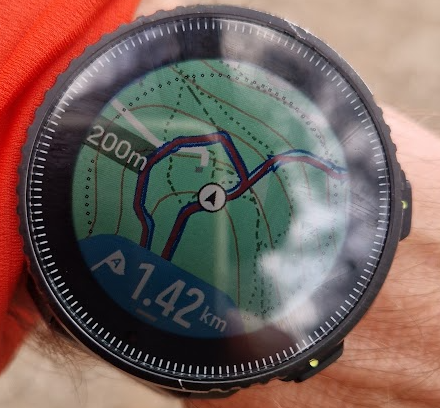
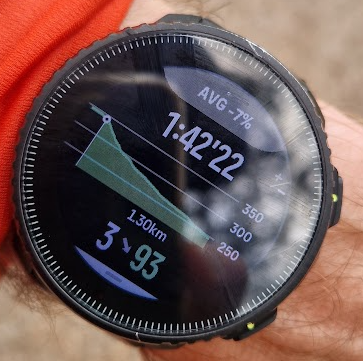
Additionally, the elevation profile correctly showed me at the beginning of the route.
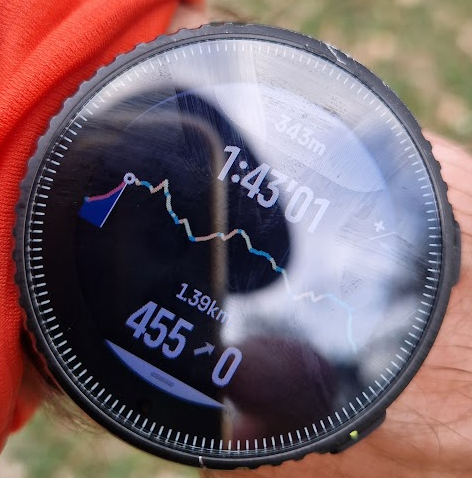
BUT the CG Zoom showed the final descent at the end of the route to “B”:
-
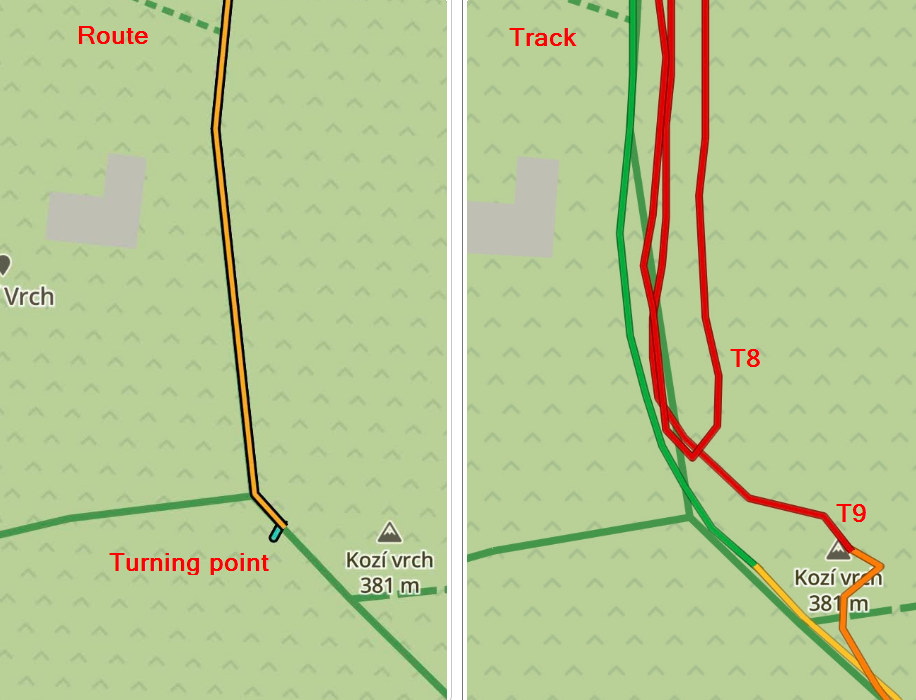
Climb Guidance (Section Zoom): All sections were handled well. You “only” need to make sure you run slightly past the turning point so the watch triggers the switch to the next section or profile. On my first loop, I turned a few meters early and the profile didn’t change (T8), but on the second loop (T9), it worked perfectly.
-
-
@slash1111 I see you’ve discovered the “magic” of Suunto’s auto-reverse feature. We’ve had a few discussions about how broken this is.
https://forum.suunto.com/topic/13785/i-have-zero-confidence-in-suunto-route-navigation
The gist is that it simply doesn’t work in many scenarios, especially routes like yours that have out-and-backs or crossovers. One of the main issues is that not all of the navigation features are tied together and, therefore, do not reverse at the same time. You have the map arrows, background data (ETAs, distance to next waypoint, etc.), and the climb guidance display. For some reason, they all have different tolerances for when they auto-reverse. I did my best to explain this behavior as I’ve observed it over here.
The latest software update (which hasn’t come to the SV1 yet) did include a host of navigation updates, but I haven’t seen any comments regarding the auto-reverse problems. Perhaps some of these issues have been addressed and will come to the Vertical soon?
My vote is to do away with the auto-reverse function completely and, instead, allow the user to manually select the option to follow a route in reverse.
-
I observe exactly the same navigation behavior. I just could not describe it so well. If the route is a bit more complex, with crossings, sometimes it guides me in the opposite direction or in another illogical way. The same happens when I leave the route and return back to it — sometimes it tries to guide me the wrong way.
I test this in places I know well, but if I had to run somewhere I don’t know and rely on this navigation, I currently don’t have much trust in it.
Vertical 2, latest firmware.
-
@duffman19
Thanks for those links. You’re exactly right—all those navigation features are independent. How that’s even possible is a mystery to me
Hello! It looks like you're interested in this conversation, but you don't have an account yet.
Getting fed up of having to scroll through the same posts each visit? When you register for an account, you'll always come back to exactly where you were before, and choose to be notified of new replies (either via email, or push notification). You'll also be able to save bookmarks and upvote posts to show your appreciation to other community members.
With your input, this post could be even better 💗
Register Login