"Empty watch icon" - Vertical V1 not fully syncing unless I reboot my Galaxy
-
My Vertical synced flawlessly for a couple of months, since a couple of days or a bit loner, however, the Suunto App only shows an “empty watch” symbol in the upper left corner:
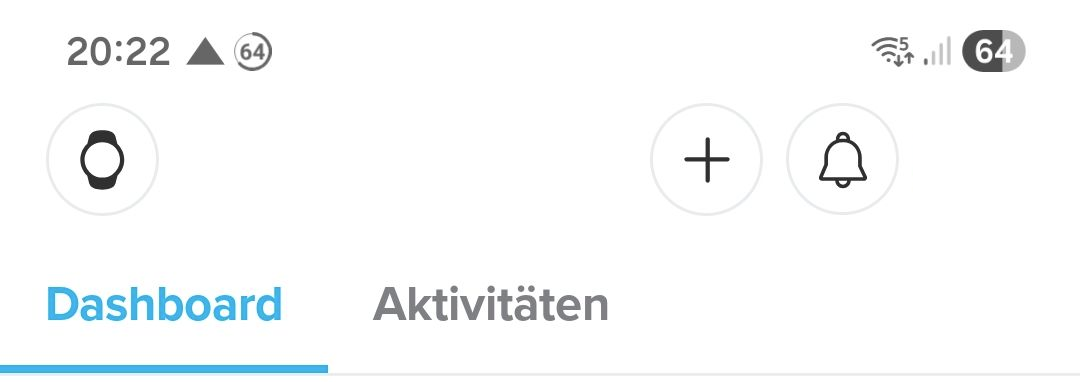
and a completely empty screen after I tap it. The watch still receives notifications (so the issue might be the same as this, all I can add is that in my case, the problem is gone right after I reboot the phone and comes back “sometime later”. Turning bluetooth off and on again doesn’t help either.
Android 16 “Samsung latest” on a Galaxy A54
Suunto App 6.5.7 (6005007)
Vertical Firmware 2.48.16Maybe this behavior already started to happen after that firmware update. Is it possible to downgrade to cross-check?
-
A Armin M referenced this topic on
-
Meanwhile, I downgraded to firmware 2.44.52 (see here for how that works) but also had to reboot android for the problem to “go away”. We’ll see if it remains “fixed” in which case firmware 2.48.16 would be the reason.
-
A Armin M referenced this topic on
-
@Armin-M Commenting to follow the topic, I have the exact same issue on my Race S and Pixel 9.
-
Same problem with Race 2. You don’t need to reboot the phone, just “force stop” the SA.
-
@Armin-M Same here, also with Race S, so it seems Suunto App bug related and not watch software related.
Reboot phone is not necessary, you can “simply” stop and reopen Suunto App. -
@jjpaz I am not 100 % sure if it SA or the watch f/w. Some people reported that they downgraded their watches to a previous f/w and the problem went away. Regardless, it is something that Suunto should fix.
-
@MdzOtt Same issue here. I’m using Suunto 9 Peak (long time no firmware update) so it seems to be 100% SA related.
-
I have had the blank watch sync issues with V2 so guessing it is SA related. I heard someone say you can restart SA and this will solve the issue without restarting the phone.
I only had this happen once and restarted the phone.
-
@Audaxjoe correct; you can “force stop” the app (SA) and it helps.
Btw. I had this problem for a while, but it disappeared around two weeks ago. Maybe, the new version of SA solved it -
Has this been officially resolved? I don’t see it anymore on R2
-
@Armin-M
Restart the App should be enough, they said


Hello! It looks like you're interested in this conversation, but you don't have an account yet.
Getting fed up of having to scroll through the same posts each visit? When you register for an account, you'll always come back to exactly where you were before, and choose to be notified of new replies (either via email, or push notification). You'll also be able to save bookmarks and upvote posts to show your appreciation to other community members.
With your input, this post could be even better 💗
Register Login