Suunto app Forum Suunto Community Forum
    • Recent
    • Tags
    • Popular
    • Users
    • Groups
    • Register
    • Login

    Suunto Software update Q1 (2.53.42)

    Scheduled Pinned Locked Moved Watches
    174 Posts 70 Posters 5.7k Views 75 Watching
    Loading More Posts
    • Oldest to Newest
    • Newest to Oldest
    • Most Votes
    Reply
    • Reply as topic
    Log in to reply
    This topic has been deleted. Only users with topic management privileges can see it.
    • Brad_OlwinB Offline
      Brad_Olwin Moderator @Inge Nallsson
      last edited by Brad_Olwin

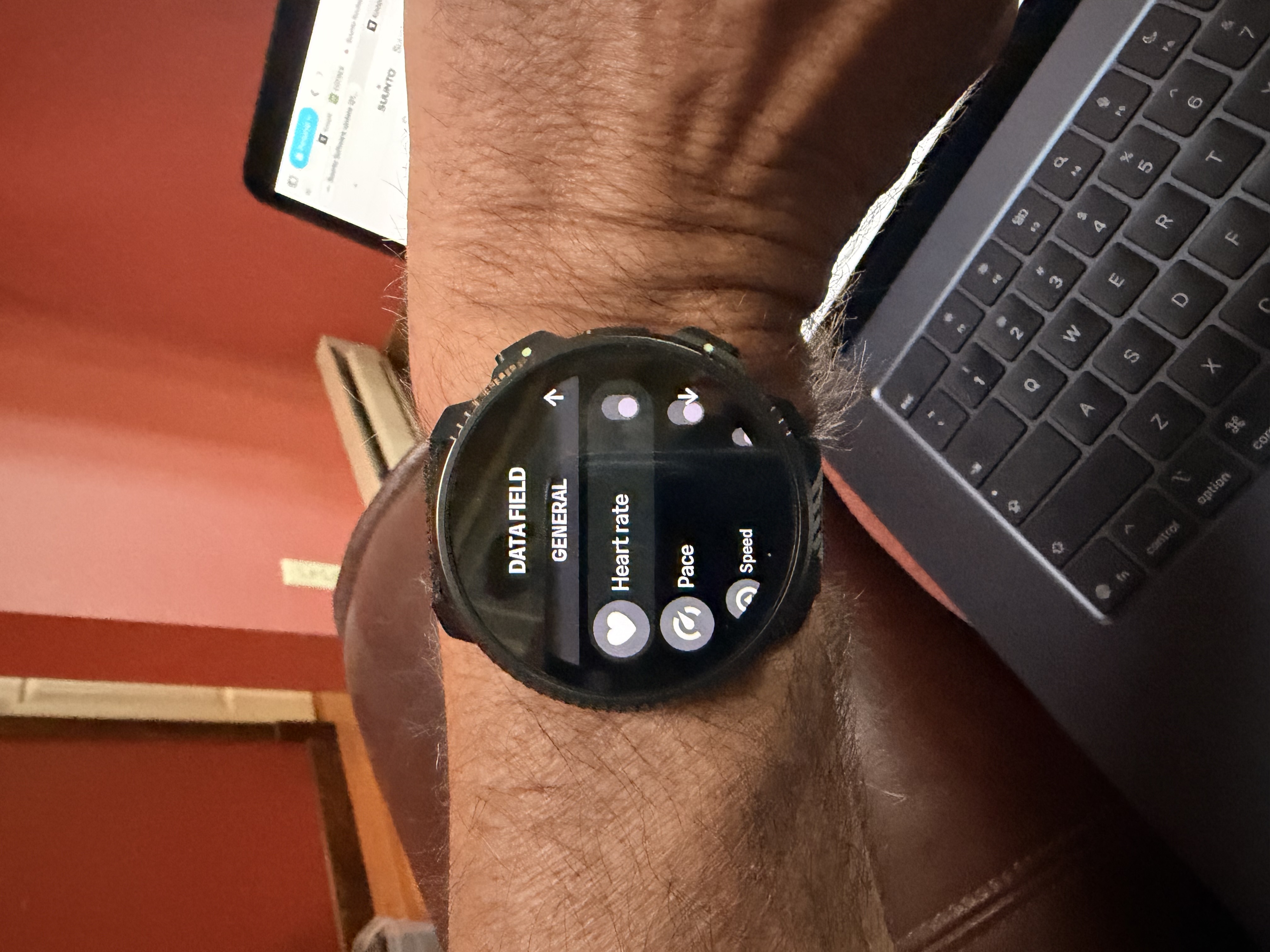
      @Inge-Nallsson Scroll down from Nav screen to options!
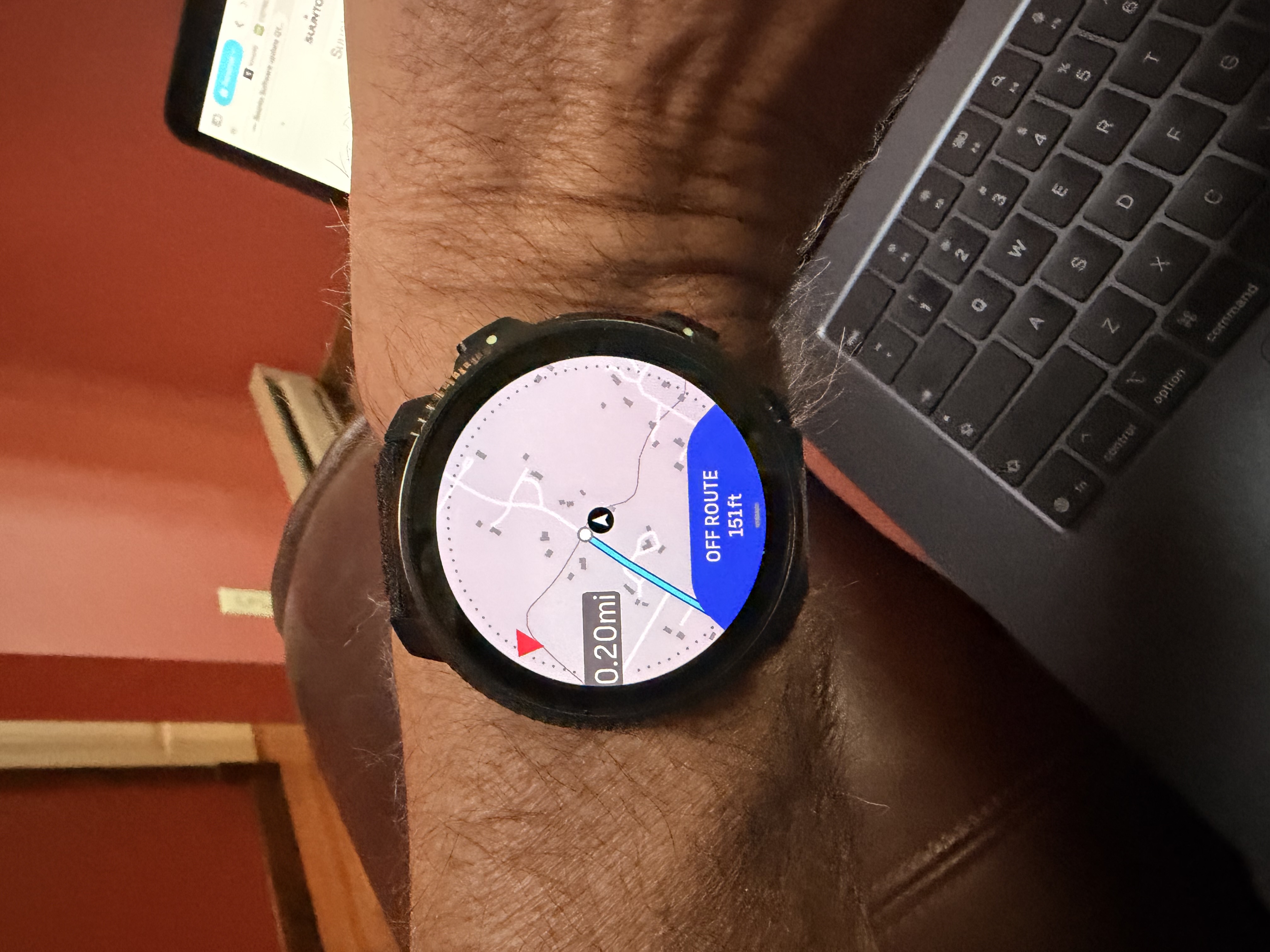
      IMG_0091.jpeg IMG_0094.jpeg

      Vector/T6c/Vertical 2 Ti

      Inge NallssonI 1 Reply Last reply Reply Quote 0
      • J Offline
        jannis Bronze Member @GiPFELKiND
        last edited by

        @GiPFELKiND Okay, I was very curious and tried it. It’s as bad as it was. It raised from 68 to 88 in like 2 hours. Back to the drawer with that thing…

        1 Reply Last reply Reply Quote 0
        • EgikaE Offline
          Egika Platinum Member @Inge Nallsson
          last edited by

          @Inge-Nallsson said in Suunto Software update Q1 (2.53.42):

          @Brad_Olwin said in Suunto Software update Q1 (2.53.42):

          afteryou select a sport mode and route.

          So we absolutely have to use a route for this option to show up? I used a default Walking activity today and the map screen had HR in the bottom wedge. Looking at different sports modes like my own versions of Running and Trail Running there are no option to set any Data on the map screen - while not using a route. This on a Race S.

          Edit: And I’m sorry to say that even when choosing a route in the Trail Running activity (custom sports mode) there are no Data choosing option in any menu option…

          No. You can select datafields also without following a route. With a route loaded you get an additional selection of data fields (like ETE or distance to end of route etc)

          t6, S6, Elementum Terra, Ambit 3 Sapphire, Spartan Ultra Copper, Traverse Alpha, S7 Graphite LE, S9B Ambassador, S9P Titanium, S9PP Titanium, Vertical All Black, Race Titanium Charcoal, Race S Titanium Courtney, Run Lime, Race 2, Vertical 2 Titanium

          1 Reply Last reply Reply Quote 0
          • Inge NallssonI Offline
            Inge Nallsson @Brad_Olwin
            last edited by

            @Brad_Olwin Yes, as was explained in the other thread: The exercise must be running. And the Menu you are talking about is only accessible from the Map screen itself (the 3 lines/hamburger icon). And it works even without any Route loaded (non-Navigation ootions like HR, Pace, Time of Day etc).

            Suunto Race S

            1 Reply Last reply Reply Quote 1
            • Stefano M64S Offline
              Stefano M64 Silver Members @Brad_Olwin
              last edited by

              @Brad_Olwin said in Suunto Software update Q1 (2.53.42):

              @mich-heller It is in the Navigation screen afteryou select a sport mode and route.

              the new navigation/climb features are great, a really huge improvement, and the customization of the data field on the map is fantastic!
              However, I think it would be better to have to possibility to select that data field also before starting the navigation, as one of the settings of the chosen sport mode. If the selected data field would remain memorized for that activity would be the best.

              Suunto Vector . Vector HR . Core . Race & Race S

              EgikaE 1 Reply Last reply Reply Quote 5
              • off242O Online
                off242
                last edited by

                Have been unable to pair Garmin Varia (neither RTL515 nor RCT715) or Wahoo Radar through the Varia app. 😕

                Otherwise, really enjoying new features tested so far (customized alarms, maps) with swim drills on tap for this afternoon. Prost, Suunto!

                UjcoCZU suzzloS 2 Replies Last reply Reply Quote 0
                • EgikaE Offline
                  Egika Platinum Member @Stefano M64
                  last edited by

                  @Stefano-M64 said in Suunto Software update Q1 (2.53.42):

                  @Brad_Olwin said in Suunto Software update Q1 (2.53.42):

                  @mich-heller It is in the Navigation screen afteryou select a sport mode and route.

                  the new navigation/climb features are great, a really huge improvement, and the customization of the data field on the map is fantastic!
                  However, I think it would be better to have to possibility to select that data field also before starting the navigation, as one of the settings of the chosen sport mode. If the selected data field would remain memorized for that activity would be the best.

                  The data field selection IS memorized per activity.

                  I guess the current implementation was easier to roll out with this update. Adding this selection to the sport mode customization would require a lot more programming effort in the data transfer to the app and in the apps themselves.

                  t6, S6, Elementum Terra, Ambit 3 Sapphire, Spartan Ultra Copper, Traverse Alpha, S7 Graphite LE, S9B Ambassador, S9P Titanium, S9PP Titanium, Vertical All Black, Race Titanium Charcoal, Race S Titanium Courtney, Run Lime, Race 2, Vertical 2 Titanium

                  Stefano M64S 1 Reply Last reply Reply Quote 1
                  • sky-runnerS Offline
                    sky-runner Platinum Member
                    last edited by

                    With regards to mixed unit customization, please consider adding one additional unit - vertical speed.

                    I know that technically this can be derived from the elevation unit, but some people prefer measuring vertical speed per hour while others might prefer per minute.

                    I strongly prefer feet / min.

                    With Garmin I can choose that but with Suunto that is still impossible.

                    Suunto: Ambit, Ambit 3 Peak, 9 Baro, Race S, Race Ti
                    Garmin: Forerunner 210, Forerunner 610, Fenix 6X, Fenix 7X Ti

                    1 Reply Last reply Reply Quote 1
                    • UjcoCZU Offline
                      UjcoCZ @off242
                      last edited by

                      @off242 said in Suunto Software update Q1 (2.53.42):

                      Have been unable to pair Garmin Varia (neither RTL515 nor RCT715) or Wahoo Radar through the Varia app. 😕

                      Otherwise, really enjoying new features tested so far (customized alarms, maps) with swim drills on tap for this afternoon. Prost, Suunto!

                      You must it pair in activity menu, not in new Bluetooth devices like chest strap. Functional for me, reconnect also functional.
                      RTL 515 + V2, but I usually use Karoo3 and synchro ride into the Suunto app.

                      Vertical 2 Ti, Elementum Terra N

                      off242O 1 Reply Last reply Reply Quote 0
                      • Stefano M64S Offline
                        Stefano M64 Silver Members @Egika
                        last edited by Stefano M64

                        @Egika said in Suunto Software update Q1 (2.53.42):

                        The data field selection IS memorized per activity.

                        👍

                        I guess the current implementation was easier to roll out with this update. Adding this selection to the sport mode customization…

                        sorry, likely I used the wrong terminology, I meant to show the map data field selection somewhere in START screen, for example:
                        Exercise options - > Map settings
                        that is before starting the exercise. Having to set them after the exercise started is a bit cumbersome (you have to go to the Map screen and then go through the options)

                        Suunto Vector . Vector HR . Core . Race & Race S

                        1 Reply Last reply Reply Quote 3
                        • off242O Online
                          off242 @UjcoCZ
                          last edited by off242

                          Yes, @UjcoCZ , went through activity menu after watching Janne Kallio’s video last night but still no joy. Glad it worked for you, though! 🙂

                          1 Reply Last reply Reply Quote 0
                          • suzzloS Offline
                            suzzlo Moderator @off242
                            last edited by

                            @off242 suunto uses bluetooth. Be sure varia has this enabled and its not paired with other device

                            Suunto: Race, S9Peak, Spartan Sport Wrist
                            Garmin: FR745, Edge 530
                            SA topics:

                            • Guides - https://forum.suunto.com/tags/guides
                            off242O 1 Reply Last reply Reply Quote 1
                            • off242O Online
                              off242 @suzzlo
                              last edited by

                              Is it a Garmin-specific protocol, @suzzlo, or will other BLE radars (such as Wahoo) work, too?

                              suzzloS 1 Reply Last reply Reply Quote 0
                              • suzzloS Offline
                                suzzlo Moderator @off242
                                last edited by

                                @off242 bluetooth is “the channel” then garmin is defining the protocol… i don’tthink this is an standard protocol

                                Suunto: Race, S9Peak, Spartan Sport Wrist
                                Garmin: FR745, Edge 530
                                SA topics:

                                • Guides - https://forum.suunto.com/tags/guides
                                off242O 1 Reply Last reply Reply Quote 1
                                • off242O Online
                                  off242 @suzzlo
                                  last edited by

                                  @suzzlo Good to know. Over on a Wahoo forum, thought was that Varia had a proprietary BLE protocol, which is a bummer; I prefer the Wahoo radar to Garmin’s.

                                  Regardless, I’ll continue to tinker and see what happens. Thank you for the quick response(s).

                                  1 Reply Last reply Reply Quote 0
                                  • TieutieuT Offline
                                    Tieutieu Platinum Member
                                    last edited by Tieutieu

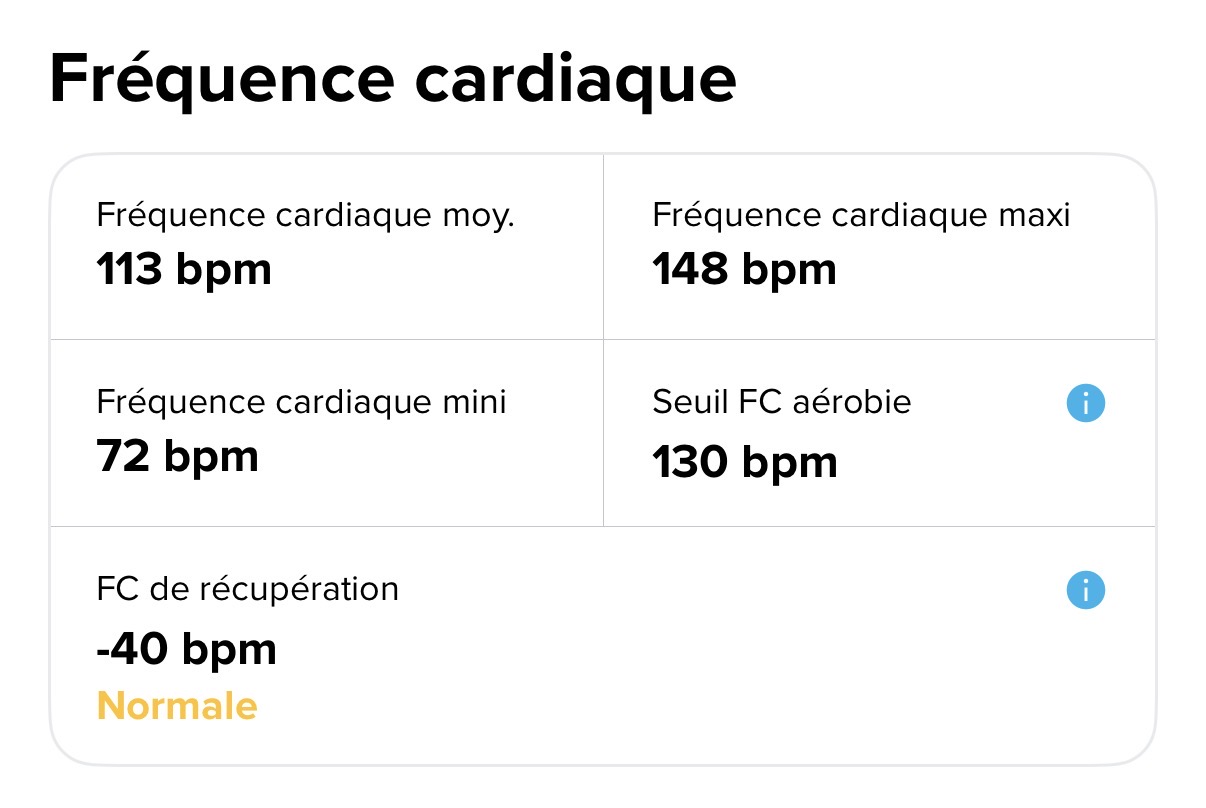
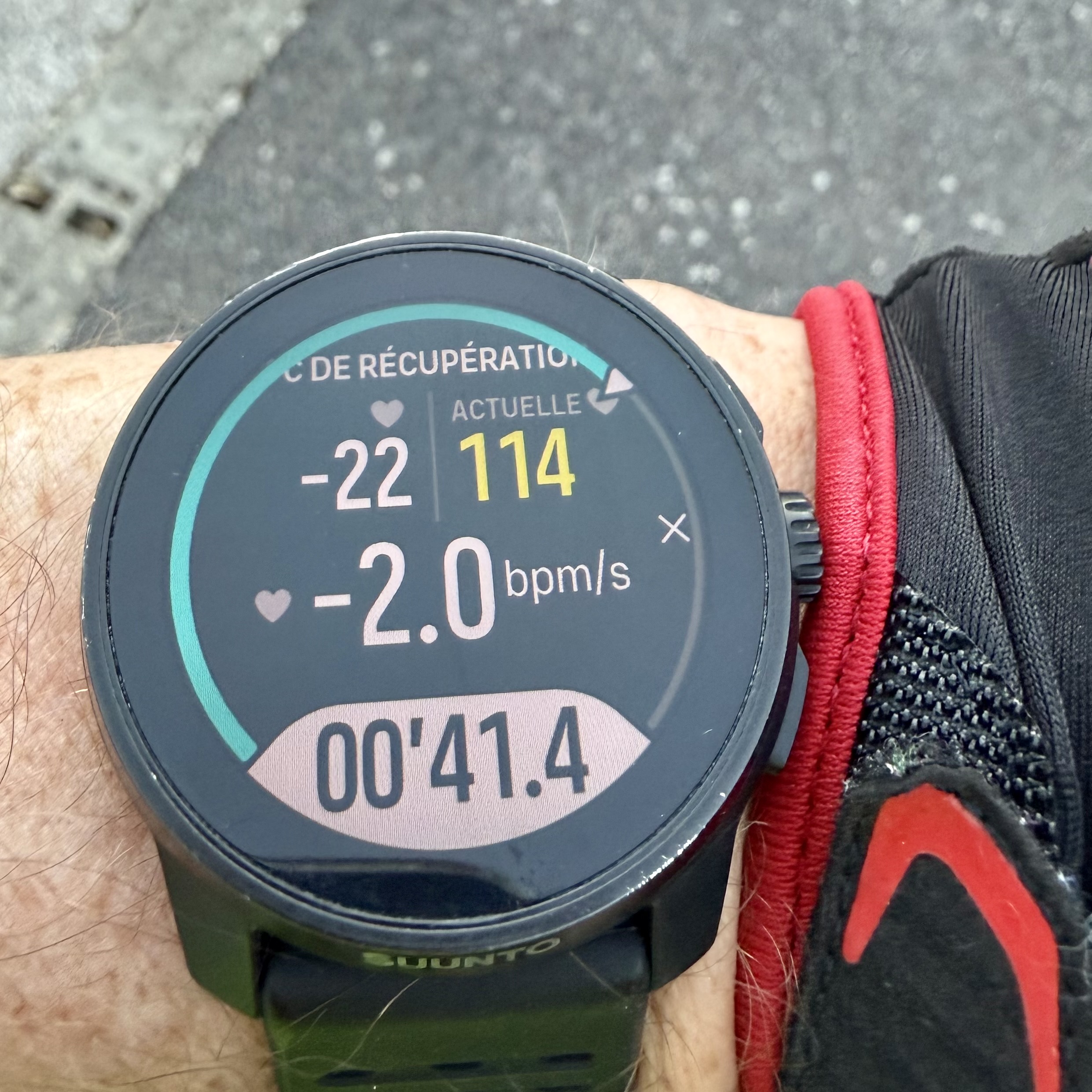
                                    HR recovery works perfectly fine. Tested after a bike ride (sensations are asked after test is performed)

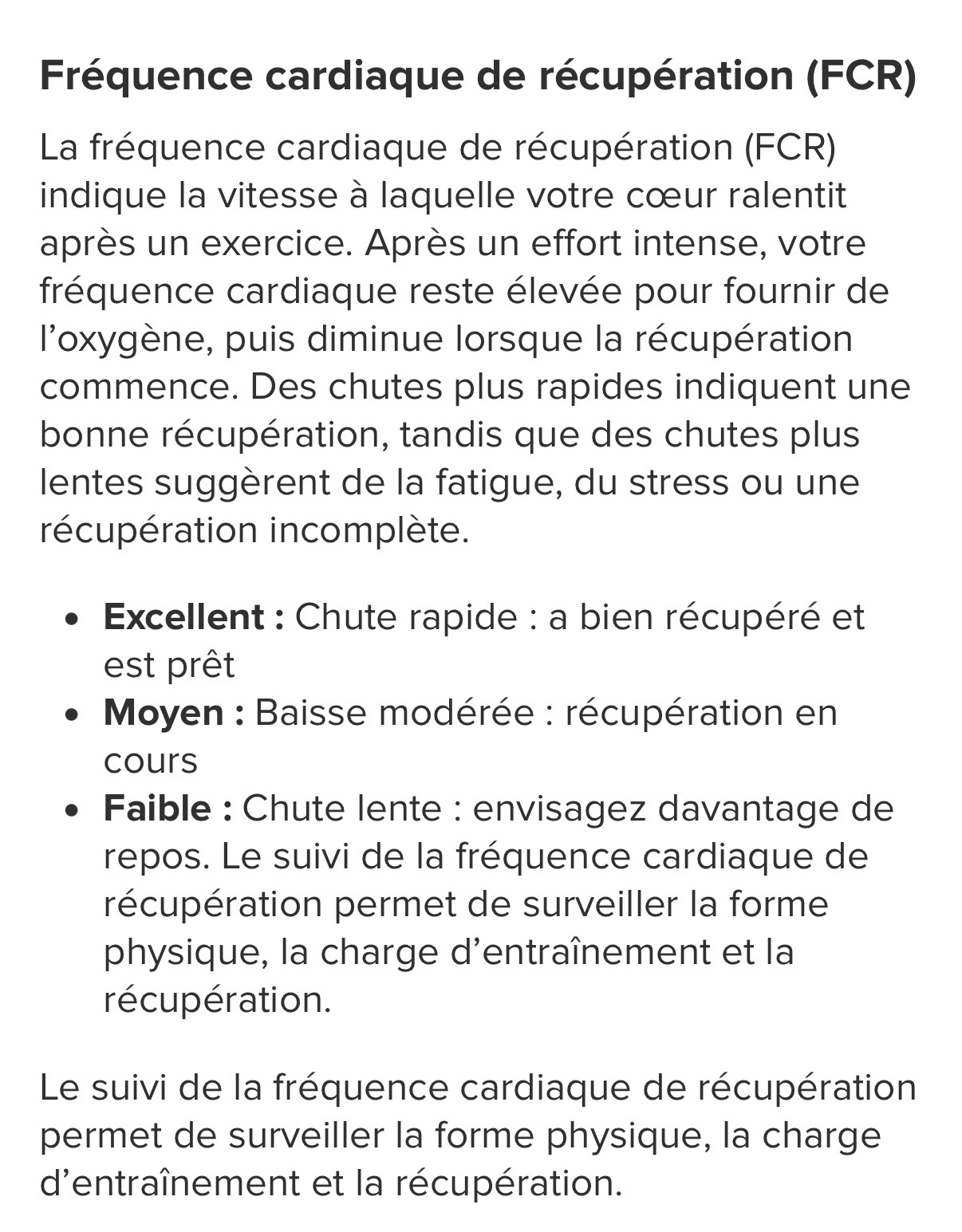
                                    To be noticed : in app the result says « normal » but the explanation says it’s supposed to be either « excellent / average / poor ». Don’t know if it’s a translation error or if it says normal because it’s first mesurement ? Not very important anyway.

                                    This update sounds really great so far !!
                                    IMG_0979.jpeg

                                    IMG_0980.jpeg

                                    IMG_0981.jpeg

                                    Suunto’s devices at home :
                                    Vertical titanium solar
                                    Suunto Race S
                                    S9pp titanium sand
                                    Suunto Wing
                                    S9B titanium Ambassador edition, A3P, X6

                                    EzioAuditoreE 1 Reply Last reply Reply Quote 1
                                    • EzioAuditoreE Offline
                                      EzioAuditore Gold Members @Tieutieu
                                      last edited by

                                      @Tieutieu Yes it’s great and I also spotted the same: Normal 😄

                                      Suunto watches: Vertical 2 (Titanium Sage), Race 2 (Titanium Trail), Ocean (Sand), Race (Titanium Charcoal), Vertical (Titanium Solar Sand), 9 Baro (Ambassador Edition), Spartan Ultra (Copper Edition), Ambit 2, S6
                                      Suunto Wing

                                      1 Reply Last reply Reply Quote 1
                                      • M Offline
                                        MikeC30 Bronze Member
                                        last edited by

                                        Thank you Suunto for such a great update.

                                        Used intervals for the first time with in activity sound and vibration instead of having to remember to activate this in general settings before starting an activity. So freeing to know the watch would let me know when to start and stop, and then not to have to remember to change the sound and vibration settings back afterwards for day to day use.

                                        What a wonderful update to the maps as well.

                                        A few things still to sort out such as being able to customise what a long button push does during an activity but this update has made such an improvement to us users in day to day use. Please keep it up and continue to listen to the feedback given in the forum, it is so appreciated.

                                        Suunto Ambit3 peak
                                        Suunto 9
                                        Suunto Vertical 2
                                        Suunto Wing 2

                                        1 Reply Last reply Reply Quote 1
                                        • S Offline
                                          SergioB Bronze Member
                                          last edited by

                                          Hello everyone! First of all, great update! 🤩
                                          I have a small question: I don’t get the difference between
                                          Exercise options > Climb guidance > Notifications
                                          And
                                          Navigation options > Notification > next segment/segment start

                                          To get the notifications of Climb guidance do I have to enable both? Or to avoid them, do I need to turn both off?


                                          Suunto Race 1 and SuuntoApp on Android 13.

                                          1 Reply Last reply Reply Quote 0
                                          • M Offline
                                            MarkG Bronze Member
                                            last edited by

                                            Has anyone worked out how to customise the data on the map screen? Mine shows heart rate but I can’t work out how to choose other options (I’d like HR, Altitude and compass heading). Tapping the ‘tooth’ doesn’t change anything and my understanding from the release notes is that we could select a number of options from a list and cycle between them with a tap.
                                            I have a vertical 2.

                                            AudaxjoeA 1 Reply Last reply Reply Quote 0
                                            • First post
                                              Last post

                                            Suunto Terms | Privacy Policy