[Vertical 2, 2.53.42] Map and Navigation features are greatly improved but there are still a lot of old issues and also new bugs introduced in the latest update
-
Thank you so much for this very nice post @sky-runner .
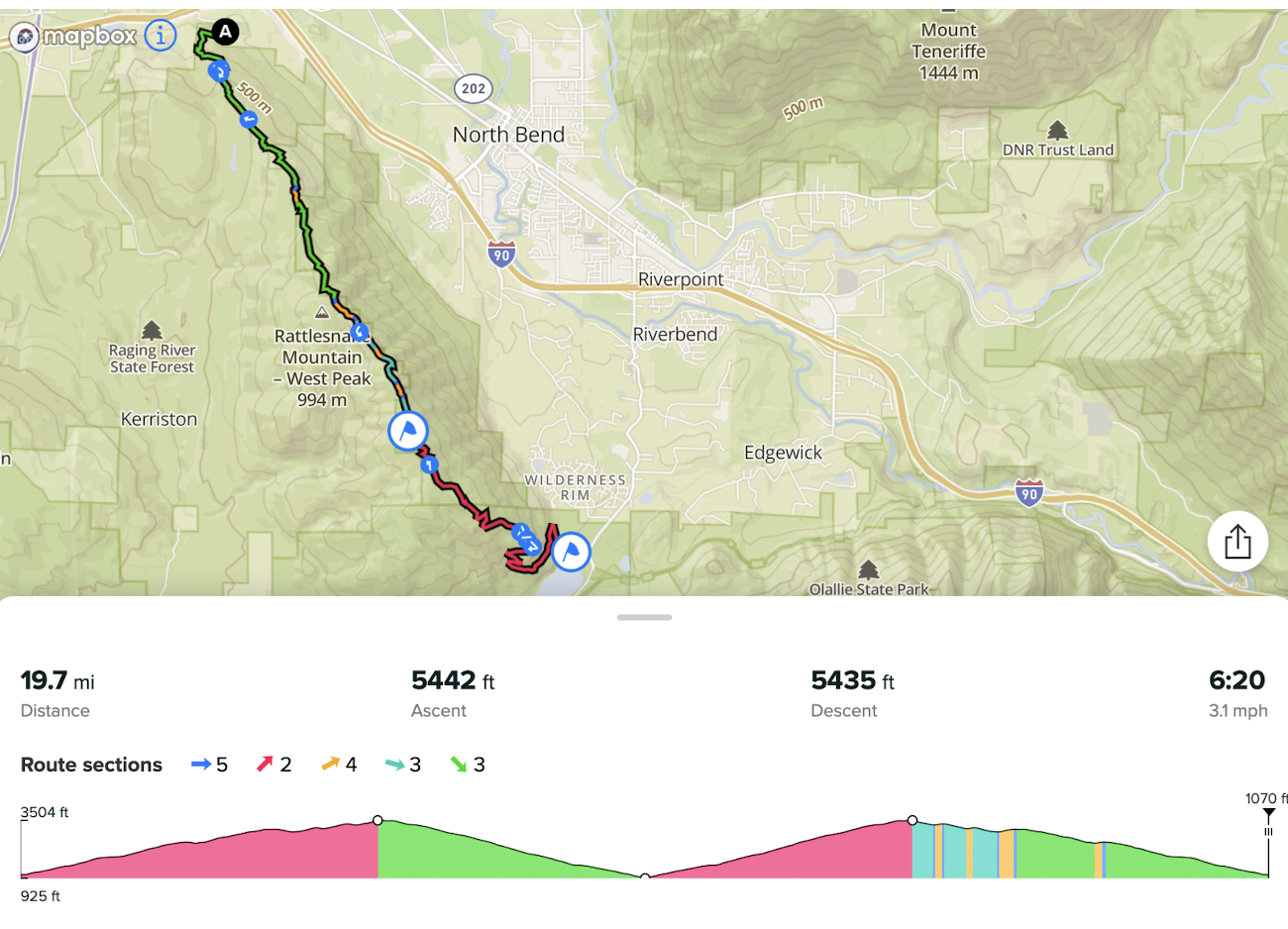
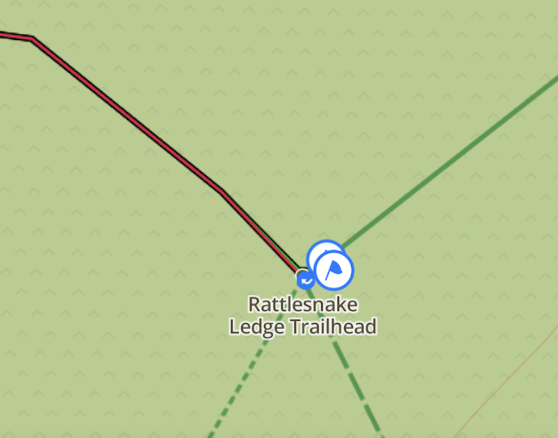
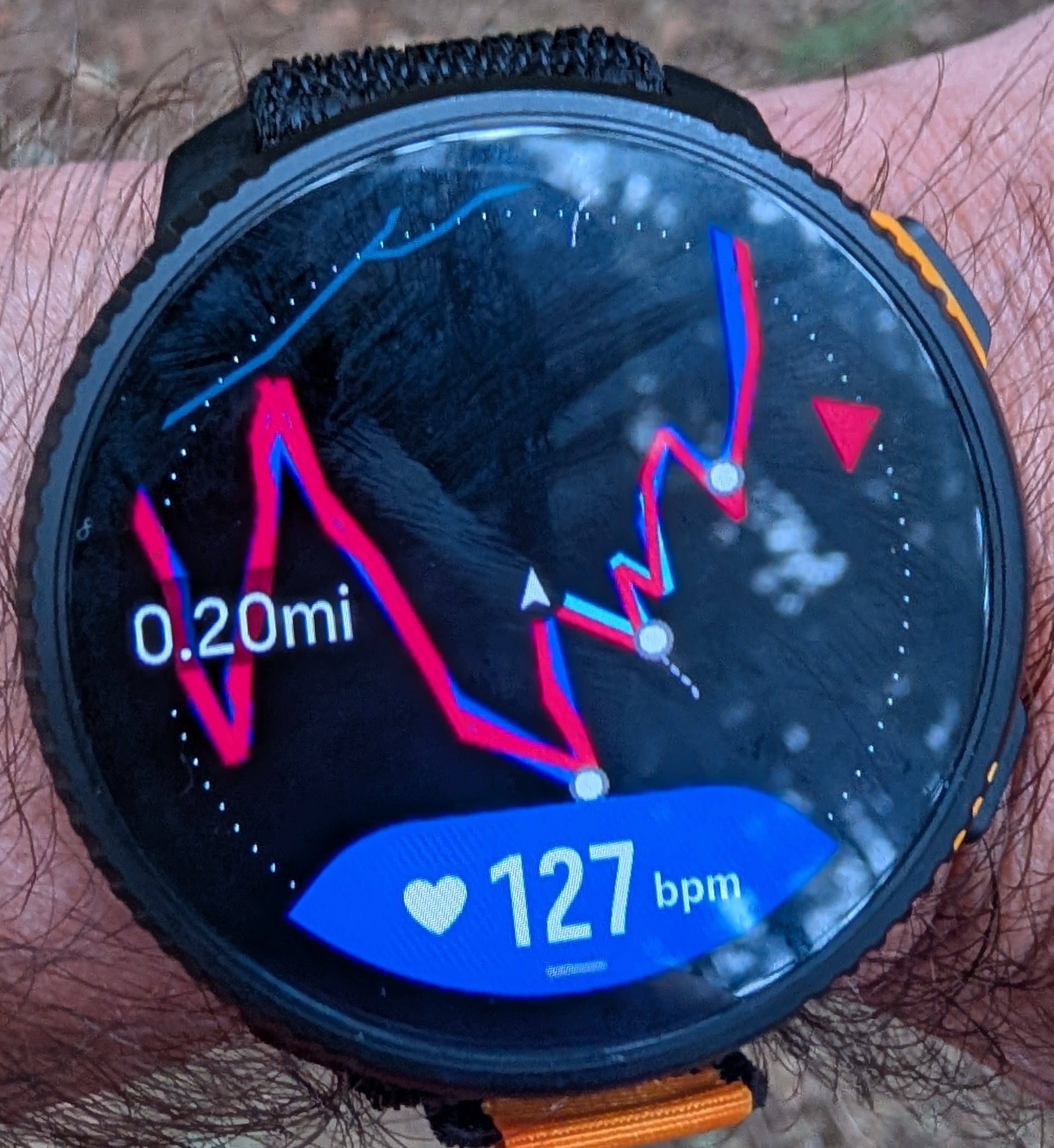
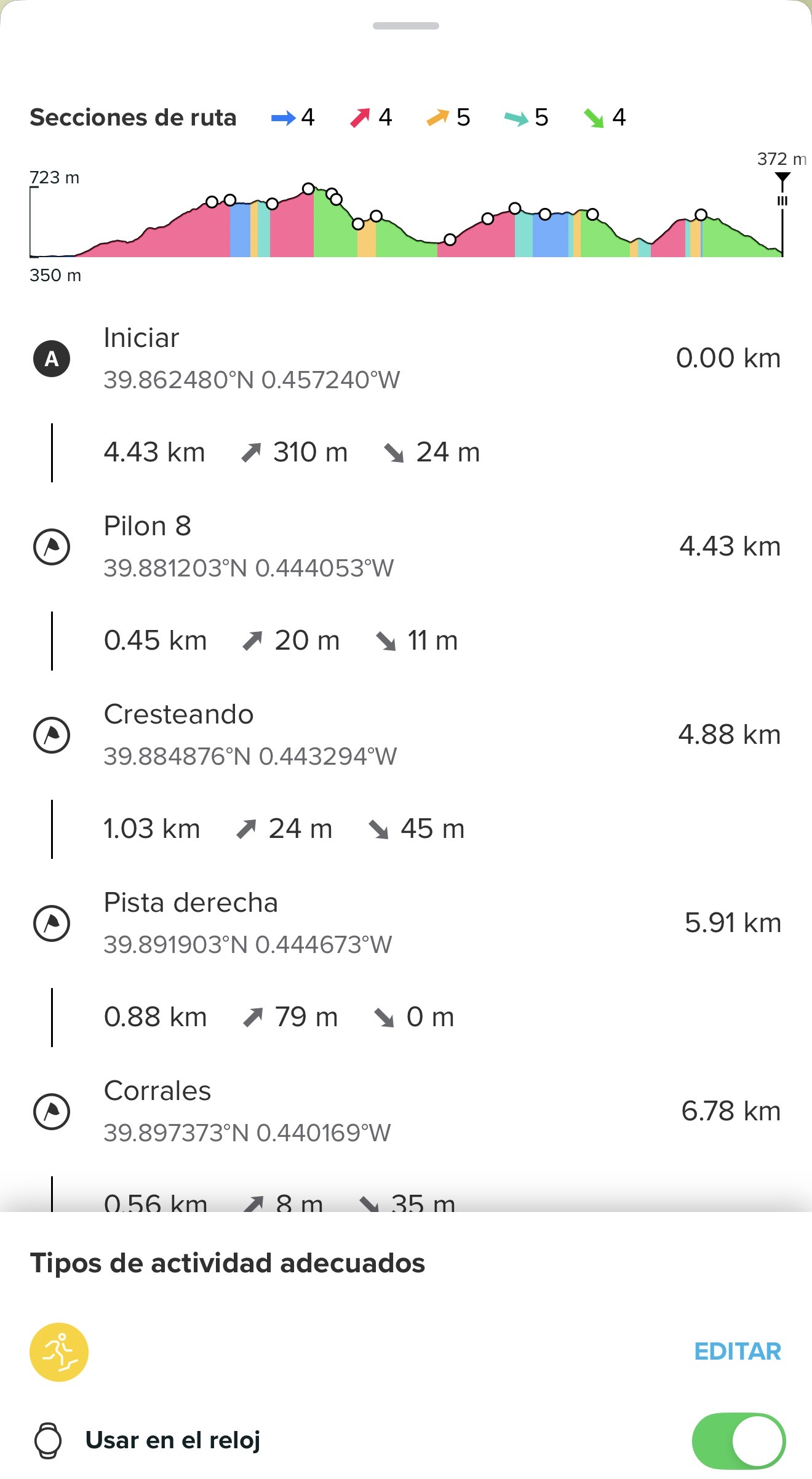
Considering the very nice post, If you don’t mind, I’ll add these 3 things that are more improvements/feature requests than bugs and just to have everything related to Climb Guidance with photos in the same thread.1.- Published by you a year ago @sky-runner Navigation with waypoints
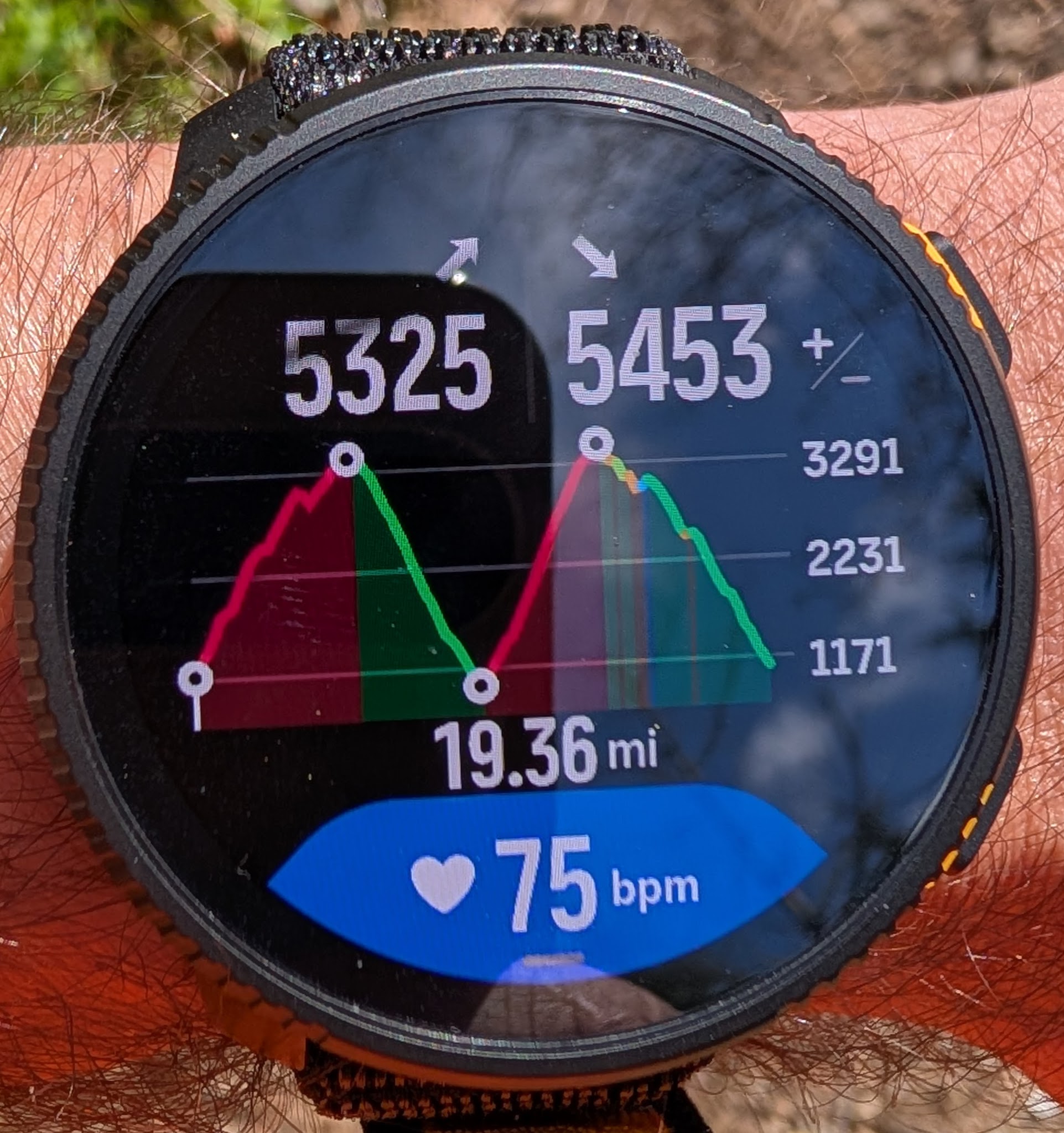
This is so important…When you go to a very long ultra race, the very first thing we usually study is the profile of that race.The Coros implementation you referenced can be improved with what did Amazfit. This shot:
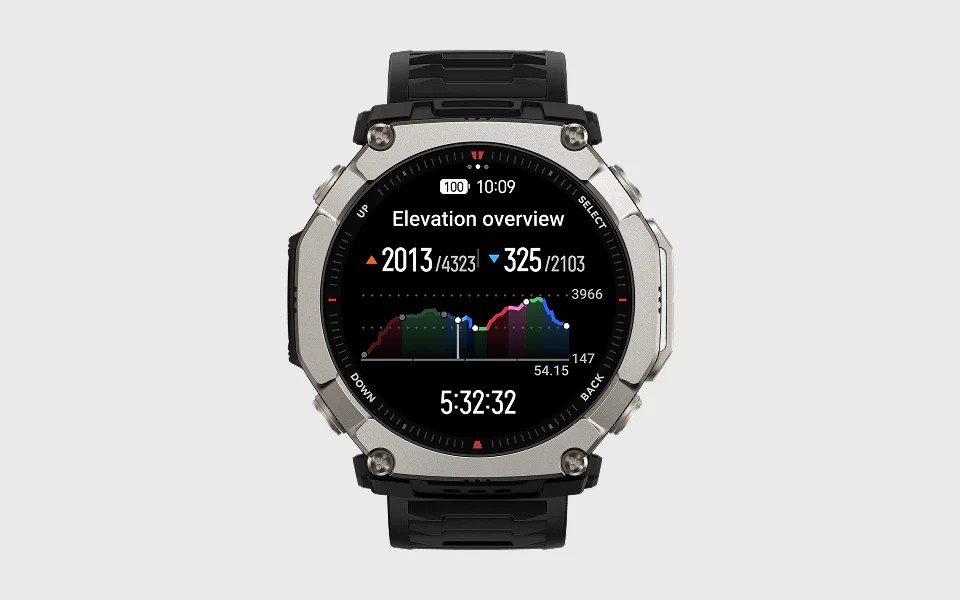
As you can see, is much cleaner setting the colors of the climbs and changing the waypoint icons Coros used, with just white dots. Nothing more, clean and perfect.
This is important because in a very long run, those icons Coros has can overlap.2.- Profile between checkpoints or AID stations
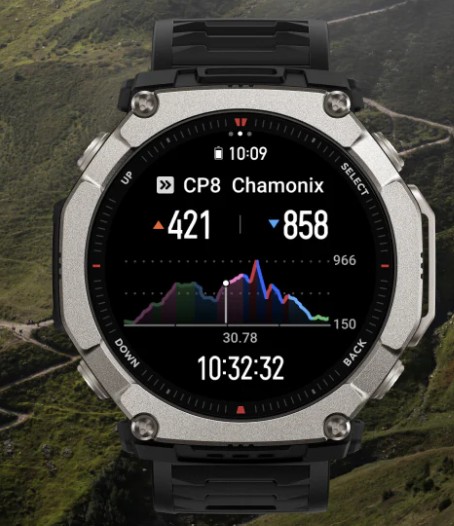
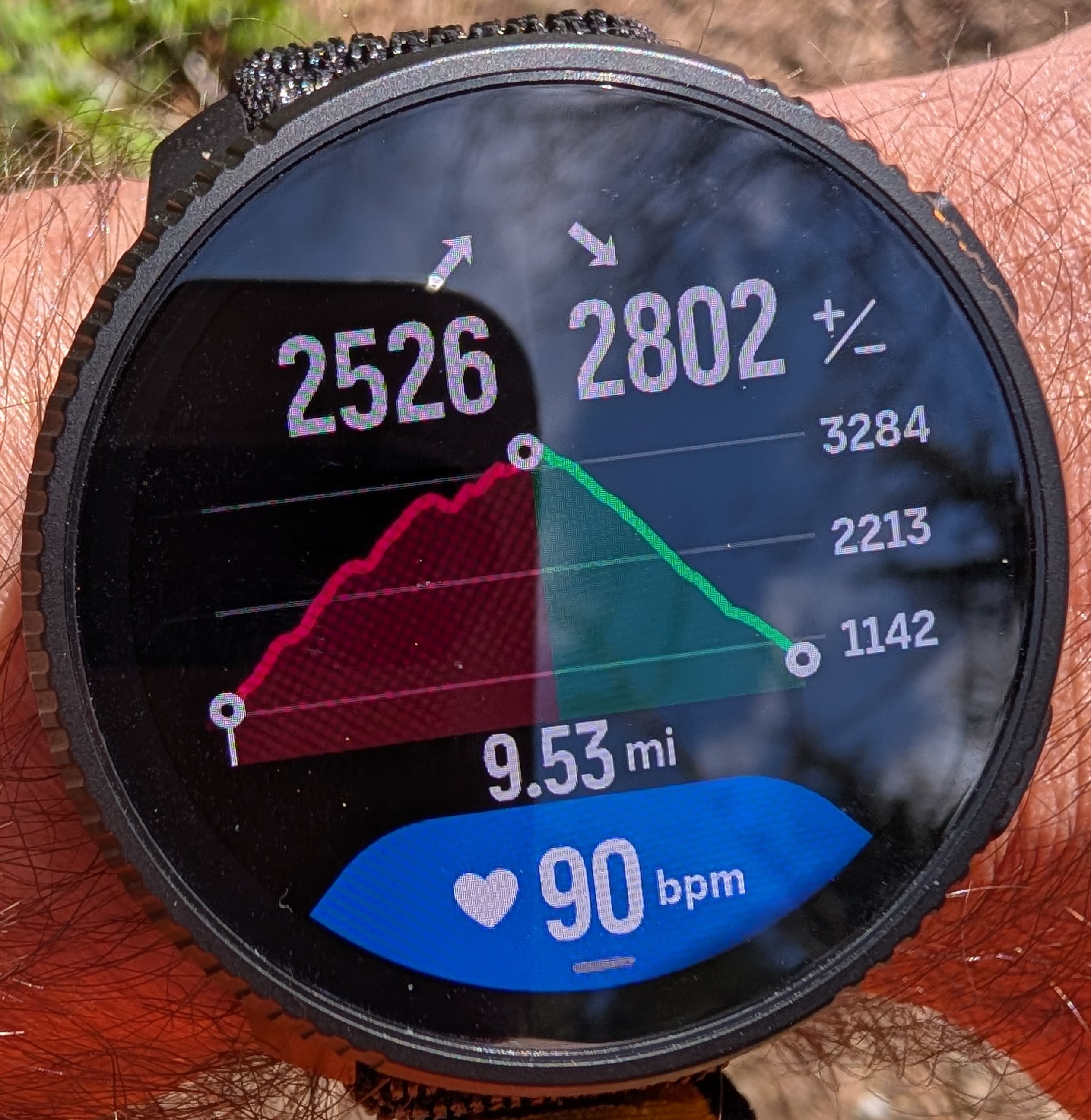
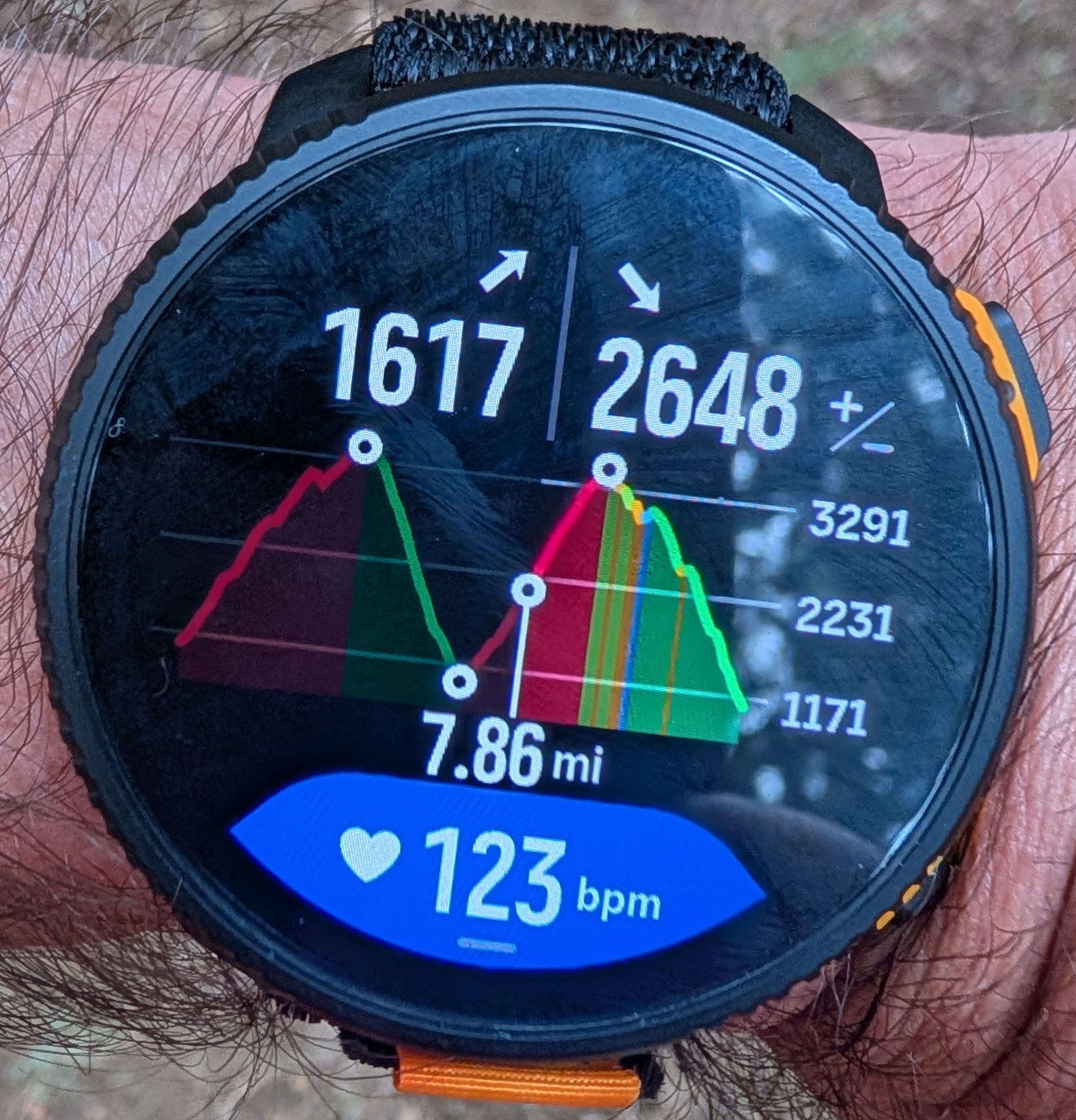
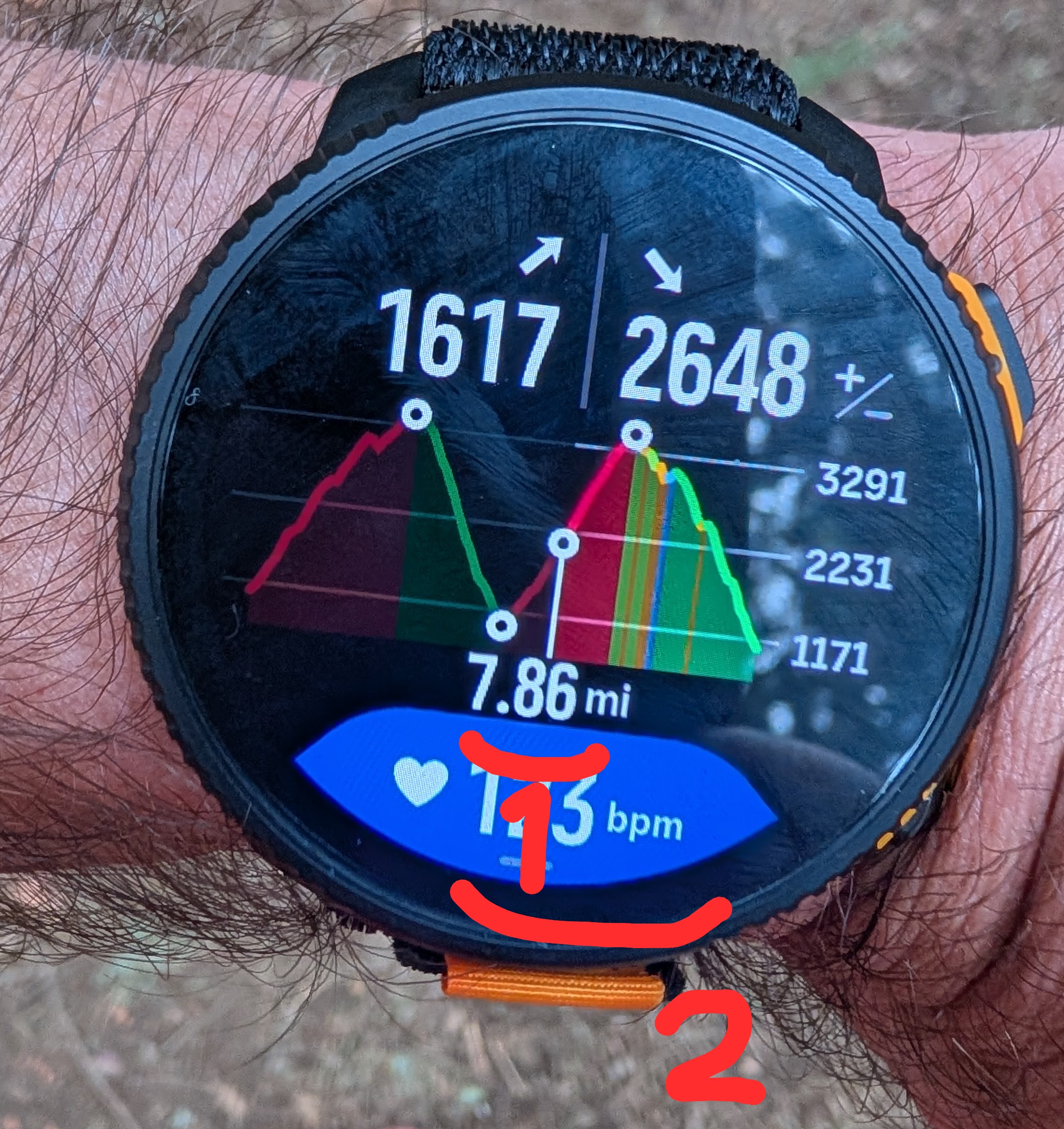
This image resumes:- Profile between Checkpoint (AID Station) 7 and Checkpoint (AID Station) 8:
- Positive and negative meters remaining between both checkpoints
- Climbs between both checkpoints.
This is very important because in a long race what we usually do is segmentation between AID stations. We do want to know at which part of that segment we are and how much is remaining (positive and negative meters) to the next checkpoint. As explained in more detail in the referenced thread, this has a lot more sense that knowing in which climb we are of a very large number of remaining climbs.
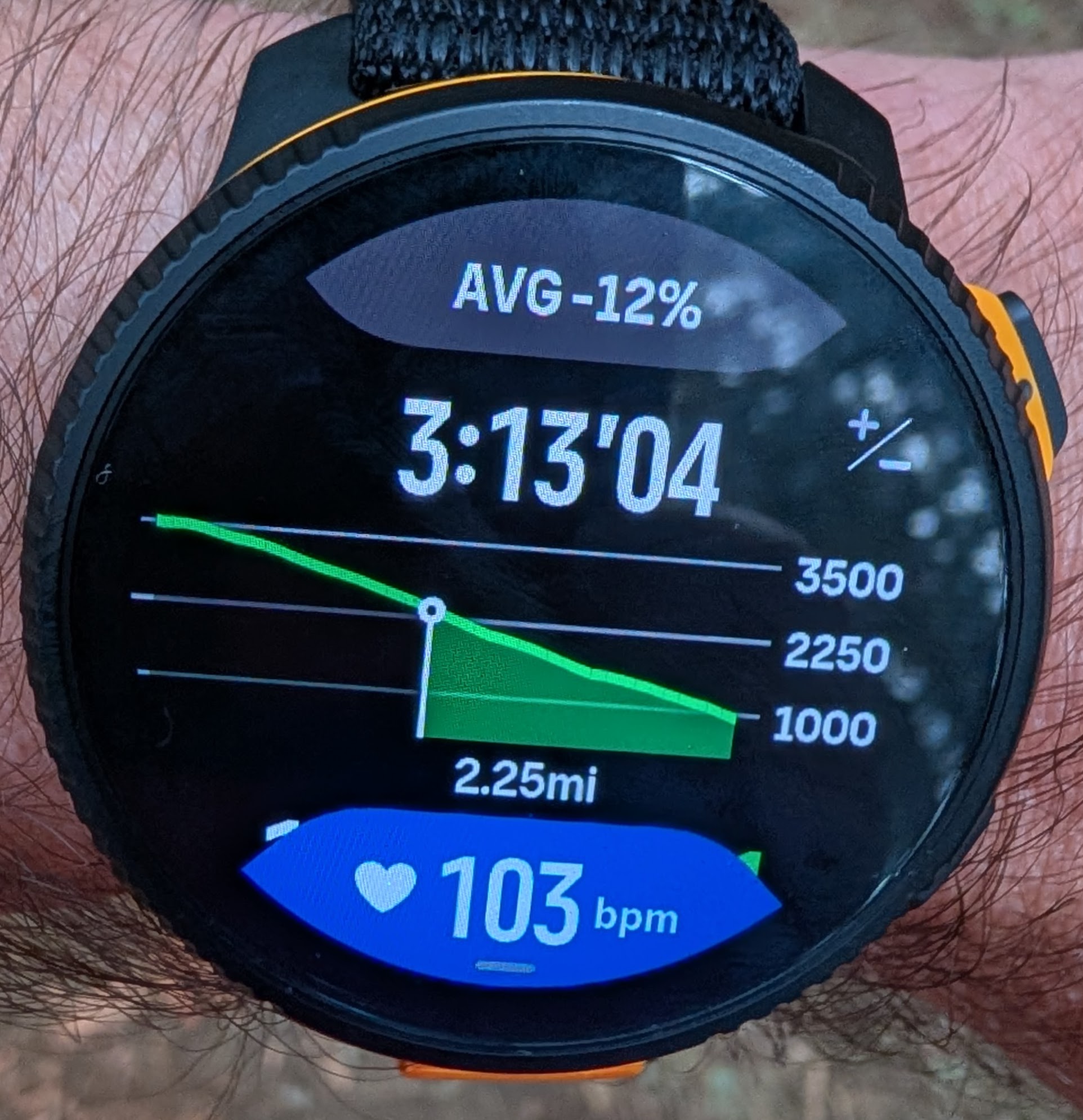
3.- Somehow related, and for a watch that has a Climb Guidance feature, this should be considered as a bug-improvement:
Altitude navigationThis screen:
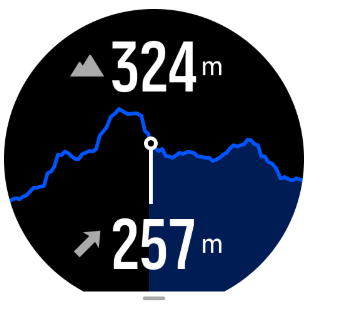
Should be more similar to 1. Climb colors and waypoints should be there for the watches that support Climb Guidance.
Suunto Vertical 2 Titanium Sage, Suunto Run
-
-
This is a phenomenal post. Thank you for taking the time to detail these and hopefully they’re in line to get addressed!
-
I used to live about 20 minutes from that route and miss those types of runs so much. What an awesome run that must have been this time of the year.
-
-
@dreamer_ Thank you for the detailed feedback and for taking the time to share these ideas.
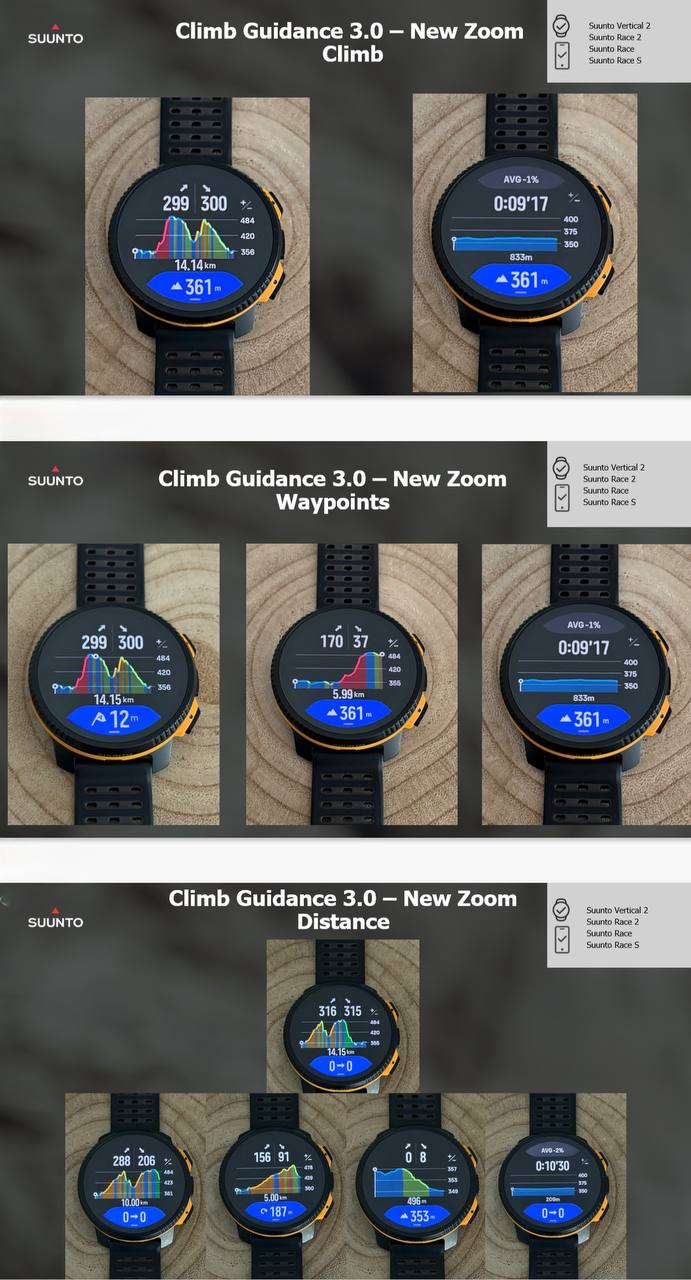
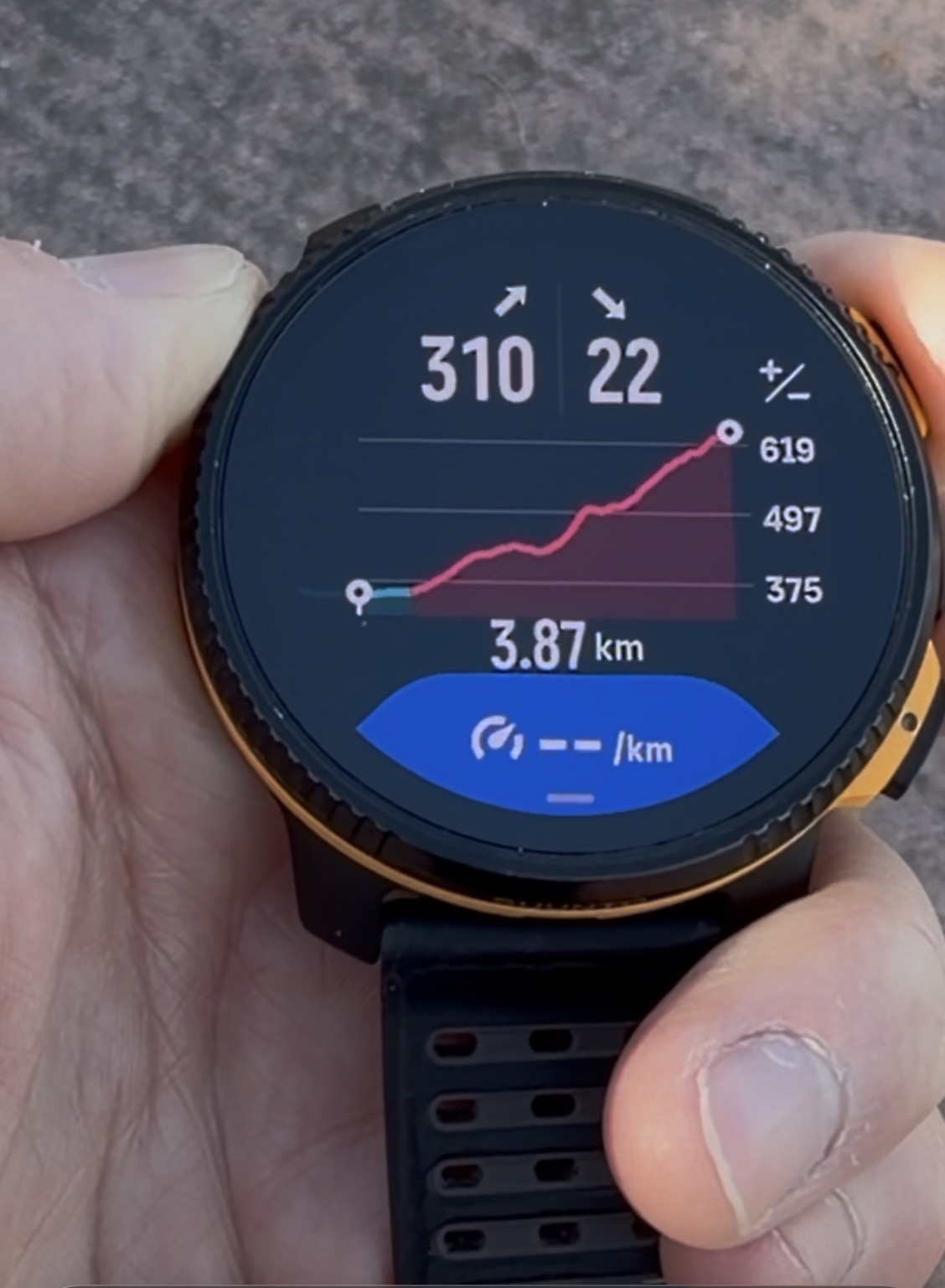
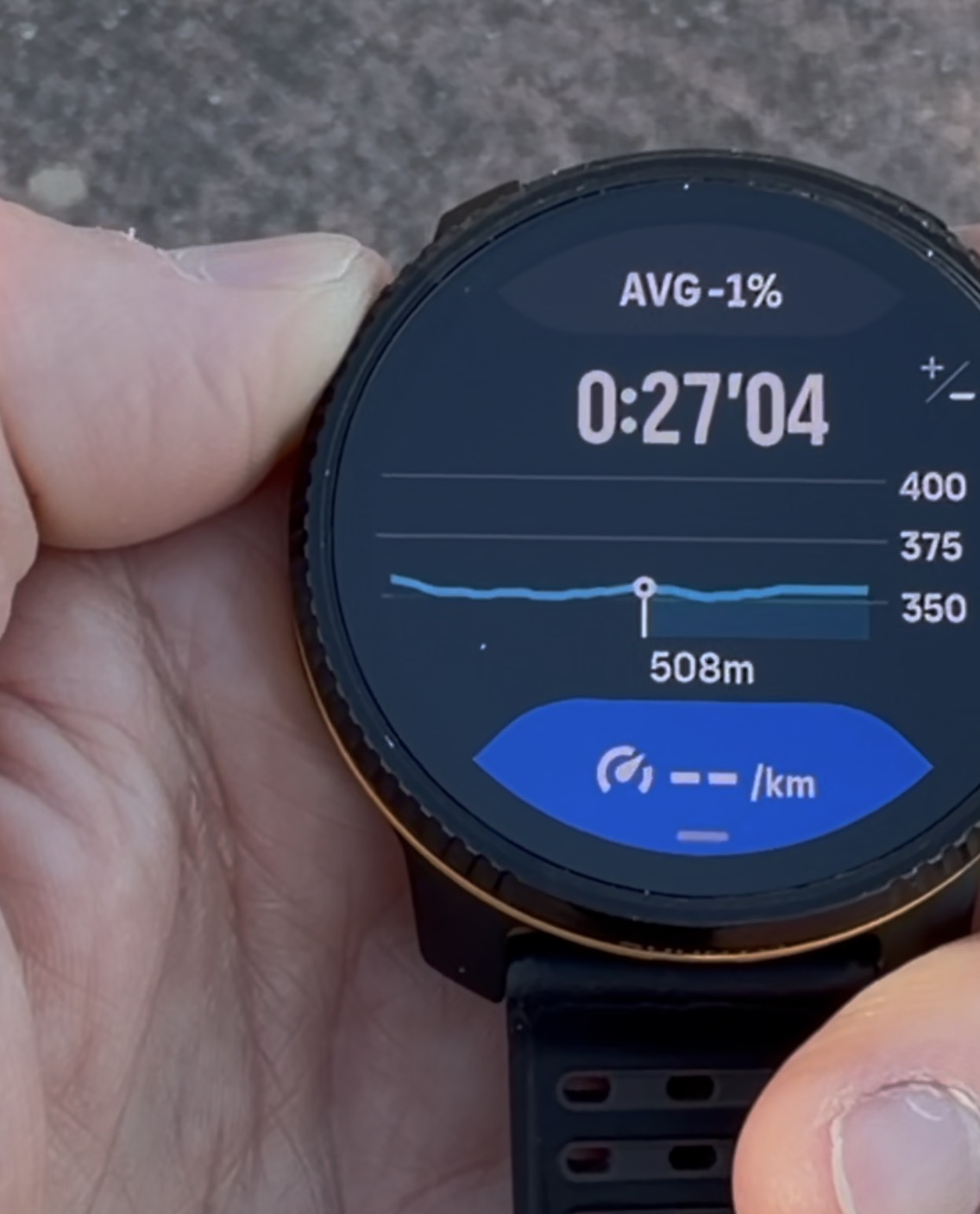
Since the last update, Climb Guidance 3.0 already offers three different zoom approaches that address several of the use cases you mentioned. You can also see this behaviour demonstrated in the video shared in the thread. In all cases, the final zoom level always focuses on the current climb segment.
Segment based zoom
This mode shows the full elevation profile of the route while allowing you to zoom directly into the current climb segment. It provides context of the entire route while keeping the focus on the climb you are currently tackling.Waypoint based zoom
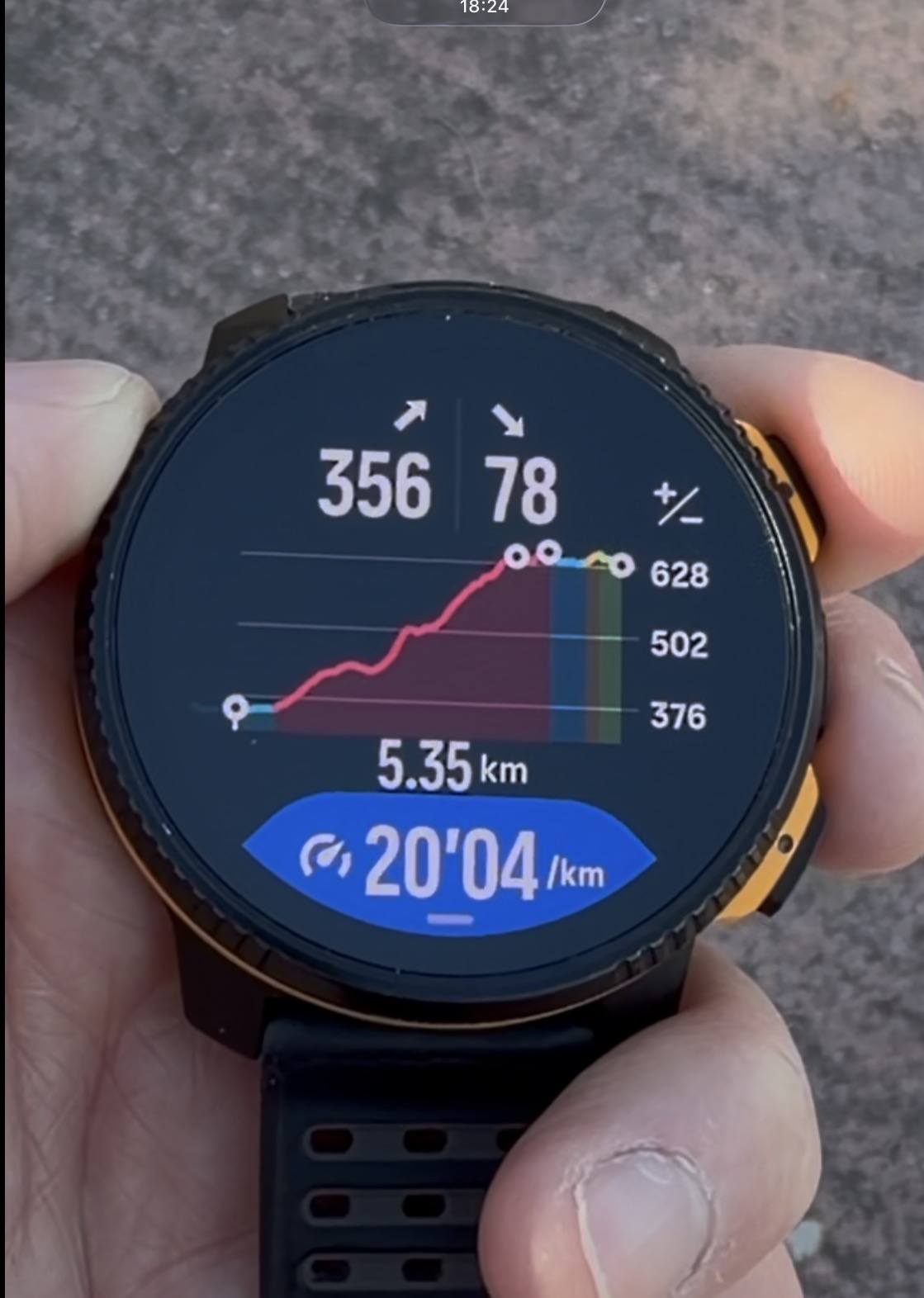
When waypoints are added to the route, the system automatically segments the profile between those waypoints. The zoom view can display up to the next four upcoming waypoints and the final zoom level always focuses on the current climb segment. In this view you can clearly see ascent, descent, distance, altitude and any customised metric in the lower data field.Distance based zoom
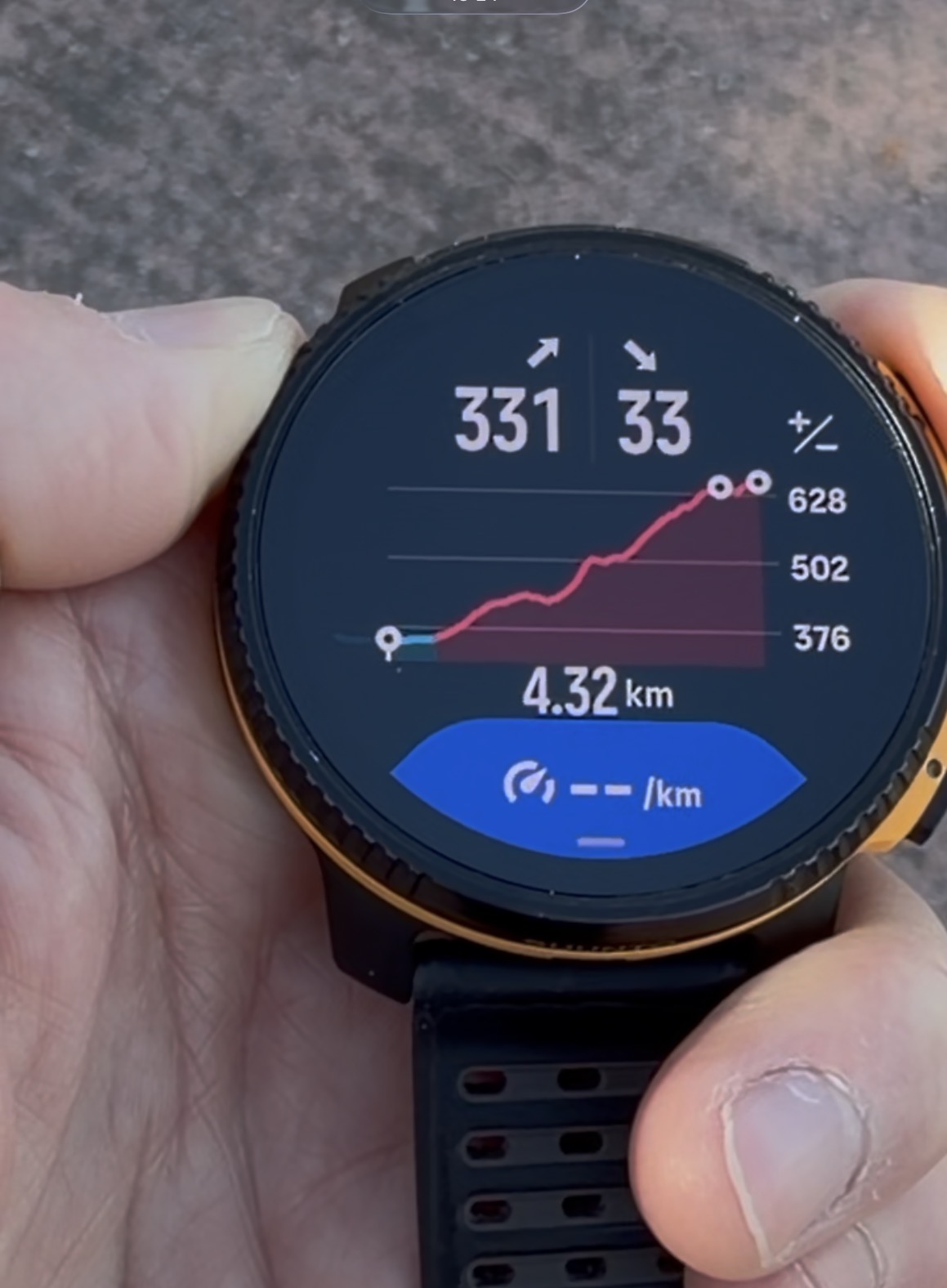
The profile can also be explored using distance based zoom levels such as the next 10 km, 5 km or 500 m. As with the other modes, the final zoom level always focuses on the active climb segment.
Regarding the comparison with other implementations, it is worth noting that many solutions simply highlight climbs and descents without true segmentation or contextual zoom levels. While Climb Guidance can certainly continue to evolve, the current implementation already provides a very detailed and structured view of the elevation profile.From my experience testing climb guidance implementations across many different devices and platforms, Suunto’s current approach, while not perfect, is by far the most complete solution available today. It provides a level of segmentation, contextual zoom and information density that other implementations simply do not offer while still maintaining excellent readability during long activities. In real world use, especially during ultras or long mountain efforts, this balance between clarity and depth of information makes a very significant difference.
Technical & Product Specialist – Suunto Iberia
-
@Joaquin thank you so much for taking you time for the very detailed post. This is so nice…
I just need further testing because for the trail runner, this changes things (by a lot). -
@dreamer_ I’m really happy to see you here. You’re a very discerning user and I truly appreciate that you also take the time to recognize the positive things. That kind of balanced feedback is very valuable for us.
Please don’t hesitate to reach out to me privately anytime if you have comments, ideas, or suggestions. I would genuinely appreciate it, and I’m always happy to pass them directly to our team. Your input is truly valued.
-
@Joaquin said in [Vertical 2, 2.53.42] Map and Navigation features are greatly improved but there are still a lot of old issues and also new bugs introduced in the latest update:
@dreamer_ I’m really happy to see you here. You’re a very discerning user and I truly appreciate that you also take the time to recognize the positive things. That kind of balanced feedback is very valuable for us.
Please don’t hesitate to reach out to me privately anytime if you have comments, ideas, or suggestions. I would genuinely appreciate it, and I’m always happy to pass them directly to our team. Your input is truly valued.
Thank you so much @joaquin . I’m quite impressed about how much Suunto has improved the software from the previous generation. Really nice work
-
@dreamer_ btw, you can check all new update in this PDF.
Some points very importants for experts users like you:https://we.tl/t-mdAFQfunNp2pyc2a
LAUNCH NOTES Q1 - 2026
Race S, Race, Race 2, Vertical, Vertical 2
LAUNCH NOTES – PAGE 1
• Smart Navigation
– Smart OFF ROUTE
(intelligent off-route alerts based on speed, direction and distance)– Off-route guidance
(distance and direction to the closest point of the route)– Track Back
(automatic route creation based on breadcrumbs)– Smart Autozoom Turns
(dynamic zoom when approaching a turn based on distance, direction and speed)– Climb Guidance 3.0
– Smart consecutive turn management
(the next turn is not shown until the current one is completed if turns are <20 m apart)– Customizable map data field
(up to 5 configurable data fields such as HR, power, distance, etc.)• Configuration from the watch
– Enable / disable ascent and descent notifications in Climb Guidance
– Enable / disable turn-by-turn navigation
– Enable / disable Smart Autozoom Turns– Automatic routing during activities using Suunto App offline maps
(requires Suunto App update in April)LAUNCH NOTES – PAGE 2
• Maps 2.0
– Maximum map detail at 500 m zoom
– City names
– Important place names
– Peak names– Contour line altitude labels
– POIs displayed on the map
(bar, hospital, water source, parking, etc.)• New elevation model for route planning
– Updated elevation model used when creating routes in Suunto App
– Built using more than 135 different elevation data sources
– Reduces noise previously observed on steep terrain
– Provides more accurate ascent and descent calculations
when planning routesLAUNCH NOTES – PAGE 3
• Swimming
– Swimming drills support
– Manual Lap button for pool intervals• Training and Metrics
– New HRR (Heart Rate Recovery) metric in training analysis
– Heart rate and power broadcast
– Ascent goal during activities
• Sport mode experience
– Option to enable touch screen during activity
– Option to disable autolap notifications
(for intervals created directly on the watch)– New icon for the data field
“% incline last 100 m”– New data field
distance to next turn• Daily Smart Experience
– Specific alarms by day
– Independent notifications and sound settings
(daily use vs activity)– Sunrise time added to Morning Report
– “Go Around” numbers when selecting values
– Improvements in navigation menus
COMMENT – TURN GENERATION IN GPX ROUTES
Many GPX files only contain the track geometry and do not include reliable turn instructions.
Some platforms generate turns automatically based on the curvature angle of the track. For example, if a curve exceeds a certain threshold (such as 30°), a turn alert is created.
While this approach may appear convenient, it also introduces important limitations and potential risks. Natural terrain curves can easily exceed this threshold, which may lead to false turns, missing relevant turns, or incorrect navigation alerts.
For this reason, Suunto does not automatically generate turns from GPX curvature alone.
Accurate turn-by-turn guidance requires either:
• Routes created or edited directly in Suunto App, where the platform has full and updated map information
• Devices capable of generating turns using their own onboard cartographyCurrently only one manufacturer uses full onboard cartography to generate turns directly on the device. Most platforms, including Suunto, use track overlays on maps rather than full map-based routing engines.
If you have used GPX files with automatically generated turns on other devices, you may already have noticed situations where false turn alerts appear simply because the track curvature exceeds a certain angle threshold.
Until a more reliable solution is available, Suunto prioritizes accuracy over automatic generation, ensuring that turn instructions are only created when they can be trusted.
I think this can really help you with your navigation!
Technical & Product Specialist – Suunto Iberia
-
@Joaquin said in [Vertical 2, 2.53.42] Map and Navigation features are greatly improved but there are still a lot of old issues and also new bugs introduced in the latest update:
Accurate turn-by-turn guidance requires either:
• Routes created or edited directly in Suunto App, where the platform has full and updated map informatio
Does this also apply to the Suunto web route planner?
-
@snow said in [Vertical 2, 2.53.42] Map and Navigation features are greatly improved but there are still a lot of old issues and also new bugs introduced in the latest update:
Does this also apply to the Suunto web route planner?
That’s right, they use the same engine, and although you don’t see the turns in Routeplanner, the app displays the turns of the routes drawn in Routeplanner.
-
@Joaquin said in [Vertical 2, 2.53.42] Map and Navigation features are greatly improved but there are still a lot of old issues and also new bugs introduced in the latest update:
you don’t see the turns in Routeplanner,
That was exactly what I was wondering. Thanks for clearing that up!
-
@Joaquin said in [Vertical 2, 2.53.42] Map and Navigation features are greatly improved but there are still a lot of old issues and also new bugs introduced in the latest update:
@dreamer_ btw, you can check all new update in this PDF.
it would be very valuable to have such a detailed explanation with any firmware release, users would learn to use their watches at the best without wasting time trying to understand how things works
THANKS! -
@Stefano-M64 agree…this presentation is in Spanish for spain but It would be great to have something like this globally, as many of the complaints I sometimes see here or other forums, would be resolved.
Technical & Product Specialist – Suunto Iberia
-
@Joaquin said in [Vertical 2, 2.53.42] Map and Navigation features are greatly improved but there are still a lot of old issues and also new bugs introduced in the latest update:
this presentation is in Spanish for spain but It would be great to have something like this globally
It’s not really a problem, because, as far as I’m concerned, I upload your documents, videos and so on to NotebookLM and can then generate detailed technical reports in my native language. For me, at least, it’s a godsend!
-
@Joaquin said in [Vertical 2, 2.53.42] Map and Navigation features are greatly improved but there are still a lot of old issues and also new bugs introduced in the latest update:
@Stefano-M64 agree…this presentation is in Spanish for spain but It would be great to have something like this globally, as many of the complaints I sometimes see here or other forums, would be resolved.
Hi, since I found your document very useful, I took the liberty to translated it to english. It’s mostly based on automatized Google Translate function, but I had to edit some parts by myself, hope everything is correct;
-
@Stefano-M64 said in [Vertical 2, 2.53.42] Map and Navigation features are greatly improved but there are still a lot of old issues and also new bugs introduced in the latest update:
Hi, since I found your document very useful, I took the liberty to translated it to english. It’s mostly based on automatized Google Translate function, but I had to correct some parts by myself, hope everything is correct;
SUPER THANKS!!!
-
@Joaquin having such a document at the release of such a big update would be great. At least it was not available in this forum.
-
I think Suunto should do a better job themselves – precise presentation, description, and instructions. Same thing happened with the Vertical 1. For a long time, potential buyers could mostly find reviews of the very limited launch software – before the updates that turned it into a completely different watch. Quite a weird strategy.
The latest updates are potentially excellent marketing material. Particularly given the low number of new releases and the existing models on the market.
-
@maszop right.
Have you seen Janne’s extensive videos of the new features in January and then last week? -
@Gunnar full agree…we are working for the future
-
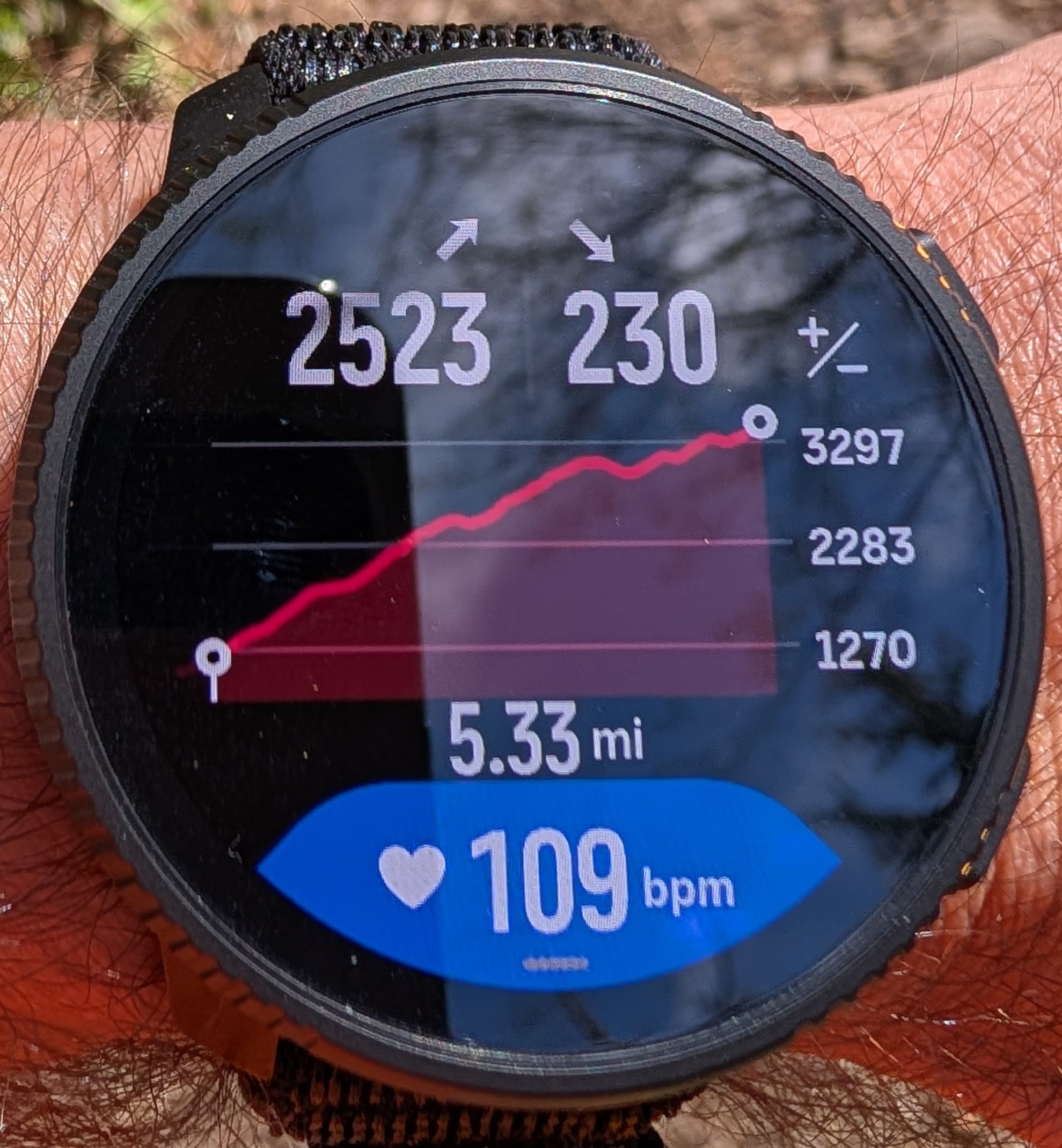
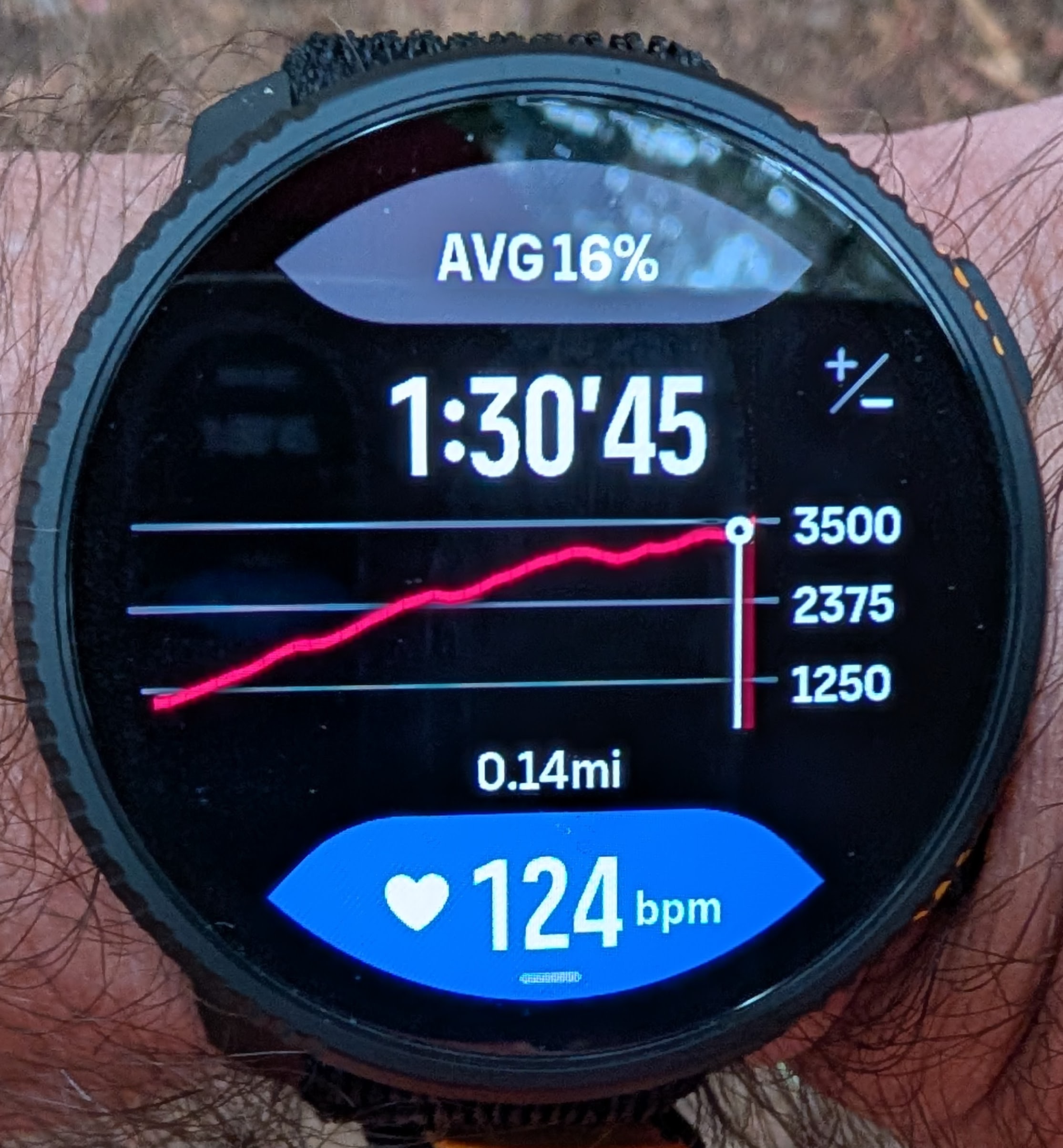
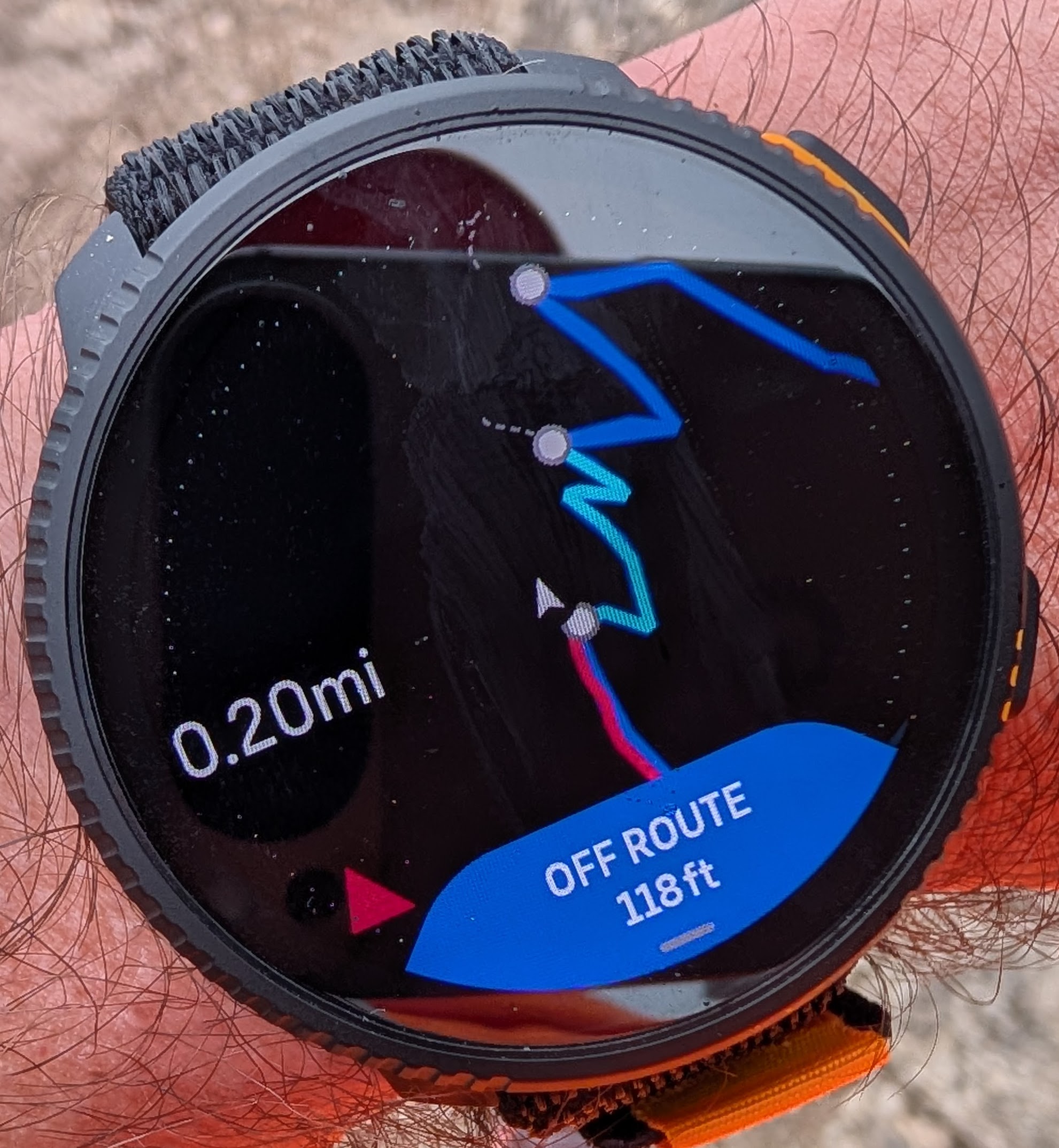
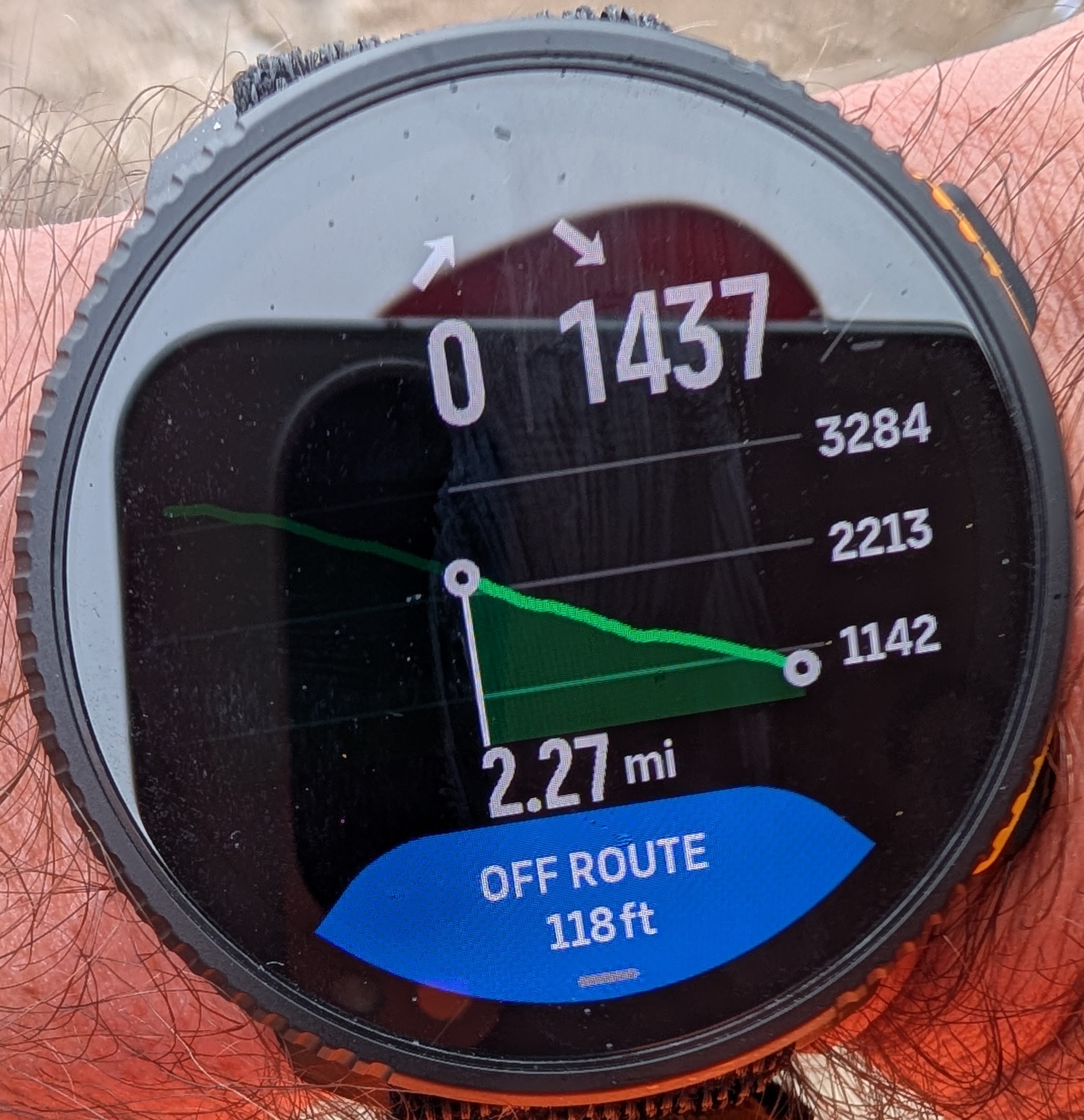
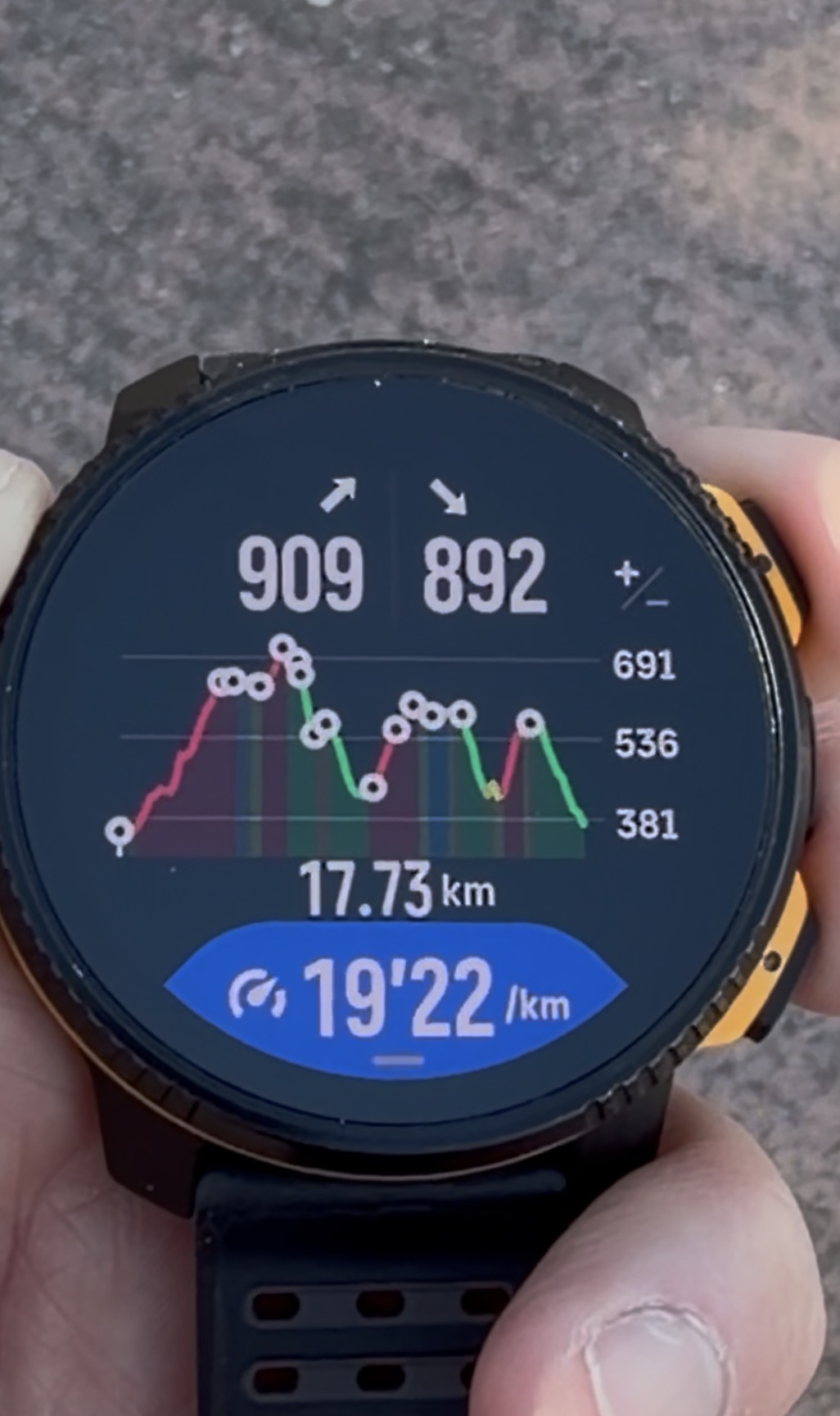
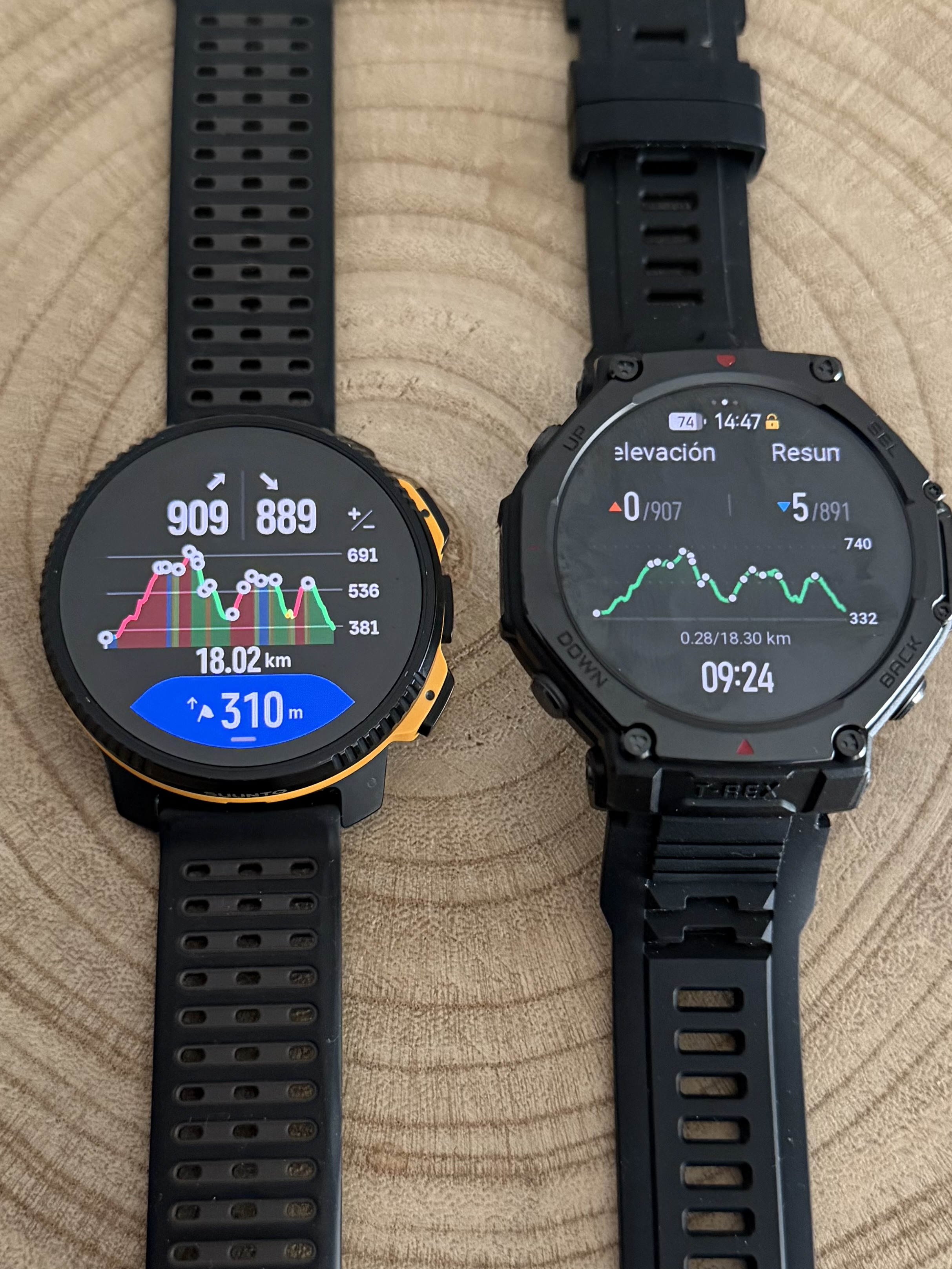
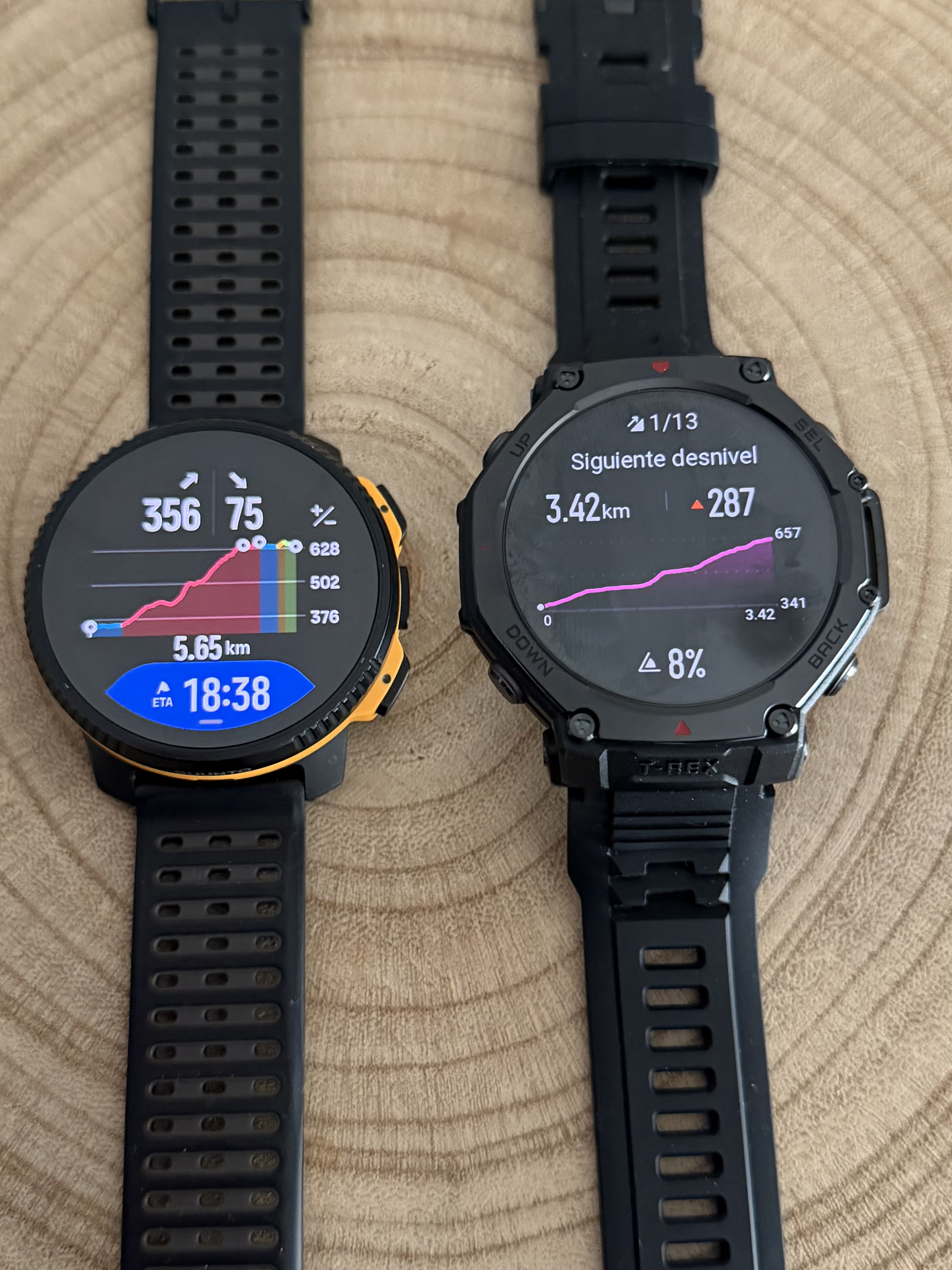
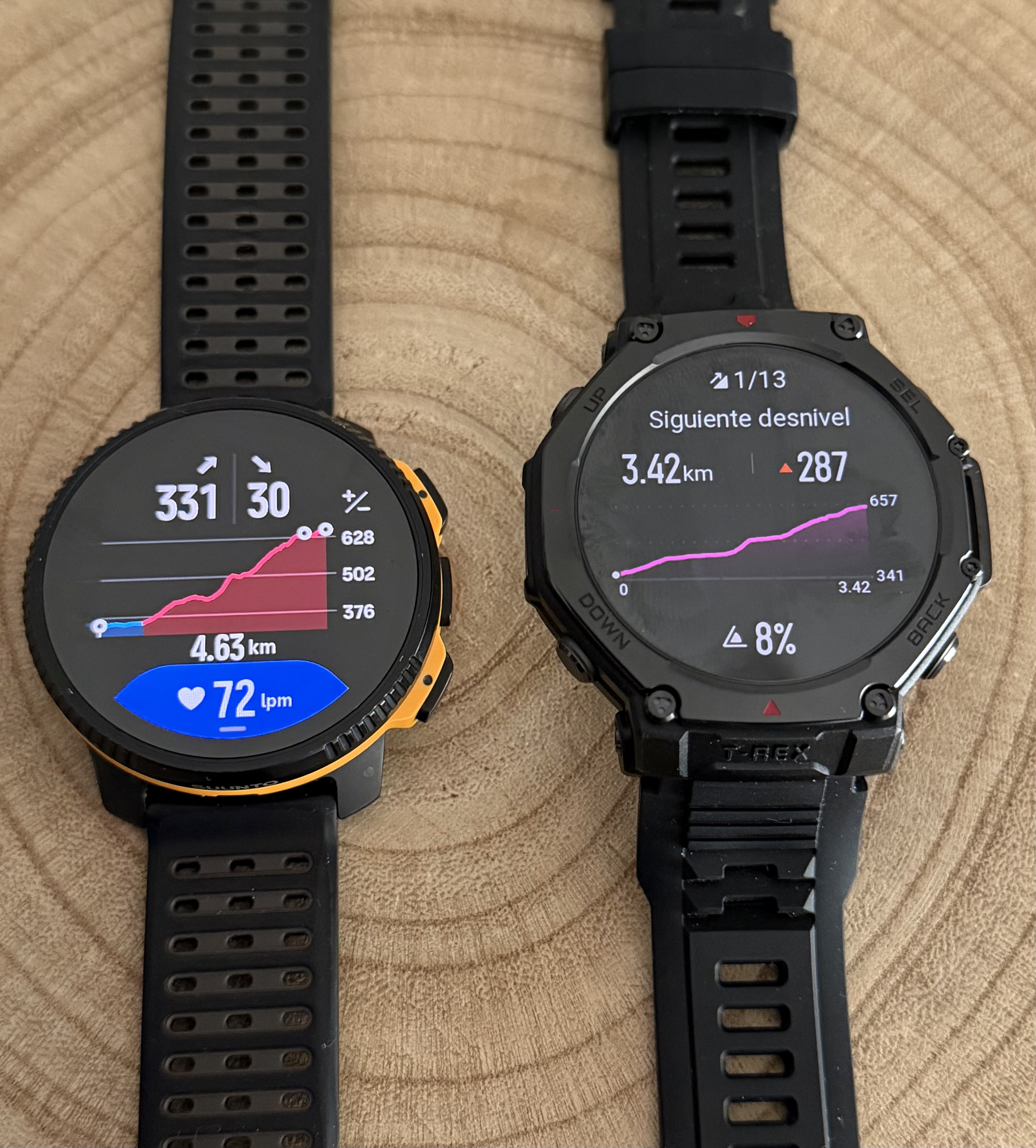
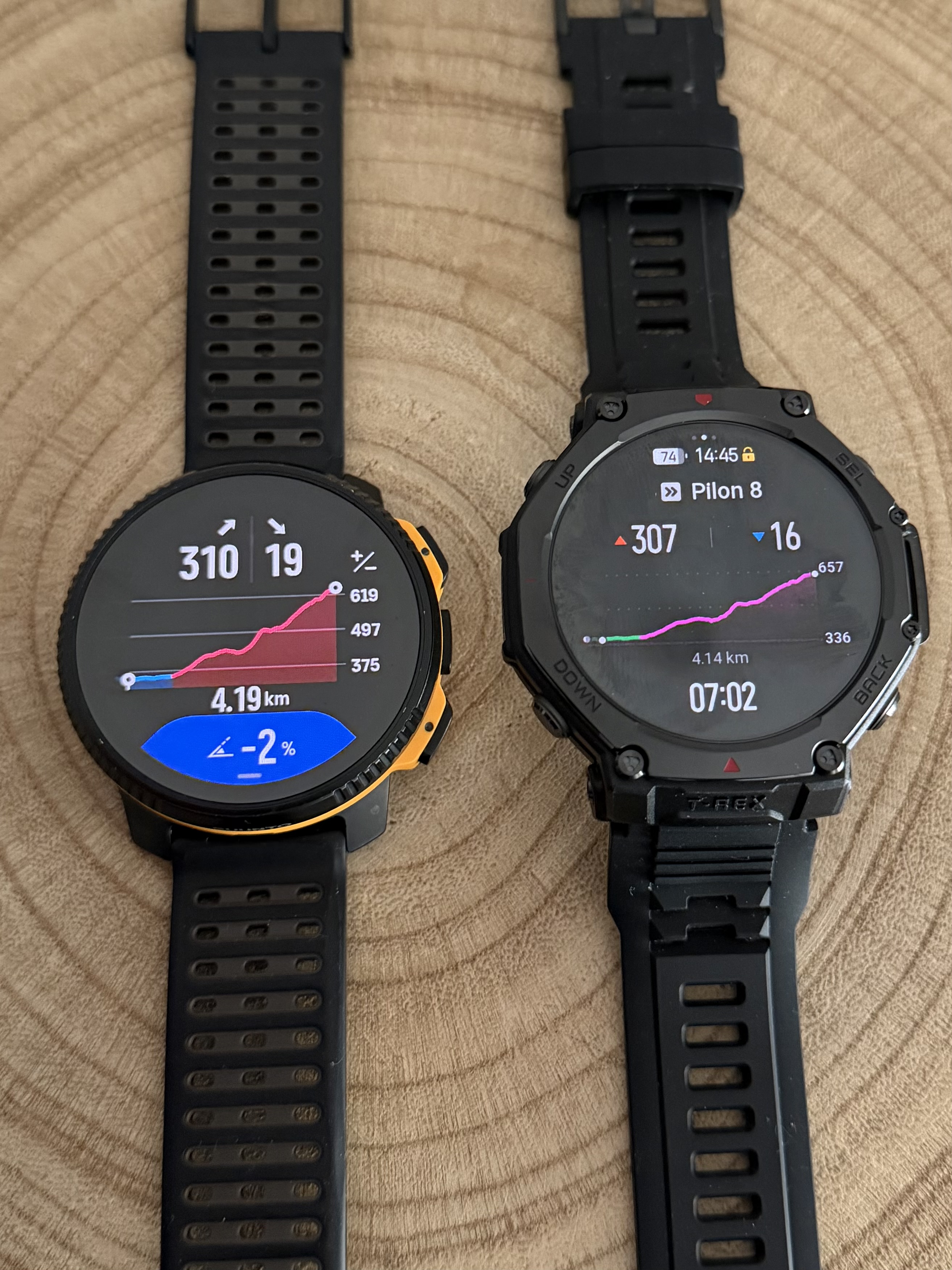
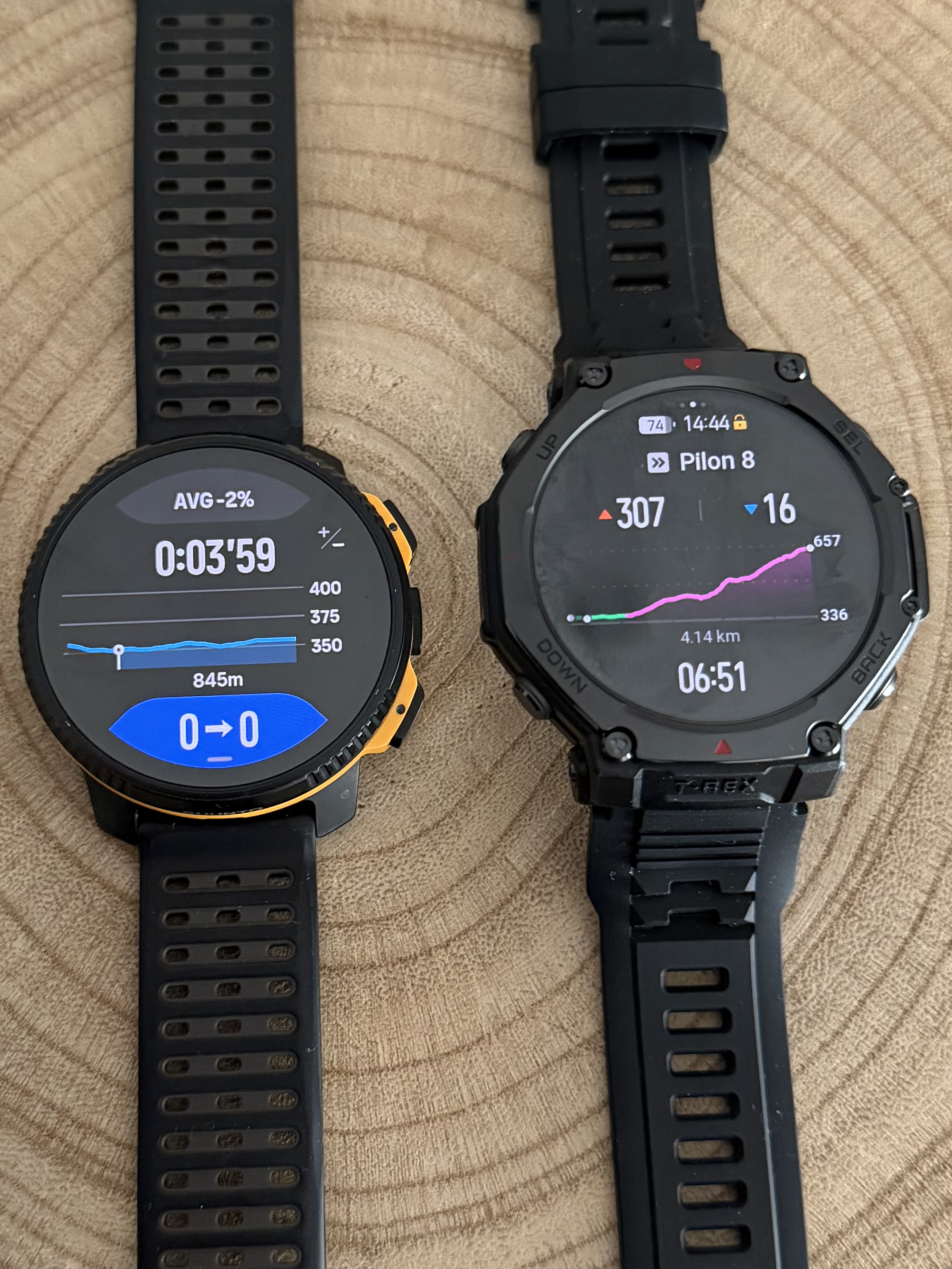
@dreamer_ Since you mentioned another brand that also uses climb guidance, I took the time to take a few photos for you.
Here you can see how we display routes with waypoints and how other brands present them. I am not here to say who does it better or worse, only to show how we approach it.
One thing I really appreciate is having five dedicated screens for Climb Guidance. This allows you to always understand exactly where you are on the climb and what still lies ahead.
The customizable data field is also a real differentiator. At any moment I can display heart rate, gradient, estimated arrival time to the next waypoint, remaining ascent to the next waypoint, ascent or descent of the current segment, and much more depending on the activity.
That is why I mentioned this earlier today. Suunto Climb Guidance is not perfect and there is always room to improve. We should always push for better. But honestly, the new Climb Guidance is already an incredibly powerful tool.
You are going to enjoy it a lot






Hello! It looks like you're interested in this conversation, but you don't have an account yet.
Getting fed up of having to scroll through the same posts each visit? When you register for an account, you'll always come back to exactly where you were before, and choose to be notified of new replies (either via email, or push notification). You'll also be able to save bookmarks and upvote posts to show your appreciation to other community members.
With your input, this post could be even better 💗
Register Login