[Discussion] Share your projects
-
I wanted to share my work on an Aerobic Guide with short-term decoupling feedback.
Background
I have a long background in automotive embedded software development, though not as a software developer. Now that I am retired I enjoy coding for fun and personal use. I have no intention of becoming a Suunto partner or putting this on the app store, so if anyone wants to use any of these ideas in their own app, please feel free to do so.
The app
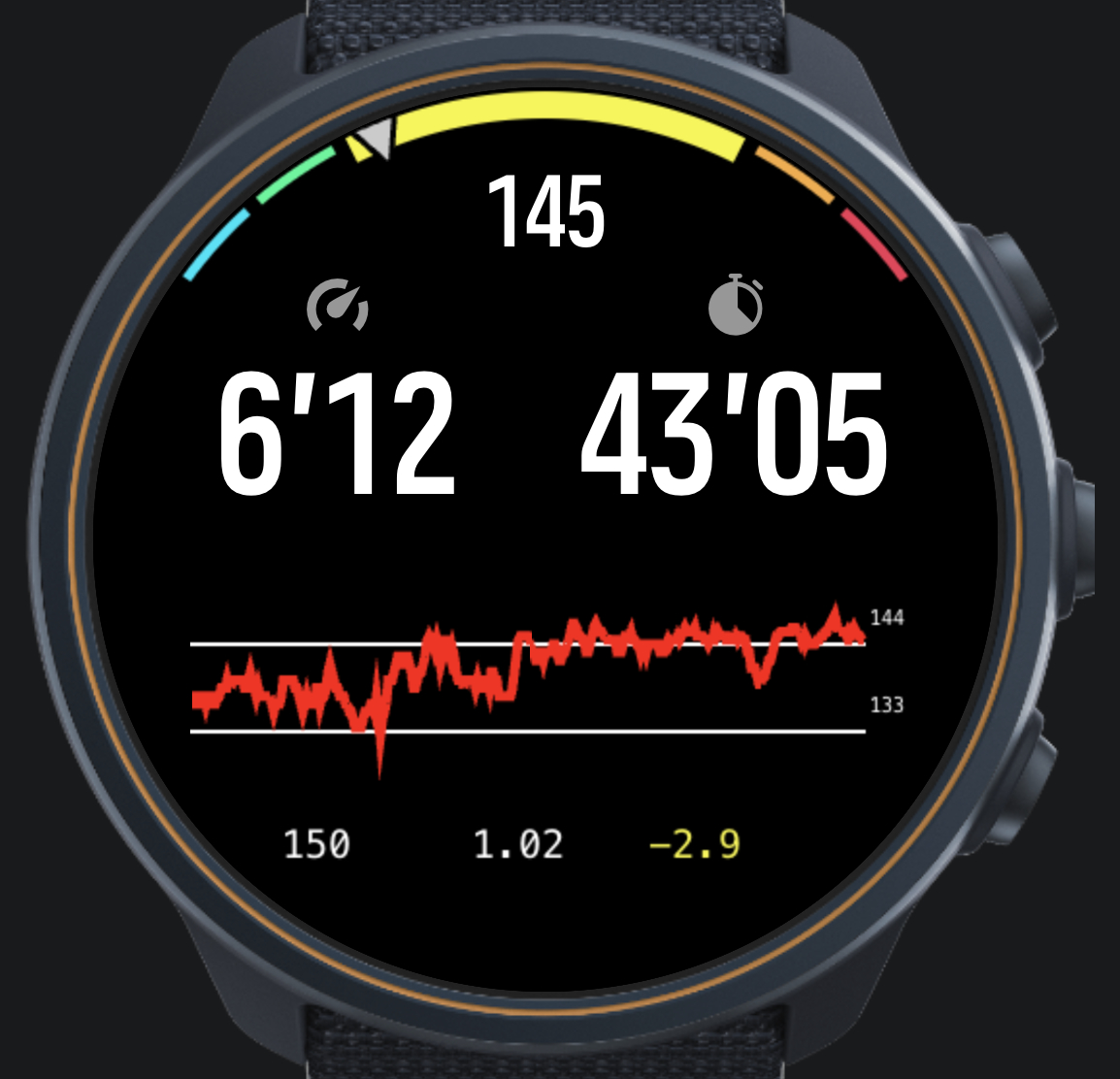
The app has three distinctive features.
The gauge
The gauge emphasises the current zone by enlarging its visual range and increasing the arc width. A quick glance tells you whether you are in the zone or not.
The HR chart
The chart is 350 pixels wide. Each pixel represents a 5-second average of HR, so you can see up to 29 minutes of history. Each time the chart fills up, 30 seconds of data scrolls off the left edge.
The Z2 zone boundaries are overlaid on the chart, making it easy to judge whether you are outside the zone because of a hill, whether you are in a stable situation outside Z2, or whether your HR is drifting up.
Compared to the built-in Suunto HR chart, this chart offers better resolution, does not require switching screens, and shows the zone boundaries.
That said, after evaluating good and bad runs from FIT files, it became clear that the HR chart alone is not a reliable indicator of fatigue and decoupling — hence the next element.
Dashboard
Below the chart, three values are shown from left to right:
- Current power (1-second)
- Current efficiency — power divided by HR (1-minute average)
- Short-term decoupling — slope of the efficiency curve (×1000)
This was inspired by the intervals.icu decoupling metric, but aims to provide a short-term, in-run indicator rather than a post-run summary.
The slope is computed by skipping the first five minutes, then performing a linear regression over the efficiency data. At most 20 minutes of data is used. The value cannot be directly translated to the percentage decoupling figure for a whole run, but the colour thresholds currently in use are:
Colour Threshold Meaning Green above −2 Stable / recovering Yellow −2 to −6 Drifting — consider slowing down Red below −6 Uncontrolled decline — stop or walk To arrive at these numbers, FIT files from real runs were replayed through a Python model. To keep this post manageable, I will cover that work in a separate post.
-
@matram neat idea! I wonder how heavy computationally and on the UI side it is. Let’s have a competition of who’s going to put the most into the S+ app without crashing the watch

-
M matram referenced this topic on
-
@Łukasz-Szmigiel
For sure I would have liked to do more of this in main.js but with no method of passing an array we are stuck with doing this on the UI side. I try to stagger things on different points in time.My impression is that some of the limits that are in the Firmware are more due to older watch models. This was tested on a Race S, that may occasionally feel a tad sluggish. I have a new Race 2 and will test on that also.
But I am happy to accept your challenge

-
@matram I’m not sure about the old hardware. Perhaps it’s the architecture? There’s a reason why Run got totally new firmware (v3) that’s incompatible with the current (v2). It’s still a mystery to me why I can run Constantin on my old S9PP (the first device with UI2) with navigation and notifications along ZoneSense or other heavy apps, and it doesn’t crash, but it does on Vertical 2.
-
I have previously shared my implementation of a structured interval guide.
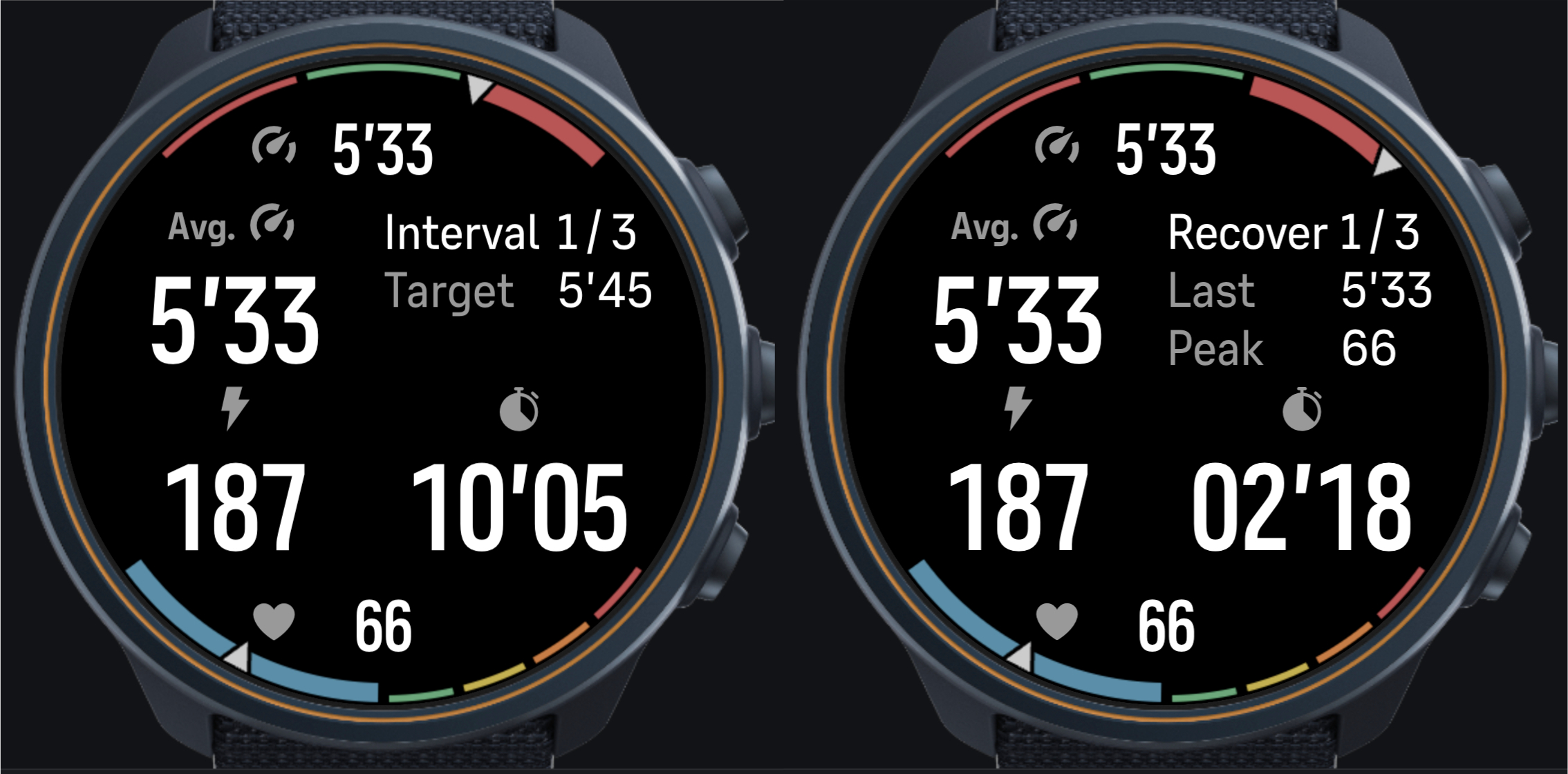
As it was not possible to upload FIT files to the watch I decided to implement the setup of a structured interval run on the watch like this.
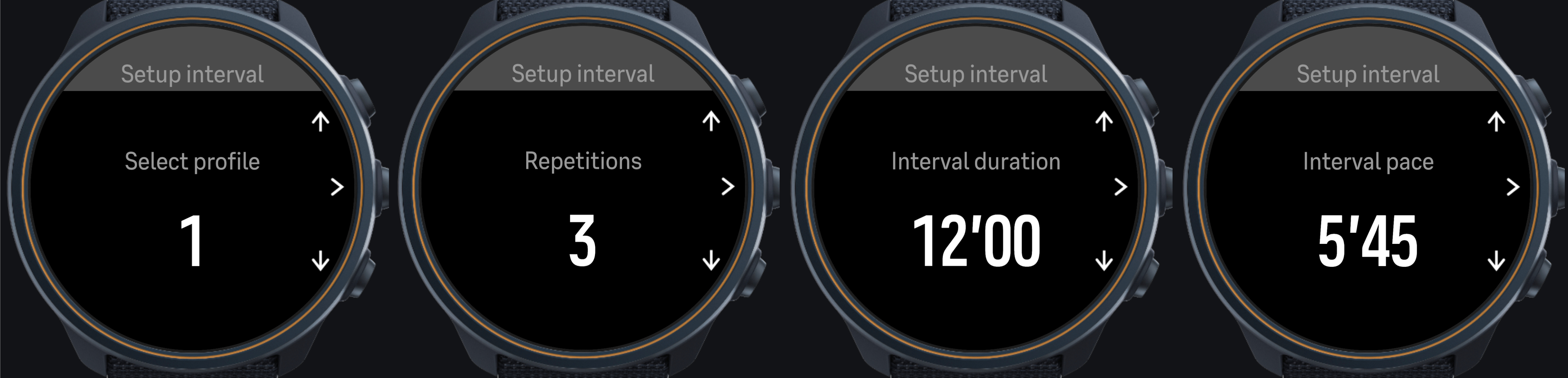
Three different interval profiles are stored on the watch. Initial defaults are:
2 x 12 min @ 101% of LT pace
5 x 6 min @ 107% of LT pace
10 x 1 min @ 113% of LT paceThe user can change repetitions, interval duration and pace. The new settings will be saved in the profile for the next interval run.
Speed zones are retrieved from the watch and used to set LT pace and reasonable pace for warm-up, recovery and cool-down. Recovery duration is set to match interval duration with a lower and upper limit.
The watch did not support creating four separate SetUp screens for the UI. So one screen was used in combination with setText for the label and parameter being changed.
To avoid problems with rounding effects in Suunto firmware, pace (seconds per kilometer) was used in main.js which was converted to speed (m/s) only when output.
-
Hello,
Here is my project to manage score in badminton with new rules with 3x15 points.
Source file can be fin in github /seb49/suunto-badminton-3x15
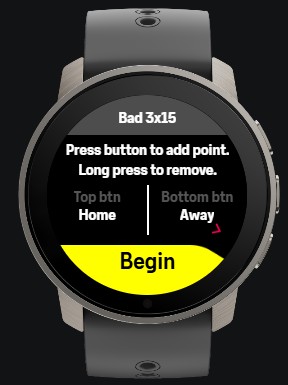
Welcome screen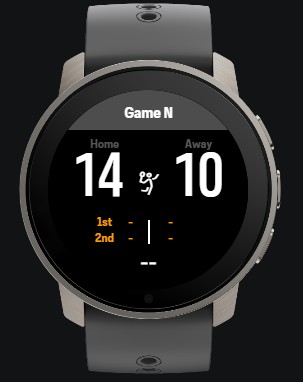
Main screen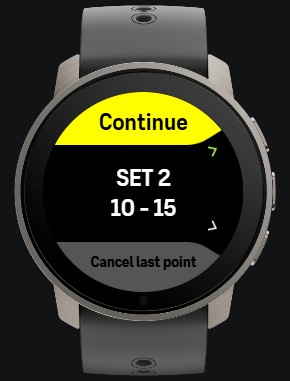
End set screen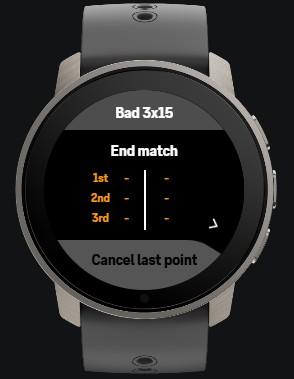
End match screenRegards
-
@aenzed Nice! I built a similar app, but without a Nightscout. Everything is local - Android app acts as a bridge, it talks to the pump and to the watch.
-
@Vadim-Frolov Oh that sounds a lot better than the mess I’ve been handling. How did you setup the system?
-
@Vadim-Frolov I have build an extension for my Karoo 3 and I am looking for a solution for my Suunto watch. Would you or @aenzed be open to share the details of your project for other T1Ds to also get their glucose levels on the watches?
-
Over the past weeks I’ve been building SuuntoPlus sports apps for my Race S, and along the way I put together a command-line toolkit that made the work a lot faster with Claude Code as it can simulate, test, and diagnose full development cycle other than real hardware tests. Everything is now public on GitHub, so I’m sharing it here in case it helps other developers, and because I’d love feedback and a few testers.
1. SuuntoPlus agentic dev env (the tooling)
www.github.com/aabbeell/suuntoplus-agentic-dev-env
Command-line and AI-agent tooling for building, measuring, deploying and debugging SuuntoPlus apps on a Mac without clicking through VS Code. It drives the official SuuntoPlus Editor extension (tested with 1.42.0) and its build library; it doesn’t replace them.
- sp-build: validates and builds an app for all displays from the terminal
- VS Code MCP bridge: a small extension that exposes build, deploy, simulator, screenshot and simulator log as tools, so Claude Code or any MCP client can drive the Editor
- watch-log: reads the connected watch’s system log (handy for spotting memory unloads and disabled apps)
- sp-mem: runs your app’s JavaScript in real Duktape 2.7.0 (the watch’s engine), counts allocated bytes, estimates the watch figure and counts canvas draw calls per frame
- safe-area: checks simulator screenshots for content clipped by the round display edge
- BLE capture example script for designing a Bluetooth sensor app
- WATCH_QUIRKS.md: things the real watch does differently from the simulator, collected the hard way
- A Claude Code skill for submitting an app to the store through API Zone
2. Suuntopo: multi-pitch climbing topos on the watch
www.github.com/aabbeell/suuntopo
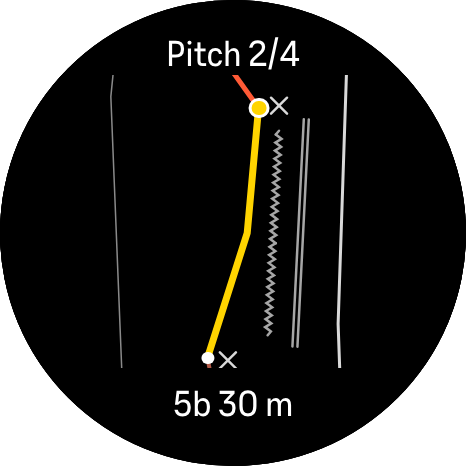
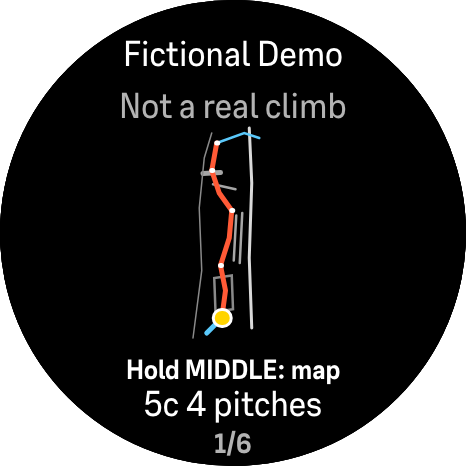
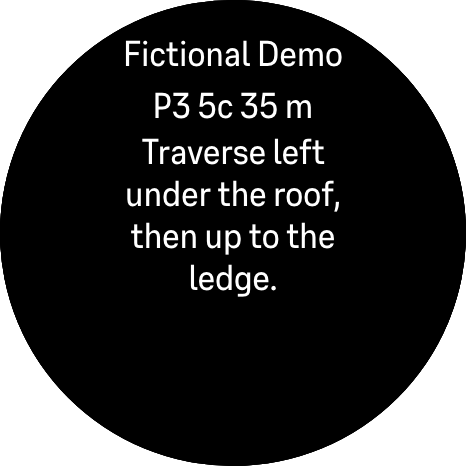
Draw a route in the browser topo editor (topo-editor.vercel.app, source in the same repo), copy it as one line, paste it into the app’s setting in the Suunto app and sync. On the watch you step belay by belay with the buttons: the current pitch is highlighted and auto-fitted, with grade, length and pitch notes. Short presses stay native, so lap and pause still work.
3. VarioLink for Suunto: paragliding vario display
www.github.com/aabbeell/suunto-variolink
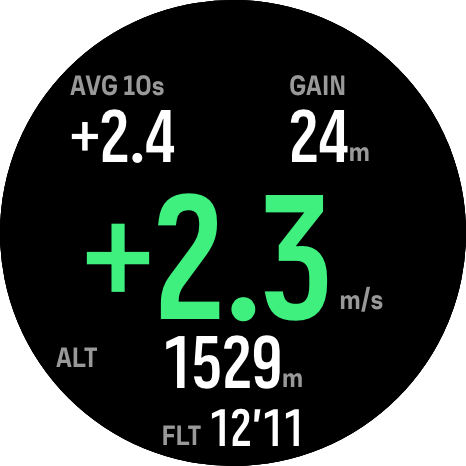
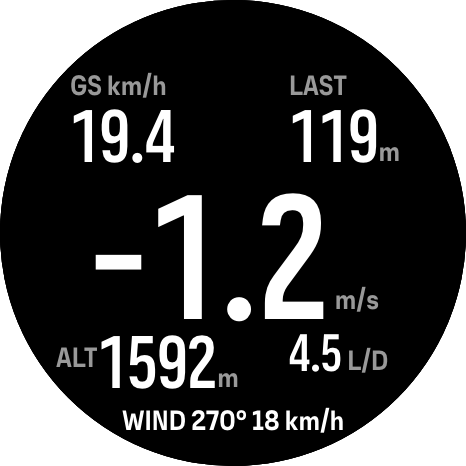
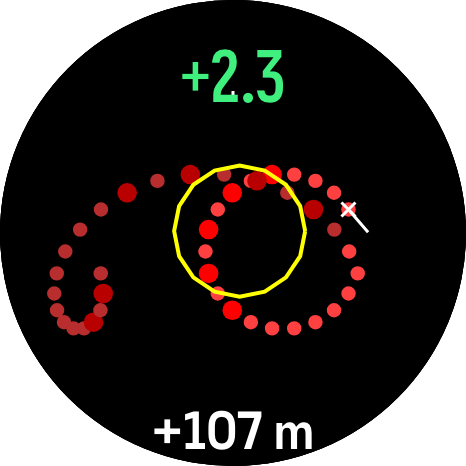
Shows a Stodeus UltraBip or BlueBip Bluetooth vario on the watch: big climb rate, average climb, thermal gain, altitude and flight time, logged to the exercise. Optional beta pages add ground speed, glide ratio, wind from your circles and a map of your thermal. Tested on watch and works but still needs some finetuning on the thermalling map also some real testing during paragliding
4. AirTemp for Suunto: real air temperature from a Bluetooth sensor
www.github.com/aabbeell/suunto-airtemp
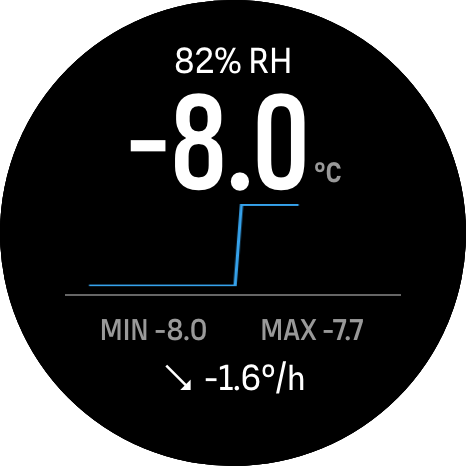
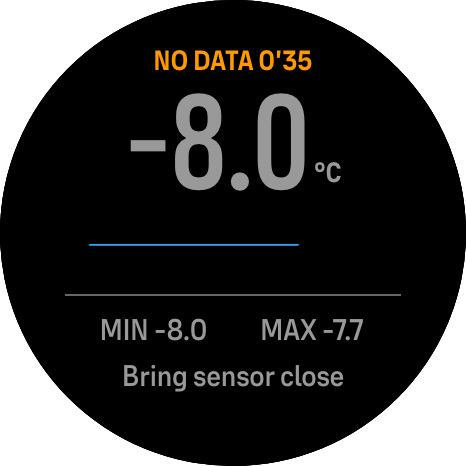
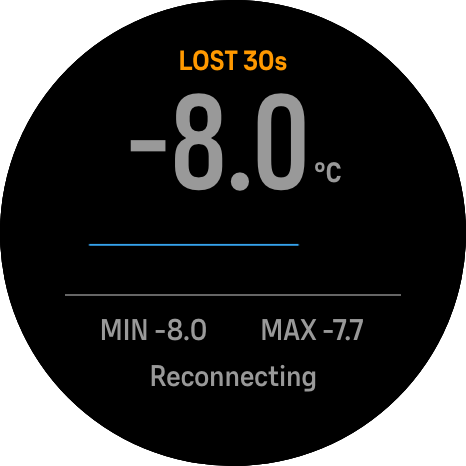
AirTemp reads a small Bluetooth sensor on the outside of your pack and shows air temperature, humidity, a graph, min/max and trend. Tested with a Xiaomi LYWSD03MMC (stock firmware) on watch; SensorPush, RuuviTag and standard Environmental Sensing sensors are supported in beta but untested.
*Screenshots are from the simulator (Race S, 466 px) with demo
What I’d love help with
- Testers on other watches (Race, Race 2, Vertical 2) and with sensors I don’t own (BlueBip, SensorPush, RuuviTag, other ESS sensors)
- Feedback from climbers and pilots on what’s actually useful on the screen
- Anyone who has hit the same simulator vs. watch differences: corrections and additions to WATCH_QUIRKS.md are very welcome
Thank you for suunto devs who opened the platform, this is the main reason im using suunto watch, and i think making it easier to create robust production apps by the community would be very beneficial to the platfform.
Thanks, and happy building!
-
@odivie I’ve got everything stored locally, but I’ll take a look if I can upload everything to github. I hardcoded my nightscout key in the beginning, so I’ll need to clear any insecure points. I’ll share the page/send you a message when I’ve done that.
I am working from iOS though, not android, so there’s a handful of hoops I have to jump through that won’t be necessary on android.


Hello! It looks like you're interested in this conversation, but you don't have an account yet.
Getting fed up of having to scroll through the same posts each visit? When you register for an account, you'll always come back to exactly where you were before, and choose to be notified of new replies (either via email, or push notification). You'll also be able to save bookmarks and upvote posts to show your appreciation to other community members.
With your input, this post could be even better 💗
Register Login