Weird GPS-bug: going backwards
-
Yesterday I had this weird bug on my Vertical 2. I was doing a 16 km run. And everything was fine. I had installed a route with no overlapping points. On the run I decided to make an extra lap in the forest. The consequence was that I had to ran the first km again. That’s never a problem.
On my watch I saw a few times that I ran – min/km. So I was scared there was some GPS-connection loss. I also saw the km was a bit too high. I know that last km, but it measured 1,5 km. Something was off.
It’s a very weird bug. According to the GPX it looses connection. After 150 m it gets connection again but it measures me going backwards. That’s really odd to me. I don’t know when GPS could measure you going backwards. It’s hard to show since I tracked back part of my run, so there are overlapping lines. Only the one on the end didn’t have overlap, so I have attached screenshots. On strava I could show the direction and on Suunto I could zoom in better. Keep in mind that the Suunto-screenshot is a bit tilted. It happened 7 times. It stopped because I was home.
Question: Has someone encountered the same problem? Could it be triggered by going backward on a route? Because the problem started immediately when I got back on route. Maybe my watch thought I would go in the opposite direction.
I do not hope it’ll happen again. It’s quite a severe bug. This time it didn’t affect me much, but another time it might be different. It’s the first time in 27 activities and I haven’t done an activity since. I already did do a soft reset yesterday


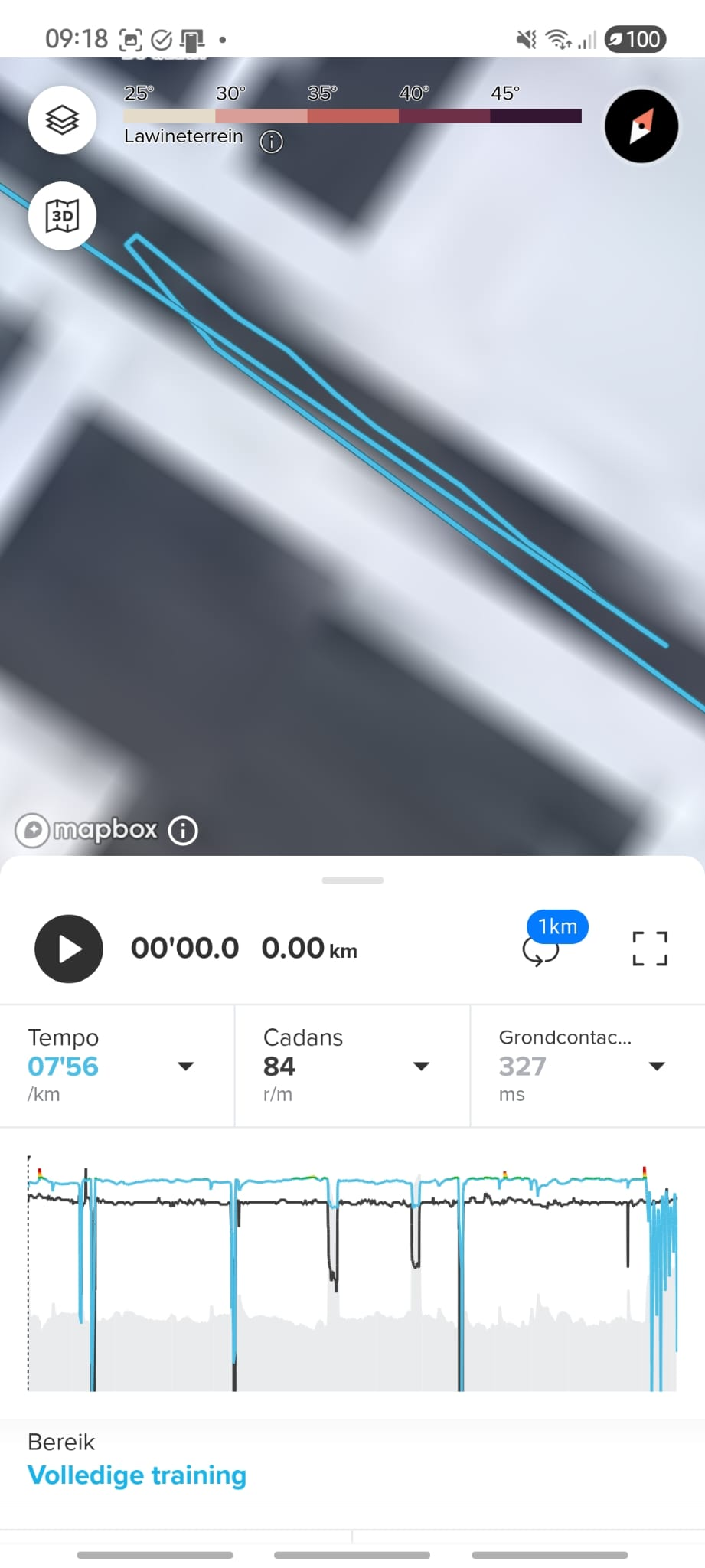
-
Hello,
I had the same issue once when I went running with my wife. I selected a “route,” and she accidentally selected “follow route.” At a point where we were running against the current direction, her watch started counting down. Later, I had the same issue, and it became a mess when I deviated from the route. So you have to be sure you select the correct mode, otherwise it won’t work properly. -
@Jacobus I have encountered the issue the navigation needs some time to understand you’re going back! That’s an issue I can ignore. I think it is weird if the GPS is wrong. That should be a process indepenent of the route.
When did you have this issue and with what watch?
-
@Horizontal_2
I don’t think it has anything to do with GPS, but more with how you select GPX.
If you’re running a race in a city with lots of buildings and a marked course, and you want to make sure your watch displays the correct distance at the end, select “follow route.” (If you run against the direction in this mode, you’ll get those strange loops in your displayed route, as you posted.) If you just want to run a random route, select “route,” and then you can run in any direction, and your watch will still display everything correctly. This has nothing to do with your watch; I experienced this with multiple types (race and vertical). -
@Jacobus Hmm, I still think it’s weird. I’m used having the route and the actual GPS-data completely independent. Now I ran pretty fast that last km.
The strange loops aren’t my route. They are my measured GPS-locations
-
@Horizontal_2, I agree. Normally, recorded GPS track should be completely independent from the followed route. Did you use “snap to route” option by any chance? Also, what battery mode did you use?
-
@sky-runner Thank you for your response. I couldn’t react since I can’t log in on my phone. I was away a few days.
I didn’t use snap to route. I was just following my route and decided to go different. I just ignored my watch and didn’t change a thing. Battery mode was performance mode.
Hopefully I’ll do another run the next days. But these are busy days