[Discussion] Share your projects
-
@oleksandr this looks awesome
 we definitely need more weight lifting apps
 -
The app is generally good. I needed an app like this.
It reminded me of my Casio Databank from my childhood
There are just a few issues.- It would be nice if old notes could be deleted from the watch.
- Entering and editing long notes is difficult on the phone. I save them to a notepad and then copy and paste. It’s a bit impractical.
- You can’t use the buttons on the watch to pause or end the exercise while on this screen. There’s fast forward/rewind and zoom in/out. You have to move to the next part.
Finally, it’s a great app, thank you. This should definitely be a widget. It would be great to be able to define it as a shortcut to access notes. Wishing you continued development.
-
@safari said in [Discussion] Share your projects:
Thanks for the feedback!It would be nice if old notes could be deleted from the watch.
I guess this could be done, but what is the usecase? You still need the Suunto App to add new note text.
Entering and editing long notes is difficult on the phone. I save them to a notepad and then copy and paste. It’s a bit impractical.
I totally agree. Unfortunately this is a limitation of the SuuntoPlus store. It only allows single line textfields. (@suuntopartnerteam, please correct me if i’m wrong)
It would be nice if the use of multi-line textfields is supported in the future.You can’t use the buttons on the watch to pause or end the exercise while on this screen. There’s fast forward/rewind and zoom in/out. You have to move to the next part.
True, the buttons are mapped to actions with the notes app, this means you can’t use the buttons for the exercise options anymore.
-
@surfboomerang
We take notes during long-term nature walks and camping trips. For example, in area 1, contact this person. In area 3, the radio frequency changed to xxx, etc. For instance, if we delete areas 1 and 2 while in area 3, screen usage will be more efficient. These are some examples of our usage.history:
Suunto Vertical 2 titanium Black
suunto vertical solar titanium
suunto 9 baro
suunto ambit 3
suunto ambit 2
Suunto Heart Rate Belt
Suunto Smart Heart Rate Beltsuunto App: apple iphone 14 pro
-
I am currently developing an app called Checkpoints
Idea:
Create up to 3 time checkpoints which will be shown during your activityHow to use the app
In the settings of the app up to 3 time checkpoints can be defined.
Each checkpoint consists of.a title and a time.
When starting the activity and Checkpoints is selected as a SuuntoPlus App, the checkpoints appear in their timely order with an indication how much time is left.
Once the time of a checkpoint is reached, the next checkpoint is displayed automatically.
One can navigate through all checkpoints with the Up and Down button.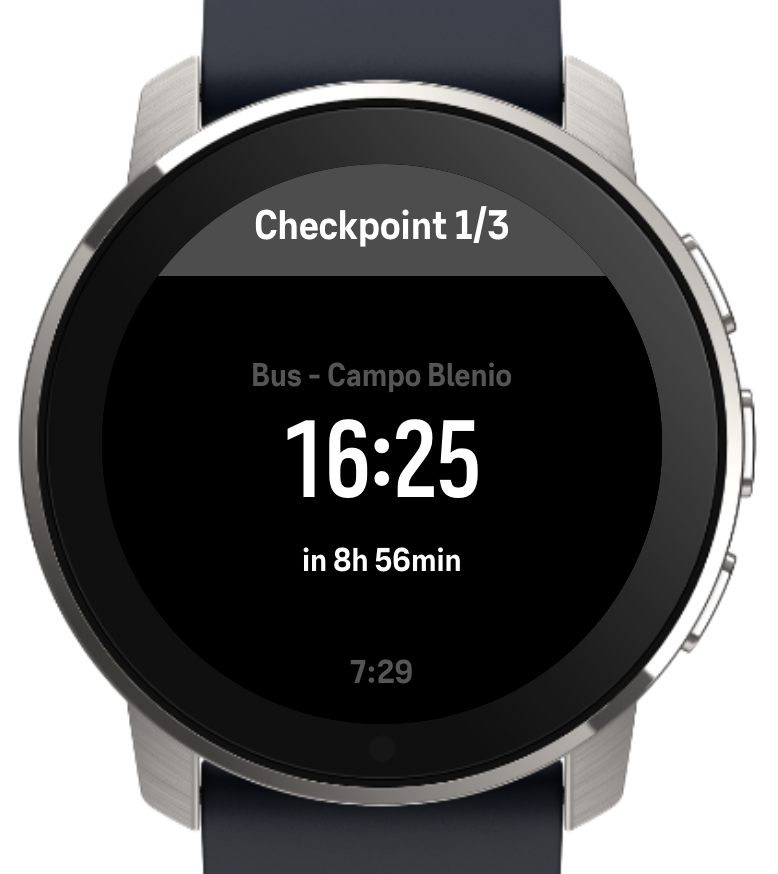
-
@Jan-Krejčí Thank you! I applied for the Partners Program, can’t wait for the response to get a chance to publish it
-
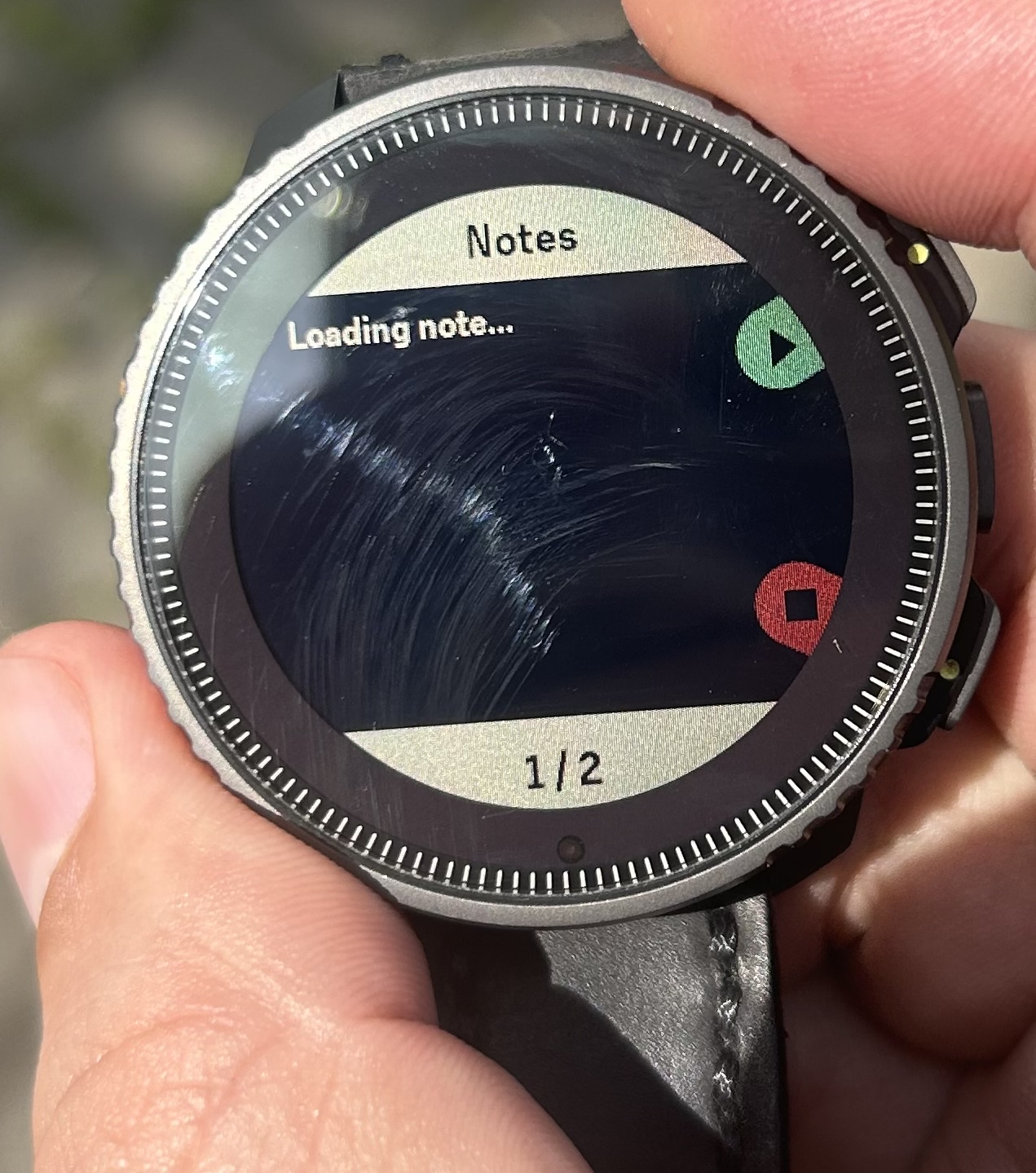
I’m encountering this situation today. The notes aren’t arriving.
-
@safari does the note show if you try a different text size by holding the up- or down button?
-
@surfboomerang
The keys weren’t responding. Here’s how I solved it:
I canceled the exercise (I had just started it anyway).
I resynchronized the phone and started the exercise again. It’s fixed now. -
@safari Please let me know if you encounter other issues
-
I am not really good at coding, but my idea would be to program an S+ for the Woo kite sensor.
Maybe it’s possible to show the jump data right on the watch?
How can do this? -
@Egika I don’t know anything about the Woo kite sensor, but I guess you would want to connect to it using BLE. You would need specification of their BLE data format to write an app for it, at least I couldn’t find any documentation for it.
-
@Raimo-Järvi thank you, Raimo!
I’ll check with them. Let’s see.
-
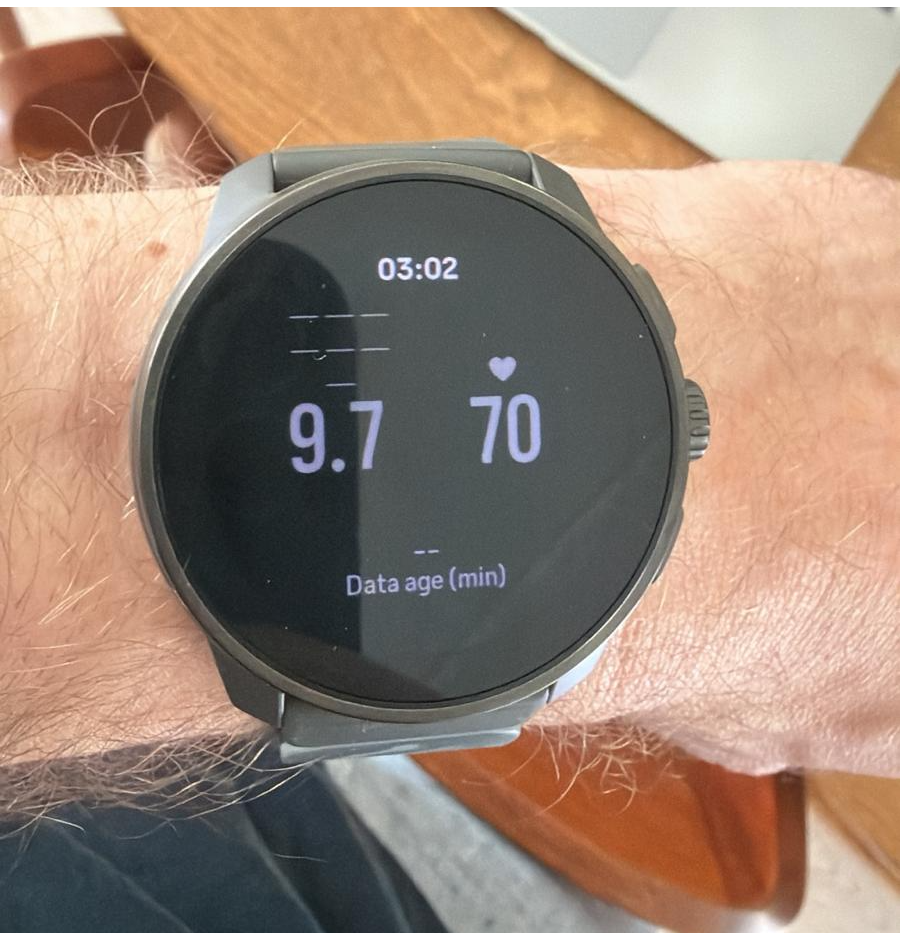
Hello all, I’m currently mostly vibe coding an app because my programming skills are too low for what I want. I am type 1 diabetic since recently so been looking for a way to track blood sugar without having to constantly look at my phone. Was finally able to get it somewhat working so that the values are being received correctly, just needs some polishing to make it all look a bit better.
-
@aenzed Sounds interesting! Are you receiving blood glucose values from a sensor, or how does it work?
-
@Raimo-Järvi A rather convoluted setup where glucose sensor values are sent to a open source cloud app (Nightscout) for logging. Data is then retrieved from Nightscout API in a self built BLE bridge app which then sends the data to the watch. Internet access is unfortunately required, but for most things that’s not a problem.
-
@aenzed so your Suunto watch connects back to the phone using this BLE connection method with uuids and byte blob reading?
-
@brechtvb Yep, UUID is set in the BLE bridge app and SuuntoPlus app explicitly
The docs have a very nice walkthrough of BLE device connection, although it still took me awhile to get everything working. -
@aenzed do you mean the suunto manual? It also states max 2 devices, is that 2 devices per custom suunto plus app?
-
@brechtvb Yes, the manual/reference sheet in the VS code simulator. I don’t think I can answer that 100% correctly, but from the reference sheet I would say that it is max 2 devices per watch and not per app as they specifically mention watch firmware.






Hello! It looks like you're interested in this conversation, but you don't have an account yet.
Getting fed up of having to scroll through the same posts each visit? When you register for an account, you'll always come back to exactly where you were before, and choose to be notified of new replies (either via email, or push notification). You'll also be able to save bookmarks and upvote posts to show your appreciation to other community members.
With your input, this post could be even better 💗
Register Login