Autoloop does not scroll during activity
-
Not sure if anyone noticed this: “autoloop does not scroll during activity”. It’s stuck at where it displays 3 full and 4th half loops, and you really have no clue beyond 3 what your performance is or how hard or slow you push during the workout. I tried scrolling it with touch and the crown wheel, but it seems nothing works either way. I have been noticing this for quite some time. After finishing the activity, I can see an auto-loop detail in the logbook, but not during the live activity.
Does anyone have an idea how to activate it so I can check during live activity? I am mainly on bikes, so I have no idea about other activities.
I added Suunto S as I own this watch; you are most welcome to comment on your experience from other watches too and any activity, just not biking.
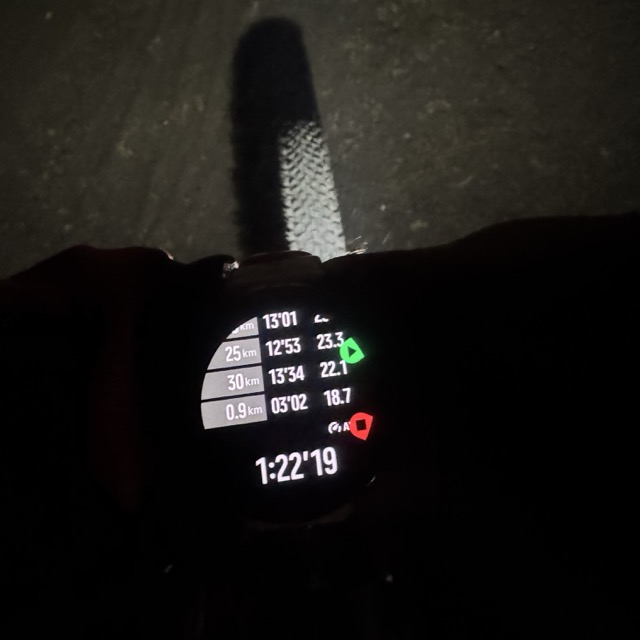
-
@withManish it is not possible to scroll the loop screen unfortunately. Always been like that by design, it is not a bug (but I agree that it would be nice to change that behavior)
Suunto Race 1 and SuuntoApp (beta) on Android 16.
-
Laps will change soon, but we are reporting internally that the lap screen should be scrollable somehow
-
Laps will change soon
do you know if anything will change for Run 2 as well (e.g. the automatic autolap table settings, which are currently only manual)?
-
SergioB, Thanks for the update. Most of us need more than 3 loops, for sure. If I don’t see the comparison, what is the point of having half-cooked functionality?

-
@snow Run/Run2 are a separate thing, and I do not test Run 2 so do not know much.
Watch: Suunto Vertical 2 Titanium Black
Blog: isazi’s home
-
@isazi Runs only have manual laps table, auto laps aren’t even available to be seen




Hello! It looks like you're interested in this conversation, but you don't have an account yet.
Getting fed up of having to scroll through the same posts each visit? When you register for an account, you'll always come back to exactly where you were before, and choose to be notified of new replies (either via email, or push notification). You'll also be able to save bookmarks and upvote posts to show your appreciation to other community members.
With your input, this post could be even better 💗
Register Login