• Suunto Ocean update 2.51.28

    Pinned
    54
    16 Votes
    54 Posts
    8k Views
    isaziI
    @gregB I just heard that this has been fixed with the last App update (that may or may not have been released yet, probably not considering you have the issue)
  • Suunto Ocean died after 3 days usage

    1
    0 Votes
    1 Posts
    117 Views
    No one has replied
  • Pool/Openwater Swimming Suggestions

    Moved
    18
    3 Votes
    18 Posts
    1k Views
    isaziI
    @Reino-von-Wielligh there was a request for missing features in the Ocean from the feature set of the other watches, and I mentioned what you reported, that drills are not there and they should be. If it shows up in the testing firmware I will let you know.
  • Tides not syncing

    19
    0 Votes
    19 Posts
    2k Views
    EgikaE
    @MikeC30 said: InStill not sure of where it gets tidal data from as it’s not the same as other reputable sources of this information online which say the same thing, but it’s very close e.g within a few minutes either side. Very pleased. It’s a useful thing to have on the watch. I think it should be either Stormglass (more likely) or Open-Meteo.
  • Freediving Improvements

    4
    4 Votes
    4 Posts
    479 Views
    K
    Up! I need those spearfishing tools also.
  • Suunto Ocean problem with the accelerometer/step counting

    3
    1 Votes
    3 Posts
    550 Views
    K
    Same issue here. Got mine in Finland… the steps doesn’t count well… defective? @admin
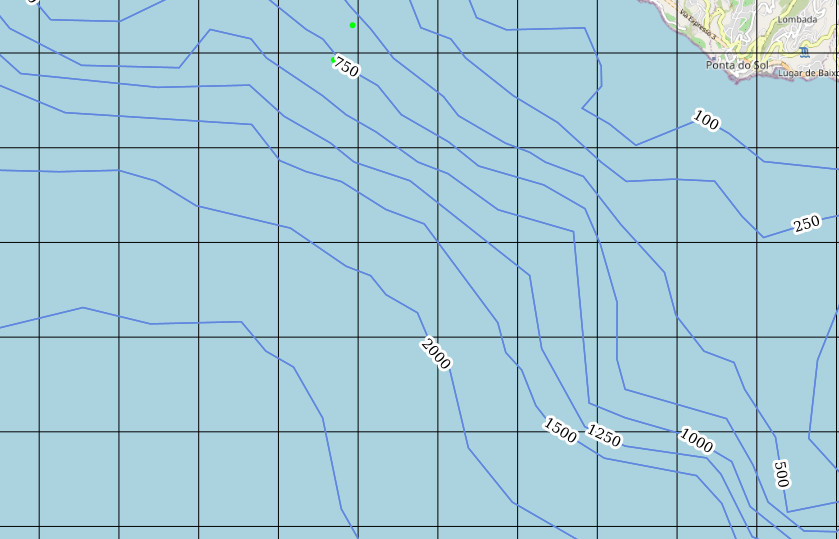
  • Suunto Ocean - Add water-depth information to the OSM map

    Moved
    1
    1
    3 Votes
    1 Posts
    83 Views
    No one has replied
  • Ocean 2026 Updates Promised, no information after months

    14
    4 Votes
    14 Posts
    1k Views
    Reino von WiellighR
    @isazi Yes, that is what is worrying me as in the Q1 and Q2 videos, features that was promised to be coming, never made it to the Ocean version 2.51.28 The links of the official Suunto videos said these will come to Ocean, but we are still waiting 6 more than 6 months later from when it was mentioned on the videos: Q1:https://www.youtube.com/watch?v=Jh0gD05DngU&t=2363s Q2:https://www.youtube.com/watch?v=t2QCoDLY5kQ&t=41s
  • Tide info on complication

    Moved
    8
    1 Votes
    8 Posts
    547 Views
    T
    @isazi Thanks, hope it will be available soon 🥴
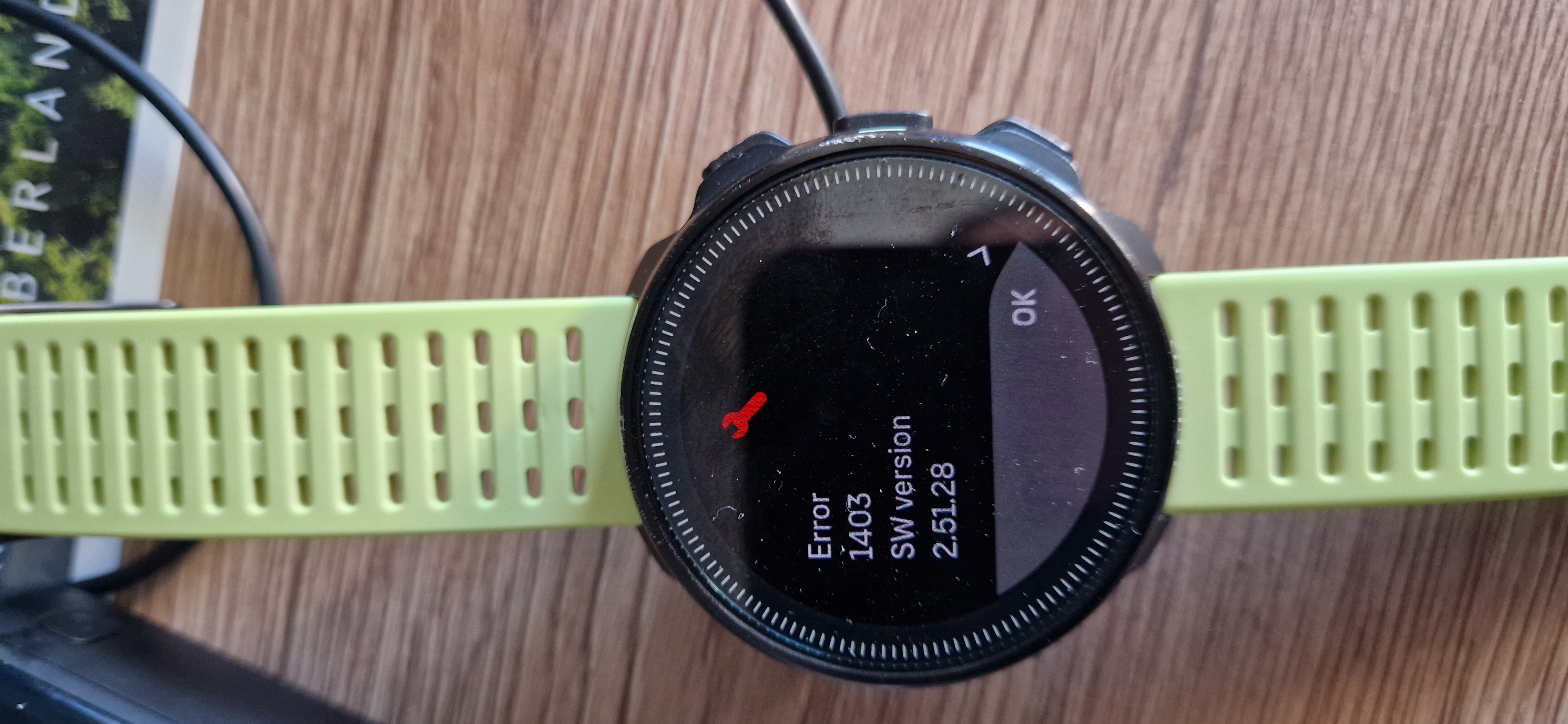
  • Anybody knows this error while charging?

    2
    4
    0 Votes
    2 Posts
    452 Views
    T
    yes, I got this too. Claude research on this: This is a long-standing, recurring issue with Suunto devices, not exclusive to the Ocean. The typical pattern involves a green progress screen repeating multiple times, followed by “Error 1403” (sometimes 1405 or 1301) and the message “the device recovered from an error,” after which the cycle repeats. Charging is a known trigger—there is an entire forum thread dedicated to resets occurring during charging, showing this exact behavior. Error 1403 is interpreted as a memory or flash error; some units recover, while others require service. The consensus on the forum is that 1403 is a memory error—possibly a bad flash sector. Recovery doesn’t mean the problem is solved: there are reports of watches returning to normal operation for a while, only to crash during the first workout with the same 1403 error. The culprit appears to be Wi-Fi, not the charging process itself. The watch doesn’t remain idle while charging; once plugged in, it activates its wireless connection for background tasks. Firmware version 2.51.28 introduced automatic nightly GNSS optimization via wireless networks, in addition to map downloads. In a forum thread discussing this exact scenario—crashing during charging, a “restored to a safe state” message, and Error 1403—a Suunto engineer analyzed the logs. Unable to pinpoint the exact cause, they asked users to do two things: disable Wi-Fi on the watch (via Settings → Connectivity) and send the logs immediately if the issue recurs. One specific case supports this hypothesis: the crash occurred in an office where no Wi-Fi network had even been configured on the watch, suggesting a bug triggered by the attempt to connect when the charger was plugged in. What to do: Turn off the watch’s Wi-Fi (Settings → Connectivity). You will lose Wi-Fi map downloads, but Bluetooth syncing will continue to work normally. Send the logs now, while the event is still recent. In the app, the option is located at the bottom of the Settings menu or within the watch menu, depending on the version. Suunto Community Switch to charging during the day. There are two reasons for this: you can monitor whether the issue recurs, and a night spent charging doesn’t mean a lost night in your sleep tracking streak. Decision criteria If it freezes again with Wi-Fi turned off, the software hypothesis is ruled out, leaving hardware as the likely culprit—in which case, it’s a matter for technical support rather than a settings adjustment. In this scenario, the records you’ve already gathered (photo, date, “only while charging”) are what support your support ticket.
  • GF99 and SurfGF: now with feeling

    surfgf gf99 update
    3
    1 Votes
    3 Posts
    597 Views
    G
    There is no feature I would love to see more on the Ocean than GF99 and Surface GF display as a switch view.
  • HR broadcast

    2
    1 Votes
    2 Posts
    359 Views
    K
    Hi, Is there any chance to get HR broadcast feature in a future firmware updates for Ocean?
  • Suunto Ocean OTA downgrade

    1
    0 Votes
    1 Posts
    223 Views
    No one has replied
  • Downgrade Software Ocean

    2
    0 Votes
    2 Posts
    234 Views
    K
    [image: 1786344212040-29362.jpg] [image: 1786344212067-29363.jpg]
  • Protective case 3D print

    4
    1 Votes
    4 Posts
    545 Views
    P
    Well, scratches or cracks are permanent, even if the watch is well built. Since it’s a dive watch (close proximity to metal equipment / coral objects), I would rather change protective screen/case than the whole watch in case of an accident Anyways - print is couple of grams of filament and looks better in real life than in close up photo (could be even better if printed on smooth plate). Someone will definately find this useful.
  • Export dive logs to Subsurface?

    17
    4 Votes
    17 Posts
    7k Views
    A
    @mikeller Bonsoir, Je voulais également remercier ceux qui ont travailler sur la possibilité d’un export des fichiers .fit de ma Suunto Nautic avec l’application Suunto afin de les importer dans la dernière version (PC) de Subsurface ou j’ai déjà toutes mes plongées. Encore merci !
  • Sound, vibration or both

    6
    0 Votes
    6 Posts
    533 Views
    C
    @trianst Seems like General » Tones 》All off: no events trigger alerts NOTE: These tone and vibration settings do not affect scuba and freediving activities. See Dive alarms for dive alarm settings.
  • Tank size

    3
    0 Votes
    3 Posts
    311 Views
    C
    @GS-111 What i have is not the point. The point is that I’m not able/allowed to choose the size i might have… I can’t have 3 or 6 or 7,5 or other “not standardised” tanks of my need. A simple X,XX liters custom would not be that difficult it might even allow for less predefined sizes
  • Divemode in swimmingpool

    5
    0 Votes
    5 Posts
    757 Views
    EgikaE
    @leorus have you set the depth for automatic start to the maximum?
  • Ocean or Nautic S?

    7
    0 Votes
    7 Posts
    2k Views
    VoiGASV
    The Nautic S now seems to have Trimix. About the Ocean I’m not sure. Does the Oceans Altimeter automatically adapt the dive algorithm for Mountain Lake diving? The Nautic S not if I got the manual right

Suunto Terms | Privacy Policy