oCycler - FTMS bike link: power & cadence
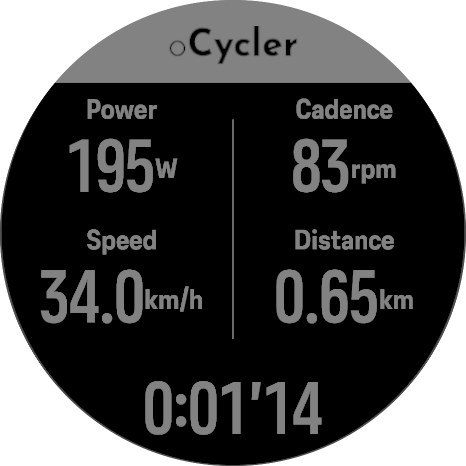
-
@KSGravelJunkie I ride virtually on MyWoosh on my KICKR and all metrics except the distance are recorded. I always have to edit the ride afterwards and add it manually from what I read in the application. But honestly I do not care as actually I did not move
 and especially if I do some interval training the speed and distance shown there make often not realy sense to me (ERG mode thing, I believe) It’s the Watts which I’m interested in mainly…
-
@johann.fuehrer Thanks for the feedback! Glad I’m not the only one.
@oleksandr do you need a fit file? maybe I can try again and email it to you?
-
@KSGravelJunkie I’ll need the specific protocol recording (the data that the bike streams in real time, email me and I’ll send the tutorial on how to record that
-
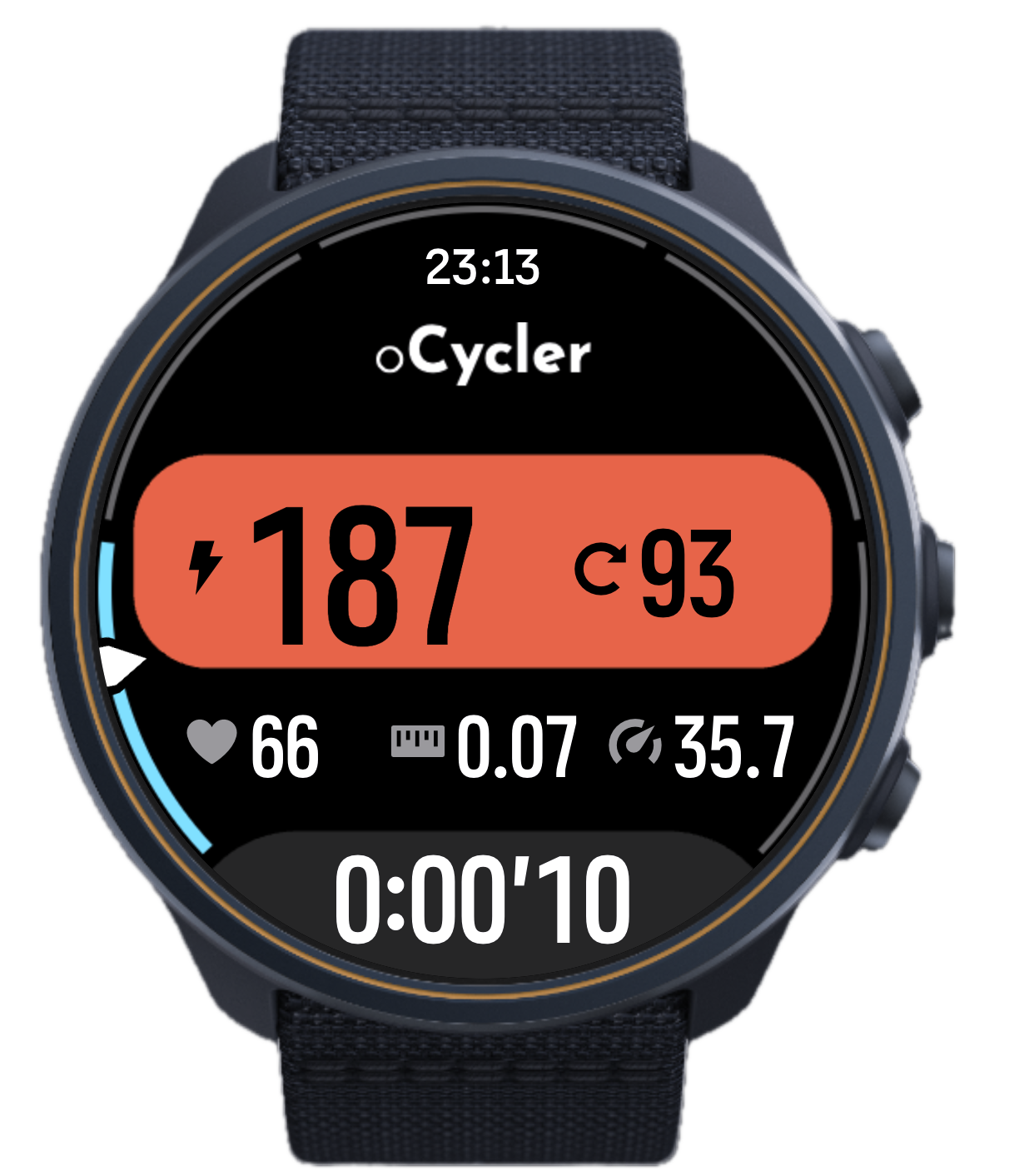
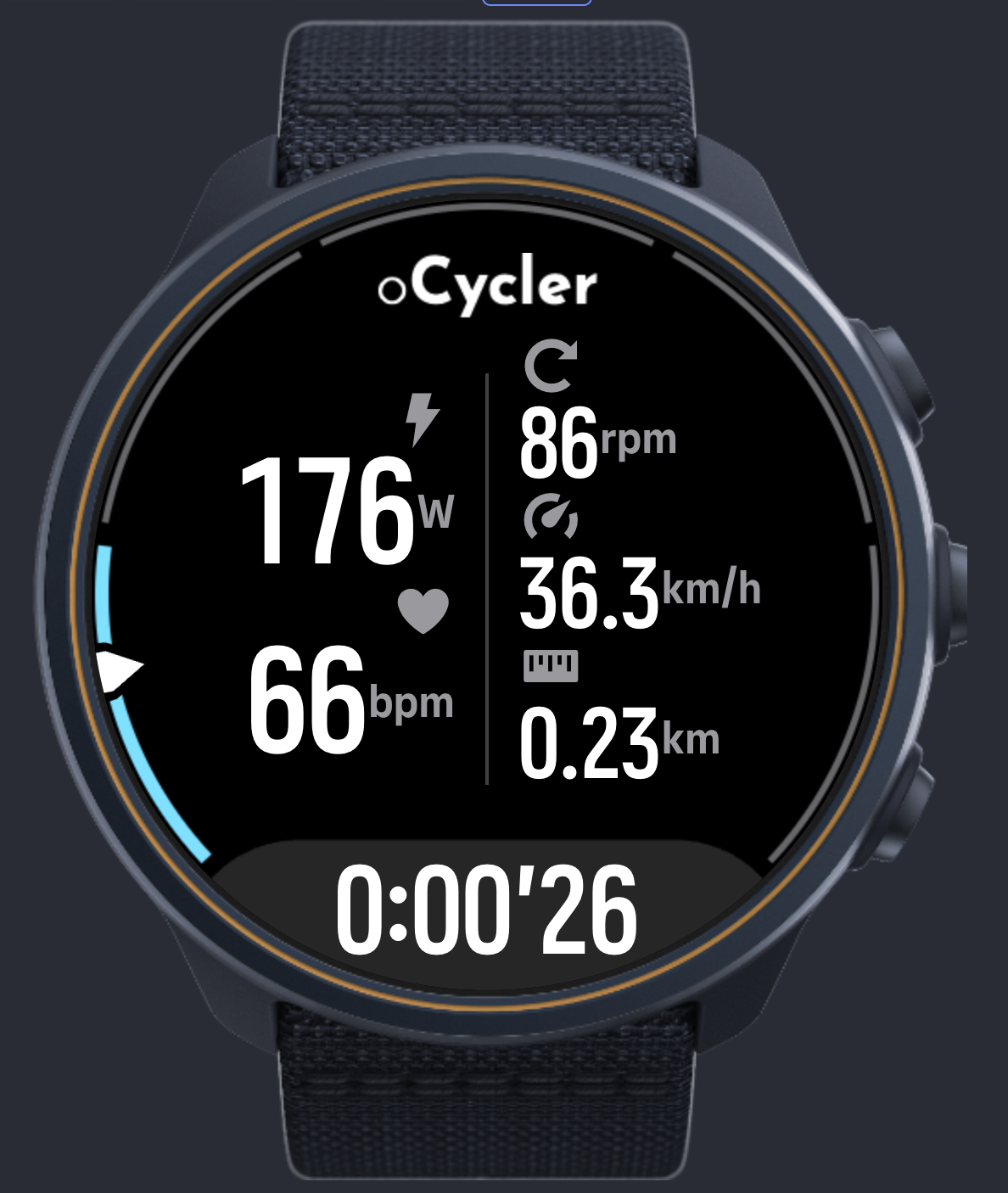
Hello guys, please welcome v2 with the new mode
The new power mode with color coded power, more actionable
And the classic one, that resembles the structure of the v1, but redesignedAlso the HR gauge is added to views
Hold down (bottom) button to switch between the modes
-
@oleksandr
Hi,I’m using oCycler with a Suunto Race and Zwift Hub.
During a 30-minute indoor cycling session, power, speed and cadence were all displayed correctly in real time.
However, after syncing with Suunto App, distance was 0.00 km and average cadence was incorrectly recorded as 1 rpm.
Power data was recorded correctly.
Could you please look into these issues?
Thanks!
-
@PacoHdez could you please send me the .fit file of that workout to the email specified in the app description?
-
@oleksandr
Hi
Sent -
@oleksandr First of all, thank you very much for the app. The app shows that it is possible to connect Suunto watches to BT FTMS devices.
Yesterday I have done a 2 minute short test. My setup is: Decathlon V500 V2 indoor trainer (Ant+, 2x BT). The Garmin Edge 530 controls the trainer via Ant+. Suuunto Race 2
I set the power to 160W for testing (Edge set to 160W). While riding, I connected my watch using the oCycler app. The watch connected and began displaying power and other metrics correctly.
At that point, the Garmin Edge lost the ability to control the trainer. Changing the power to a different value had no effect; the trainer remained locked at 160W.
I have a few questions
I’m wondering if this is an issue with the app or the trainer itself?
Is it possible to update the app to add the ability to control power directly from the watch?
Is it possible for the Suunto app to read power (say, natively) in a way that calculates the TSS power value?
The oCycler app generally allows you to read power through the watch. When I try to pair the Race 2 directly with the trainer, the watch only detects cadence and speed. -
1.I’m wondering if this is an issue with the app or the trainer itself? - this does seem like an issue with the trainer unfortunately
2. Is it possible to update the app to add the ability to control power directly from the watch? - That would require the ERG mode implementation - I wanted to implement that initially, maybe still will, but that would take a lot of effort and time and given that I have not received a single response from suuntoplus team regarding the feedback I forwarded to them - the willingness to do so is less and less
3. Is it possible for the Suunto app to read power (say, natively) in a way that calculates the TSS power value? - No, this is the SDK limitation, the community apps can’t record data into the native .fit files, only to the dev data fields that are not used for any calculations. I sent feedback (and questions, and suggestions) about this to now former suunto employee responsible for suuntoplus, but one letter was not responded and the other bounced back with the error as he no longer works for the company, there were no response from the general support partners email too. In case if there’s some workaround on the horizon - I’ll reimplement that part of the app ASAP
4. The oCycler app generally allows you to read power through the watch. When I try to pair the Race 2 directly with the trainer, the watch only detects cadence and speed. - When you pair directly - it connects through BLE CPS (power) and CSCS (cadence and speed), not FTMS - that is the separate protocol. The fact that my indoor bike doesn’t support CPS/CSCS pushed me to develop this app in the first place. Seems like your bike only streams CSCS.Watch: Suunto Race 2
SuuntoPlus:
oSpotter - Workout tracker
oCycler - Indoor cycle FTMS Link
oTicker - Checklist -
@dimitrios-kanellopoulos can you recommend someone at Suunto who could help @oleksandr with his questions?
-
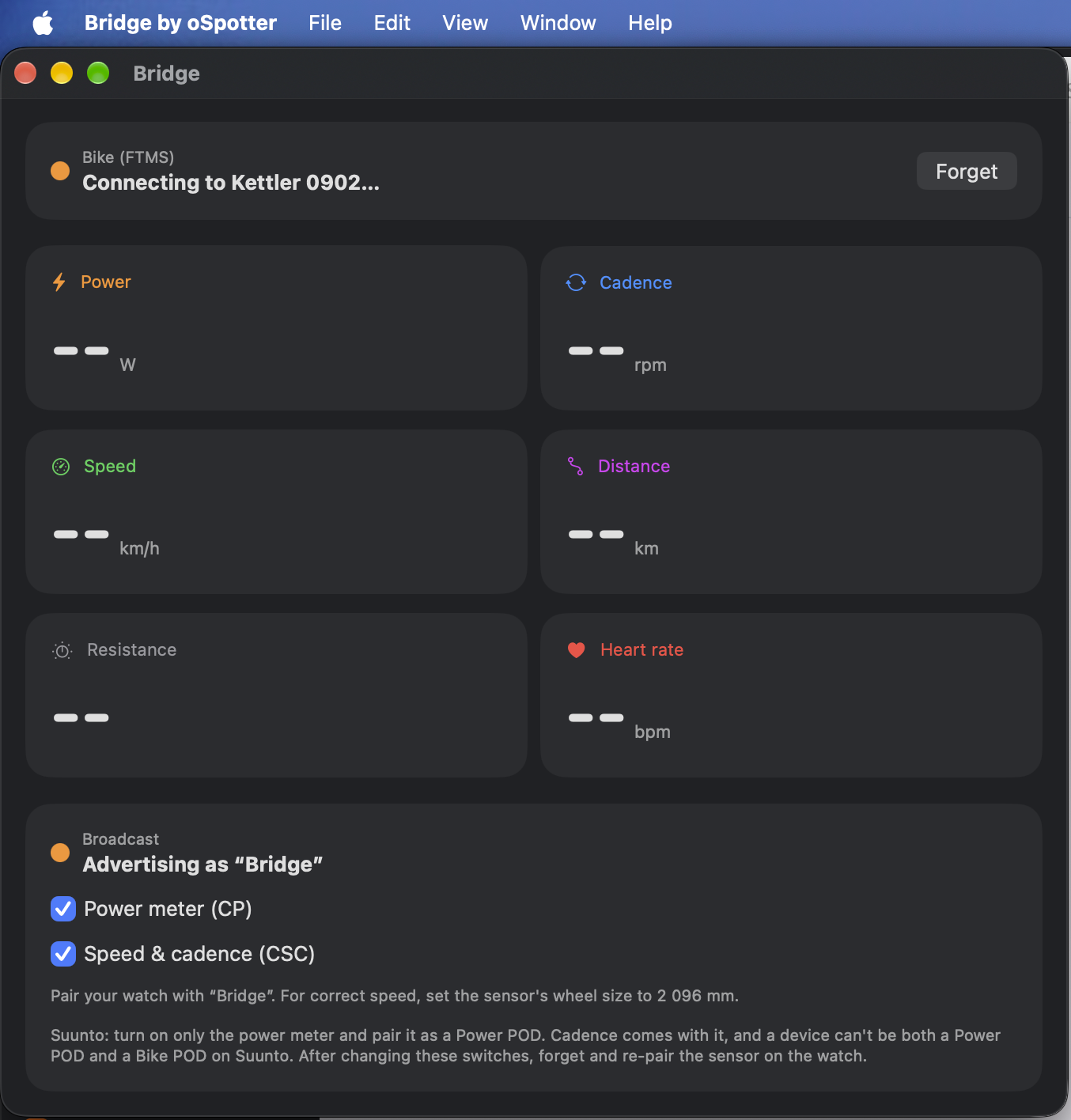
Hey @Maryn, are you a mac user? I’ve been working on a mac app that could act as bridge lately. Might make the ios/ipad os version soon.
-
@oleksandr Unfortunately, I only have an iPad

An Android phone and a Windows PC. -
Hi oleksandr. Congratz on great app, works nicely. I started to vibe code my own app and claude geve me your as example. I abandon mine, i like yours more :D. Fingers crossed that someone from suunto responds. Because I would also like ERG option. Also, about workout editor, does it needs suunto to do something, or its possible to develop it as standalone app? Would be nice to have that option to create few predefined templates for working out.
-
Just a quick recap from the the app i was working on. Maybe this helps you.
Claude:
I tested FTMS control on a Race S (fw 2.53.42) with an Elite Rampa using a small test app, with “SuuntoPlus: Enable BLE Debug Logging” on and the watch’s system events read via the editor’s SDS service. Findings:
The FTMS Control Point (0x2AD9) needs indications, but appConn.enaCharNotf always writes CCCD = 1 (notifications). Debug log: gattc_Subscribe h=45 ccc=46 v=1, then every write to the control point fails: handleWriteReqComplete h=45 err=129 (0x81). An extra argument (enaCharNotf(conn, id, 2)) is ignored. From a PC (Python/bleak) the same commands work on the same trainer: request control → 80 00 01, start → 80 07 01, set target power 120 W → 80 05 01 + status 08 78 00. So ERG needs an API option to enable indications (CCCD = 2). That’s what we’d need from Suunto.
Standard UUIDs must be registered as 2 bytes ([0x26, 0x18]). With the 16-byte form, the watch files them as vendor-specific UUIDs and every enable/read fails with FAIL char handle not found.
Registration/config events (107/109) seem to arrive with the wrong characteristic id (shifted by 2), while data (106) arrives on the right one.
The watch reloads the app when the exercise starts, so a connection made on the start screen gets duplicated.
Failed appConn calls throw, and an uncaught throw kills the app (Duktape BLE API 6, then run evt 1). Wrapping them in try/catch helps.Maybe some trainers accept control point writes without indications, so ERG could work on those. Happy to share more logs.
-
@blabla For the workout plan - I don’t think you need an app or or a new feature in this app at all. Suunto handles that part natively very well, just create the interval plan to your liking (that’s what I do). I know that would be simpler to have the targets in the app, but the obvious problem is with the configuration in the suunto mobile app. You can set the static amount of the predefined configuration fields and that’s about it. See the oSpotter configuration settings as an example. I basically exhausted the options there so people can create up to 20 exercises in the workout.
ALTHOUGH. I think I can create a set of preconfigured industry standard cycling interval workouts and make a selector in the app settings to pick one for the workout. This is something for me to think about
For ERG - the vendors implementation of FTMS in reading mode is quite crappy, I’m receiving about 1-2 emails per day where folks ask to check their bike and help configure something, and the reason is not everyone follows the standard perfectly. I’m afraid that the situation is even worse for the ERG as each trainer has different steps in auto mode to control for example and not everyone would round those incoming values. For example my trainer has 5w steps and starting point of 25 or 35w. Some can have a step of 10w or 2w or else. Also each has different upper limit. And the switch between auto and manual modes.
So the concerns there are - not to harm others trainers.
Regardless, I might look into that next month (as there would be more time with the holidays and vacations). If you are interested - drop me an email - I’ll send the tutorial to properly capture all the data for your bike; cc: @maryn
-
Hey everyone,
I’m posting to share a feedback/issue I recently ran into regarding Bluetooth sensor connectivity, and to see if anyone else has experienced something similar or found a fix.
The Problem
Background: Prior to this, I was able to pair and connect my watch directly to my Wahoo KICKR indoor trainer without any issues.The Trigger: I recently tested the oCycler SuuntoPlus app during a ride, and it worked smoothly during that session.
The Issue: Ever since using the oCycler app, my watch will no longer connect directly to the Wahoo KICKR despite oCycler SuuntoPlus app is disabled/turned off for the activity.
I reset the watch in order to reconnect the watch to my Home trainer.
-
@Wilson75 I usually have the opposite problem with my trainer, if I use the FTMS - be it oCycler, myWhoosh, TrainingPeaks virtual or Kinomap the connection to the device remains active on the bike, therefore (be it a watch, tablet or macbook) I need to soft reset my bike to connect to something else. That’s the nuance of the protocol I got used to.

Hello! It looks like you're interested in this conversation, but you don't have an account yet.
Getting fed up of having to scroll through the same posts each visit? When you register for an account, you'll always come back to exactly where you were before, and choose to be notified of new replies (either via email, or push notification). You'll also be able to save bookmarks and upvote posts to show your appreciation to other community members.
With your input, this post could be even better 💗
Register Login