Suunto app Forum Suunto Community Forum
    • Recent
    • Tags
    • Popular
    • Users
    • Groups
    • Register
    • Login

    The sleep widget is acting up. How do I fix it? (Edit: FIXED)

    Scheduled Pinned Locked Moved Suunto Race S
    18 Posts 6 Posters 646 Views 6 Watching
    Loading More Posts
    • Oldest to Newest
    • Newest to Oldest
    • Most Votes
    Reply
    • Reply as topic
    Log in to reply
    This topic has been deleted. Only users with topic management privileges can see it.
    • enriqueescomsE Offline
      enriqueescoms
      last edited by

      Well, a soft reset didn’t work. Neither did disabling and reactivating sleep tracking. Not even leaving a “blank” night. Nothing. The watch is still recording sleep data as it did on the “gap” of two nights ago. This means there’s no morning report, and the watch indicates no sleep tracking. However, the app correctly records both sleep and HRV data. 🙄

      Today I reinstalled the OS as a further measure to see if it fixes the problem (with the consequent loss of some custom sport modes; ugh).

      Has anyone else experienced this?

      Suunto 9 Peak Pro (all black version)
      Suunto Race S (gravel gray)

      SquirrelS M 2 Replies Last reply Reply Quote 0
      • SquirrelS Offline
        Squirrel @enriqueescoms
        last edited by

        @enriqueescoms said in The sleep widget is acting up. How do I fix it?:

        Has anyone else experienced this?

        Yes, but only NO morning report on Race S as well. Didn’t get morning report today and yesterday, and there were also 2 or 3 missed before few days ago.
        But Sleep widget on the watch shows correct data for previous night that matches the app and actual sleep times. Sleep recording works accurately. I was too lazy to do even a soft reset, because it would reset my custom pace zones due to a current bug in 2.48.16 firmware, so I’m just waiting for Q4 release in Q1… 🤣

        enriqueescomsE 1 Reply Last reply Reply Quote 1
        • enriqueescomsE Offline
          enriqueescoms @Squirrel
          last edited by

          @Squirrel OMG! Laughing to keep from crying. 😅🤦🏻‍♂️

          Suunto 9 Peak Pro (all black version)
          Suunto Race S (gravel gray)

          1 Reply Last reply Reply Quote 1
          • enriqueescomsE enriqueescoms referenced this topic
          • P Offline
            prairiedog
            last edited by

            I am also experiencing this. I have the Race S, and the sleep widget is not accurate, showing sleep data from two nights ago (the night before the most recent night’s sleep). The app is still entirely accurate though, and all the tracking data there seems to be well-collected. I hope they fix this bug soon!

            enriqueescomsE 1 Reply Last reply Reply Quote 1
            • enriqueescomsE Offline
              enriqueescoms @prairiedog
              last edited by

              @prairiedog Well, at least I’m not the only one 🙄

              Suunto 9 Peak Pro (all black version)
              Suunto Race S (gravel gray)

              F 1 Reply Last reply Reply Quote 1
              • enriqueescomsE Offline
                enriqueescoms
                last edited by enriqueescoms

                What a S**T! Yesterday I did a HARDWARE RESET as a last resort… and nothing was fixed: the watch must be recording sleep correctly because the app records it correctly, but the watch says “no sleep tracking” 😤

                Suunto 9 Peak Pro (all black version)
                Suunto Race S (gravel gray)

                1 Reply Last reply Reply Quote 0
                • enriqueescomsE enriqueescoms referenced this topic
                • enriqueescomsE enriqueescoms referenced this topic
                • M Offline
                  misu763 Bronze Member @enriqueescoms
                  last edited by

                  @enriqueescoms
                  With a soft reset I restored data on the watch (for now)…but morning report isn’t back yet…

                  S9PP Ti Slate

                  1 Reply Last reply Reply Quote 1
                  • F Online
                    Freezer Bronze Member @enriqueescoms
                    last edited by

                    @enriqueescoms, a few days ago, without a known trigger (no setting were changed), I started experiencing the same problem on my Vertical 2 (no morning report, watch widgets showing two days old sleep and HRV data BUT the current data syncing to the Suunto App). Soft reset does not resolve the issue.

                    Cc: @isazi

                    G 1 Reply Last reply Reply Quote 1
                    • G Offline
                      ggrego @Freezer
                      last edited by

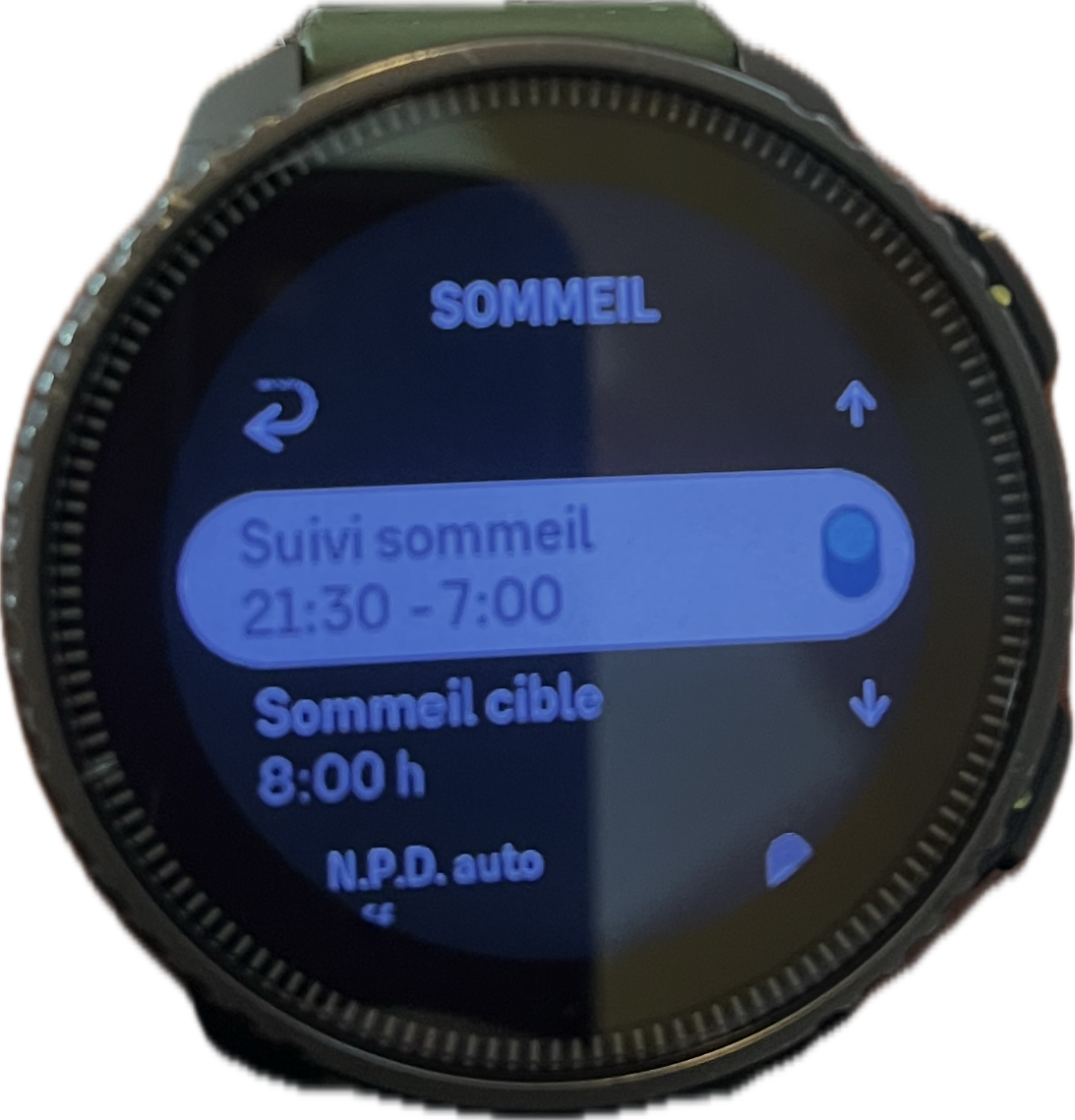
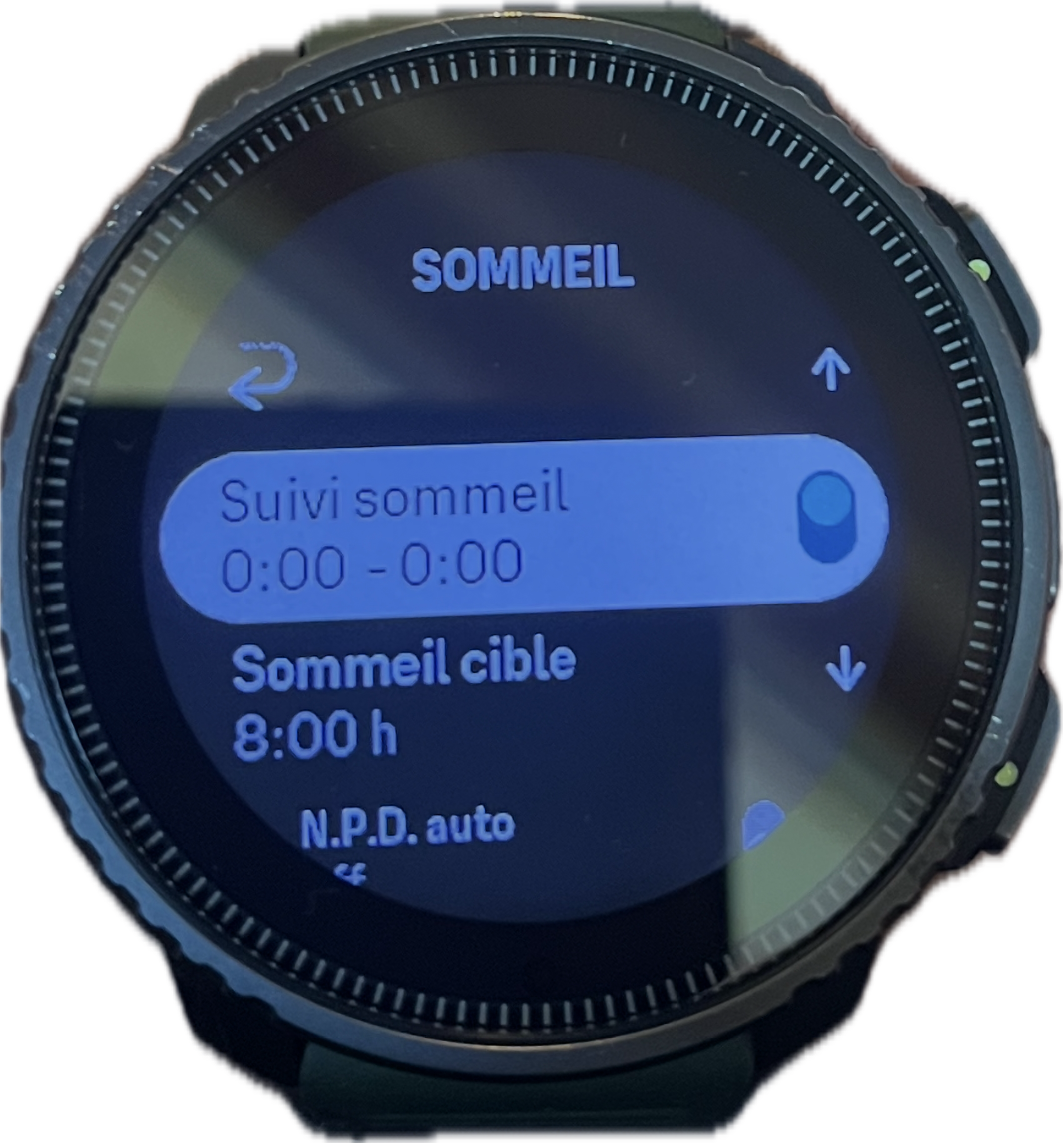
                      @Freezer Hello same for me for about 3 days sleep tracking shows sleep tracking from 0:00 to 00:00 I’m on vertical and I’ve never had a problem before?

                      G 1 Reply Last reply Reply Quote 2
                      • G Offline
                        ggrego @ggrego
                        last edited by

                        ![alt text](image url)5f99a9de-30dd-4cf1-9093-f9342f6c2416-image.png

                        G 1 Reply Last reply Reply Quote 0
                        • G Offline
                          ggrego @ggrego
                          last edited by

                          You adjust the hours of sleep and when the application synchronizes with the watch

                          G 1 Reply Last reply Reply Quote 0
                          • G Offline
                            ggrego @ggrego
                            last edited by

                            e53ebb20-350f-48a7-a51f-c499e7569abe-image.png

                            G 1 Reply Last reply Reply Quote 0
                            • G Offline
                              ggrego @ggrego
                              last edited by

                              Here’s the magic suunto the watch modifies the tracking hours by itself the bug comes from the application 😤 at some point I think we have to stop fumbling with things that work

                              enriqueescomsE 1 Reply Last reply Reply Quote 1
                              • enriqueescomsE Offline
                                enriqueescoms @ggrego
                                last edited by enriqueescoms

                                ![ba75c58c-cd0c-4f73-ba01-1470d5464cdc-image.png](/assets/uploads/files/1767614767387-ba75c58c-cd0c-4f73-ba01-1470d5464cdc-image.p@ggrego said in The sleep widget is acting up. How do I fix it?:

                                Here’s the magic suunto the watch modifies the tracking hours by itself the bug comes from the application 😤 at some point I think we have to stop fumbling with things that work

                                Wow! That’s a really interesting and clever tip. I’m going to try it. Thanks!

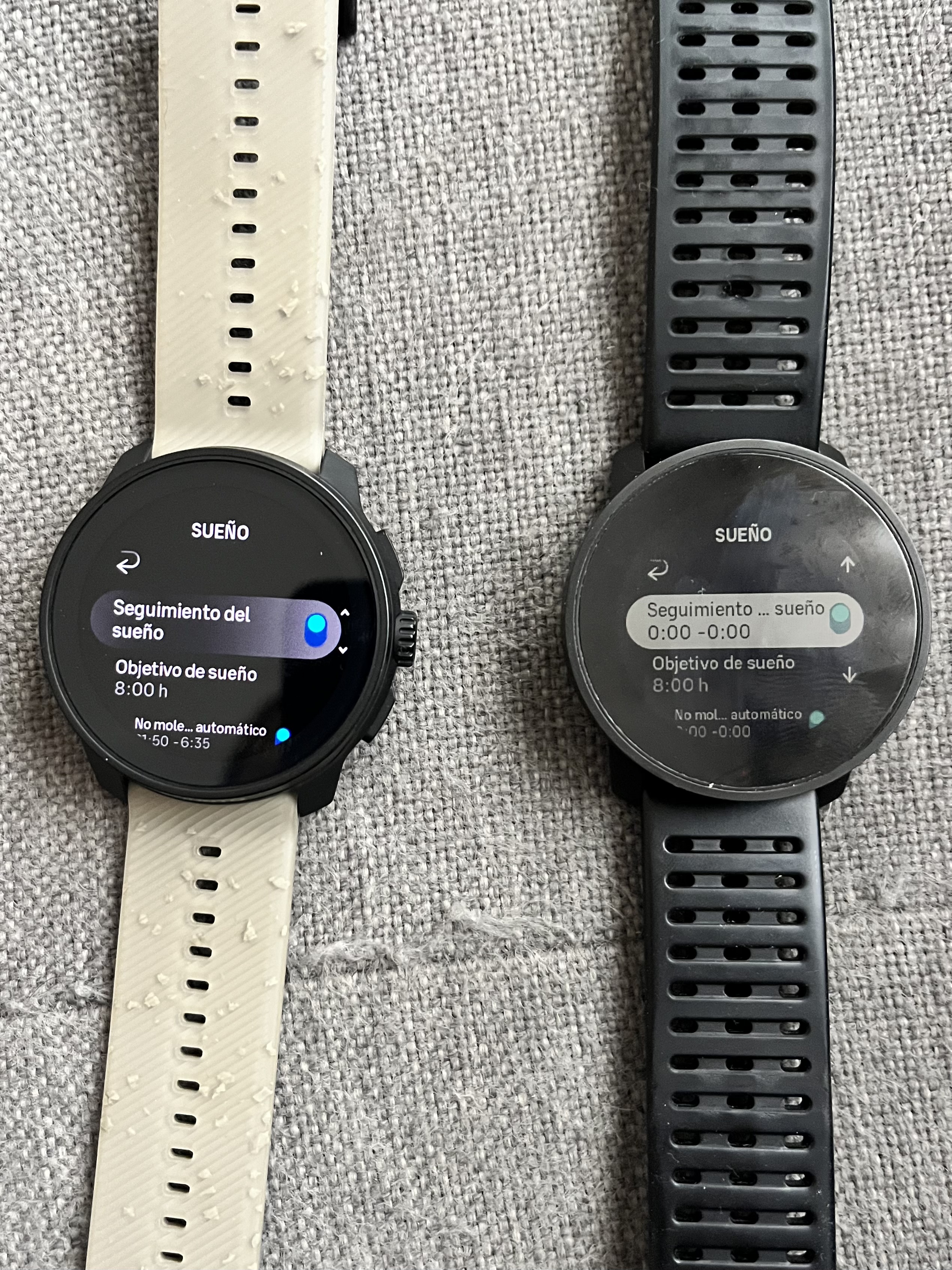
                                Edit: Damn, in the RACE S I can’t adjust that like I can in the 9PP 🤔

                                82c4d82a-0e01-43d1-bb5e-28c7b2dc5d5a-image.jpeg

                                In fact, I’ve discovered something curious: when the watch connected to the app is the 9PP, I can indicate the range in the recovery/sleep/daily sleep goal section, whereas when the watch connected is the Race S, I can’t.
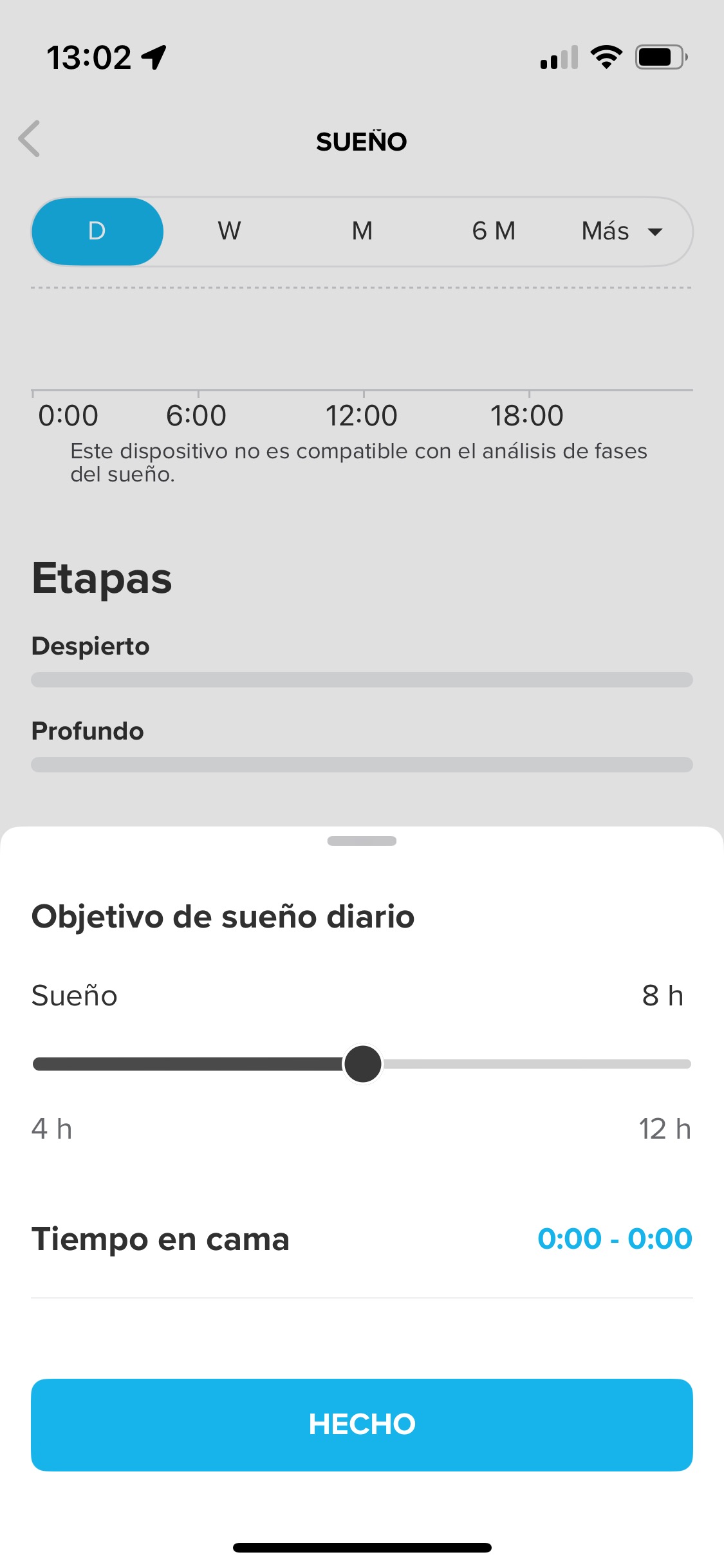
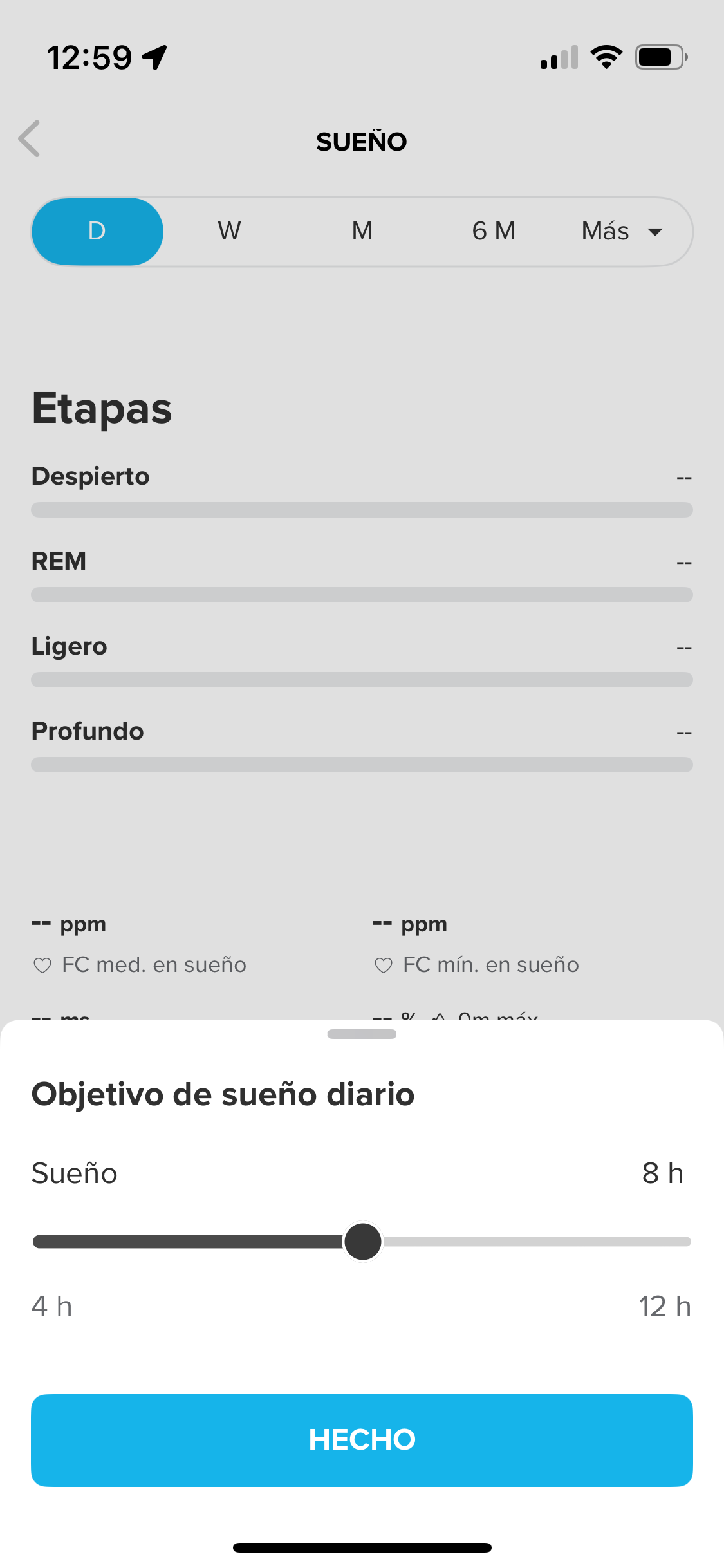
                                8ca587c5-5225-49f8-a161-31ea1d8c6bd7-image.jpeg

                                2ad2b00b-fa7a-4179-915d-51f44007be40-image.png

                                What can I do?

                                Suunto 9 Peak Pro (all black version)
                                Suunto Race S (gravel gray)

                                1 Reply Last reply Reply Quote 0
                                • enriqueescomsE Offline
                                  enriqueescoms
                                  last edited by

                                  Well, IA custmer service support has told me this:
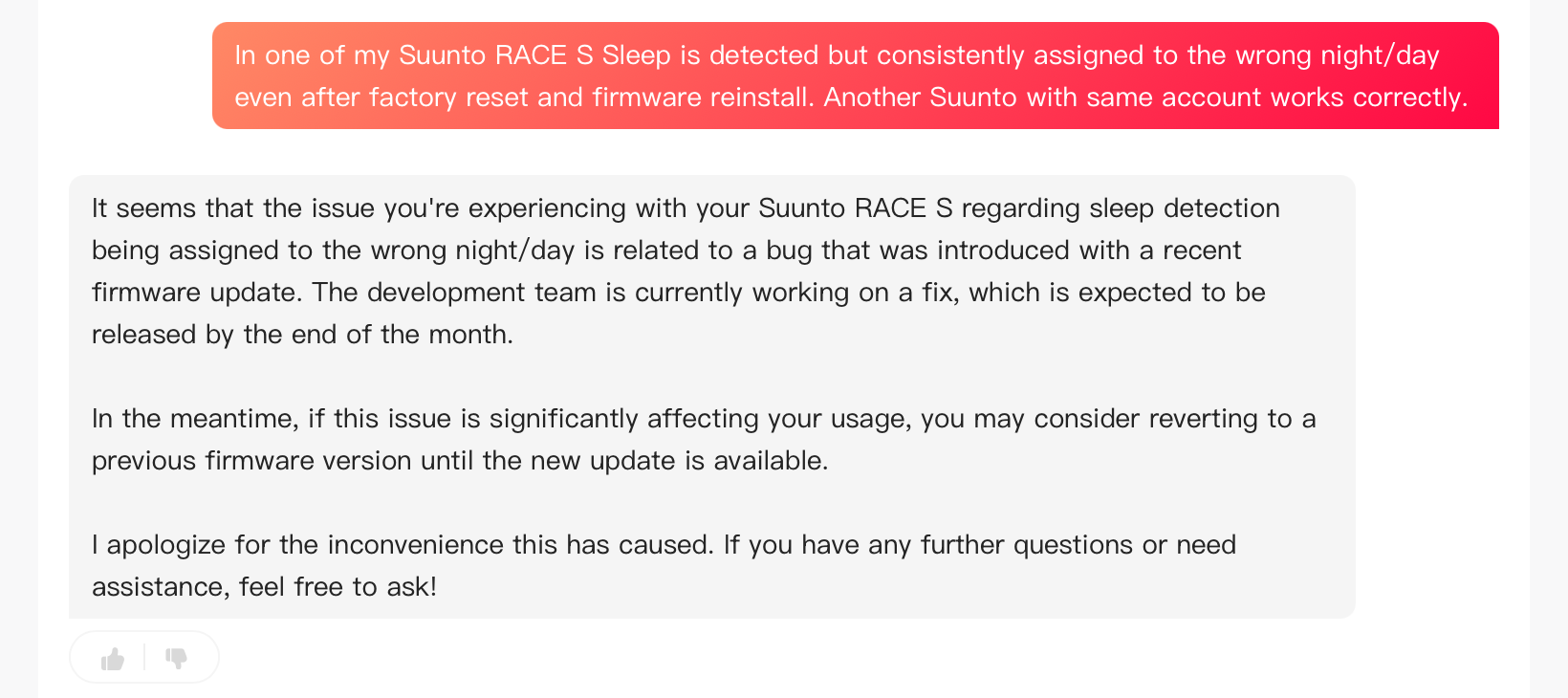
                                  c54939da-62b4-448c-82f5-779a6cbe65d0-image.png

                                  Suunto 9 Peak Pro (all black version)
                                  Suunto Race S (gravel gray)

                                  G 1 Reply Last reply Reply Quote 0
                                  • G Offline
                                    ggrego @enriqueescoms
                                    last edited by

                                    @enriqueescoms I went back to the suunto beta application and so the recording of my bedtime and wake-up times remains recorded I did a small light reinstallation and my 2 nights of sleep reappeared in the watch widget

                                    1 Reply Last reply Reply Quote 0
                                    • enriqueescomsE Offline
                                      enriqueescoms
                                      last edited by

                                      It’s finally FIXED!!!:

                                      On iOS, I uninstalled and reinstalled the app, re-synced the watch, and just in case, restarted it.

                                      This morning, sleep tracking was recorded correctly, and the morning report appeared as expected. 😊

                                      Suunto 9 Peak Pro (all black version)
                                      Suunto Race S (gravel gray)

                                      1 Reply Last reply Reply Quote 1
                                      • First post
                                        Last post

                                      Suunto Terms | Privacy Policy