Suunto app Forum Suunto Community Forum
    • Recent
    • Tags
    • Popular
    • Users
    • Groups
    • Register
    • Login

    The sleep widget is acting up. How do I fix it? (Edit: FIXED)

    Scheduled Pinned Locked Moved Suunto Race S
    20 Posts 6 Posters 842 Views 7 Watching
    Loading More Posts
    • Oldest to Newest
    • Newest to Oldest
    • Most Votes
    Reply
    • Reply as topic
    Log in to reply
    This topic has been deleted. Only users with topic management privileges can see it.
    • G Offline
      ggrego @Freezer
      last edited by

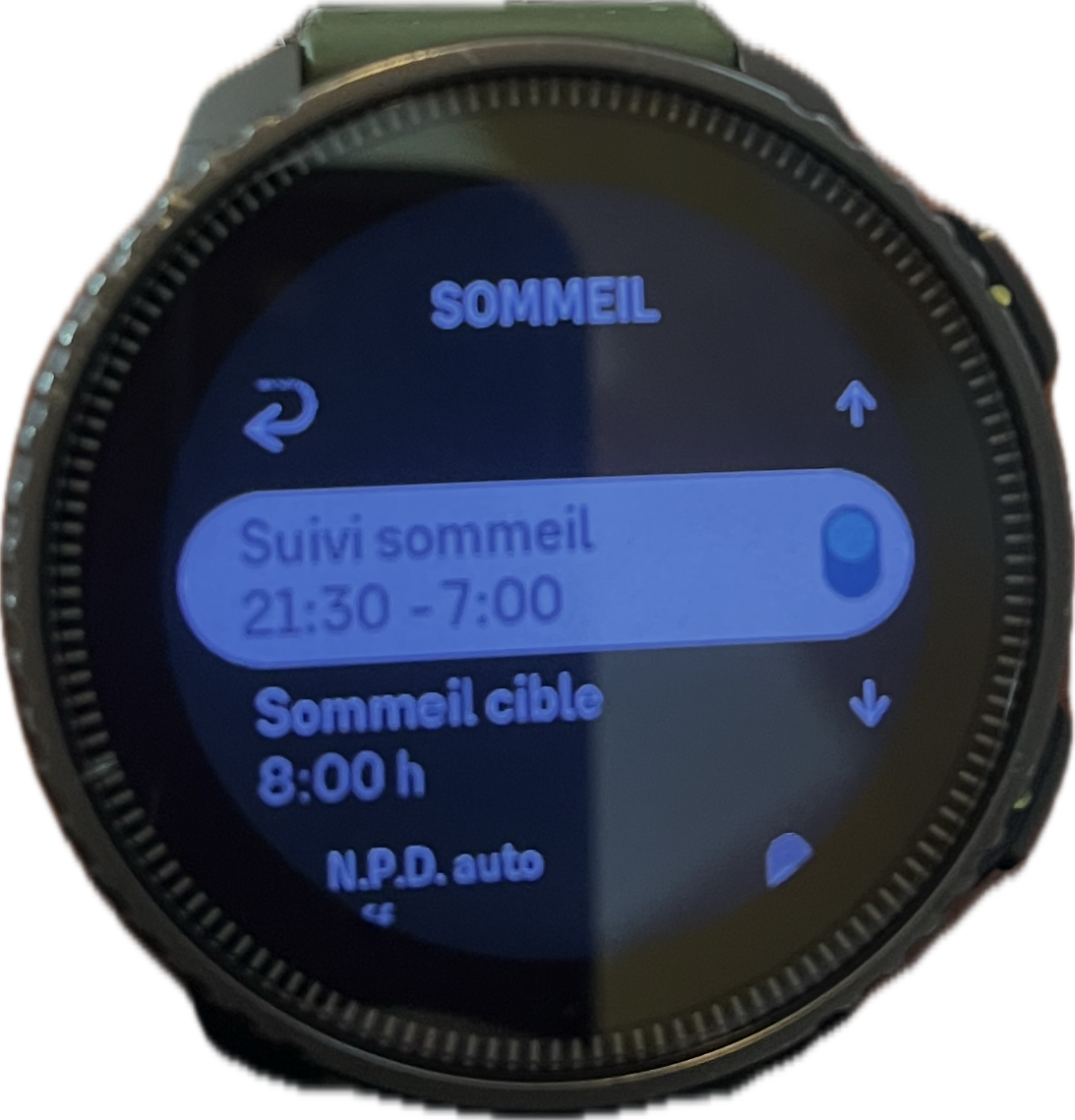
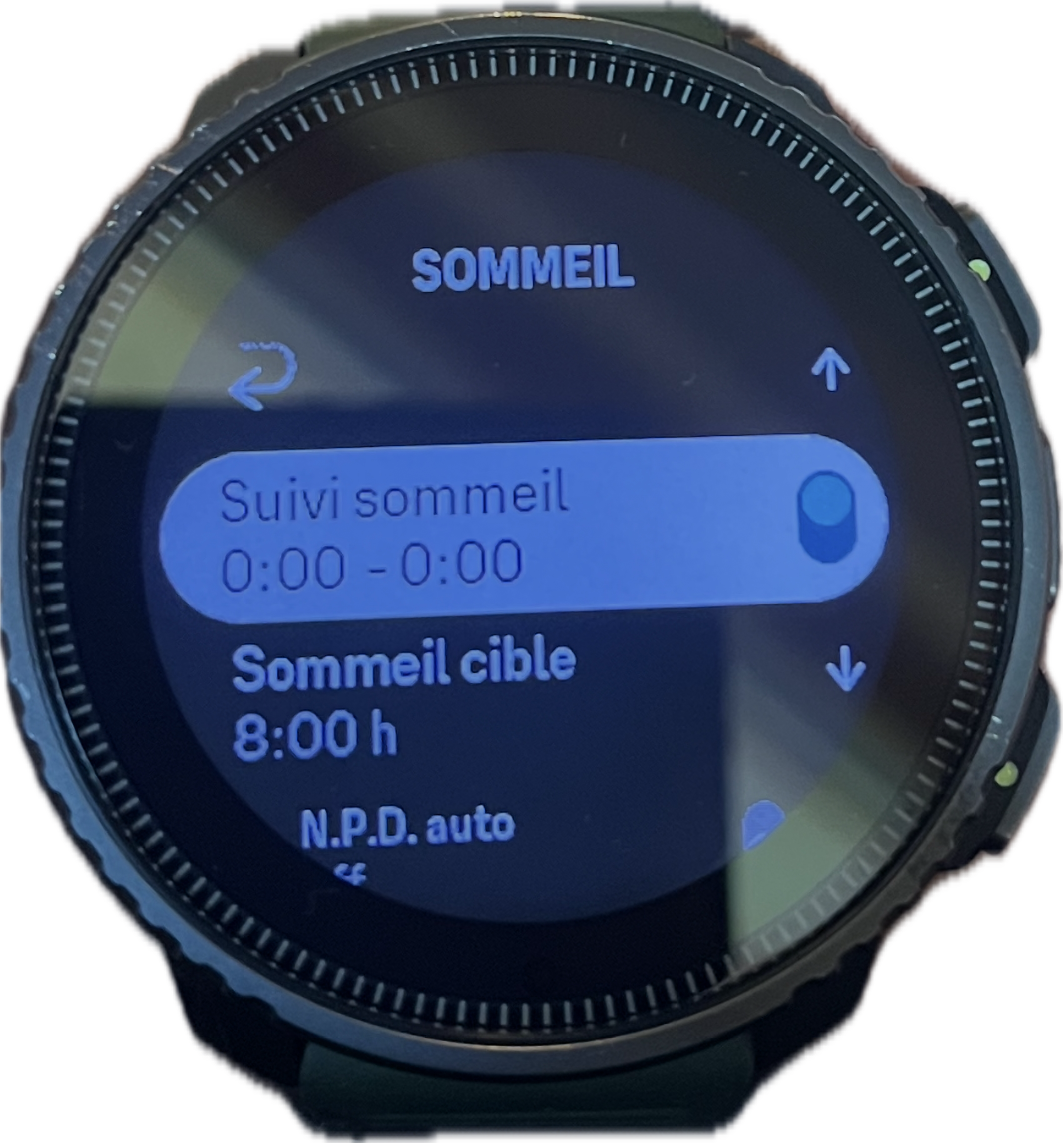
      @Freezer Hello same for me for about 3 days sleep tracking shows sleep tracking from 0:00 to 00:00 I’m on vertical and I’ve never had a problem before?

      G 1 Reply Last reply Reply Quote 2
      • G Offline
        ggrego @ggrego
        last edited by

        ![alt text](image url)5f99a9de-30dd-4cf1-9093-f9342f6c2416-image.png

        G 1 Reply Last reply Reply Quote 0
        • G Offline
          ggrego @ggrego
          last edited by

          You adjust the hours of sleep and when the application synchronizes with the watch

          G 1 Reply Last reply Reply Quote 0
          • G Offline
            ggrego @ggrego
            last edited by

            e53ebb20-350f-48a7-a51f-c499e7569abe-image.png

            G 1 Reply Last reply Reply Quote 0
            • G Offline
              ggrego @ggrego
              last edited by

              Here’s the magic suunto the watch modifies the tracking hours by itself the bug comes from the application 😤 at some point I think we have to stop fumbling with things that work

              enriqueescomsE 1 Reply Last reply Reply Quote 1
              • enriqueescomsE Offline
                enriqueescoms @ggrego
                last edited by enriqueescoms

                ![ba75c58c-cd0c-4f73-ba01-1470d5464cdc-image.png](/assets/uploads/files/1767614767387-ba75c58c-cd0c-4f73-ba01-1470d5464cdc-image.p@ggrego said in The sleep widget is acting up. How do I fix it?:

                Here’s the magic suunto the watch modifies the tracking hours by itself the bug comes from the application 😤 at some point I think we have to stop fumbling with things that work

                Wow! That’s a really interesting and clever tip. I’m going to try it. Thanks!

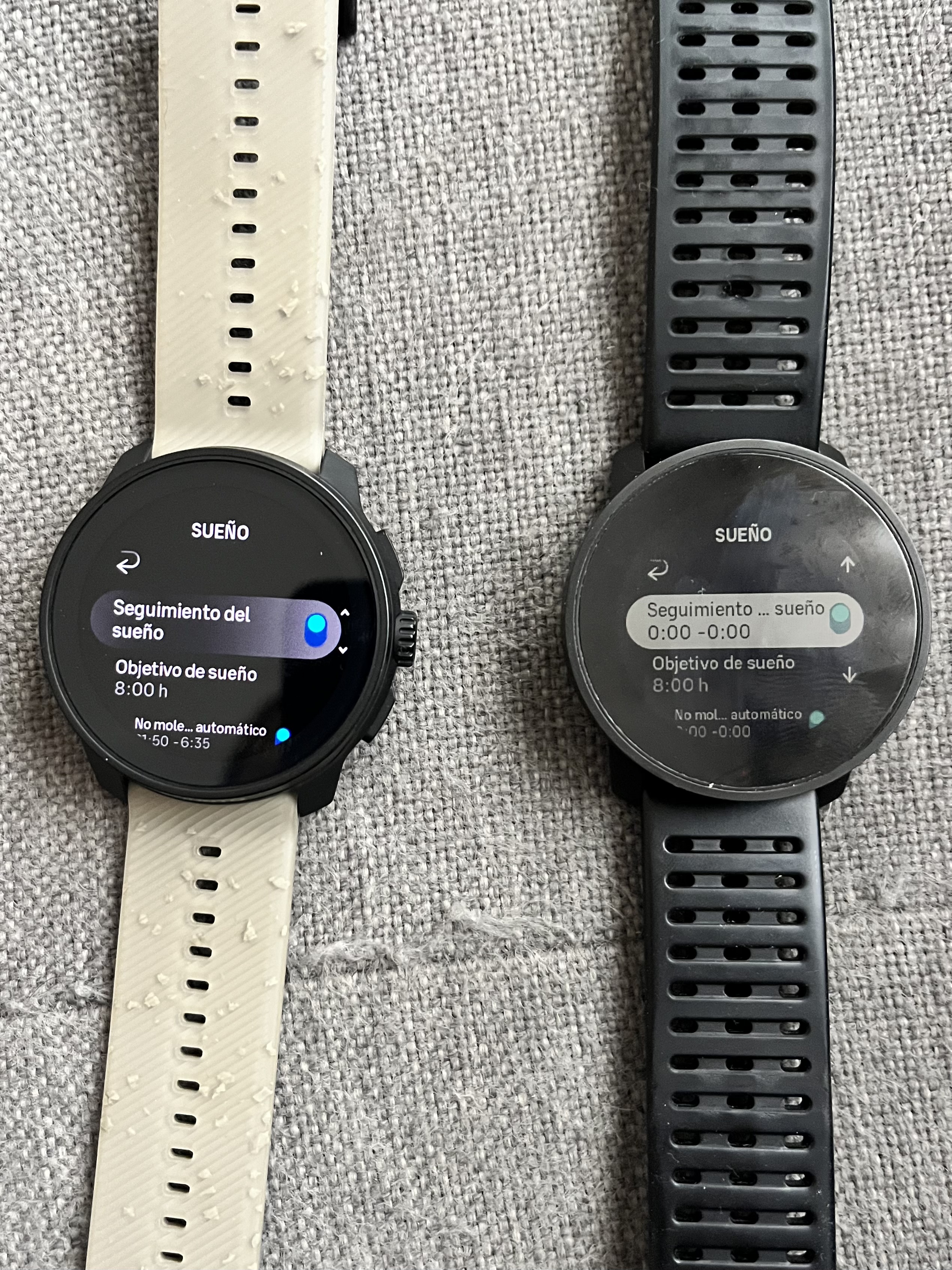
                Edit: Damn, in the RACE S I can’t adjust that like I can in the 9PP 🤔

                82c4d82a-0e01-43d1-bb5e-28c7b2dc5d5a-image.jpeg

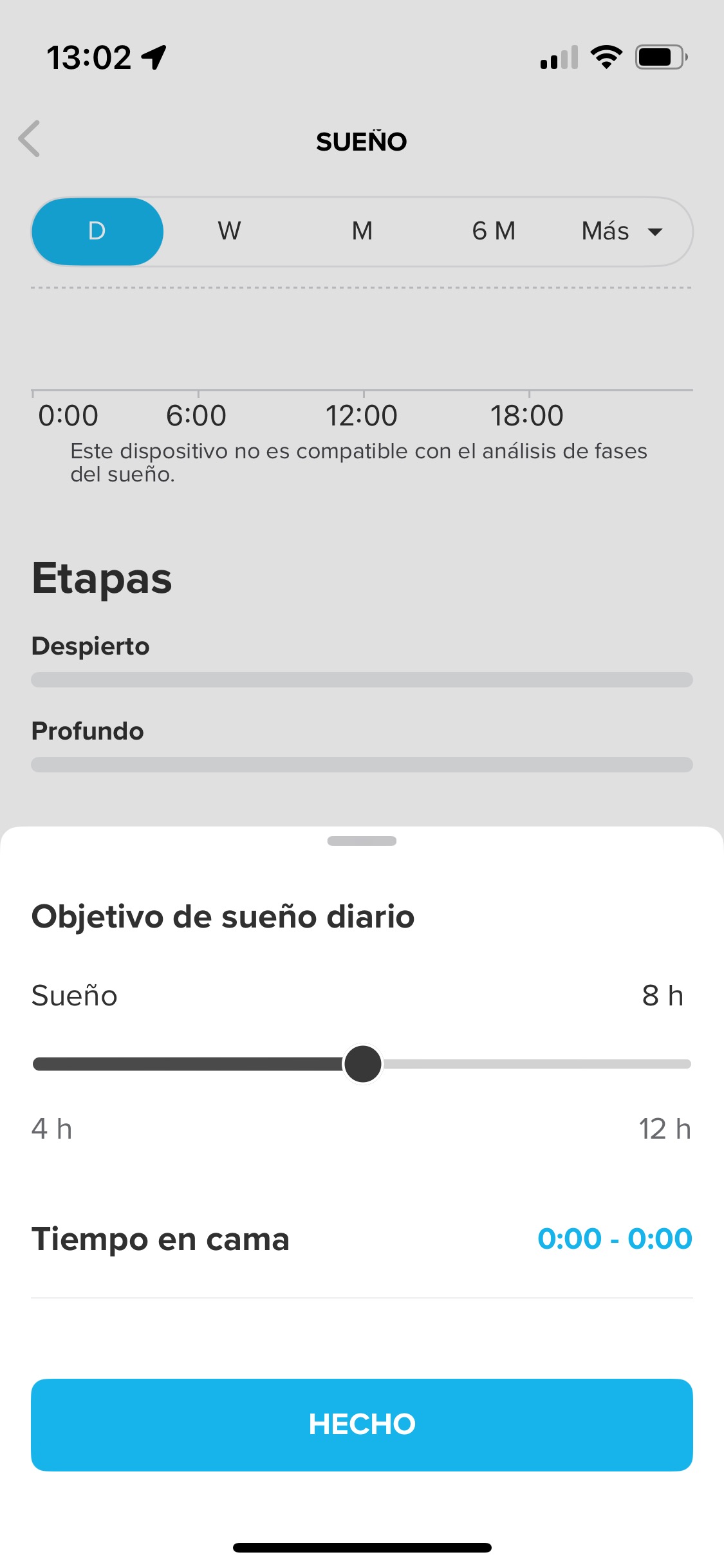
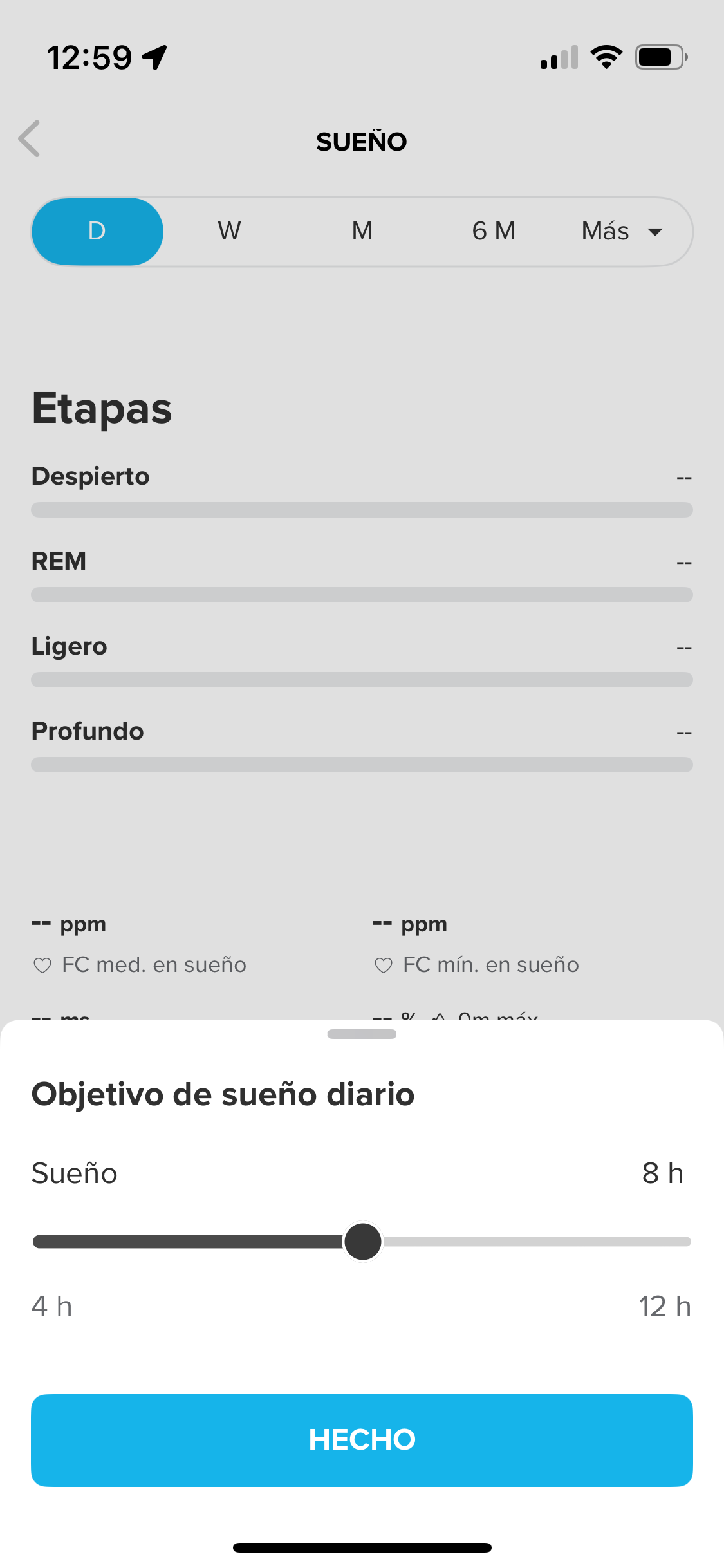
                In fact, I’ve discovered something curious: when the watch connected to the app is the 9PP, I can indicate the range in the recovery/sleep/daily sleep goal section, whereas when the watch connected is the Race S, I can’t.
                8ca587c5-5225-49f8-a161-31ea1d8c6bd7-image.jpeg

                2ad2b00b-fa7a-4179-915d-51f44007be40-image.png

                What can I do?

                Suunto 9 Peak Pro (all black version)
                Suunto Race S (gravel gray)

                1 Reply Last reply Reply Quote 0
                • enriqueescomsE Offline
                  enriqueescoms
                  last edited by

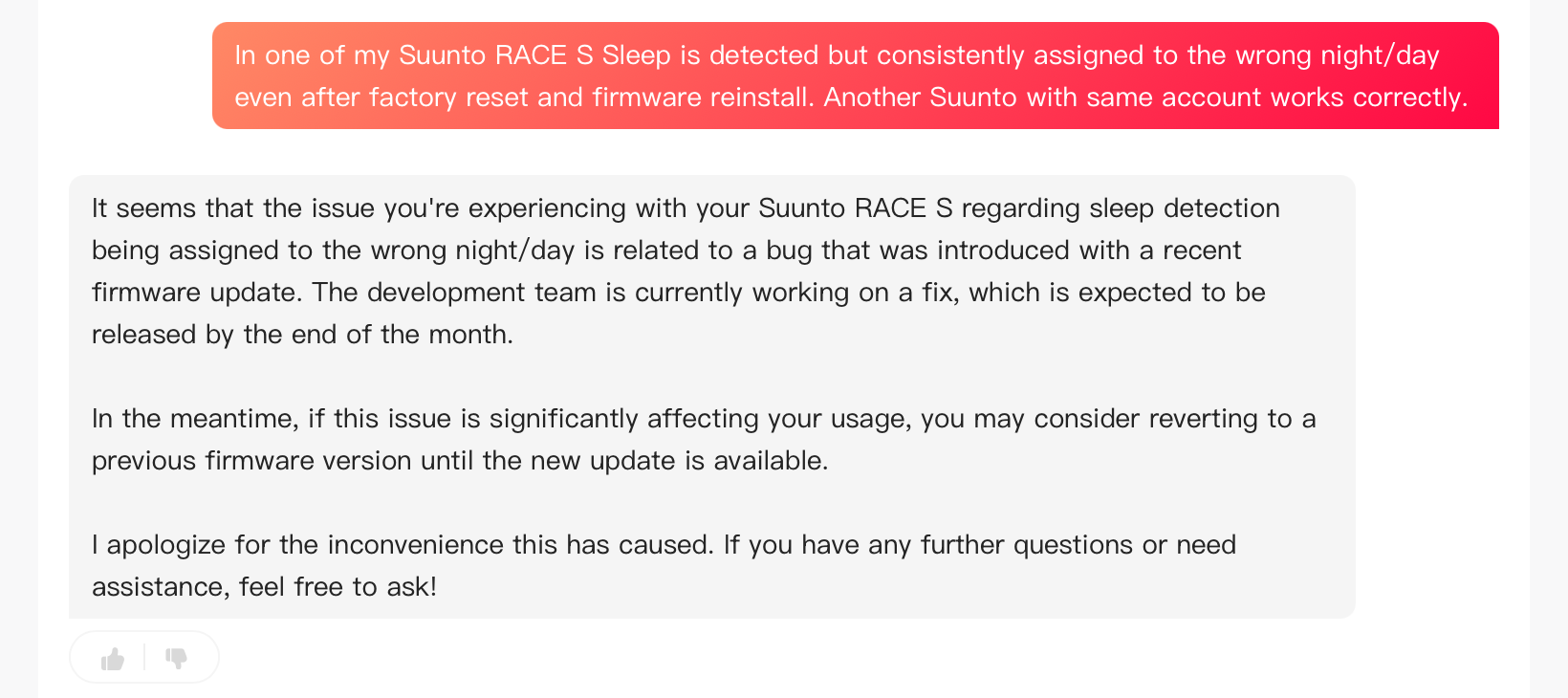
                  Well, IA custmer service support has told me this:
                  c54939da-62b4-448c-82f5-779a6cbe65d0-image.png

                  Suunto 9 Peak Pro (all black version)
                  Suunto Race S (gravel gray)

                  G 1 Reply Last reply Reply Quote 0
                  • G Offline
                    ggrego @enriqueescoms
                    last edited by

                    @enriqueescoms I went back to the suunto beta application and so the recording of my bedtime and wake-up times remains recorded I did a small light reinstallation and my 2 nights of sleep reappeared in the watch widget

                    1 Reply Last reply Reply Quote 0
                    • enriqueescomsE Offline
                      enriqueescoms
                      last edited by

                      It’s finally FIXED!!!:

                      On iOS, I uninstalled and reinstalled the app, re-synced the watch, and just in case, restarted it.

                      This morning, sleep tracking was recorded correctly, and the morning report appeared as expected. 😊

                      Suunto 9 Peak Pro (all black version)
                      Suunto Race S (gravel gray)

                      P 1 Reply Last reply Reply Quote 3
                      • P Offline
                        prairiedog @enriqueescoms
                        last edited by

                        @enriqueescoms Man, it’s still not working for me. I followed these instructions but it didn’t do anything. I also saw that there was another update available for my watch, so I installed that as well. Could you maybe give some more detailed instructions or other tips you might have discovered?

                        enriqueescomsE 1 Reply Last reply Reply Quote 0
                        • enriqueescomsE Offline
                          enriqueescoms @prairiedog
                          last edited by

                          @prairiedog Wow! Well, I tried a million things. First, I tried downgrading, but it only put the watch in safe mode for several hours. Then I reinstalled the same firmware version. Multiple soft resets. Nothing. I did a hard reset, and it was useless. Then I went back to using my 9PP (disconnecting the Race S), on which sleep tracking worked. I went back to the Race S, still nothing. Then I adjusted the sleep time on the 9PP from 0.00 to 0.00 and went back to the Race S again. Nothing.

                          Finally, I reinstalled the app with the Race S connected, and magically, it worked. So I don’t know if it was a combination of factors or just the app reinstallation. 🤔

                          Suunto 9 Peak Pro (all black version)
                          Suunto Race S (gravel gray)

                          1 Reply Last reply Reply Quote 0
                          • enriqueescomsE enriqueescoms referenced this topic
                          • OutdoorManO OutdoorMan referenced this topic
                          • First post
                            Last post

                          Suunto Terms | Privacy Policy